05 06
7. Connect Simolio JH-214A Bluetooth Receiver to Two BT Devices
Simultaneously
Step 1: Pair SIMOLIO JH-214A to the first BT device following the instructions from Part 6 on
Page 5.
Step 2: Pair SIMOLIO JH-214A to the second BT device:
1) Press and hold the “PAIR” button until Bluetooth indicator flashes blue and red
alternately.
2) Activate Bluetooth on the second BT device and click “SIMOLIO 214A”.
8. Disconnect and Reconnect
Disconnect: To disconnect, you may either turn off Simolio Bluetooth receiver, or forget/ignore
SIMOLIO 214A on your Bluetooth transmitting device like cell phone, PC, etc…
Reconnect: Turn it on again, Simolio will automatically reconnect with last paired device.
If not, please reboot the Simolio receiver.
Note: To restart the receiver, first switch the receiver off, wait about 5-8 seconds, then turn the
receiver back on.
9. How to Clear Pairing History
To clear the pairing history of Simolio Bluetooth receiver, please first disconnect your
phone, PC, Tablet, etc. Then long press and hold the “PAIR” button for 8-10 seconds until the
Bluetooth indicator flashes BLUE and RED alternately with ONE beep sound heard from your
speaker or stereo. After the pairing history is cleared, the receiver will automatically go into
pairing status.
JH-214A
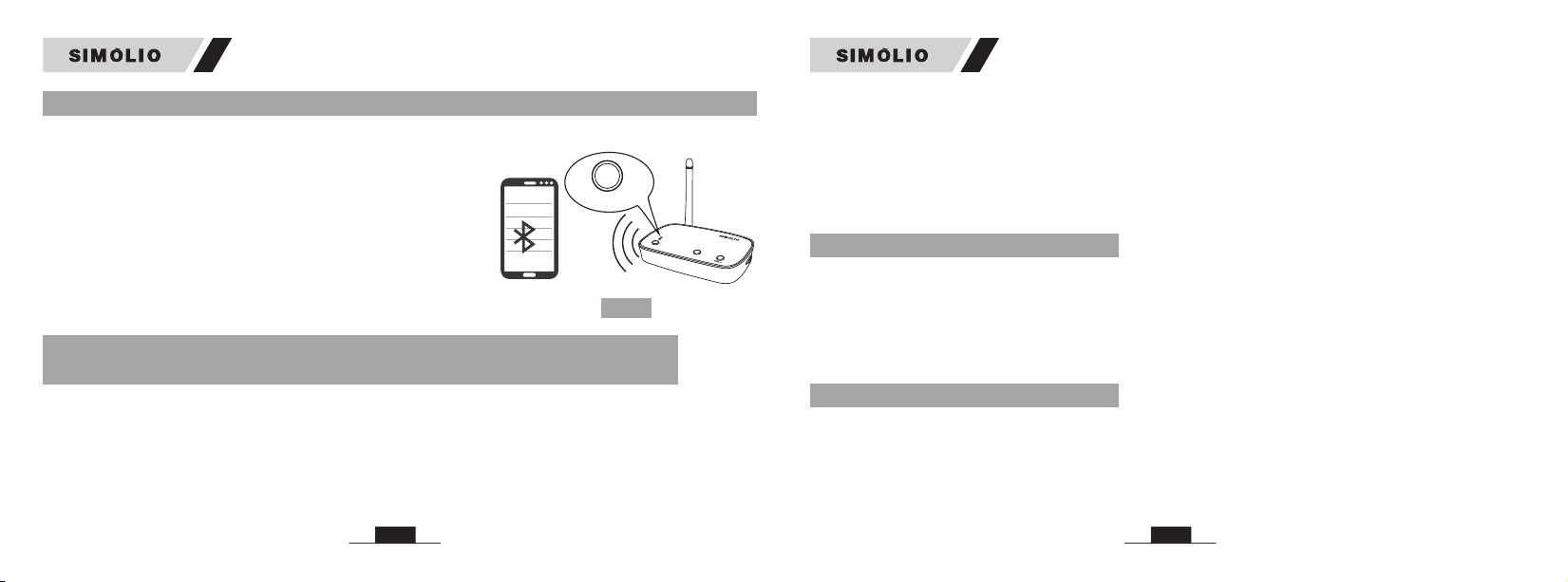
Step 1: Activate Bluetooth on your phone, PC, Tablet, etc.
The following paths are popular: (Ref. Fig 3)
iPhone: Settings>Bluetooth>Bluetooth: On;
Andriod: Settings>Bluetooth: On>Scan for devices
(Operation may vary slightly across devices. For more
details, please refer to your device’s user manual)
Step 2: Select “SIMOLIO 214A” from the available devices on
your phone, PC, Tablet, etc. (You may confirm the
pairing status on your phone)
Step 3: Once successfully paired, the Bluetooth indicator will
turn solid blue. Fig 3
JH-214A
SIMOLIO 214A
PAIR
PAIRVO L+
ON
JH-2 14A
6. Connect Simolio Bluetooth Receiver to Bluetooth-enabled DeviceJH-214A Step 3: Go to Bluetooth list on your first BT device, click “SIMOLIO 214A”.
Now both of your BT devices are paired to your SIMOLIO Bluetooth receiver simultaneously.
Note: 1. You can only stream audio from one BT device at a time.
2. To have audio playback on the other BT device, pause audio on the BT device you are
currently streaming audio from.
3. If there is a phone call while you are listening to music, the phone call will take precedence
over the music, and after the call, it will automatically return to the previous listening state.
JH-214A JH-214A