
Silvercrest SKD 1000 A3 Manuel utilisateur

V 1.5
English .................................................................................................. 2
Ελληνικά............................................................................................. 28
Deutsch............................................................................................... 56

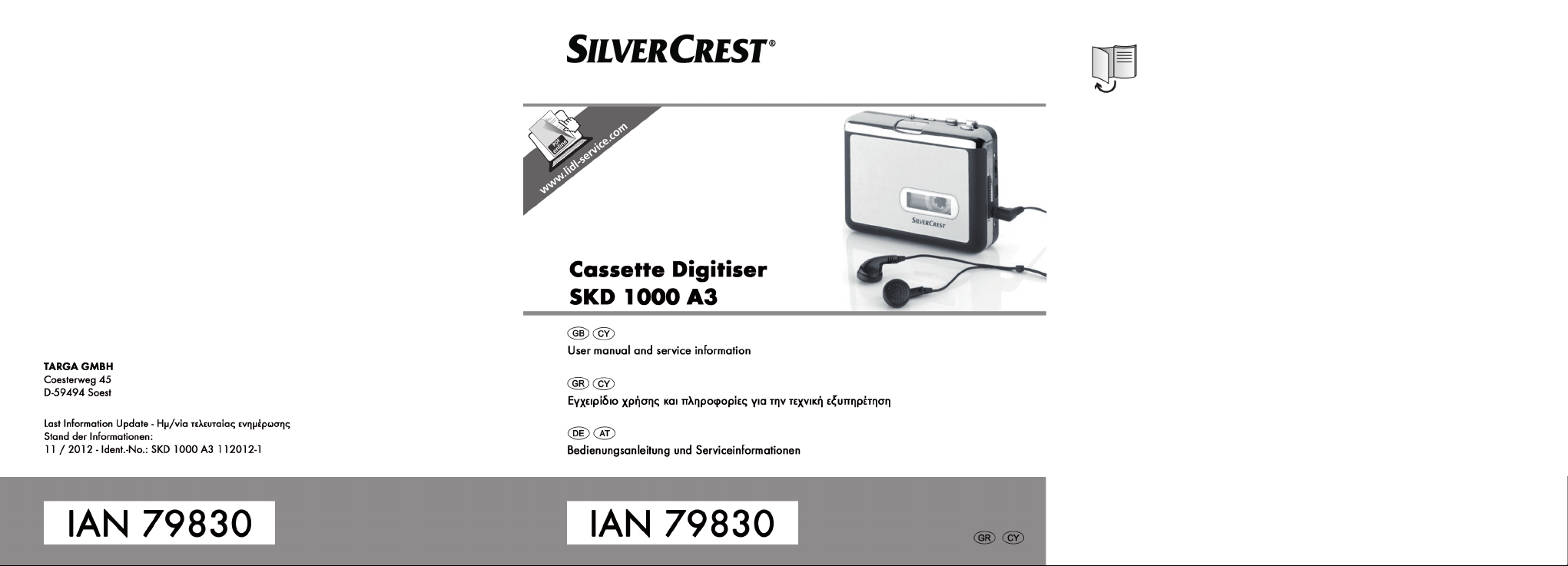
Cassette Digitizer SilverCrest SKD 1000 A3
2 English
Table of Contents
Table of Contents .............................................................................................2
Introduction .....................................................................................................4
Intended Use ...................................................................................................4
Package Contents ............................................................................................5
Technical Specifications....................................................................................6
Safety Instructions ...........................................................................................7
Risks associated with excessive volume levels................................................................................ 7
Operating Environment .................................................................................................................... 8
Batteries ............................................................................................................................................. 9
Children ............................................................................................................................................. 9
Getting Started ..............................................................................................10
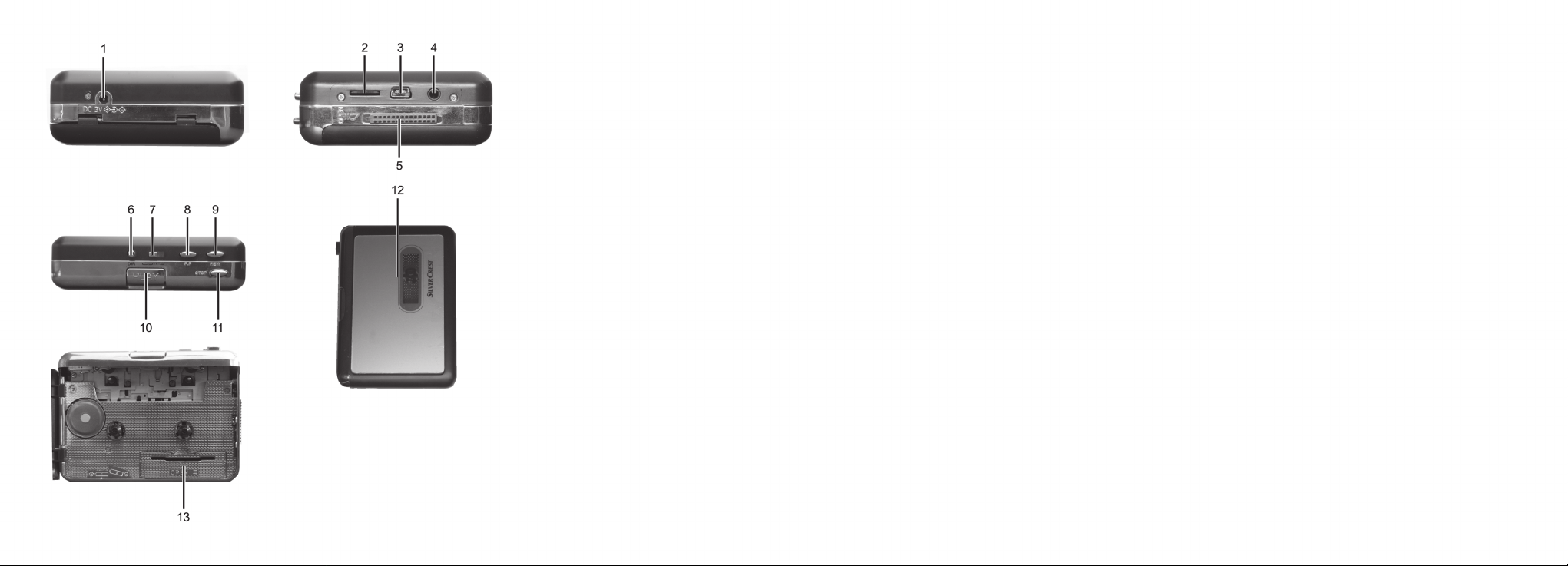
Connectors and Controls ...............................................................................................................10
Left Panel.....................................................................................................................................10
Right Panel ..................................................................................................................................10
Top...............................................................................................................................................10
Front.............................................................................................................................................11
Interior view of the cassette compartment ................................................................................11
Installing the Conversion Software................................................................................................12
System Requirements..................................................................................................................12
Installing AudioLava...................................................................................................................12
Preparing the Cassette Digitizer ....................................................................................................12
Inserting the Batteries .................................................................................................................13

Cassette Digitizer SilverCrest SKD 1000 A3
English 3
Playing Cassettes...........................................................................................14
Connecting the earphones.............................................................................................................14
Playing audio cassettes ..................................................................................................................14
Inserting an audio cassette ........................................................................................................14
Playing the cassette....................................................................................................................15
Removing the audio cassette.....................................................................................................15
Copying Audio Cassettes to a PC....................................................................16
Connecting the device to your PC.................................................................................................16
Copying the cassette content to the PC ........................................................................................17
Editing the digitized content...........................................................................................................21
Maintenance / Cleaning.................................................................................24
Environmental Considerations and Recycling.................................................24
Conformity Notice..........................................................................................25
Troubleshooting.............................................................................................25
The cassette digitizer can’t be switched on..............................................................................25
No sound ....................................................................................................................................25
Problems when copying cassette content to a computer ........................................................25
Warranty Information ...................................................................................26

Cassette Digitizer SilverCrest SKD 1000 A3
4 English
Introduction
Thank you for choosing a SilverCrest product. With this cassette digitizer you can not only play
your audio cassettes when moving or travelling; you can also convert them to a modern, digital
multimedia format and even store the digital audio data on a CD or a USB memory stick.
Intended Use
This is a consumer electronics device. It is designed for playing and digitizing audio cassettes. It
may only be used for private use, not industrial or commercial purposes. Furthermore, the device
may not be used in tropical climates.
This device fulfils all conformity-relevant norms and standards. Any modifications to the device
may result in these directives no longer being met. Only use the accessories recommended by
the manufacturer. Please observe the regulations and laws in the country of use.
Cassette Digitizer SilverCrest SKD 1000 A3
English 5
Package Contents
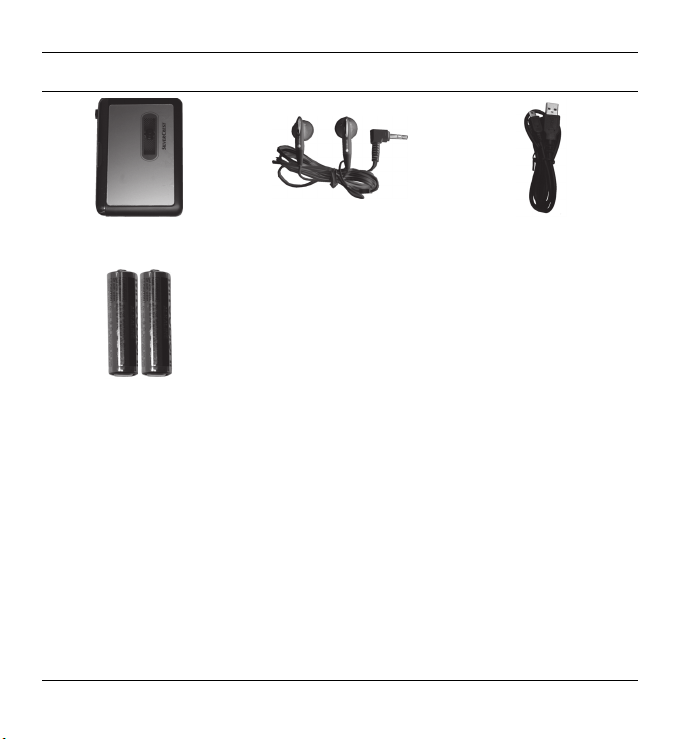
SilverCrest Cassette Digitizer
SKD 1000 A3
SilverCrest
earphones PS-09 USB cable, length 70 cm
2 AA-sized brand-name
batteries, 1.5 V
CD with the AudioLava
conversion software (not
shown)
User manual with service
information (not shown)

Cassette Digitizer SilverCrest SKD 1000 A3
6 English
Technical Specifications
Model name SilverCrest SKD 1000 A3
Power supply 2 AA batteries, 1.5 V
(optionally via a mains adapter, 3 V ,
polarity )
Via a USB 2.0 cable connection
(recommended) to the computer (+5 V)
Maximum current consumption 500 mA
Dimensions 11.3 x 8.4 x 3.2 cm
Weight 170 g (without batteries)
Operating temperature 0 °C to 35 °C
Operating humidity 85 % rel. humidity
Earphones PS-09
Impedance 32 Ohms
Broadband characteristics voltage approx. 103 mV
Max. sound pressure level with supplied
earphones
approx. 86.8 dB(A)
Max. output voltage on earphones jack approx. 29 mV
The technical data and design may be changed without notification.
Cassette Digitizer SilverCrest SKD 1000 A3
English 7
Safety Instructions
Before you use this device for the first time, please read the following notes in this manual and
heed all warnings, even if you are familiar with handling electronic devices. Keep this manual
safe for future reference. If you sell the device or pass it on, it is essential that you also hand over
this manual.
This icon denotes important information for safe operation of the product and for
the user’s safety.
This icon denotes further information on the topic.
Risks associated with excessive volume levels
Listening at a high volume can damage your hearing.
In accordance with safety regulations the maximum permitted noise level is 100 dB(A). The
device fully complies with these legal requirements.
Do not use the earphones at high volume levels, otherwise you will damage your hearing and
possibly disturb other people. Although the device is designed to enable you to perceive external
noise, never adjust the volume to such a high level that you are not capable of hearing what is
happening around you.
Under dangerous circumstances (for example when driving a vehicle or when working with
machines) the sound may distract your attention or prevent you from being aware of what is
happening around you. You should not use the device in these situations.

Cassette Digitizer SilverCrest SKD 1000 A3
8 English
Operating Environment
The device is not designed for use in environments with high temperatures or humidity (e.g.
bathrooms), and must be kept free of dust. Operating temperature and operating humidity: 5°C
to 35°, max. 85 % RH.
Always make sure that:
there is free circulation of air (do not place the device on shelves, on a carpet, on a bed, or
anywhere that obstructs the ventilation, and ensure at least 10 cm clearance on all sides);
no direct heat sources (e.g. radiators) can affect the device;
no direct sunlight or bright artificial light reaches the device;
contact with sprayed and dripping water and abrasive liquids must be avoided and the
device should never be operated near water. It must especially never be immersed (do not
place any items containing liquids such as beverages, vases, etc. onto or next to the device);
the device is never placed in the immediate vicinity of magnetic fields (e.g. loudspeakers);
no foreign bodies enter the device;
the device is not subject to any great temperature changes as this may cause moisture through
condensation and short-circuits;
the device is not subjected to excessive shocks and vibrations.
Candles and any other open flames must be kept away from this product at
any times in order to avoid the risk of fire.
Autres manuels pour SKD 1000 A3
1
Table des matières
Langues :
Autres manuels Silvercrest Lecteur de cassettes

Silvercrest
Silvercrest SZW 1000 A2 Manuel utilisateur

Silvercrest
Silvercrest SKD 1000 A3 Manuel utilisateur

Silvercrest
Silvercrest SKD 1000 A3 Feuille d'instructions

Silvercrest
Silvercrest SKD 1000 A1 Manuel utilisateur

Silvercrest
Silvercrest SKD 1000 A3 Feuille d'instructions

Silvercrest
Silvercrest SZW 1000 A2 Feuille d'instructions


