Sikom GACII v1.1 El-nummer: 64 309 33
www.sikom.no - 8 -
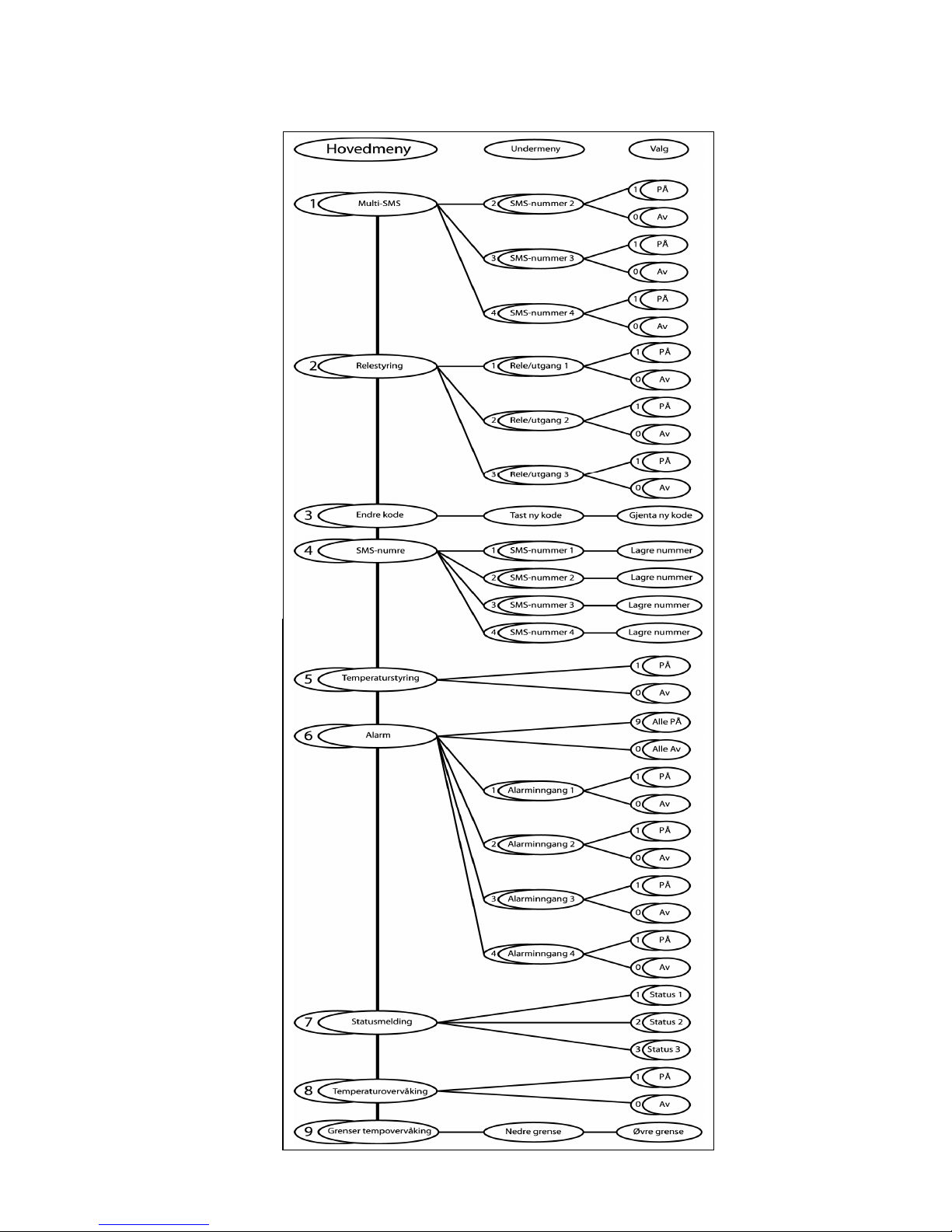
3.3 Menu 1 Activate multi SMS transmission
GSM Alarm Controller II can send alarm messages to 4
different numbers/receivers. Also called multi sending. These
4 numbers are stored in different positions by menu 4. To
activate the different numbers, menu 1 must be used. The
status messages are only sent to number 1. Number 1 can not
be deactivated.
-Press ”1”
-Press the position number of the SMS number you want to
activate/deactivate. ”2”, ”3” or ”4”
-”1” to activate, ”0” to deactivate
You are now returning to the main menu.
Example: ”131” activate position number 3, ”130”
deactivate.
3.4 Menu 2 Output control
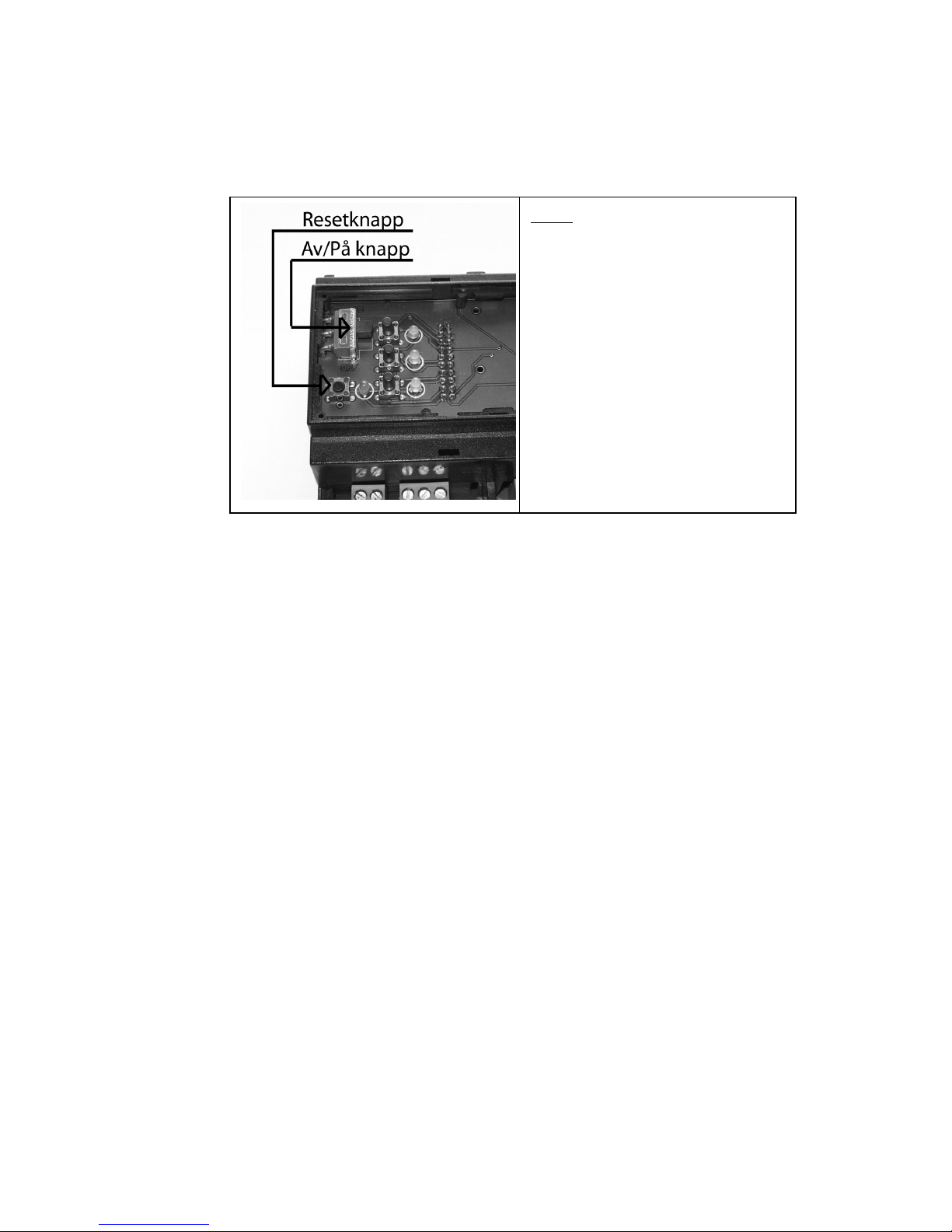
The relays can be controlled manually on the top-card of the
GSM Alarm Controller II, or by phone as explained below.
1. Press “2” (after calling GSM Alarm Controller and logging
on) You are now in submenu 2, relay-control.
2. Press relay number - followed by “1” for ON or “0” for OFF
Command: Function: Command: Function:
“11” turn relay 1 on “10” turn relay 1 off
“21” turn relay 2 on “20” turn relay 2 off
“31” turn relay 3 on “30” turn relay 3 off
You will now get the OK tone which indicates function
executed.
To turn on/off more relays, you can now go back into menu 2,
and use another combination of the above commands.
3.5 Menu 3 Change personal code
Change the personal code by calling the GSM Alarm Controller
II. It is the same code which activates or deactivates the
alarm functions.
1. Press “3” .
2. Press new (self chosen) access code (4 digits)
3. Wait for approved
4. Press new access code once more (4 digits)
5. Wait for OK tone
You are now in the main menu!