
SIGNIFY EA2277 Manuel utilisateur
AUS
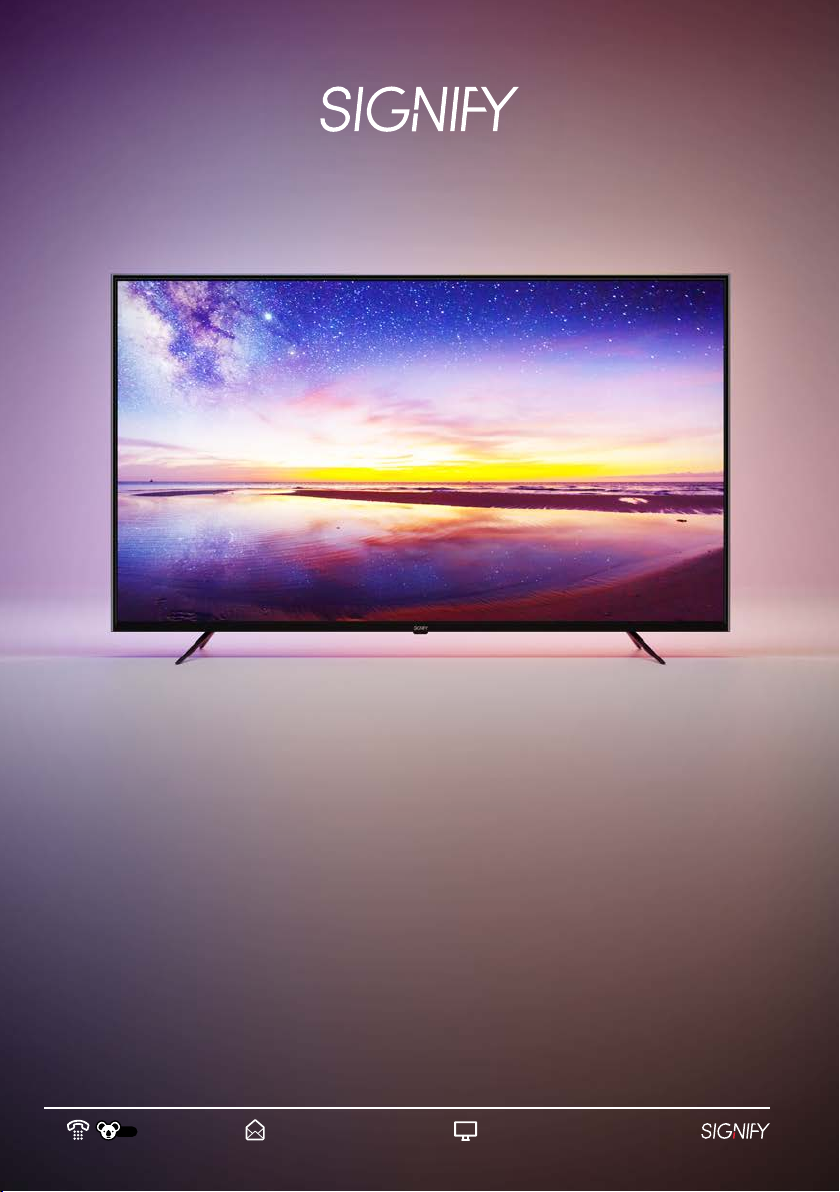
Instruction Manual
EA2277
55” 4K Ultra HD
LED Smart TV
02
AUS
Welcome
Congratulations on choosing to buy a Signify® product.
All products brought to you by Signify® are manufactured to the highest standards of performance
and safety, and, as part of our philosophy of customer service and satisfaction, are backed by our
comprehensive 1 Year Warranty and customer technical support line.
This comprehensive instruction manual will provide you with a detailed guide on how to operate your
product and will also assist you in troubleshooting any problems that you may encounter.
If you have any queries regarding the use of this product, please feel free to phone our technical
support line for some friendly advice. If you are experiencing difficulties or believe that the product
may have a technical fault, we will assist you in rectifying the issue. We can generally solve most
problems simply and quickly over the phone, so please always phone us first!
We are sure that you will enjoy using this product and you can expect to gain years of service from
this product when it is used and maintained in the correct manner.
03
AUS
Contents
Welcome 02
Contents 03
Warranty Details 05
Safety Warnings 06
Important Safety Instructions 07
Installation 09
Product Overview 14
Getting Started 18
Turn On the TV 18
First Time Setup 18
Main Menu 19
Selecting an Input Source 19
Using the Menu 19
Home Menu 20
Picture Menu 22
Sound Menu 23
Channel Menu 24
Lock Menu 26
Common Menu 27
Advance Menu 29
Recording 31
Recording TV Programs 31
Scheduled Recording 32
Time Shi 33
04
AUS
Contents (cont.)
HDMI Connections 35
Media Menu 36
Troubleshooting 37
Customer Support 40
Product Specifications 41
05
AUS
55” 4K ULTRA HD LED SMART TV
Warranty Details
The product is guaranteed to be free from defects in workmanship and parts for a period of 12
months from the date of purchase. Defects that occur within this warranty period, under normal
use and care, will be repaired, replaced or refunded at our discretion. The benefits conferred by this
warranty are in addition to all rights and remedies in respect of the product that the consumer has
under the Competition and Consumer Act 2010 and similar state and territory laws.
Our goods come with guarantees that cannot be excluded under the Australian Consumer Law.
You are entitled to a replacement or refund for a major failure and for compensation for any other
reasonably foreseeable loss or damage. You are also entitled to have the goods repaired or replaced
if the goods fail to be of acceptable quality and the failure does not amount to a major failure.
06
AUS
Safety Warnings
The safety precautions enclosed herein reduce the risk of fire, electric shock and injury when
correctly adhered to. Follow all instructions and take notice of all the warnings.
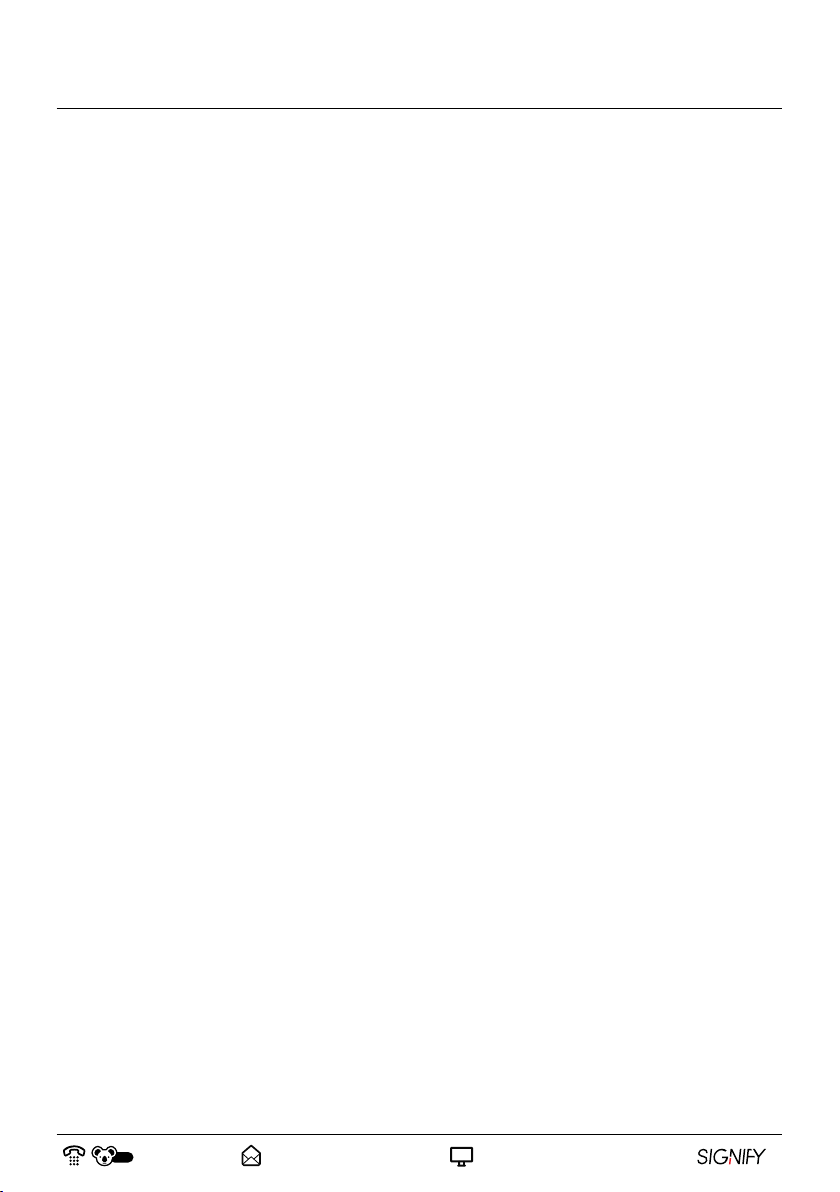
CAUTION: To reduce the risk of electric shock, do not remove the rear cover on the back of
the TV. There are no user-serviceable parts contained within. Removing any part of the TV or
attempting to modify the product will void the warranty. Refer servicing to qualified service
personnel as recommended by our Service Centre.
The lightning flash with an arrowhead symbol within an equilateral triangle is
intended to alert you to the presence of non-insulated dangerous voltage within
the product’s enclosure that may be of sufficient magnitude to constitute a risk of
electric shock to persons.
The exclamation point within an equilateral triangle is intended to alert you to the
presence of important operating and maintenance (servicing) instructions in the
literature accompanying the product.
IMPORTANT: Only connect this TV to a mains socket with a protective earthing connection.
• To prevent damage which may result in fire or an electric shock hazard, do not expose this TV to
rain or moisture. Do not place objects filled with liquids, such as vases, on or near the apparatus.
• Do not change or modify the TV in any way.
• Only use the attachments or accessories specified by the manufacturer.
CAUTION
07
AUS
Important Safety Instructions
RETAIN FOR FUTURE USE
Read this instruction manual thoroughly before first use, even if you are familiar with this type
of product. The safety precautions enclosed herein reduce the risk of fire; electric shock and
injury when correctly adhere to. Please keep this instruction manual in a safe place along with
your purchase receipt, warranty card and carton for future reference. If applicable, pass these
instructions and packaging on to the next owner of the product. Always follow basic safety
precautions and accident prevention measure when using an electrical product.
1. Read all instructions before using the TV.
2. Never allow children to play with electrical equipment.
3. Do not use the TV for anything other than its intended use.
4. Do not allow the TV, its cord or plug to come into contact with water or any other liquid.
5. Before installing the TV, make sure your outlet voltage corresponds to the voltage stated on the
TV rating label. Always use the power cord supplied for this TV.
6. This TV is intended to be used indoors, for household use only. Do not use the TV outdoors.
7. Do not use an extension cord with the TV unless completely necessary. If an extension cord is
used, please ensure that it has a rating equal or exceeding the rating of this product.
8. Do not pull or carry by the power cord, use the cord as a handle, close a door on the cord, or pull
the cord around sharp edges or corners. Keep the cord away from heated surfaces.
9. Unless your home is already fitted with a residual current device (safety switch), we
recommend installing an RCD with a rated residual operating current not exceeding 30mA to
provide additional safety protection when using electrical appliances. See your electrician for
professional advice.
10. The TV is not intended to be operated by means of an external timer or any type of separate
remote control system.
11. Do not bend, twist or squash the power cord and/or antenna cable under the main unit or other
heavy objects. Do not use a damaged power cord or plug and do not try to insert into a loose
outlet. Doing so may create risk of electric shock.
12. Always unplug the TV when not in use. To disconnect from the power supply, first ensure the power
switch is turned off, then grip the plug and pull from the power socket. Never pull by the cord. The
power plug must be removed from the power socket before cleaning, servicing, or maintenance.
13. Unplug the TV in cases of electrical storms to protect against the possibility of power surges
damaging the TV.
14. Never force the plug into an outlet.
15. Ensure that power sockets are not overloaded by operating several electrical products that
exceed the power supply of the socket. Review the rating label of each electrical product being
operated to ensure that they do not exceed the capacity of the power socket. Always turn off
and unplug any electrical product that is not being used.
08
AUS
Important Safety Instructions (cont.)
16. Never operate the TV with wet hands, submerge under water or spill liquids onto the TV.
17. The TV is not intended for use by persons (including children) with reduced physical, sensory or
mental capabilities, or lack of experience or knowledge, unless they have been given supervision
or instruction concerning use of the product by a person responsible for their safety.
18. If using a power board, ensure that it is equipped with a surge guard system to protect your TV
against any power surges.
19. Avoid exposing the TV to direct sunlight and other sources of heat. Do not place the TV or its
power cord near heat-producing appliances such as radiators, stoves or irons. The excessive
heat could melt the insulation and expose live wires, resulting in risk of fire or electric shock.
20. Do not use or store flammable or combustible materials near the TV. Doing so may result in fire
or explosion. Do not place any naked flame sources, such as lit candles, cigarettes or incense
sticks on top of the TV.
21. Do not block the ventilation holes located on the rear cover on the TV. Ventilation is essential to
prevent failure of electrical components. Dust the ventilation holes regularly with a static proof
cloth or feather duster.
22. Do not use or store flammable or combustible materials near the TV. Doing so may result in fire
or explosion.
23. Install the antenna away from high-voltage power lines and communication cables and make
sure it is installed securely. If the antenna comes into contact with a power line, risk of fire,
electric shock or serious injury may occur.
24. The TV reception may vary depending on your location and surroundings. Always use a qualified
antenna specialist to install or examine your antenna.
25. Always unplug the TV from the power supply before cleaning.
26. Only use a so, dry and static-free cloth for cleaning the cabinet and stand of the TV; do not use
a damp cloth.
27. Never clean the TV with industrial strength polish, wax, benzene, paint thinner, air freshener,
lubricant, detergent or other chemicals. Wipe off any moisture, dirt or dust on the power plug
pins with a clean and dry cloth.
28. The LED panel used in this product is made of glass. Therefore, it can break when the product is
dropped or is impacted by other products. Take extreme caution when cleaning, moving or installing
the TV. Be careful when handling broken glass pieces in the event that the LED panel breaks.
29. The appliance should not be exposed to dripping or splashing and ensure that no objects filled
with liquids (vases etc.), are placed on the TV.
30. Where the mains plug or an appliance coupler is used as the disconnect device, the disconnect
device shall remain readily operable.
09
AUS
Installation
Step 1: Select a Location for Installation
When determining a position to install the TV set, ensure the area is:
• Well ventilated and away from moisture.
• Protected from abnormal heat and away from direct sunlight.
• Away from excessive dust, debris or grease.
WARNING: If the TV is not positioned or installed in a sufficiently safe and stable location, it
can create a potential hazard by falling or by being pulled down. This can result in injury and
damage to the unit and its surroundings, particularly in environments where children may be
present. To prevent injuries from your television falling, take a few simple precautions:
• Monitor children and ensure they keep a safe distance from the TV.
• Do not place the TV on tall furniture or in a confined area (eg. on a cupboard or bookcase)
without anchoring both the furniture and the TV to a suitable support.
• Only use furniture that is stable and can safely support the TV.
• Ensure the TV does not overhang any of the supporting furniture.
• Educate children about the dangers of climbing onto the furniture to reach TV controls.
• Do not place the TV on cloth, cushions or any other similar materials.
• Never stand on, lean on, or push the unit or its stand.
• If the furniture has to be moved, please first remove the TV and place it in a safe location on
the floor.
• Do not cover the TV with a blanket, cloth or other similar materials.
• Do not place the main unit on an unstable stand, shelf or table. Serious injury to an individual
and damage to the TV may result if it should fall. If the TV falls over because of customer
error, the warranty will be voided.
• Route cords and cables connected to your TV so they cannot be tripped over, pulled, or
grabbed.
• Do not place items that might tempt children to climb, such as toys and remote controls, on
the top of the TV or furniture on which the TV is placed.
CAUTION: Due to the size and weight of this TV, it is highly recommended that 2 people are
used to move it.
NOTE: Before unpacking the TV, ensure you have a table or a desk ready to lay the TV on. Ensure
the surface is flat and clean and lay a so cloth or blanket over the surface to protect the screen of
the TV.
10
AUS
Installation (cont.)
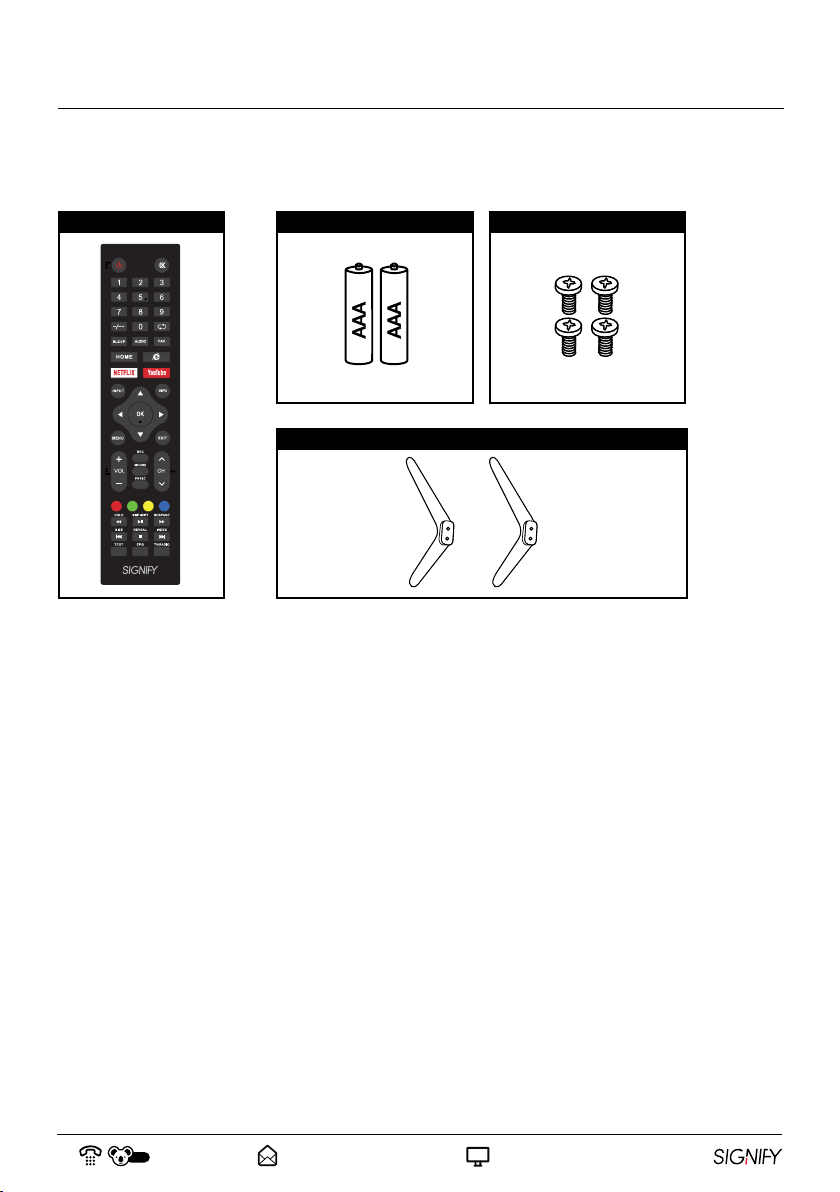
Included but not pictured: Instruction manual and warranty certificate.
Carefully remove the TV from its packaging, take immense caution not to apply any pressure to the
front of the TV screen.
1. Please go through all packaging material and ensure that all of the accessories listed above
have been unpacked from the packaging. Some accessories may be located in cut-out sections
of the internal packaging, so ensure you do not miss any items and discard them by mistake.
Once all items are removed from the packaging, use the list above to check that nothing is
missing. If any items appear to be missing, contact our Aer Sales Support line.
2. Once all accessories have been accounted for, prepare a location where you can attach the TV
base stands to the bottom of the unit, you will also require a Phillips Head screwdriver (not
included) to attach both TV base stands.
1 x Remote Control
Step 2: Unpack and Check your Accessories
2 x AAA Batteries 4 x TV Stand Screws
2 x TV Base Stands
Table des matières
Autres manuels SIGNIFY Téléviseur LED


