EAN-1500-OEM Startup Guide
© SightLine Applications, Inc. iii
Contents
11Overview............................................................................................................................................. 1
1.1 Associated Documents................................................................................................................. 1
1.2 SightLine Software Requirements................................................................................................ 1
2Network Configuration ....................................................................................................................... 2
3Serial Communications ....................................................................................................................... 2
41500-EVAL Kit...................................................................................................................................... 3
5Hardware Bench Setup ....................................................................................................................... 4
5.1 Power Connections ...................................................................................................................... 5
6Panel Plus............................................................................................................................................ 6
6.1 Camera Setup and Network Selection ......................................................................................... 8
6.2 Direct serial connection (optional): ............................................................................................. 8
7Summary............................................................................................................................................. 9
7.1 Demo Mode.................................................................................................................................. 9
8Troubleshooting................................................................................................................................ 10
8.1 Questions and Additional Support............................................................................................. 11
Appendix - 1500-OEM Enclosure.............................................................................................................. 12
List of Figures
Figure 1: Network Configuration Options................................................................................................... 2
Figure 2: 1500-AB Board Serial COM Connection....................................................................................... 3
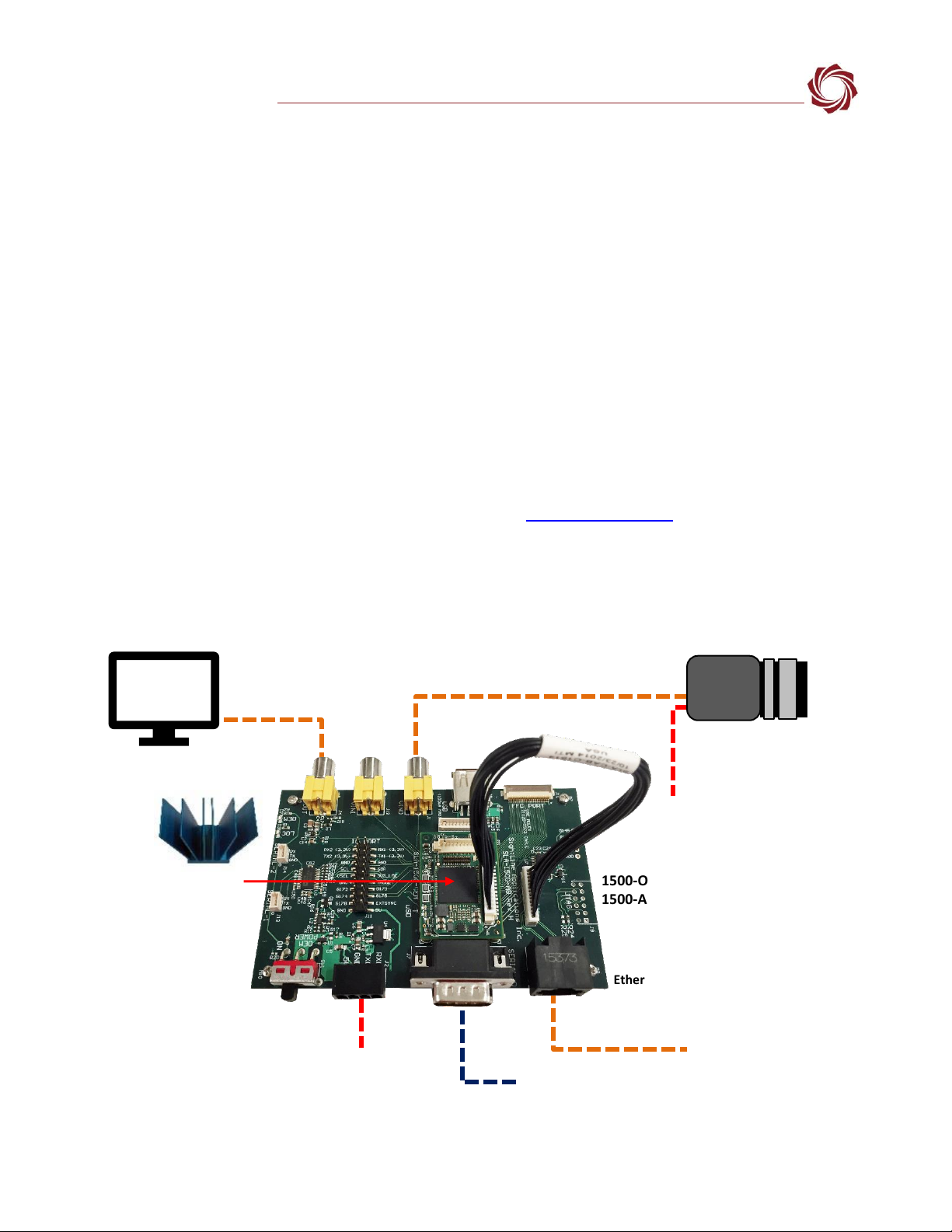
Figure 3: Typical Bench Hardware Setup.................................................................................................... 4
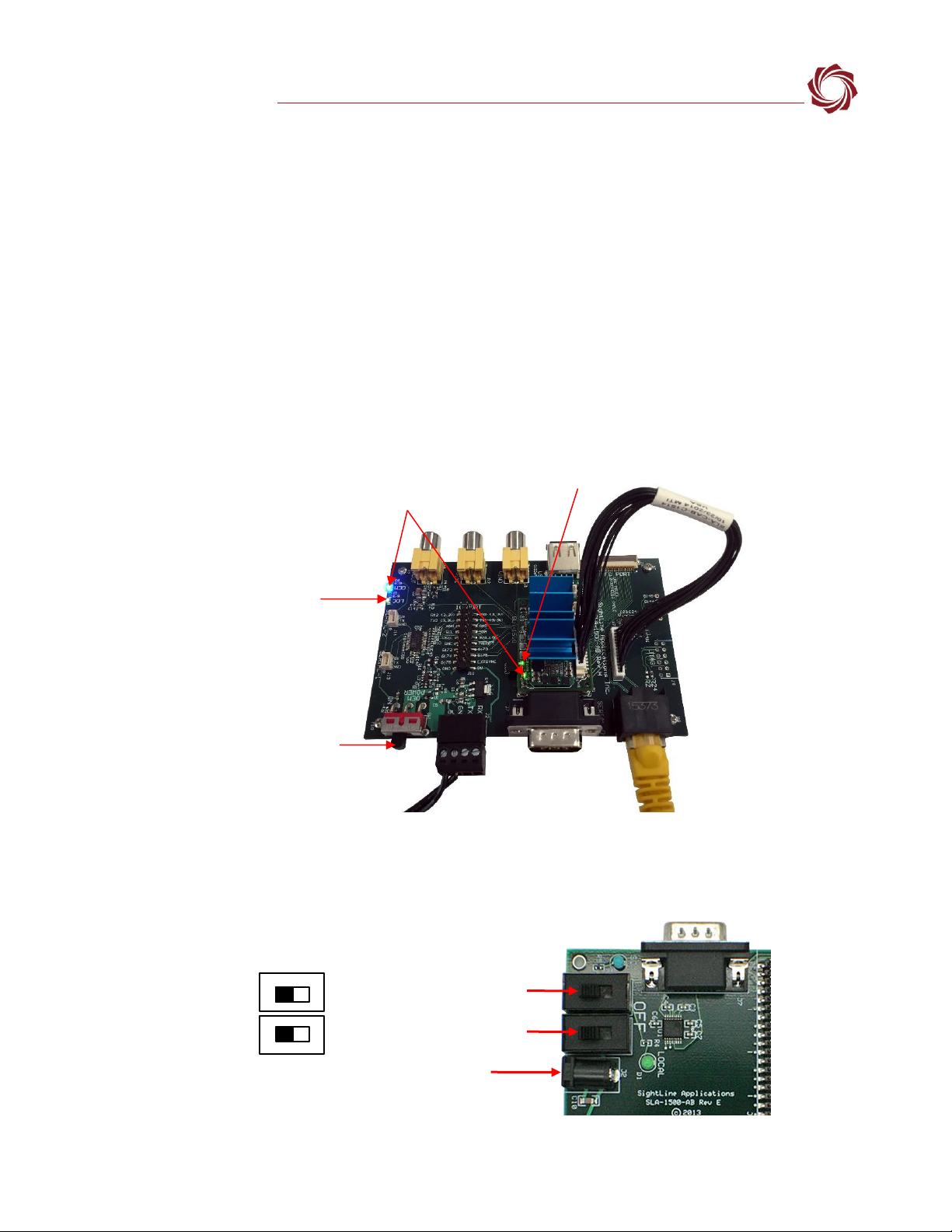
Figure 4: 1500-OEM Bench Setup with 1500-AB Board (Rev H and later) ................................................. 5
Figure 5: 1500-AB Board Dual Power Switches (Rev E and earlier)............................................................ 5
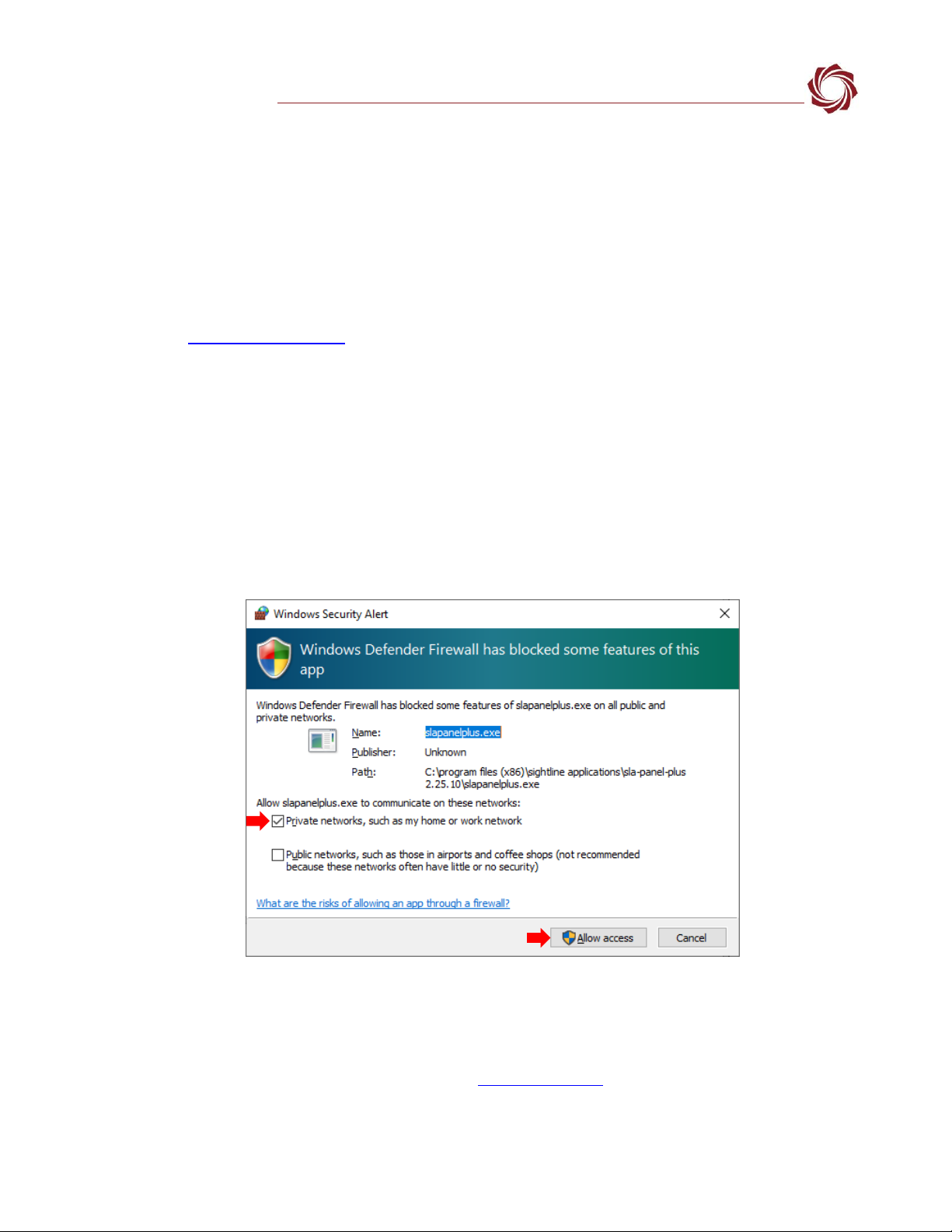
Figure 6: Windows Security Alert Prompt .................................................................................................. 6
Figure 7: Network Connection to Board..................................................................................................... 7
Figure 8: Firmware Version and Enabled Features..................................................................................... 7
Figure 9: Status Bar Operating Information ............................................................................................... 7
Figure 10: Direct Serial Connection ............................................................................................................ 8
Figure 11: Panel Plus Connection to Board ................................................................................................ 9