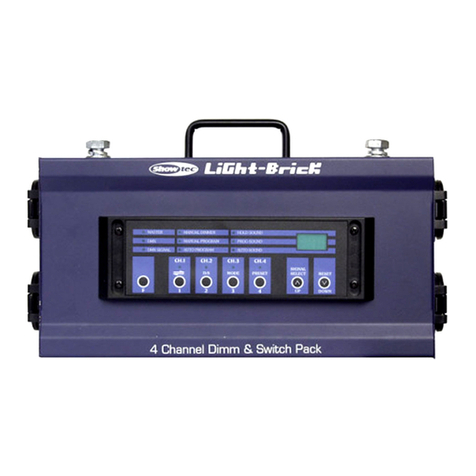
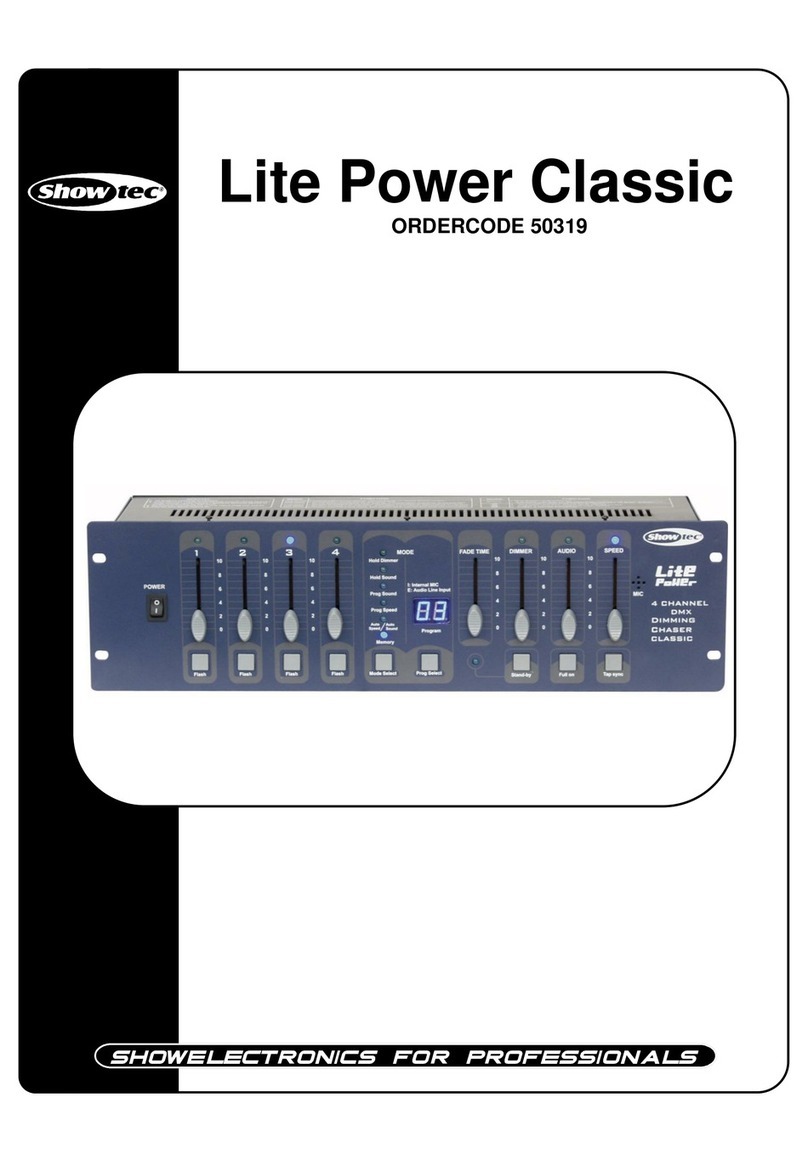
Show Tec DimMaster Manuel utilisateur
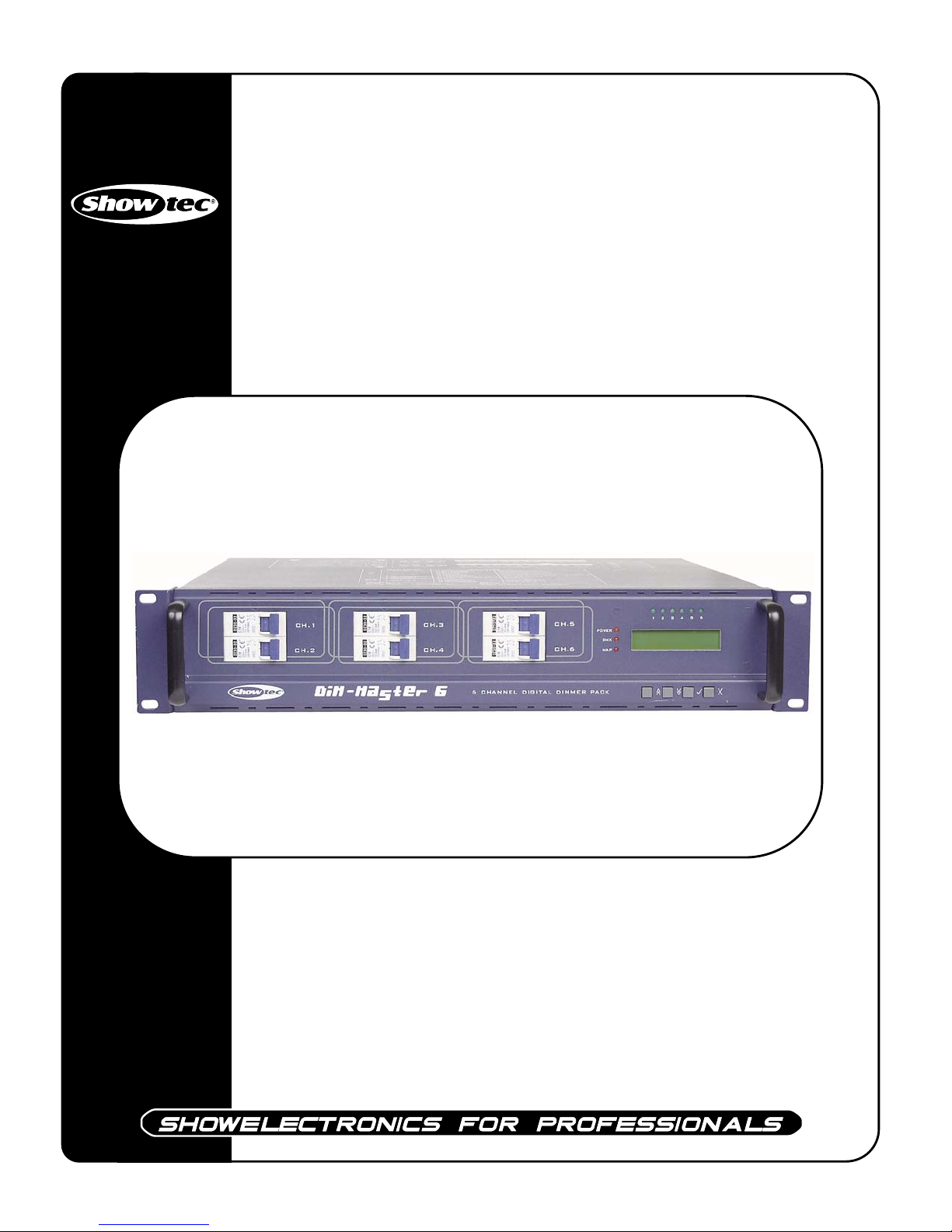
DimMaster
ORDERCODE 50378

Congratulations!
You have bought a great, innovative product from Showtec.
The Showtec DimMaster brings excitement to any venue. Whether you want simple plug-&-play action or a
sophisticated DMX show, this product provides the effect you need.
You can rely on Showtec, for more excellent lighting products.
We design and manufacture professional light equipment for the entertainment industry.
New products are being launched regularly. We work hard to keep you, our customer, satisfied.
You can get some of the best quality, best priced products on the market from Showtec.
So next time, turn to Showtec for more great lighting equipment.
Always get the best -- with Showtec !
Thank you!

1
2
2
3
4
5
7
8
8
8
8
9
10
12
15
15
15
15
16
16
18
19
19
19
20
Showtec
Showtec DimMaster™Product Guide
Warning..…...................................................................................………………………………………….
Safety-instructions………………………………………………………………………………………….….
Operating Determinations…………………………………………………………………………………….
Description..…..............................................................................……….…………………………………
Backside…….……………………………………………………………………………………….……...….
Harting Connector – Pin Connection………………………………………………….……………………..
Installation...............................................................................…...…………………………………….…..
Installing DimMaster ....................................................……………………………….……..……………
Set Up and Operation.....................................................................……..…………………………………
Menu System….…….......................................................................……….…………………………….
- Set DMX Address.……….....................................................................................……………….
- Set Channel.……….......................................................................................................………...
- Set Scenes………...............................................................................................……..………....
- Test Channels............................................................................................……………………....
- Set Inputs.................................................................................................................……............
- Unit Set Up.....................................................................................................................……......
- Set Text......................................................................................................................………......
- Software Rev................................................................................................................…...........
- Read Info.......................................................................................................................………...
Additional Information............................................................................................................................
Maintenance...................................................................................………..………….…….……………...
Replacing the Fuse........................................................................…………………….…………………
Troubleshooting............................................................................………………….………………….…..
Product Specifications.................................................................……………….…….………………….
2
WARNING
FOR YOUR OWN SAFETY, PLEASE READ THIS USER MANUAL CAREFULLY
BEFORE YOUR INITIAL START-UP!
SAFETY INSTRUCTIONS
Every person involved with the installation, operation and maintenance of this device has to:
-be qualified
-follow the instructions of this manual
Before your initial start-up, please make sure that there is no damage caused by transportation. Should there
be any, consult your dealer and do not use the device.
To maintain perfect condition and to ensure a safe operation, it is absolutely necessary for the user to follow
the safety instructions and warning notes written in this manual.
Please consider that damages caused by manual modifications to the device are not subject to warranty.
This device contains no user-serviceable parts. Refer servicing to qualified technicians only.
IMPORTANT:
The manufacturer will not accept liability for any resulting damages caused by the non-observance
of this manual or any unauthorized modification to the device.
•Never let the power-cord come into contact with other cables! Handle the power-cord and all
connections with the mains with particular caution!
•Provide occasional ventilation during use.
•Place this unit in a stable location, away from humidity, vibration or bumps.
•Never remove warning or informative labels from the unit.
•Do not insert objects into air vents.
•Do not switch the device on and off in short intervals, as this would reduce the system’s life.
•Do not open the device.
•Only use device indoor, avoid contact with water or other liquids.
•Avoid flames and do not put close to flammable liquids or gases.
•Always disconnect power from the mains, when device is not used or before cleaning! Only handle
the power-cord by the plug. Never pull out the plug by tugging the power-cord.
•Make sure that the available voltage is not higher than stated on the rear panel.
•Make sure that the power-cord is never crimped or damaged. Check the device and the power-
cord from time to time.
•In case of a malfunction (burning smell, etc.), immediately stop operation, disconnect power and
contact your Showtec dealer.
CAUTION!
Keep this device away from rain and moisture!
CAUTION! Be careful with your operations.
With a dangerous voltage you can suffer
a dangerous electric shock when touching the wires!

3
•
If device is dropped or struck, disconnect mains power supply immediately. Have a qualified
engineer inspect for safety before operating.
•
If the device has been exposed to drastic temperature fluctuation (e.g. after transportation), do not
switch it on immediately. The arising condensation water might damage your device. Leave the
device switched off until it has reached room temperature.
•
If your Showtec device fails to work properly, discontinue use immediately. Pack the unit securely
(preferably in the original packing material), and return it to your Showtec dealer for service.
•For replacement use fuses of same type and rating only.
•This device falls under protection class I. Therefore it is essential to connect the yellow/green
conductor to earth.
•Repairs, servicing and electric connection must be carried out by a qualified technician.
•WARRANTY: Till one year after date of purchase.
OPERATING DETERMINATIONS
If this device is operated in any other way, than the one described in this manual, the product may suffer
damages and the warranty becomes void.
Any other operation may lead to dangers like short-circuit, burns, electric shock, explosion, crash etc.
You endanger your own safety and the safety of others!
Improper installation can cause serious damage to people and property !
4
Description of the device
Features
•6 Channel DMX 512 Dimmingpack, 6x16A
• Inductive and resistant load
• DMX connector by 3p XLR
• 6 DMX channels, 24 map in DMX channels
• 24 programmable scenes
• 10 shows from 24 programmed scenes
• 90 built-in chase programs
• Each channel can be programmed with preheat level(0-20%), maximum output level(30-100%),
control curve(linear, square and switch) and fade time(0.0s-999s).
• Each scene can be programmed with the current output and fade time
• 24 map in DMX channels can be preset mapped to any of 10 scenes, 10 shows and 90 chase programs.
• DMX only and Map only can be selectable
• Several units can be linked in Master/Slave mode
• Switch off protection in the event of over temperature
• LCD display
• Power failure memory
Overview
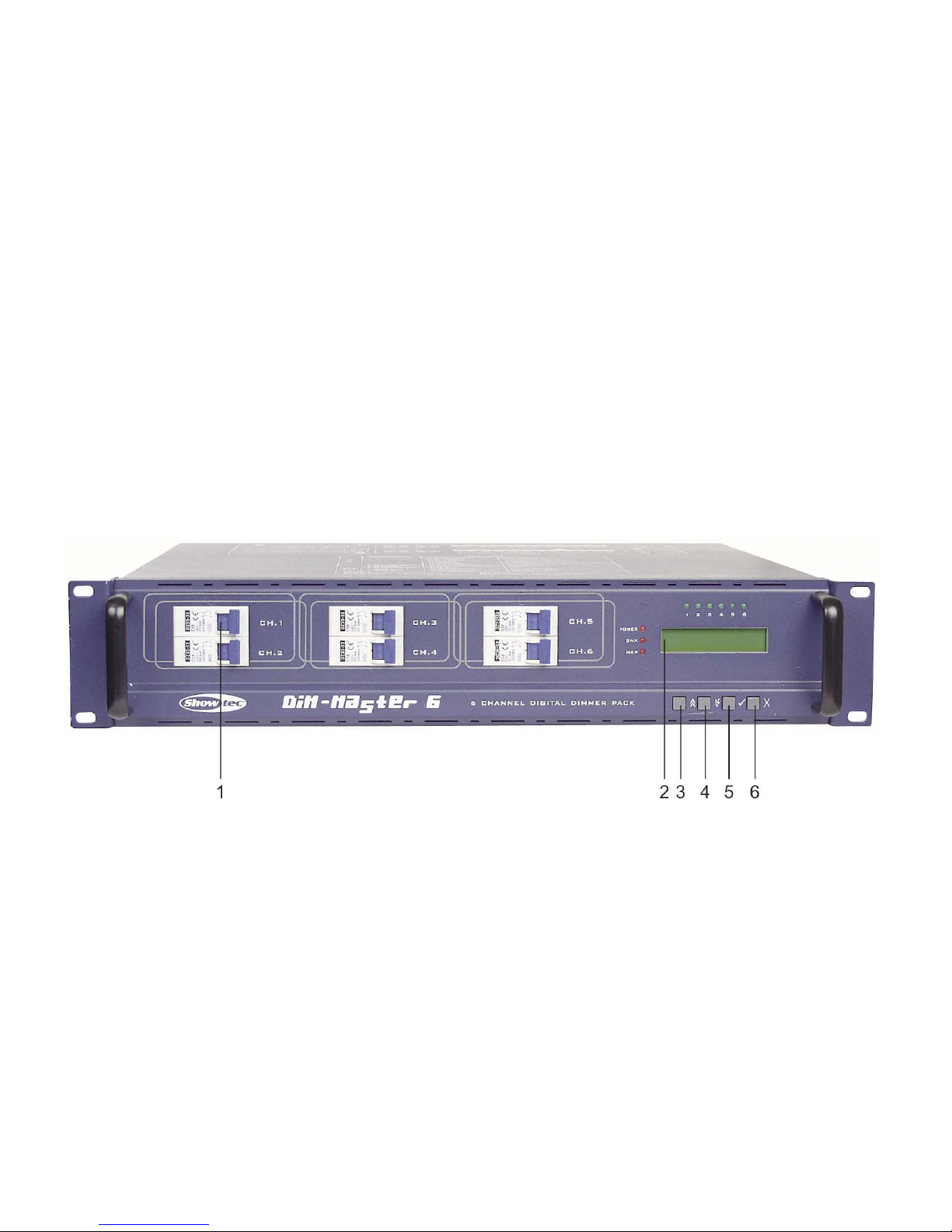
Fig. 1
1) Circuit Breaker 16A
2) LCD Display: Shows the current activities or adjustments of menus
3) UP Button: Scroll through the menus or increase the values.
4) DOWN Button: Scroll through the menus or decrease the values.
5) YES Button: Enter a submenu or store the settings.
6) NO Button: Leave the settings unchanged or go back one level of the menus.
5
There are 3 versions from the DimMaster: Standard version ordercode 50378
Ilme 16 Pole Multipin-version ordercode 50378M
Schuko-version ordercode 50378S
Rear Panel
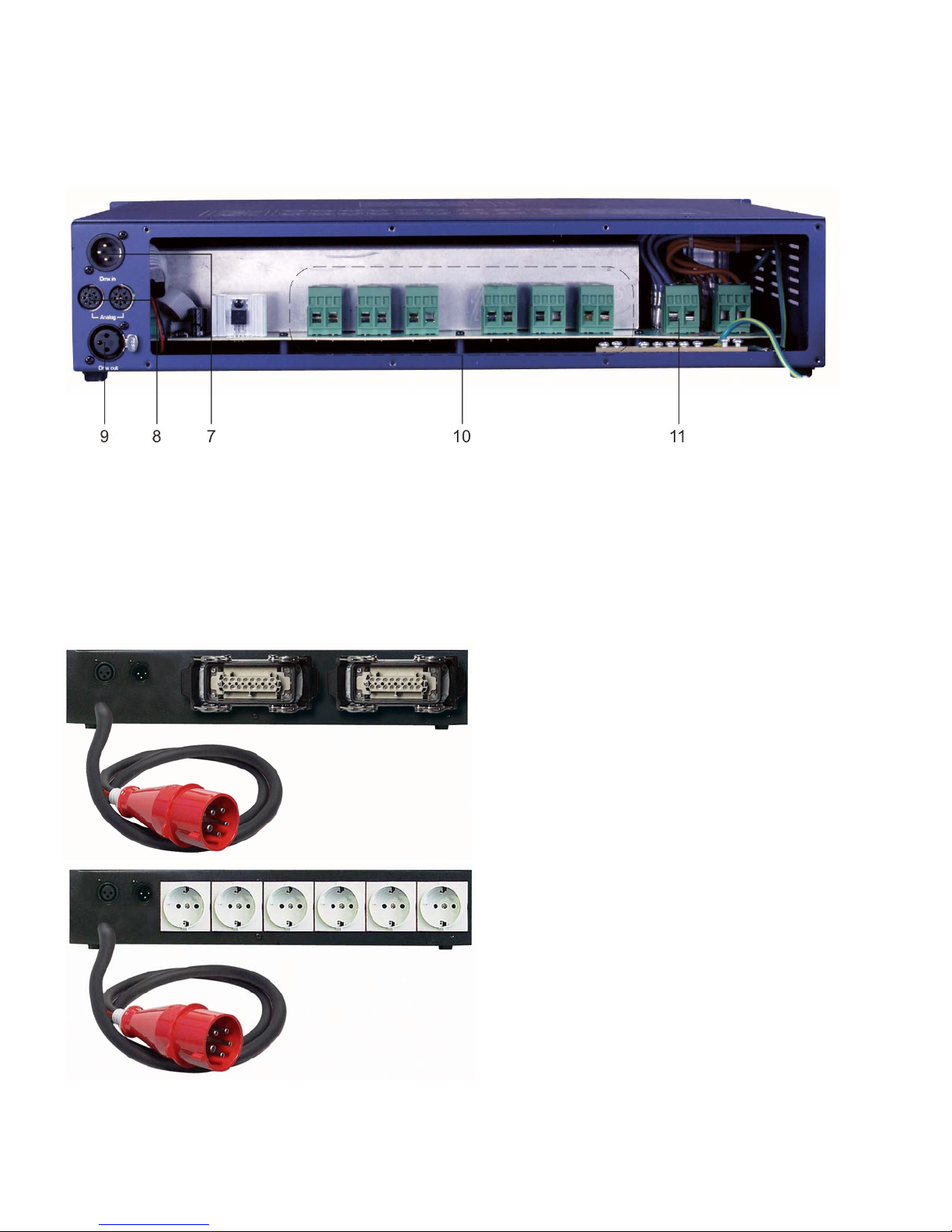
Fig. 2
7) DMX In: 3-pin XLR male, used to receive DMX data.
8) Analog Din
9) DMX Out: 3-pin XLR female, used to transmit DMX data.
10) Terminal Outputs
11) Power Input: Single phase input or three-phase input
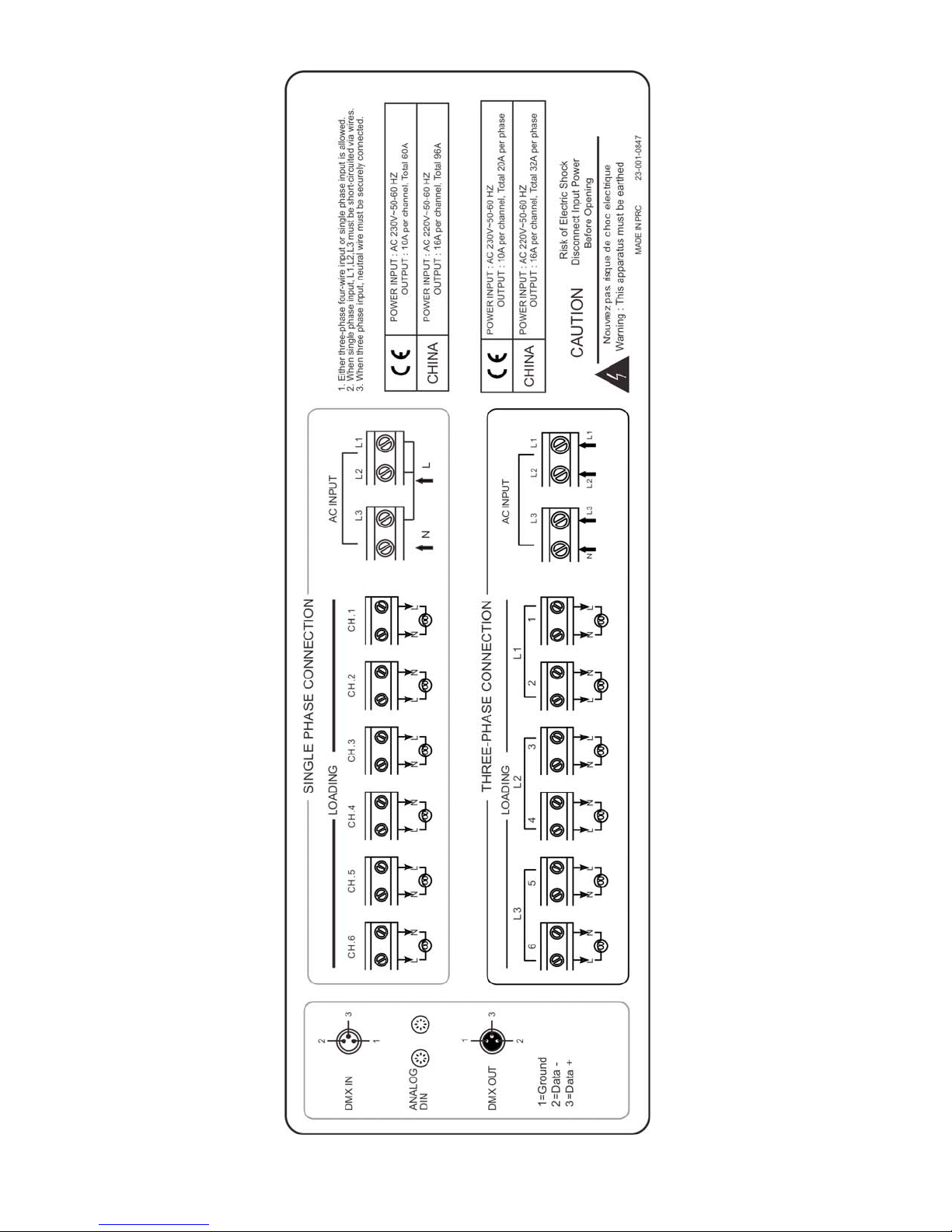
(For details, please refer to the wiring diagram printed on the top cover (also see Page 6).
Dim-Master 6 (2 x 16 p. multiconnectors)
Ordercode 50378-M
Dim-Master 6 (6 x Schuko connectors)
Ordercode 50378-S
Fig. 3
6
7
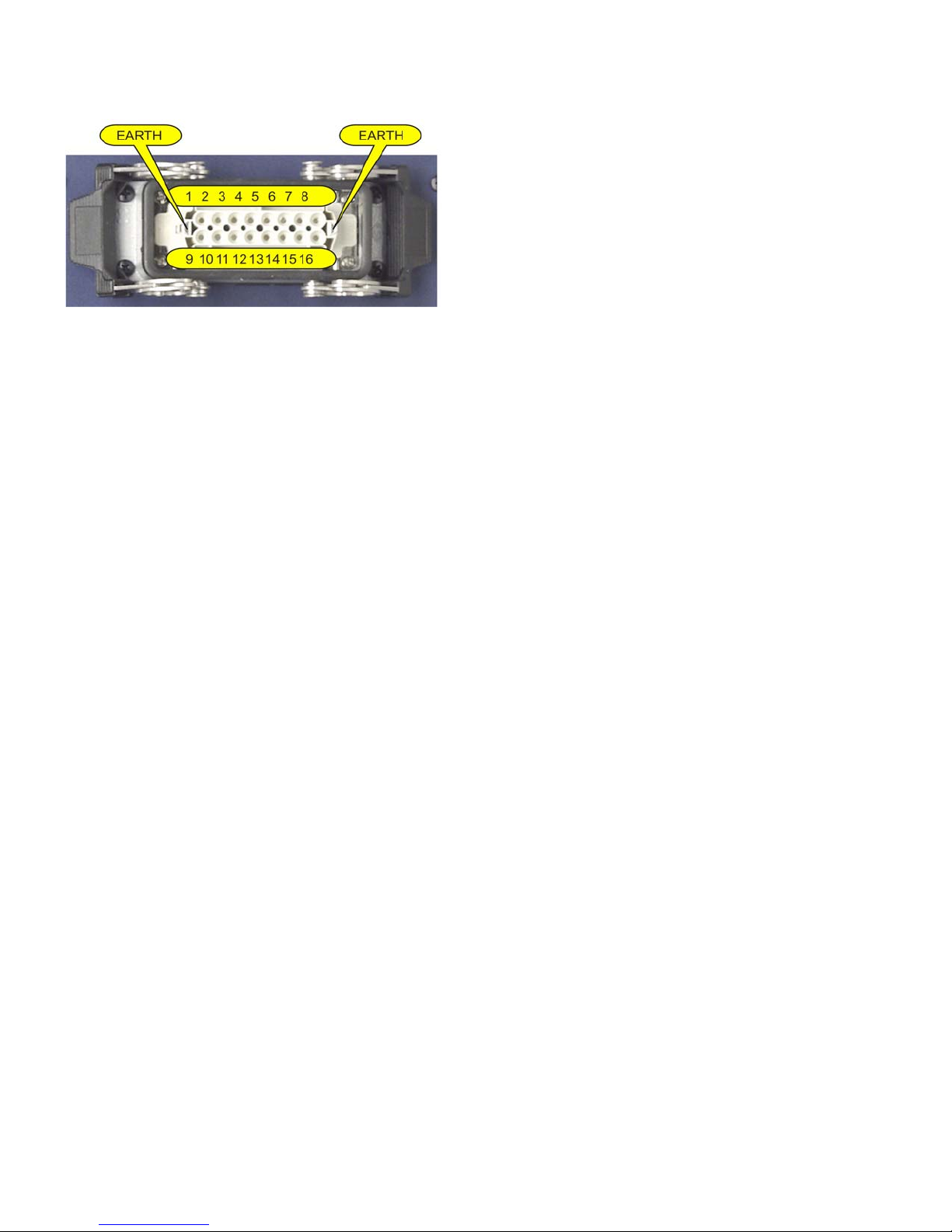
Harting Connector – Pin Connection
1) Channel 1 Phase 9) Channel 1 Neutral
2) Channel 2 Phase 10) Channel 2 Neutral
3) Channel 3 Phase 11) Channel 3 Neutral
4) Channel 4 Phase 12) Channel 4 Neutral
5) Channel 5 Phase 13) Channel 5 Neutral
6) Channel 6 Phase 14) Channel 6 Neutral
7) Not Connected 15) Not Connected
8) Not Connected 16) Not Connected
8
Installation
Remove all packing materials from the DimMaster. Check that all foam and plastic padding is removed.
Screw the equipment onto the wall. Connect all cables.
Always disconnect from electric mains power supply before cleaning or servicing.
Damages caused by non-observance are not subject to warranty.
Set Up and Operation
Before plugging the unit in, always make sure that the power supply matches the product specification
voltage. Do not attempt to operate a 120V specification product on 230V power, or vice versa.
When power is applied to your dimmer, a self-test is performed, as indicated by its LCD. The LCD reads "DMX
ABSENT/ DMX RECEIVED OK/ DMX SIGNAL ERROR" or "OVER TEMPERATURE".
After these initial test, a text message begins to scroll through the LCD. By default these messages are
"DIGITAL DIM PACK ......". You may change these text using menu item 71.
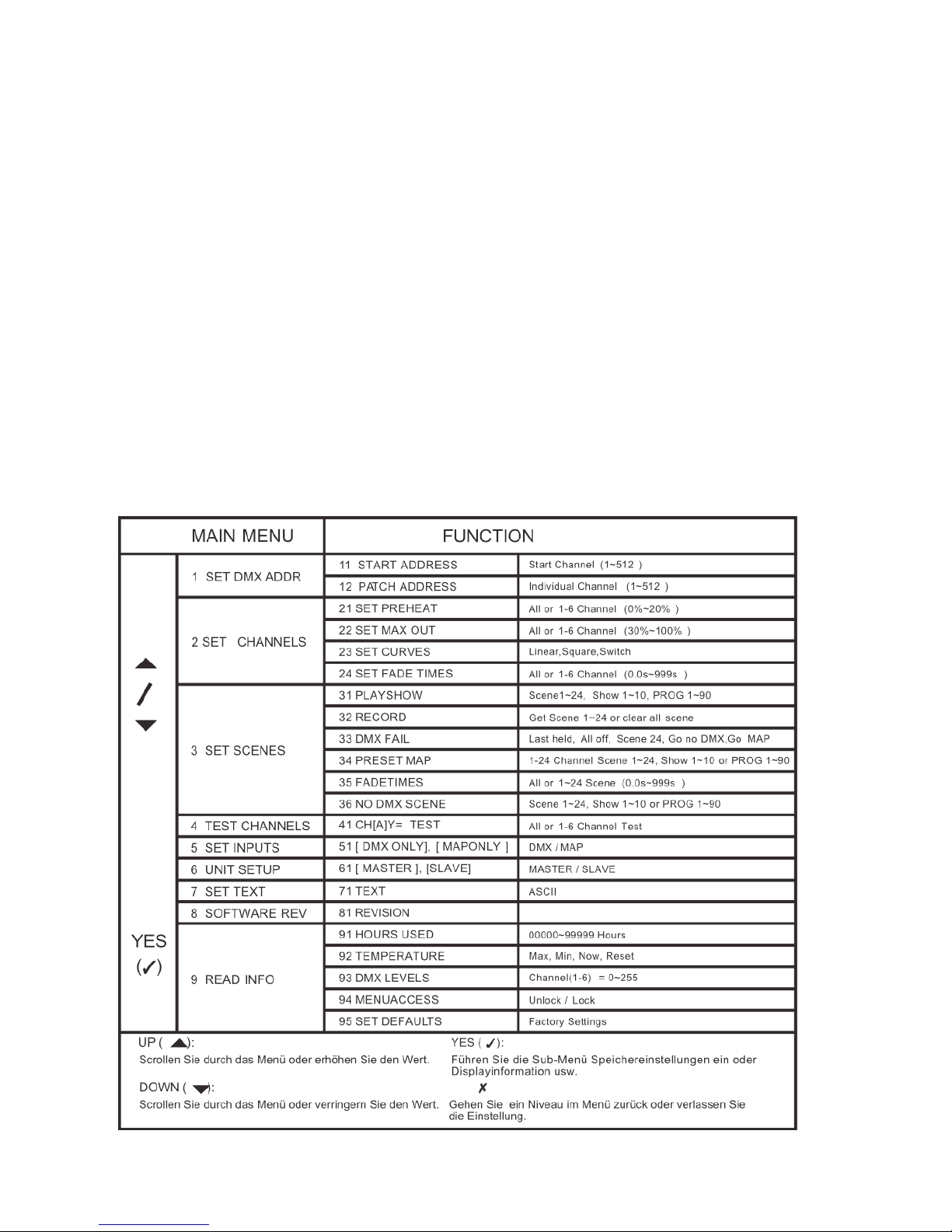
Menu System
Tap the UP/DOWN button to scroll through this menu system. There are total 9 main menus, the table below
shows every main menu and also gives you an explanation.
Ce manuel convient aux modèles suivants
1
Table des matières
Autres manuels Show Tec Variateur