shokz OPENCOMM UC Manuel utilisateur

User Guide
OPENCOMM UC
C102-AA

Contents
01
CONTENTS
HOW IT WORKS
04
05
Headset Controls
ON/OFF
06
Pairing to Mobile Device
07
Pairing to PC
09
11
12
How to Wear
NFC Pairing
Volume
13
14
Mute the Microphone
Multifunction Button
17
Check Battery Status
EQ Modes
EXTRA FEATURES
19
20
Switching EQ modes
Restore Factory Settings
21
23
Storage and Maintenance
Moisture Detection Alert
Charging Tips
CARE AND MAINTENANCE
26
27
28
Changing languages
02
CONTENTS
REGULATORY AND LEGAL INFORMATION
WHAT’S IN THE BOX
TROUBLESHOOTING
31
32
33
Warranty
30

03
How It Works
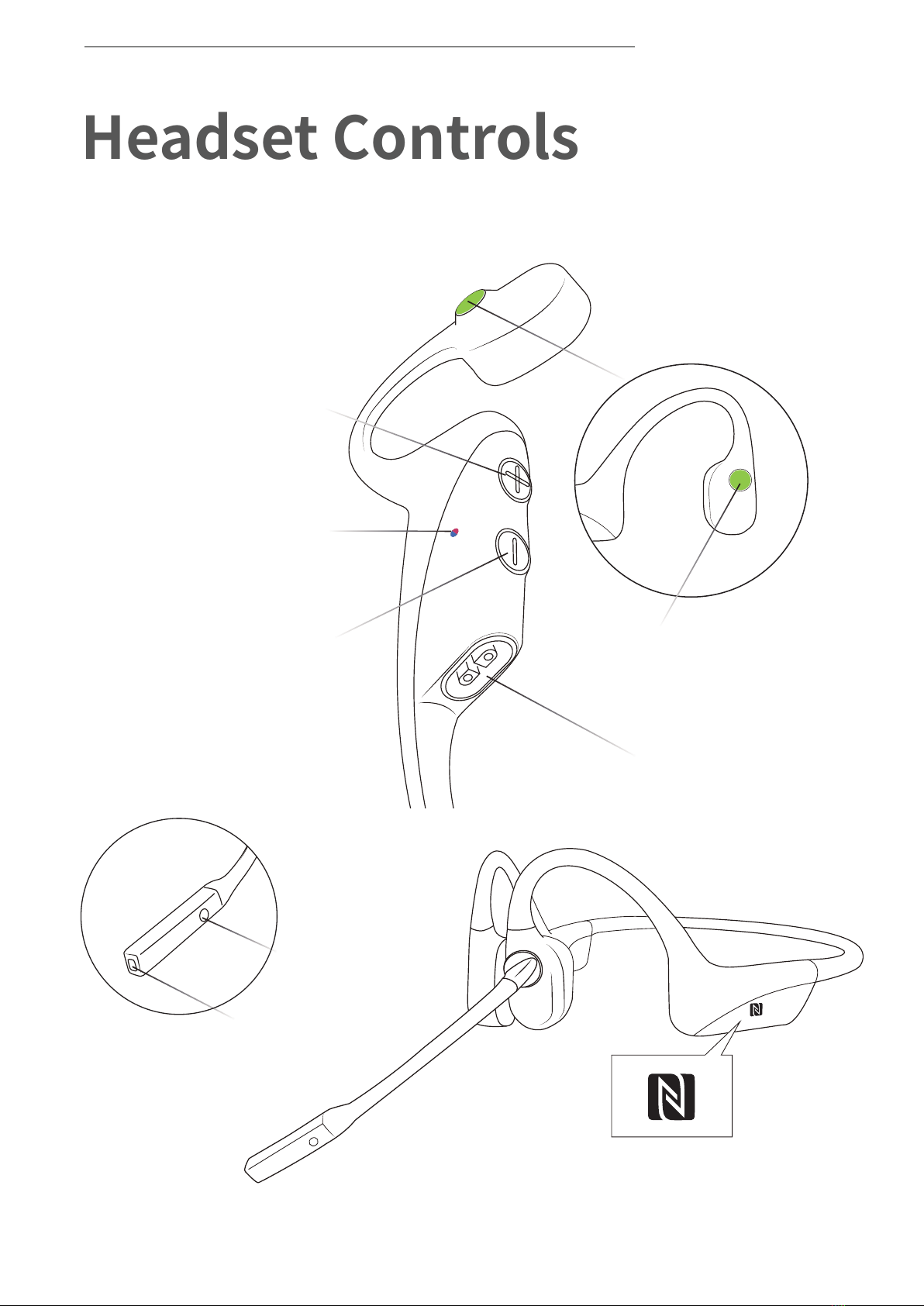
Power/Volume + Button
Magnetic Charging Port
Volume - Button
NFC Function
Multifunction Button
Headset Controls
04
HEADSET CONTROLS
Microphone 1
Microphone 2
LED Indicator

ON/OFF
Turn on the headset:
Press and hold the Power/Volume + Button until the LED Indicator
flashes blue.
*Audrey will say:“Welcome to Shokz”
Turn off the headset:
Press and hold the Power/Volume + Button until the LED Indicator
flashes red.
*Audrey will say:“Power off”。
Power/Volume + Button
ON/OFF
05
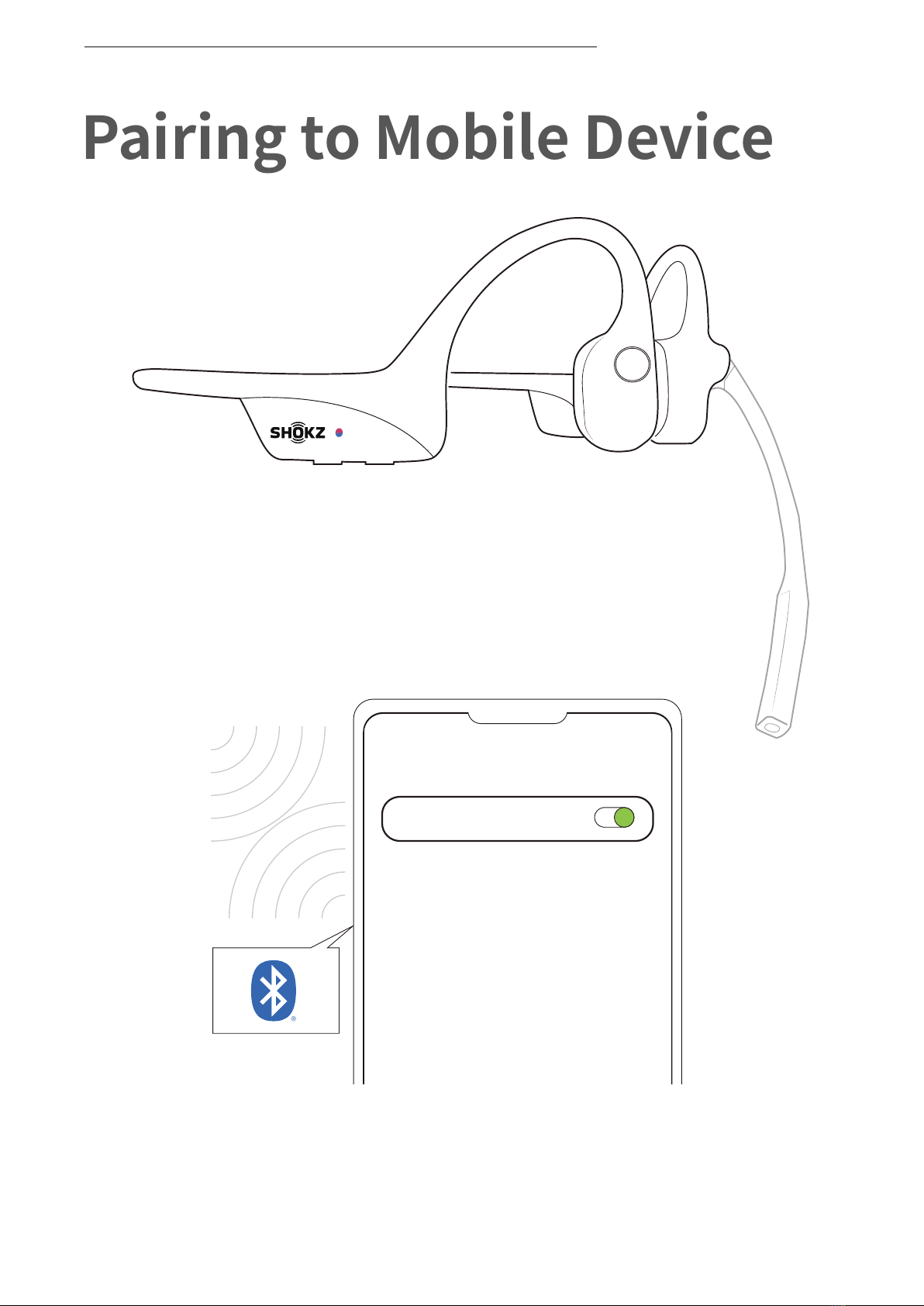
1. Start with OpenComm turned off.
2. Press and hold the Volume + Button until the LED
Indicator flashes red and blue alternately.
3.Open your device's Bluetooth settings and select "OpenComm
by Shokz." Audrey will say "connected."
Settings
BLUETOOTH
OpenComm by Shokz
Connected
Pairing to Mobile Device
06
PAIRING TO MOBILE DEVICE
Pairing to PC
07
PAIRING TO PC
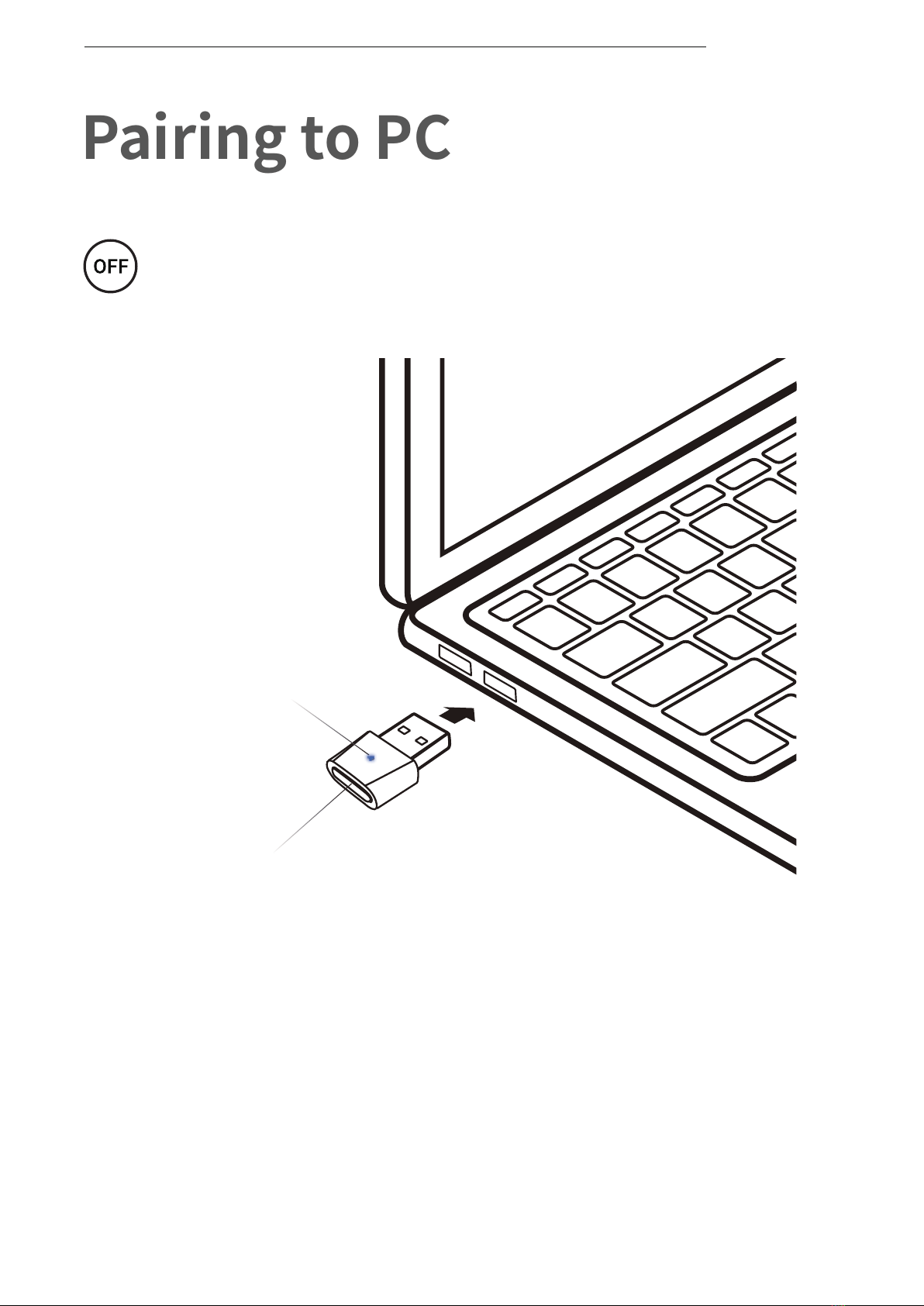
1.Start with OpenComm turned on.
2.Plug the included USB adapter into a USB port on your PC.
3.Connection is established when Audrey says "Connected" or
beeps, and the LED Indicator on the USB adapter is solid blue.
Operate controls with
headset powered off.
Multifunction Button
LED light

08
Shokz Loop100
Connected
SELECT THE SOUND DEVICE:
Configure
*To play music or take calls on the headset, please ensure the
“Shokz Loop100” is both identified as the default input and
output devices in your operating system’s audio settings.
PAIRING TO PC
09
LED Indicator
Power/Volume + Button
NFC Pairing
NFC PAIRING
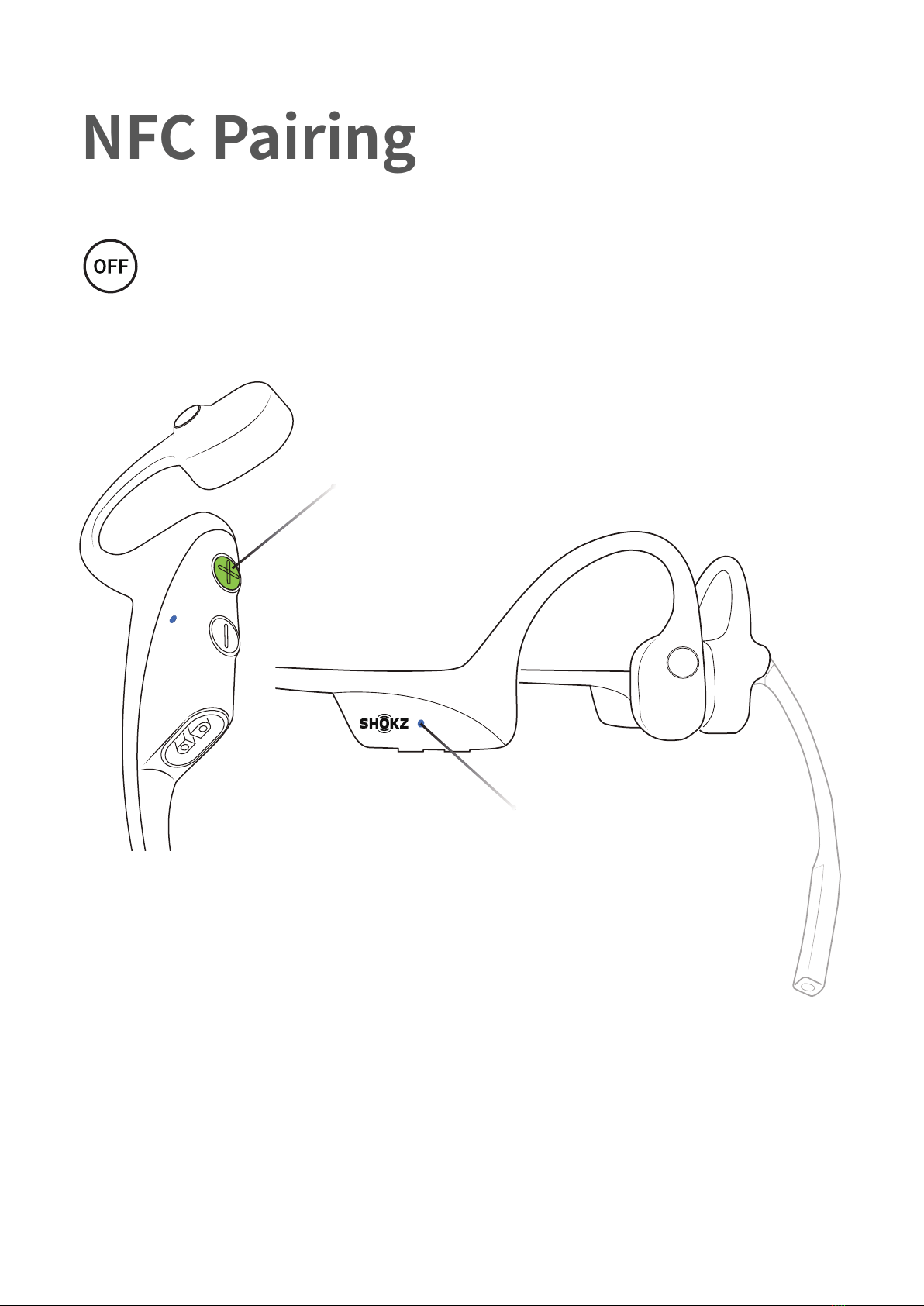
1.Power on your headset (press and hold Power/Volume+ until
LED Indicator flashes blue)
Operate controls with
headset powered off.
Ce manuel convient aux modèles suivants
1
Table des matières
Autres manuels shokz casque