14
15
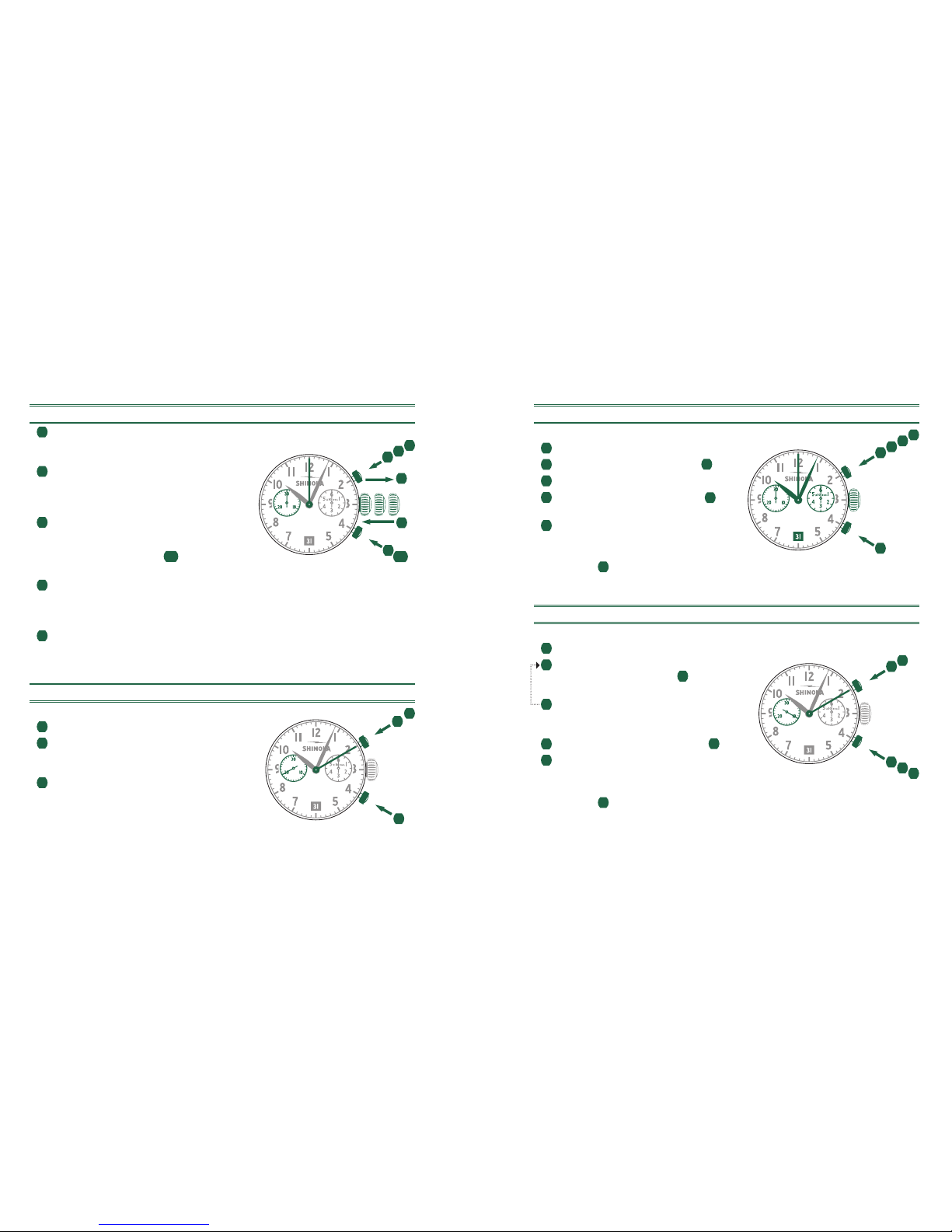
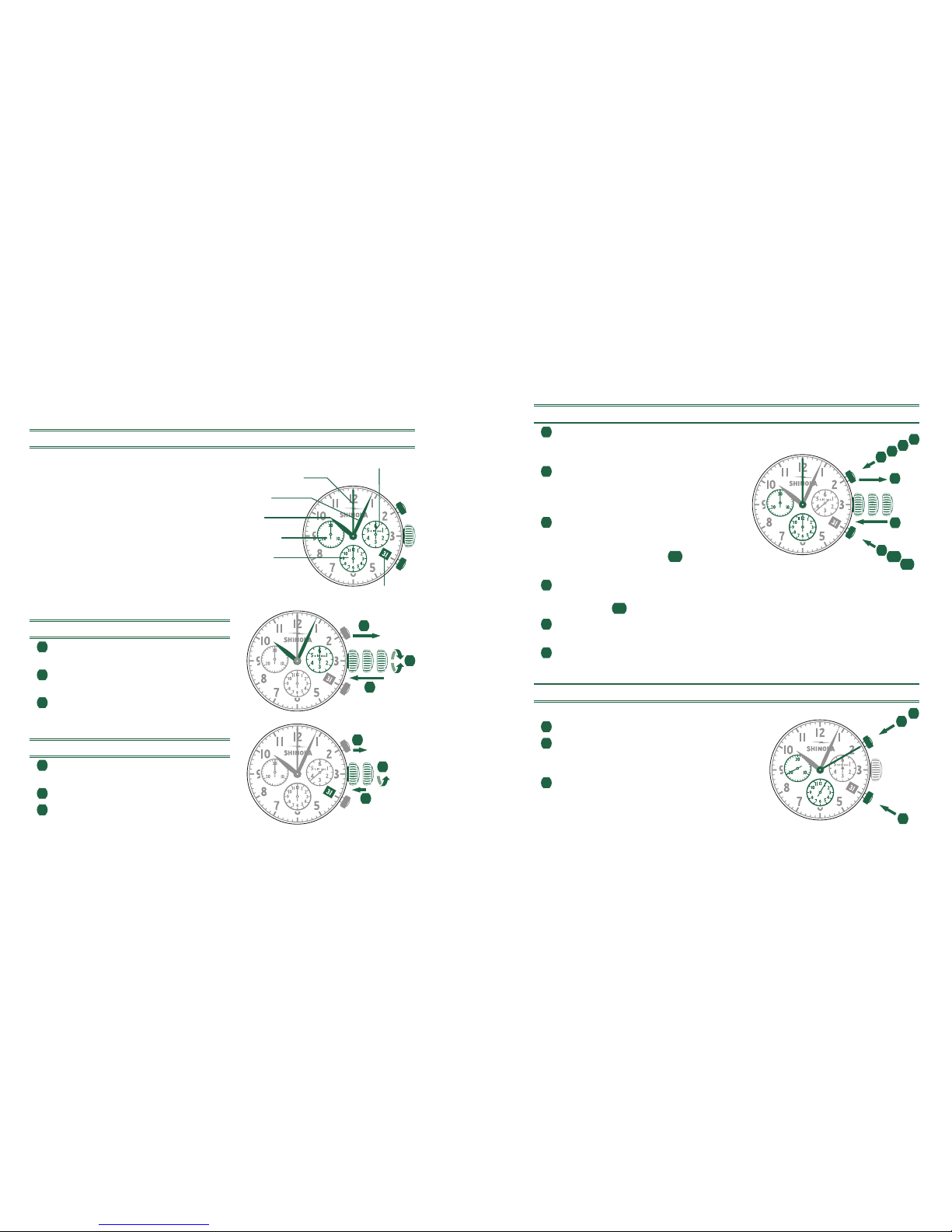
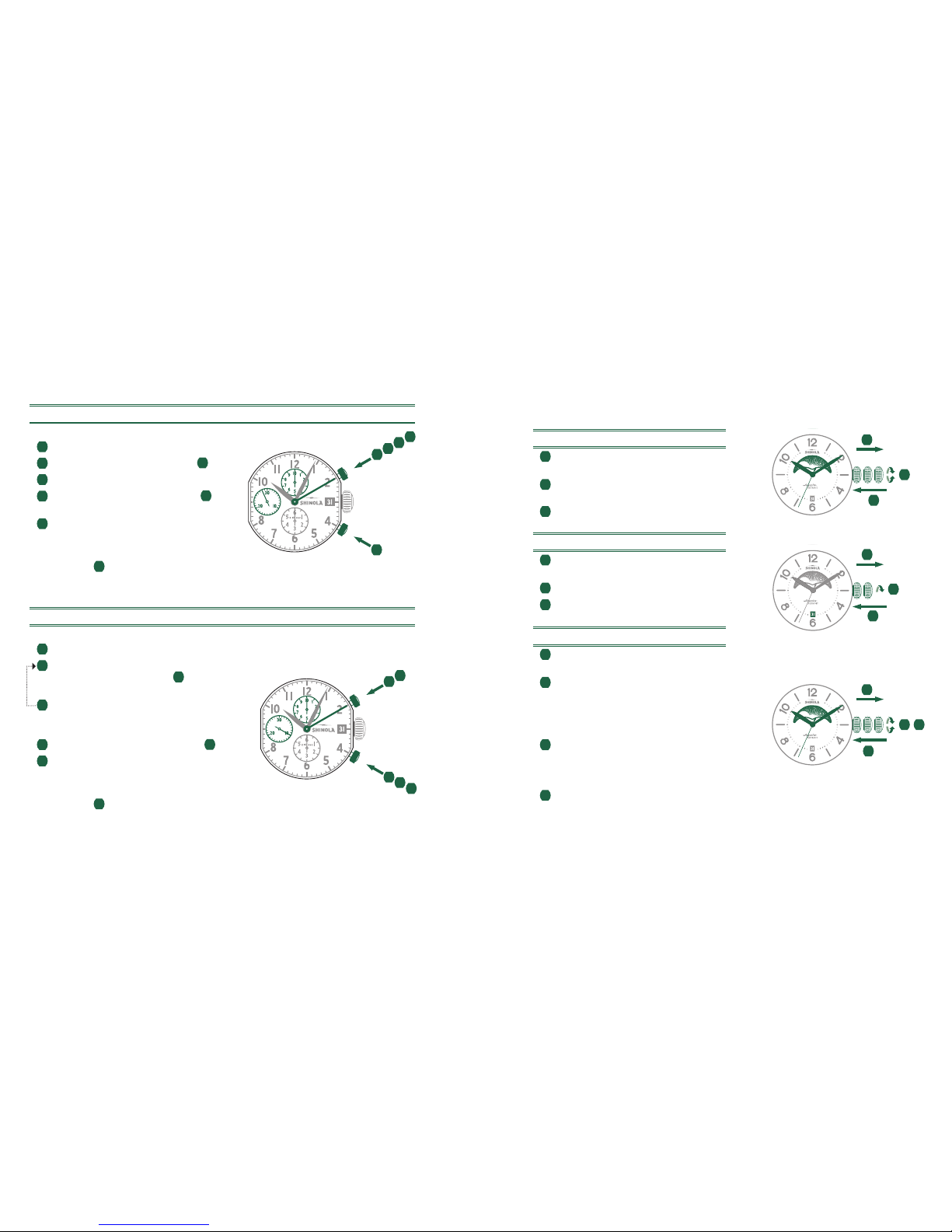
ADJUSTING THE CHRONOGRAPH HANDS TO ZERO
1Pull crown out to position III.
(All four chronograph hands are in
their correct or incorrect zero position.)
2Keep push-buttons Aand Bdepressed
simultaneously for at least 2 seconds.
(The center stop-second rotates by
360° - corrective mode is activated.)
3Press push-button Ato single step the
center stop-second hand. Press and
hold push-button Ato advance the center
stop-second hand quickly. 3b Press
push-button Bto advance to the next hand.
Press push-button Ato single step the 1/10 second counter hand.
Press and hold push-button Ato advance the 1/10 second hand quickly.
4b Press push-button Bto advance to the next hand.
Press push-button Ato single step the minute and the hour counter hands.
Press and hold push-button Ato advance the minute and hour counter hands
quickly. 5b Press push-button Bto advance to the next hand.
Return the crown to position I.
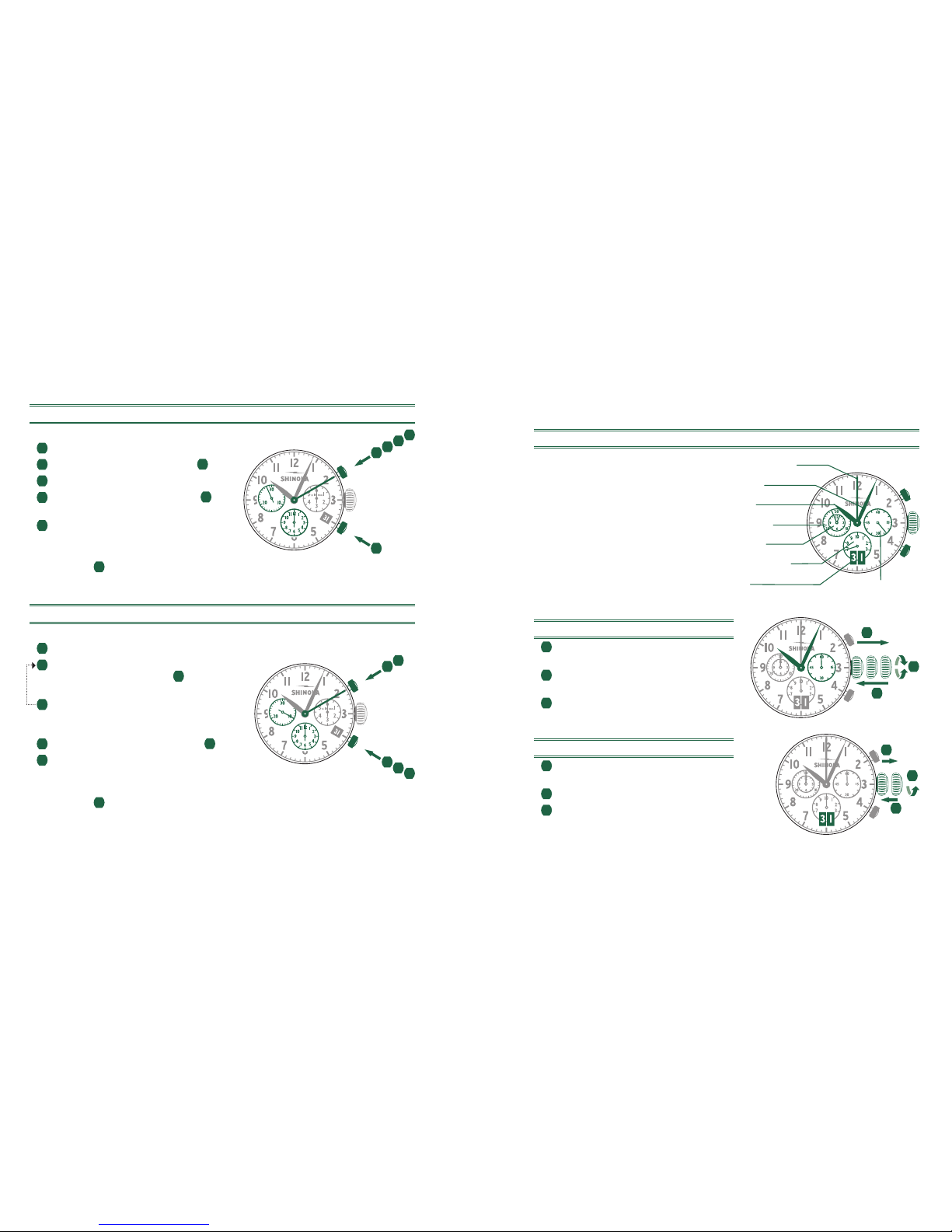
BASIC FUNCTION (START / STOP / RESET)
Example
1Start: Press push-button A.
2Stop: to stop the timing, press push-button A.
once more and read the four chronograph
counters: 4 hr. / 20 min. / 5 sec. / 7⁄10 sec.
3Zero positioning: Press push-button B.
(The four chronograph hands will
be reset to their zero positions.)
*
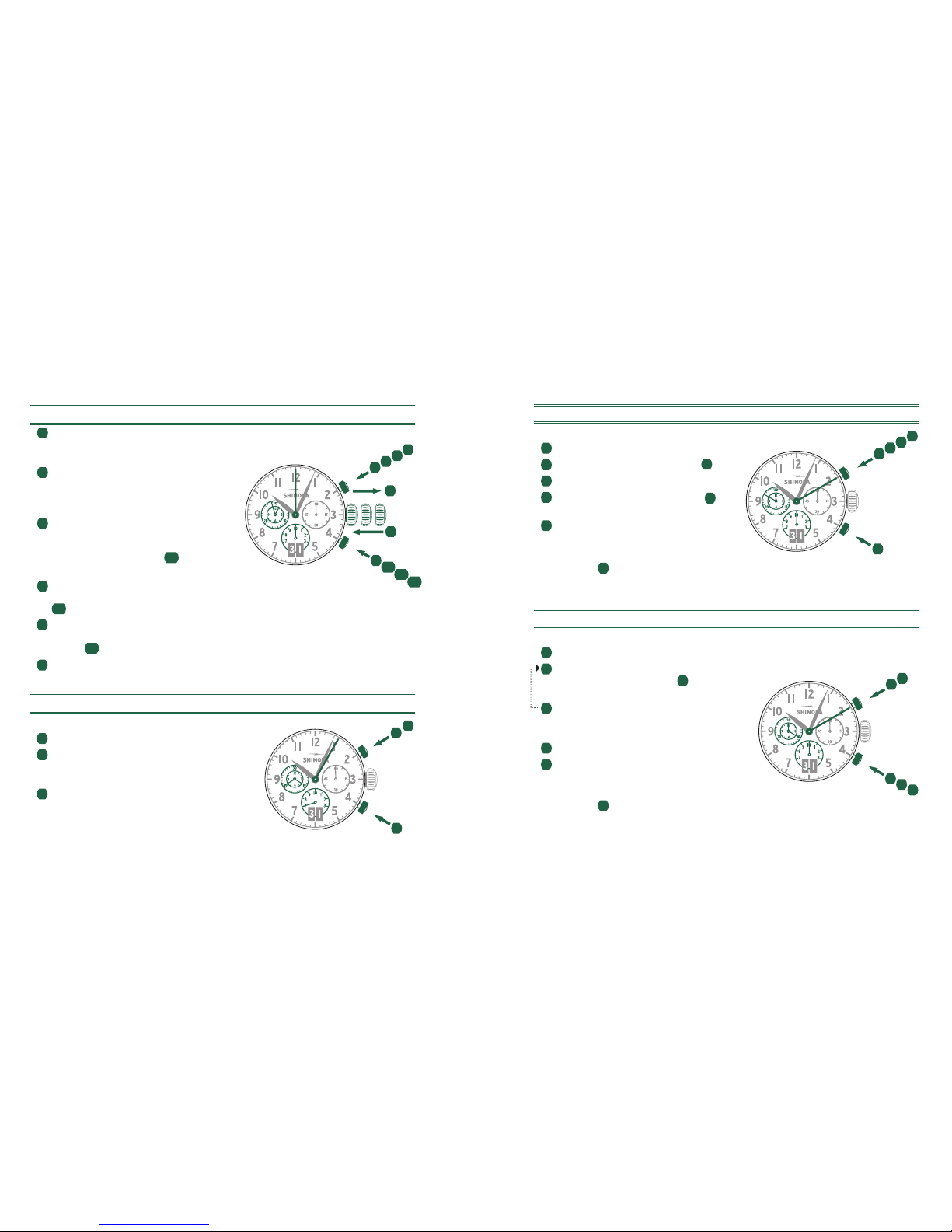
ACCUMULATED TIMING
Example
1Start: start timing.
2Stop: e.g., 15 min. 5 sec. following 1.
3Restart: timing is resumed.
4*Stop: e.g., 10 min. 5 sec. following 3.
The accumulated time = 25 min. 10 sec.
5Reset: The four chronograph hands
are returned to their zero positions.
Please note:
* Following 4, the accumulation of the timing can be
continued by pressing push-button A(Restart/Stop, Restart/Stop,…)
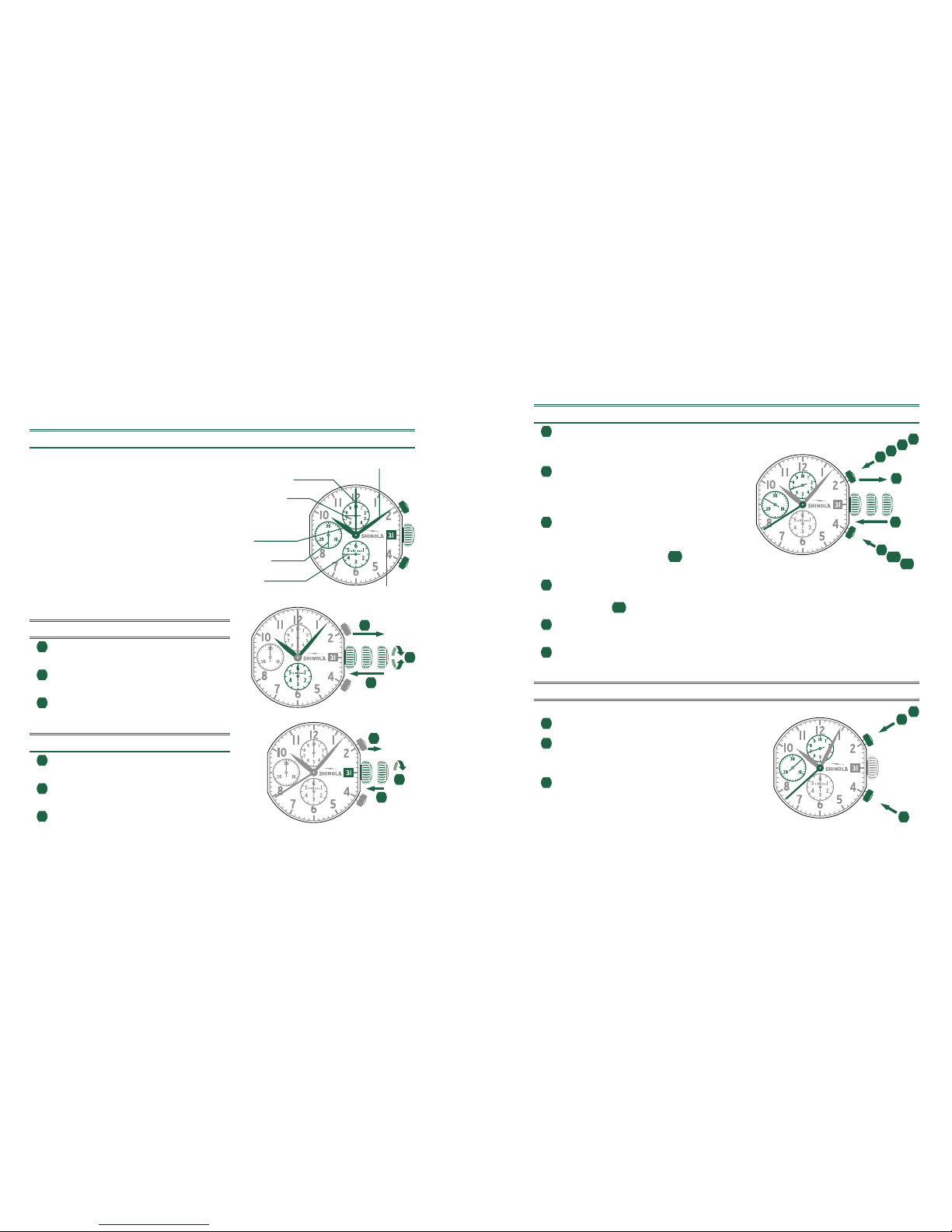
INTERMEDIATE OR INTERVAL TIMING
Example
1Start: start timing.
2Display interval:
e.g., 10 min. 10 sec. following 1.
Timing continues in the background.
3Making up the measured time:
the four chronograph hands are quickly
advanced to the ongoing measured time.
4Stop: (Final time is displayed).
5Reset: The four chronograph hands are
returned to their zero positions.
Please note:
* Following 3, further intervals or intermediates can be
displayed by pressing B(display interval / make up measured time, …)
1
3
12
A
B
5
B
1234
A
5
23
B
14
A
1
2
3
II IIII
1
2345
6
A
2
B
3b4b
6
4
5
5b