
Sensaphonics ASI Audio 3DME Manuel utilisateur
3DME 3DME 3DME
3DME
Three dimensional music enhancement
3DME
Three dimensional music enhancement
outlined
outlined
Novocento Wide Light and Avenir Next Demi no outlines
Novocento Wide Light no outlines
91 63 47 33
5477CP
72 34 26 1
7697CP
0 79 100 0
1665CP

Puede encontrar las instrucciones en español en:www.asiaudio.com
Welcome to 3DME Three Dimensional Music Enhancement 3
Hardware and Features 5
Getting Started: Connecting Your 3DME and Attaching Eartips 7
The Audio Seal Test 11
The ASI Audio App 14
The Main Screen 16
The Equalizer Screen 19
The Options Screen 20
The Pop-up Menu - Presets and Help 22
Charging the Battery 29
Cleaning and Maintenance 30
About Safe Sound Levels and Hearing Protection 31
Technical Specifications 34
Support 35

3
WELCOME TO3DME
THREE DIMENSIONAL MUSIC ENHANCEMENT
3DME is a unique in-ear listening
system that combines patented
Active Ambient™ audio
technology from Sensaphonics®
with a powerful smartphone app
to enhance listening and promote
long-term hearing health.
The system includes:
3DME Active Ambient™
Earphones – Universal-t, dual
driver in-ear monitors (IEMs) with
embedded binaural microphones
capture the ambient sound around
you with full 3D directionality and
three sizes of eartips to isolate your
ears and deliver superb sound.
3DME Bodypack Mixer/Amplier
Connects and combines your
sound source with the ambient
mic feed to add 3D stage mic
level to your monitor mix. The
bodypack also houses powerful
limiter and EQ functions. (When
used without a direct monitor mix,
you can still hear and control your
customized ambient feed with full
3D directionality.) Note: The Power
switch is on the bottom.
ASI Audio Smartphone App
Program the bodypack and tailor
your sound mix, levels, mic level,
EQ and sound limiting, save
custom presets, and performs an
Audio Seal Test for proper IEM t.

4
Accessories also included:
• 3 pairs of premium memory foam earphone tips (Small, Medium and Large)
• Battery charger with micro-USB cable for bodypack
• Audio cable: 12-inch jumper cable, stereo mini-plugs
• Programming cable system for bodypack (micro USB)
• Earphone cleaning tool
• Clothing clip for securing IEM cable
• Storage case
5
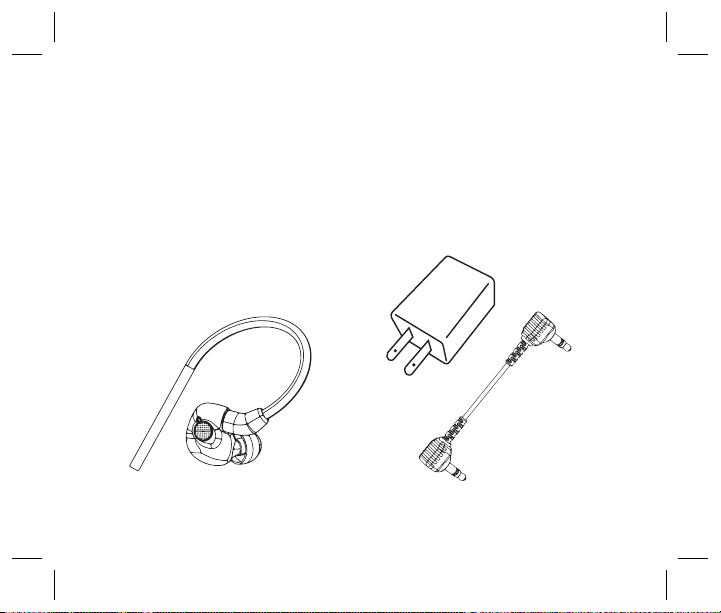
3DME Ambient Earphones
• Universal t earphones with 3
sizes of ear tips
• Embedded ambient
microphone system
• Universal-t dual-driver design
• Embedded binaural ambient
microphone system
• Includes 3 sizes of ear tips to
ensure correct t
3DME Accessories
• Audio jumper cable, stereo
• Programming cable, micro-USB
• Battery charger
• Cleaning tool
• Clothing clip
• Storage case
HARDWARE AND FEATURES
Earbud with tip
Wall charger and jumper cable
6
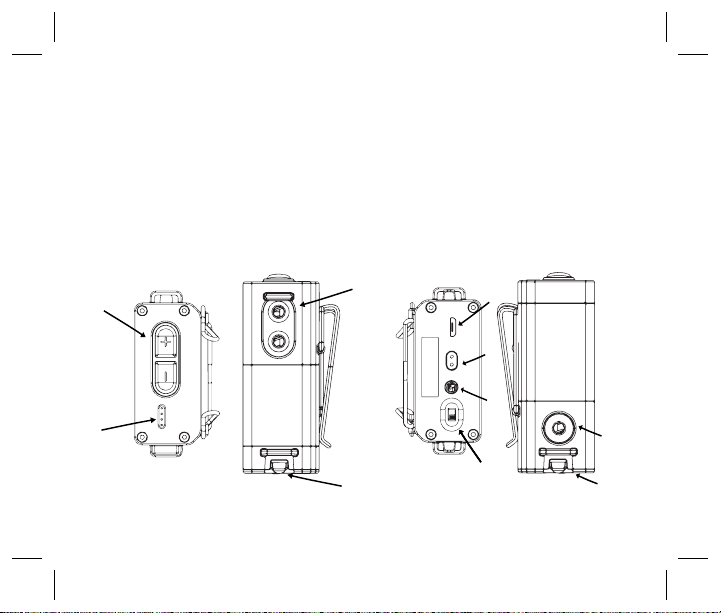
Top and right of bodypack Bottom and left of bodypack
2
3
44
5
6
7
8
9
3DME Bodypack Mixer / Amplifier
1 - Ambient volume control switches (+/-)
(top panel)
2 - Battery status LEDs (4 LEDs) (top
panel)
3 - Dual earphone jacks (right side)
4 - Cable management/strain relief
(right and left sides)
5 - Monitor input mini-jack (left panel);
tip-left, ring-right
6 - Micro-USB charging/data port (bottom)
1
7 - USB power/charging status LEDs
(bottom)
8 - Power switch (bottom)
9 - Monitor output mini-jack (bottom);
tip-left, ring-right. The output signal
directly reflects the total signal
reaching your ears, including both the
microphone and monitor input
signals modified by the Mic Level, EQ
and Limiter. This output signal is
useful for monitoring your listening
level and for binaural recording.
7
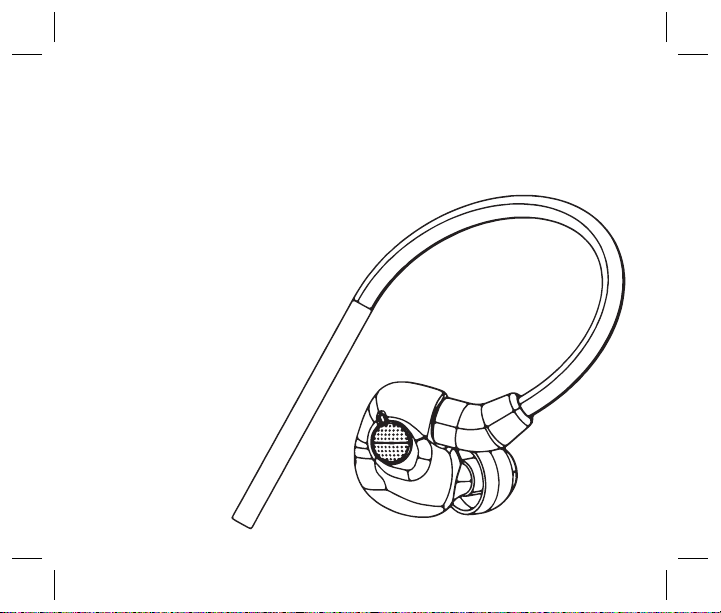
Your 3DME universal-t IEMs
have embedded Active Ambient
microphones to capture the
ambient sound around you and
deliver accurate 3D directionality.
GETTING STARTED:
CONNECTING YOUR 3DME AND ATTACHING EARTIPS
relief (right and left sides)
5- Monitor input mini-jack (left
panel)
6- Micro-USB charging/data port
(bottom)
7- USB power/charging status
LEDs (bottom)
8- Power switch (bottom)
5
8
For rich, full sound, the earpieces
must be fully inserted to achieve
a full, tight seal. Three sizes of
ear tips are included. NOTE: The
earpiece cables are designed to
run up, over and behind the ears,
meeting behind the head.
Installing Ear Tips
1. Select an ear tip, holding
it rmly between thumb and
forenger.
2. Place the sound port (nozzle)
into the core of the tip at a slight
angle. As they join, straighten out
the tip and push the tip as far back
as it will go.
Inserting In-Ears
1. Before inserting into the ear
canal, observe left/right marking
on the earpiece.
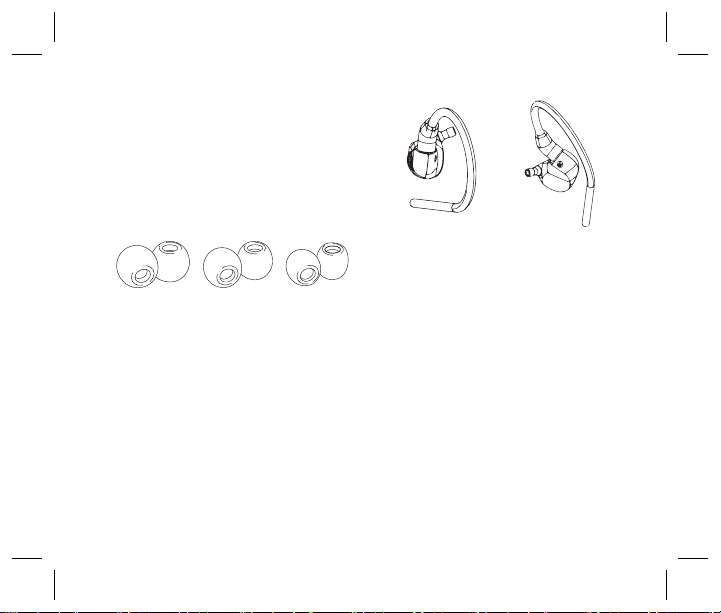
Memory foam ear tips, 3 sizes
Ear buds without tips
9
2. Place the sound port (nozzle)
into the core of the tip at a slight
angle. As they join, straighten out
the tip and push the tip as far back
as it will go.
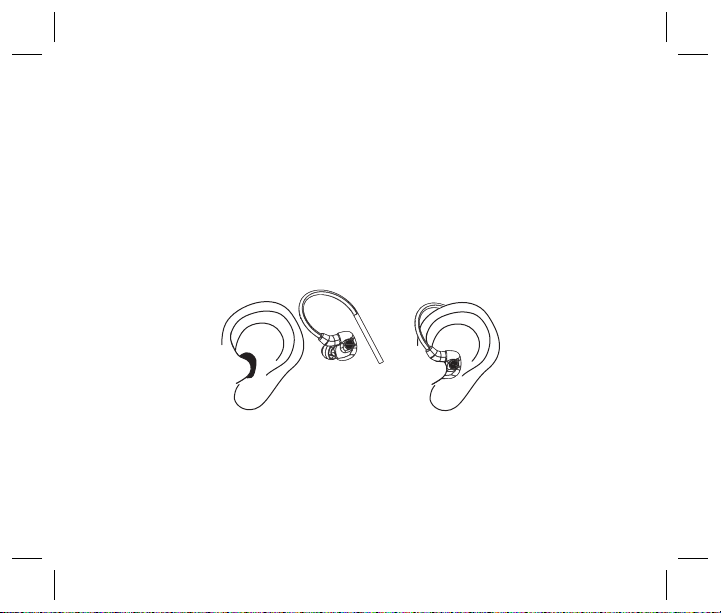
Inserting In-Ears
1. Before inserting into the ear
canal, observe left/right marking
on the earpiece.
2. Roll the tip between your ngers
to compress the foam into a thin
cylinder.
3. Insert the tip as deep as
possible without irritating the ear,
positioning the cable to run up,
over and behind the ear.
4. Hold the earpiece in place for
15-30 seconds, allowing the tip to
expand and conform to your ear
canal. This will create a custom
t and perfect seal - providing an
optimal audio experience.
Step 1 Step 2
Proper fi

10
IMPORTANT:
If the earpieces are not fully sealed, a brief feedback squeal may occur. If
you have any doubts about your fit, use the Audio Seal Test.
Very rarely, an ear tip can come off and remain in the ear canal when
removing your 3DME IEM. Should this occur and the ear tip cannot be
removed easily, please consult or immediately visit an audiologist or
medical provider.
These professionals are equipped with medical grade tweezers
designed specifically for ear canal disruptions. It is also very important to
have your ears checked for excessive ear wax build up or other hearing
challenge issues that can cause you to use loud sound volumes not
recommended for extended periods of time. Properly sealed earphones
allow for safe hearing at lower volume levels.
Note: Turn the bodypack on prior to connecting your earphone cable
to the bodypack.
Warning: Listening at a high volume for a long time may damage
your hearing.
Autres manuels pour ASI Audio 3DME
1
Ce manuel convient aux modèles suivants
1
Table des matières


