
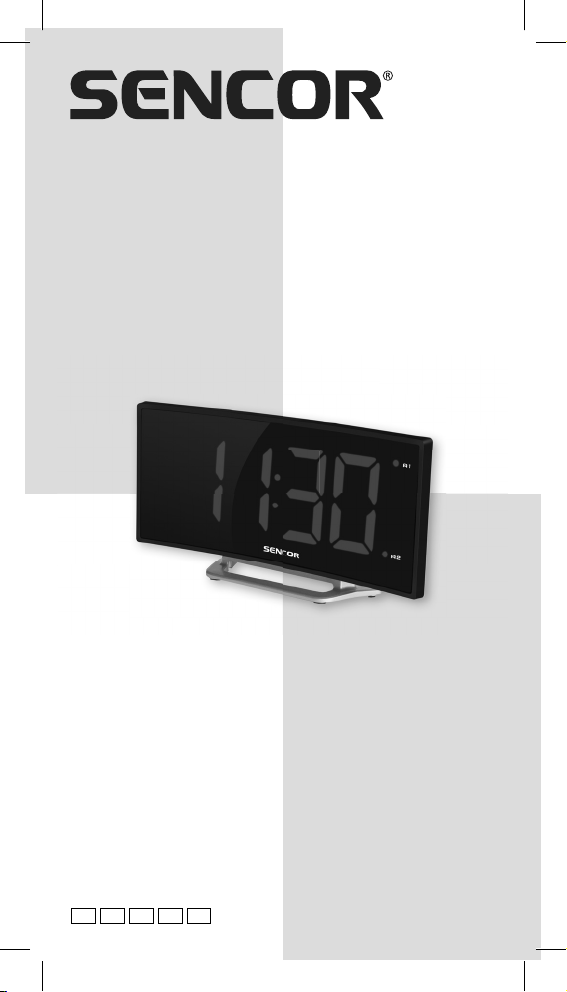
Sencor SDC 120 Manuel utilisateur
USER’S MANUAL
UŽIVATELSKÁ PŘÍRUČKA
NÁVOD NA OBSLUHU
FELHASZNÁLÓI KÉZIKÖNYV
INSTRUKCJA OBSŁUGI
SDC 120
LED CLOCK WITH A DOUBLE ALARM
AND CURVED DISPLAY
LED HODINY S DVOJITÝM BUDÍKEM
A ZAKŘIVENÝM DISPLEJEM
LED HODINY S DVOJITÝM BUDÍKOM
A ZAKRIVENÝM DISPLEJOM
LED ÓRA KETTŐS ÉBRESZTŐVEL
ÉS ÍVELT KIJELZŐVEL
ZEGAR LED Z PODWÓJNYM BUDZIKIEM
I ZAKRZYWIONYM WYŚWIETLACZEM
EN CZ SK HU PL


EN - 1
FUNCTION AND CONTROLS
DOWN SET SNOOZE/DIMMER ALARM1/ALARM2
TIME ALARM1
ALARM2
STAND
AC/DC ADAPTOR
BATTERY DOOR
INSERT 1 x CR2032
BATTERY INSIDE
THE BATTERY COMPARTMENT
UP
INSERT AC/DC ADAPTOR JACK
DC SOCKET

EN - 2
INSTALLATION
Plug the AC/DC adaptor to an AC household outlet, and then plug
the DC jack to the back of the unit. Your clock is ready to work for you.
BACKUP BATTERY INSTALLATION
Your clock requires one CR2032 lithium battery (not included) to
provide backup power to the clock in the event of a temporary power
interruption.
1. Place your unit face down on a fl at and soft
surface.
2. Use screw driver to open the backup battery
compartment door located on the back of the unit.
3. Slide and remove the battery cover at the bottom
of your unit.
4. Insert one new CR2032 lithium battery into the
battery compartment with the “+” side facing up as
indicated.
5. Close the battery compartment door and tighten
the battery door screw.
1
2
If AC power is interrupted, the LED display will go off and the alarm
will not function. The backup battery will keep the time and all
settings of your unit. Make sure a fresh CR2032 lithium battery is
used. A fresh CR2032 battery could backup your clock continuously
for around 3 days.
SETTING TIME AND THE SNOOZE DURATION
1. Press SET once, the hour digits fl ash. Press or to set
the current hour (hold to advance rapidly).
2. Press SET again, the minute digits fl ash. Press or to set
minutes. (hold to advance rapidly).
3. Press SET again, the display shows “05” and fl ashes.
Press or to select your snooze time from 5 to 60 minutes.
4. Press SET again or if no key is pressed in approx. 10 seconds
to exit the setting mode.

EN - 3
SETTING THE ALARMS
1. Press AL 1.2 once, the A1 LED and the hour digits fl ash.
Press or to set the alarm 1 hour. (hold to advance rapidly).
2. Press AL 1.2 again to adjust minutes. Press or to set the
alarm 1 minutes. (hold to advance rapidly).
3. Press AL 1.2 again, LED displays “OFF” (alarm off ). To turn on
the alarm, press or to select “ON”
4. Press AL 1.2 again, LED displays “HI”. To select lower buzzer
sound level, press or to select “LO”.
5. Press AL 1.2 again, the A2 LED and the hour digits fl ash.
Press or to set the alarm 2 hour. Repeat step 2) and 4)
to set alarm 2.
6. Press AL1.2 again or if no key is pressed in approx. 10 seconds
to exit alarm setting mode. When the related alarm is turned on,
it will be indicated by the appearance of the A1 and/or the A2
LED on the right side of the display.
STOP AND RESET THE ALARM TO COME ON THE
NEXT DAY
When alarm 1 or 2 is sounding, the related A1 or A2 LED fl ashes.
Press the AL 1.2 once to stop the alarm and reset it to come
on the following day. After that, A1 or A2 icon stays on the display.
SNOOZE OPERATION (default snooze duration
is 5 minutes)
When alarm is sounding, press once, the alarm will be
silenced and come on again after the set snooze duration.
Note:
If your second alarm activates while the first alarm is sounding
or it is in the snooze mode, the second alarm overrides the first
alarm (the first alarm is reset to come on the next day).

EN - 4
USING THE HI-LO-OFF DIMMER
Press to adjust the brightness (HI/LO/OFF) of the LED
display. This can only be done when the unit is not sounding or
snooze functioning.
TROUBLE SHOOTING
If your clock displays irrelevant time or does not function properly,
which maybe caused by electro-static discharge or other
interference, unplug the DC jack to disconnect the AC power
(and remove the backup battery). The clock will be reset to default
settings and you need to set it again.
CARE OF YOUR PRODUCT
1. Place your clock on a stable surface, away from sources of
direct sunlight or excessive heat or moisture.
2. Protect your furniture when placing your units on a natural wood
and lacquered fi nish by using a cloth or protective material
between it and the furniture.
3. Clean your unit with a soft cloth moistened only with mild soap
and water. Stronger agents such as Benzene, thinner or similar
materials can damage the surface of the unit. Make sure the
unit is unplugged before cleaning.
4. If the unit is not to be used for a prolonged period, such as
a month or longer, remove the batteries to prevent possible
corrosion. Should the battery compartment become corroded
or dirty, clean the compartment thoroughly and replace
the batteries.
BATTERIES SAFETY WARNING
1. Danger of explosion if battery is incorrectly replaced.
2. Replace only with the same or equivalent type.
3. Battery shall not be exposed to excessive heat such as
sunshine, fi re or the like.
4. Do not ingest the battery, chemical burn hazard.
5. This product contains a coin/button cell battery. If the coin/
button cell battery is swallowed, it can cause severe internal
burns in just 2 hours and can lead to death.
6. Keep new and used batteries away from children.
7. If the battery compartment does not close securely, stop using
the product and keep it away from children.
8. If you think batteries might have been swallowed or placed
inside any part of the body, seek immediate medical attention.

EN - 5
SPECIFICATIONS
Alarm duration 2 minutes
Snooze duration 5 to 60 minutes
Time format 24 hr
Default settings:
00:0emiT
Alarm 1 and 2 6:00
Snooze duration 05 (5 minutes)
Power supply: power adapter DC 5.0V, 0.6A
(included)
backup battery 1 x 3.0V type CR 2032
(not included with this product)
Power consumption: 3.0 W
Dimensions: 171 x 87 x 40 mm
g041:thgieW
ADAPTER TECHNICAL SPECIFICATIONS:
Manufacturer’s name or trade
mark, commercial registration
number and address:
Shenzhen Fushigang Technology Co., Ltd.,
301, 401 No.8 Building, Shiguan Industry
Park shangcun Community, Guangming
District 518106 Shenzhen
Model identifier: AS0601A-0500600EUL
Input voltage: AC100 - 240V
Input AC frequency: 50/60Hz
Output voltage: DC 5.0V
Output current: 0.6A
Output power: 3.0W
Average active efficiency: ≥69.65%
No-load power consumption: ≤0.10W

EN - 6
INSTRUCTIONS AND INFORMATION REGARDING
THE DISPOSAL OF USED PACKAGING MATERIALS
Dispose of packaging material at a public waste disposal site.
DISPOSAL OF USED ELECTRICAL AND ELECTRONIC
EQUIPMENT
The meaning of the symbol on the product, its accessory
or packaging indicates that this product shall not be
treated as household waste. Please, dispose of this
product at your applicable collection point for the
recycling of electrical & electronic equipment waste.
Alternatively in some states of the European Union or
other European states you may return your products
to your local retailer when buying an equivalent new
product. The correct disposal of this product will help
save valuable natural resources and help in preventing
the potential negative impact on the environment and
human health, which could be caused as a result of
improper liquidation of waste. Please ask your local
authorities or the nearest waste collection centre for
further details. The improper disposal of this type of waste
may fall subject to national regulations for fines.
For business entities in European Union states
If you wish to dispose of an electrical or electronic device,
request the necessary information from your seller or
supplier.
Disposal in other countries outside the European
Union
If you wish to dispose of this product, request the
necessary information about the correct disposal method
from local government departments or from your seller.
The product meets EU requirements.
Changes to the text, design and technical specifications may occur
without prior notice and we reserve the right to make these changes
The full text of the EU declaration of conformity is available at the
following internet address: www.sencor.eu
The original version is in the Czech language.
Address of the manufacturer: FAST ČR, a.s., U Sanitasu 1621,
Říčany CZ-251 01

EN - 7
EN Warranty conditions
Warranty card is not apart of the device packaging.
This product is warranted for the period of 24 months from the date of purchase to the end-user. Warranty is limited
to the following conditions. Warranty is referred only to the customer goods using for common domestic use. The
claim for service can be applied either at dealer’s shop where the product was bought, or at below mentioned
authorized service shops. The end-user is obligated to set up aclaim immediately when the defects appeared but
only till the end of warranty period. The end user is obligated to cooperate to certify the claiming defects. Only
completed and clean (according to hygienic standards) product will be accepted. In case of eligible warranty claim
the warranty period will be prolonged by the period from the date of claim application till the date of taking over
the product by end-user, or the date the end-user is obligated to take it over. To obtain the service under this
warranty, end-user is obligated to certify his claim with duly completed following documents: receipt, certificate of
warranty, certificate of installation.
This warranty is void especially if apply as follows:
Defects which were put on sale.
Wear-out or damage caused by common use.
The product was damaged by unprofessional or wrong installation, used in contrary to the applicable instruction
manual, used in contrary to legal enactment and common process of use or used for another purpose which
has been designed for.
The product was damaged by uncared-for or insufficient maintenance.
The product was damaged by dirt, accident of force majeure (natural disaster, fire, and flood).
Defects on functionality caused by low duality of signal, electromagnetic field interference etc.
The product was mechanically damaged (e.g. broken button, fall).
Damage caused by use of unsuitable media, fillings, expendable supplies (batteries) or by unsuitable working
conditions (e.g. high temperatures, high humidity, quakes).
Repair, modification or other failure action to the product by unauthorized person.
End-user did not prove enough his right to claim (time and place of purchase).
Data on presented documents differs from data on products.
Cases when the claiming product cannot be indentified according to the presented documents (e.g. the serial
number or the warranty seal has been damaged).
Authorized service centers
Visit www.sencor. for detailed information about authorized service centers.com

EN - 8
Table des matières
Langues :
Autres manuels Sencor Réveil


