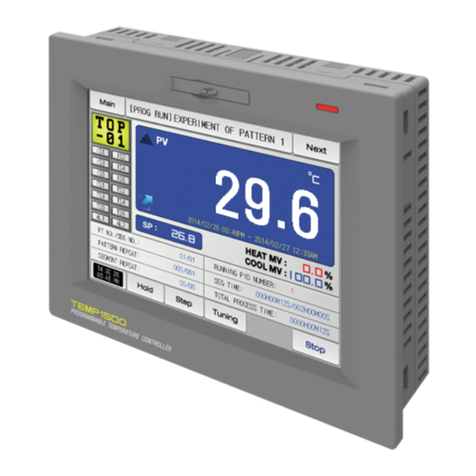
Samwontech TEMI1000 Series Manuel utilisateur


Copyright
Copyrightⓒ 2014 Samwontech Co., Ltd
This operation manual is a work protected by
the copyright law.
A part or entire of this manual shall not be
copied, air sent, distributed, translated or
changed into the form to be read by electronic
media or machine without prior written consent
of Samwontech Co., Ltd.
Please inform the TEMI1000 model name, failure condition and
contact point for queries of after sales service.
Queries related with after sales service for TEMI1000
T : 032-326-9120
F : 032-326-9119
Quotation request / Product request
Specification request / Data request/ Other request
Customer contact for TEMI1000
www.samwontech.com
■ Internet
■ E mail
MSIP-REM-
S31-1000SERIES

Contents
1. Operation and setting
1-1Basicoperationflowchart ‥‥‥‥‥‥‥‥‥‥‥‥‥‥‥‥‥ 4
1-2Settingbuttonoperation ‥‥‥‥‥‥‥‥‥‥‥‥‥‥‥‥‥‥ 5
1-3Parametersettingmethod ‥‥‥‥‥‥‥‥‥‥‥‥‥‥‥‥‥ 6
2. Main screen‥‥‥‥‥‥‥‥‥‥‥‥‥‥‥‥‥‥‥‥‥‥‥ 9
3. Operation state screen setting
3-1Stationaryoperation‥‥‥‥‥‥‥‥‥‥‥‥‥‥‥‥‥‥‥‥ 13
3-2Programoperation‥‥‥‥‥‥‥‥‥‥‥‥‥‥‥‥‥‥‥‥‥ 20
3-3Autotuningandtuningpoint ‥‥‥‥‥‥‥‥‥‥‥‥‥‥‥‥ 29
4. Operation motion setting
4-1Operationmethodsetting‥‥‥‥‥‥‥‥‥‥‥‥‥‥‥‥‥‥ 31
4-2Fuzzyoperation‥‥‥‥‥‥‥‥‥‥‥‥‥‥‥‥‥‥‥‥‥‥ 33
4-3Settingvaluechangerate(SLOPE)operation‥‥‥‥‥‥‥‥‥ 34
5. Appointed operation setting‥‥‥‥‥‥‥‥‥‥‥‥‥ 36
6. Setting graph display and save
6-1Patterngraphdisplay ‥‥‥‥‥‥‥‥‥‥‥‥‥‥‥‥‥‥‥ 41
6-2Presentedvalue(PV)graphview‥‥‥‥‥‥‥‥‥‥‥‥‥‥ 44
6-3Presentedvalue(PV)graphsavesetting‥‥‥‥‥‥‥‥‥‥‥ 47
6-4Memorysavesetting ‥‥‥‥‥‥‥‥‥‥‥‥‥‥‥‥‥‥‥ 48
7. Program setting
7-1Programpatternsetting ‥‥‥‥‥‥‥‥‥‥‥‥‥‥‥‥‥‥ 52
7-2Patternrepetitionsetting ‥‥‥‥‥‥‥‥‥‥‥‥‥‥‥‥‥‥ 57
7-3Fileediting ‥‥‥‥‥‥‥‥‥‥‥‥‥‥‥‥‥‥‥‥‥‥‥‥ 58
7-4Timesignaloperation ‥‥‥‥‥‥‥‥‥‥‥‥‥‥‥‥‥‥‥ 61
7-5Standbyoperation‥‥‥‥‥‥‥‥‥‥‥‥‥‥‥‥‥‥‥‥‥ 64
7-6Experimentnamesetting‥‥‥‥‥‥‥‥‥‥‥‥‥‥‥‥‥‥ 66
8. Screen display setting
8-1Screendisplaysetting‥‥‥‥‥‥‥‥‥‥‥‥‥‥‥‥‥‥‥ 69
8-2DIerrorcreationhistoryview ‥‥‥‥‥‥‥‥‥‥‥‥‥‥‥‥ 71
9. Communication error‥‥‥‥‥‥‥‥‥‥‥‥‥‥‥‥‥‥ 74
1stEditionofTEMI1000IM:Mar.102014
This manual is used for TEMI1000
of operation method.

01. Cautions (Instructions) for safety
Symbol marks for safety
(A)Itmeansthe“Handlewith
care” or“Cautions”Incaseof
violationofthispoint,itmaycause
thedeath,severeinjuryorthe
extremedamageontheproduct.
■Product: It is markedon the
pointstobeacknowledged
certainly to protectthehuman
bodyanddevice.
■Instructionmanual:Itdescribes
thecautionstopreventthecases
ofendangeredsituationonthelife
andbodyoftheuserduetothe
electricshockandsoon.
(B)Itmeans“Groundterminal”
■Make the earthwiththe
ground in case of product
installationandcontrolling the
product.
(C)Itmeansthe“supplementary
explanation”
■Itdescribesthepointsto
supplementtheexplanation.
(D)Itdescribesthe“references”
■Itdescribestheinformation
andpagesofreferencetobe
referred.
Cautions in this instruction manual
■Pleasedeliverfortheendusertopossessalwaysandkeepitintheplaceaccessibleatanytime.
■Usetheproductafterfullunderstandingofthisoperationmanual.
■Thisoperationmanualdoesnotwarrantanyotherthingsbecauseitisadescriptionofthedetailsforthefunction.
■Apartorwholeofthismanualshallnotbeeditedorcopiedrandomly.
■Thedescriptionsinthismanualmaybechangedrandomlywithoutprenoticeorwarning.
■Eventhoughthismanualwasmadewithelaboration,itwillbeappreciatedifyouinformtothepurchasingpoint(Dealershopandetc)
orsalesteaminourcompanyincaseofdeficiency,mistakeoromissioninthecontents.
Cautions for the safety and modification (Change) of the product
■Pleaseusethisproductafterfullunderstandingonthesafetycautionsinthismanualfortheprotectionandsafetyforthisproductand
thesystemconnectedtothissystem.
■
Ourcompanyisnotresponsibletothedamagesoccurredbyusingorhandlingorunattendedusingnotrelyingonthisoperationmanual.
■Pleaseinstallattheoutsideofthisproductwhentheadditionalprotectionandsafetycircuitisinstalledseparatelyfortheprotection
andsafetyforthisproductandthesystemconnectedtothissystem.
■Theinternalmodification(Change)andadditiontothisproductareprohibited.
■Donotdisassemble,repairandmodifyofthisproductbecauseitbecomesthereasonsforelectricshock,fireandmalfunction.
■Incaseofchangingthepartortheconsumablesofthisproduct,pleasecontacttothesalesdepartmentofourcompany.
■Donotcontacttothemoisturewiththisproduct.Itmaycausethefailureonthisproduct.
■Donotapplythestrongimpactonthisproduct.Itmaycausethedamageandfailureonthisproduct.
With regard to the exemption for the responsibility of this product
■Wearenotresponsibleforanywarrantyonthisproductbesidesthedefinedcasesinthequalityassuranceconditionofourcompany.
■Wearenotresponsibleforthedirectorindirectdamagesontheuserofanythirdpartyduetothenotexpectabledefect
orthenaturaldisasterinuseofthisproduct.
With regard to the quality assurance condition of this product
■Thewarrantyperiodshallbeoneyearfromthepurchasingofthisproduct.Freeofchargerepairisavailableonlyforthecasesof
outoforderoccurredfromnormaluseconditions.
■Therepairduetotheoutoforderoccurredafterthewarrantyperiodshallberepairedattheactualcostaccordingtothedefined
conditionbyourcompany.
■Theoutoforderoccurredwithinthewarrantyperiodshallberepairedattheactualcostforthefollowingcasesinspiteofwithinthewarrantyperiod.
(1)Outoforderduetothemistakeorfaultoftheuser(Ex:Initializationbylosingthepasswordandetc.)
(2)Outoforderduetothenaturaldisaster(Ex:Fireandfloodandetc)(3)Outoforderduetothemovementofproductafterinstallation.
(4)Outoforderduetotherandomdisassemble,changeordamageontheproduct.(5)Outoforderduetotheelectricpowerinstability(6)Others
■Pleasecontacttothepurchasingpointsorsalespartofourcompanywhenaftersalesserviceisnecessarybecauseofthefailureontheproduct.
ThankyouforyourchoiceofourTemperatureandHumidityProgrammableController(TEMI1000).Thismanualdescribesthemethodofoperationoftheproduct.

Operation and setting
1-1 Basicoperationflowchart‥‥‥‥‥‥‥‥‥‥‥‥‥‥‥‥‥‥‥‥‥‥‥‥4
1-2 Settingbuttonoperation‥‥‥‥‥‥‥‥‥‥‥‥‥‥‥‥‥‥‥‥‥‥‥‥‥5
1-3 Settingbuttonoperation‥‥‥‥‥‥‥‥‥‥‥‥‥‥‥‥‥‥‥‥‥‥‥‥‥6
Part
01

01. Operation and setting
4
Thisproductisprogrammablecontrollerdesignedwithdialoguestyletouchscreeneasy-to-usefortheusers.
1-1. Basic operation flow chart
●Thelogoscreenandtheinitialscreenaredisplayedsequentiallywhentheelectricpowerisswitched“ON”
afterinstallationoftheproductanditconvertstotheprogramstationaryscreen.
●Ittakesabout20secondsforscreenloading
●Whenbuttonistouchedatthetopoftheprogramstationaryscreen,itconvertstothemainscreen.
●Referto[13.Systeminitialsetting]in[Installationmanual]forchangeintheinitialscreen.
Logoscreen Initialscreen Stationaryoperationstillscreen(TEMI1500) Mainscreen(TEMI1500)
Mainscreen(TEMI1300/1900WIDE)
Stationaryoperationstillscreen(TEMI1300/1900WIDE)

5
01. Operation and setting
1-2. Setting button operation
Button type Button operation
The“Setvalue”istouchedinstationaryoperation/stillscreenanditisusedforsettingthesetvaluewantedbytheuser.
The“PatternNo.”istouchedinprogramstillscreenanditisusedforsettingthepatternnumberwantedbytheuser.
Itisusedforinputtingthegeneralnumbersandname.
Itisusedforselectionforoneoutofmanytypes.
Itisusedforselectionforoneoutofmorethan2parametersetting.(ON/OFF/Inactivestate)
ItisusedforselectionofY/Nforthecorrespondingparameter.(ON/OFF/Inactivestate)
Itisusedforgeneralscreenconversion.
Itisusedforincreasingordecreasingofthepagewithinthesamescreen.
Itisusedforthepageconversionbythedecreaseandincreaseintimeaxisonthesamescreen.

6
●InputOFF(Lockreleasestate)forkeylockbecausethesetvalueisnotinputwhen“Keylock”is“ON.”
●Referto[4.Operationmotionsetting]fordetails
Touch key lock release
▲Inputkeyfortimesignalsetting ▲Displaywhenitisoutofthesettingrange
1-3. Parameter setting method
●
Whenisselectedin[1-2Settingbuttonoperation],theinputkeyofthesettingvalueisshownasfollowingsandthenecessarydatacanbeinput.
●Whenthedataoutofthesettingrangeisinput,errormessage(“LIMITERROR”)isshownontheinputdatadisplaywindowwiththeerrorsound(“Beep”).
▲Inputkeyforsettingonlythenumbers
InputkeyforsettingthepatternexperimentnameandDI▶
errornameReferto[11.DIfunctionandoperationsetting]in
[Operationmanual]forDIerrornameinputkey.

●Everyinputdatausedinthisproductissetbythesetdatainputkey,testnameinputkeyandtimesignalinputkey.
●Theinputkeyforsetdataisappearedwhenbuttonistouchedin[1-2Settingbuttonoperation]andthevaluetobesetcanbeinput.
●Referto[7-4Timesignaloperation]fortimesignalinput.
●Referto[11.DIfunctionandoperationsetting]in[Operationmanual]forDIerrornameinputkey.
7
1
23
4
56 7
8
9
10
①
②
③
④
⑤
⑥
⑦
⑧
⑨
⑩
a
df
e
bc
01. Operation and setting
(1) Method for effectiveness of setting button and setting value
●Thisproductisdesignedasfollowswhenthesettingdatainputbuttonistouchedortochecktheeffectivenessoftheinputsettingdatabysound.
●“Beep” :Whenthebasicsettingbuttonistouchedorthesettingdataisinputnormally
●“Beepandbeep” :Whentheinputdatabythesettingdatainputkeyisoutoftheinputrange.
●Donotpresswithsharpthing(Pencilandetc)orexcessiveforceontheinputkeyforbasicsettingbuttonorsettingvalue.
Itmaycausethemaloperationofthedeviceordamageonthetouchpanel.
(2) Setting value input method
▶ Set the value of the input key features and descriptions Itdisplays“Parameter.”
Itdisplays“Settingrange.”
Itdisplays“settingdisplaywindow.”
•Itdisplays“LIMITERROR”whenitisoutofthesettingrange.
•Itdisplays“INPUTERROR”whenthereisanerrorinsettingunit.
Itisusedtoreturntooriginalscreenafterstoppingtheinput.
Itreturnstotheoriginalscreenbysavingtheinputdata.
Itisusedforinputthedecimalpoint.
Itisusedforinputthesymbol(+/-).
Itisusedforerasingtheinputdatabyonecharacter.
Itisusedforerasingallinputdata.
Itdisplaysthealreadyinputsettingdata.
Ex)Setdatainputmethod
Pressthesetdatainputbuttoninthecorrespondingscreen
Pressthe“ENTERⓕ”keyfinallyafterpressingthecorrespondingnumber
insequence(ⓐ→ⓑ→ⓒ→ⓓ→ⓔ)

Part
02
Main screen‥‥‥‥‥‥‥‥‥‥‥‥‥‥‥‥‥‥9
Ce manuel convient aux modèles suivants
3
Table des matières
Autres manuels Samwontech Contrôleurs

Samwontech
Samwontech TEMI 300 Manuel utilisateur

Samwontech
Samwontech TEMP2000 Series Manuel utilisateur

Samwontech
Samwontech Nova Series Manuel utilisateur

Samwontech
Samwontech TEMI2000 Series Manuel d'utilisation et d'entretien

Samwontech
Samwontech TEMI770 Manuel utilisateur

Samwontech
Samwontech TEMP2000 Series Manuel d'utilisation et d'entretien

Samwontech
Samwontech TEMI2000 Series Manuel utilisateur

Samwontech
Samwontech TEMP2020 series Manuel utilisateur

Samwontech
Samwontech TEMP2020M Series Guide de démarrage rapide

Samwontech
Samwontech TEMI 300 Manuel utilisateur