
samwell RUGGEDBOOK SR800 Manuel utilisateur

RUGGEDBOOK SR800
Manual
Copyright 2007. SAMWELL GROUP.Copyright 2007. SAMWELL GROUP.
A4 Si ze Portable IP54 MIL
-20C
+60C
~
++
--
7
hours
Ba tter y 10.4
XGA ULV
AN ISO / TS 16949 / 9001/ ISO 14001/ OHSAS 18001:2002 CERTIFIED GROUP
Since 1975
Dust Proof Sunlight Readable Water Proof
Drop Proof
Copyright 2009. SAMWELL GROUP.Copyright 2009. SAMWELL GROUP. SR800 ver.1.1

SR800 ver.1.1
U
Us
se
er
r’
’s
s
M
Ma
an
nu
ua
al
l

ii
Table Of Contents
CHAPTER 1...........................................................................................
INTRODUCTION.................................................................................. 1
Getting Started............................................................................ 2
Inventory...................................................................................... 2
Safety and Maintenance............................................................. 3
Checklists.................................................................................... 4
Features....................................................................................... 6
Where to Look For Information ................................................. 6
Quick Start................................................................................... 7
Loading Windows....................................................................... 8
Adjusting the Volume and Brightness stylus.......................... 9
Turning off Your Tablet PC...................................................... 10
CHAPTER 2...........................................................................................
GETTING STARTED ......................................................................... 11
Hardware and Software............................................................ 12
Getting Started.......................................................................... 12
Front View.................................................................................. 13
Right View.................................................................................. 14
Top View .................................................................................... 15
Bottom View .............................................................................. 16
Power Indicators....................................................................... 17
Front View buttons ................................................................... 18
Function Keys ........................................................................... 19
Stylus ......................................................................................... 19
WACOM Tablet PC Water-Resistance stylus......................... 20
Replacing a Memory Card........................................................ 20
CHAPTER 3...........................................................................................
MAKING CONNECTIONS................................................................. 23
Making Connections................................................................. 24
Right Side Connectors............................................................. 24
Top Side Connectors................................................................ 26

iii
CHAPTER 4...........................................................................................
SYSTEM SOFTWARE....................................................................... 27
System Software....................................................................... 28
System Recovery...................................................................... 28
CHAPTER 5...........................................................................................
POWER MANAGEMENT AND USING SOFTWARE ....................... 33
Power Management.................................................................. 34
When to Replace The Battery ................................................. 36
Heat Considerations................................................................. 36
Using Software.......................................................................... 37
APPENDIX A .........................................................................................
STATEMENTS................................................................................... 40
Statements................................................................................. 41
European Notice ....................................................................... 44
Safety CAUTION........................................................................ 45
Canadian Department of Communications............................ 45
Battery Disposal........................................................................ 46
CAUTION FOR ADAPTER......................................................... 46
BATTERY CAUTION.................................................................. 46

C
Ch
ha
ap
pt
te
er
r
1
1
I
In
nt
tr
ro
od
du
uc
ct
ti
io
on
n

2
Getting Started
Congratulations on your purchase of a Tablet PC. The Tablet PC is a
fully functional PC with built-in LAN, and wireless connectivity. With
your Tablet PC you will be able to organize and access important
business and personal information. In addition, you will be able to send
and receive e-mail and access the Internet.
This Manual contains all the information you need to set up and use
your Tablet PC. It describes all the features of the Tablet PC in an
easy-to-read yet thorough manner.
Inventory
This Tablet PC is designed for years of productive and pleasurable
computing. Use this section to keep details of your purchase. This
information will be required should you need to make repairs to your
Tablet PC during the warranty period. Update this section when you
add new options.
DATE OF PURCHASE:
PLACE OF PURCHASE:
DEALER'S NAME:
DEALER'S ADDRESS:
TELEPHONE:
E-MAIL ADDRESS/WWW:
CONTACT PERSON:
MODEL NUMBER:
SERIAL NUMBER:

3
Safety and Maintenance
You can use your Tablet PC under a wide range of environmental
conditions. However, to ensure long use and continued high
performance, consider the following factors when setting up your
Tablet PC:
•Follow all warnings and instructions noted in this documentation
and in the Windows Help program.
•The first time you use your Tablet PC, we recommend that you
carefully read the Making Connections section of this manual and
initialize the battery to ensure optimum battery performance.
•Unplug the Tablet PC from the power outlet before cleaning. Use
a damp cloth for cleaning. Do not use aerosols, solvents, or
strong detergents.
•Slots and openings in the system cabinet are for ventilation
purposes. Do not block or cover these openings or the system
could overheat. Do not use or store the Tablet PC near a source
of heat or dust.
•On the base or rear panel of this Tablet PC, there is a label with
information on the power requirements of this system. These
requirements must be followed. If you are unsure of your local
power supply, consult your dealer or local Power Company.
•Do not step on or place anything on the power cord.
•If you use the Tablet PC with an extension cord, ensure that the
total ampere ratings of all the devices sharing the extension do
not exceed the rating of the extension cord or the rating of the
wall outlet.
•Never push foreign objects into the Tablet PC through any of the
slots or openings. Dangerous voltages are present, which could
cause electric shock or fire, or damage sensitive components.
4
Checklists
After opening the package, carefully inspect the contents. If any of the
items is missing or appear damaged, contact your dealer. The shipping
carton should contain the following:
STANDARD
•Tablet PC with a hard disk drive
•Standard battery
•AC adapter with power cord
•Service DVD
•User manual
•Driver
•Recovery DVD (bundled with OS model)
•WLAN Module
•Hold Belt
•Bluetooth Module
•Screen Protector Film
•OS License key (bundled with OS model)
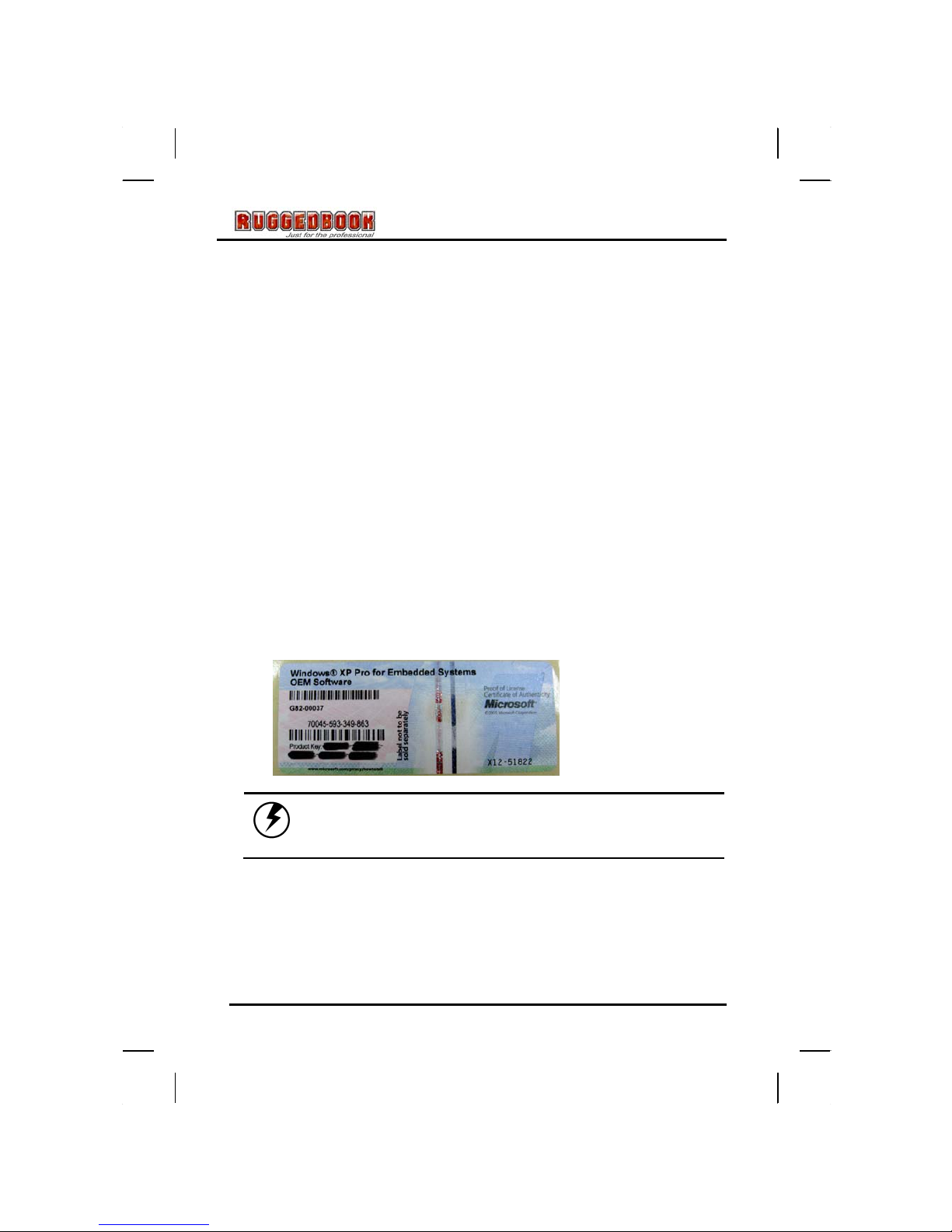
Caution: Windows○
RXP Pro for Embedded Systems and
Windows○
RXP Pro Tablet Edition used same of License
key.

5
OPTIONS
The following items are normally optional, but some vendors may
include them in the standard package. Some items may not be
available in some countries, or some vendors may choose not to carry
all the items.
•Normal capacity battery
•WACOM(Digitizer)
•Outdoor/Sunlight Readable Function
•Carry Bag
•Carry Belt
Caution: When purchasing any of the accessories
listed above, purchase only those accessories that
are approved for use with your Tablet PC. The above
accessories are proprietary items. Your system
vendor can obtain these approved accessories. If
you use items that are not approved for use with
this Tablet PC, you may cause your Tablet PC to
malfunction, or to emit or receive electro-magnetic
radiation in excess of local regulations. For non-
proprietary accessories such as PC cards or
printers, ensure that the accessory functions
properly in your Tablet PC before making the
purchase. Your system vendor may be able to
recommend reliable brands and models.

6
Features
Software Included
Widows®XP Tablet Edition for Embedded System which includes: (bundled
with OS model)
•Microsoft®Internet Explorer
•Microsoft®Outlook Express
•Microsoft®Windows Media Player
High performance Processors
Intel®Core Duo Processor Yonah ULV 1.2GMhz (U2500) CPU FSB
533Mhz 9W
High Capacity Hard Disk Drive
The Tablet PC has a high capacity hard disk drive, to store your favorite
programs and large multimedia files.
Built-in Wireless LAN, Modem and LAN Capability
A built-in 802.11 a/b/g, 56k modem and 10/100/1000 Mbps Ethernet port
allows you to access the Internet or a local area network (LAN).
Where to Look For Information
About Your Tablet PC
This User’s Manual describes the key elements of your Tablet PC. New
users can find a simple step-by-step orientation in the Quick Start
section of this chapter.
About Windows
Windows Online Help, found on the Start menu, offers extensive Windows
assistance. Welcome to Windows offers an online orientation for new
Windows users. Find it in:
Start/Programs/Accessories/System Tools.
Table des matières
Autres manuels samwell Comprimé


