
RGBlink RMS 8424S Manuel utilisateur

RMS 8424S Quick Start
VIEWSIZE THE WORLD
Standard 4 unit rack mount size
8 inch LCD×2
1024×3 (RGB) ×600
16:9 / 4:3 adjustable
SDI/HDMI embedded audio output via 3.5mm
earphone socket
Support SDI/DVI audio output for speaker
TALLY light for each LCD unit
Underscan/Overscan switch
Customer editable video title
All input loop-through
Auto-identify input format
Auto input standard detection

Address:S603-604 Weiye Building Torch Hi-Tech Industrial Development Zone Xiamen, Fujian Province, P.R.C
Tel: 00865925771197 Fax: 00865925771202
Email: [email protected] http://www.rgblink.cn
1
CONTENT
Product Introduction...............................................................................................................................2
Packing Configuration............................................................................................................................3
Hardware Orientation..............................................................................................................................4
Front Panel.........................................................................................................................................4
Back Panel .........................................................................................................................................5
Menu Operation .......................................................................................................................................6
Content...............................................................................................................................................6
MENU..........................................................................................................................................7
System Submenu........................................................................................................................8
Picture Submenu.........................................................................................................................9
OSD Submenu..........................................................................................................................10
Display Submenu......................................................................................................................11
F Key Submenu ........................................................................................................................12
VGA Setup Submenu................................................................................................................13
System Operation..................................................................................................................................14
Content.............................................................................................................................................14
How to Turn On/Off the Monitor................................................................................................15
How to Monitor the Audio..........................................................................................................15
How to Use User Defined Function Key...................................................................................16
How to DisplayAspect Ratio.....................................................................................................17
How to Display Current Settings...............................................................................................17
Contact Information...............................................................................................................................18

Address:S603-604 Weiye Building Torch Hi-Tech Industrial Development Zone Xiamen, Fujian Province, P.R.C
Tel: 00865925771197 Fax: 00865925771202
Email: [email protected] http://www.rgblink.cn
2
Product Introduction
RMS 8424S is a 19” 4RU standard rack
mounting LCD monitor, with 2 high resolution 8”
LCD panels of independent input controlling,
1024×3 (RGB) ×600, and wide viewing angle.
Each LCD of RMS 8424S accepts 1 HD/SD-SDI,
1 HDMI, 1 composite video loop through output.
Support SDI and HDMI embedded audio output
and TALLY light control and display. RMS 8424S
has a 2-pin pole 12V DC power connector for the
2 LCD panels.
The RMS 8424S is ideal for a wide range of
RMS 8424S Front Panel
applications requiring monitoring of real time
display or content with the highest quality.
Because monitoring or preview the ready
output content is secure and important for
rental and staging, and broadcasting control,
and with utilizing high definition monitoring in
limit rack mount size are favored in this
environments which room is very limitation and
more info is required as possible.
RMS 8424S Back Panel
Address:S603-604 Weiye Building Torch Hi-Tech Industrial Development Zone Xiamen, Fujian Province, P.R.C
Tel: 00865925771197 Fax: 00865925771202
Email: [email protected] http://www.rgblink.cn
3
Packing Configuration
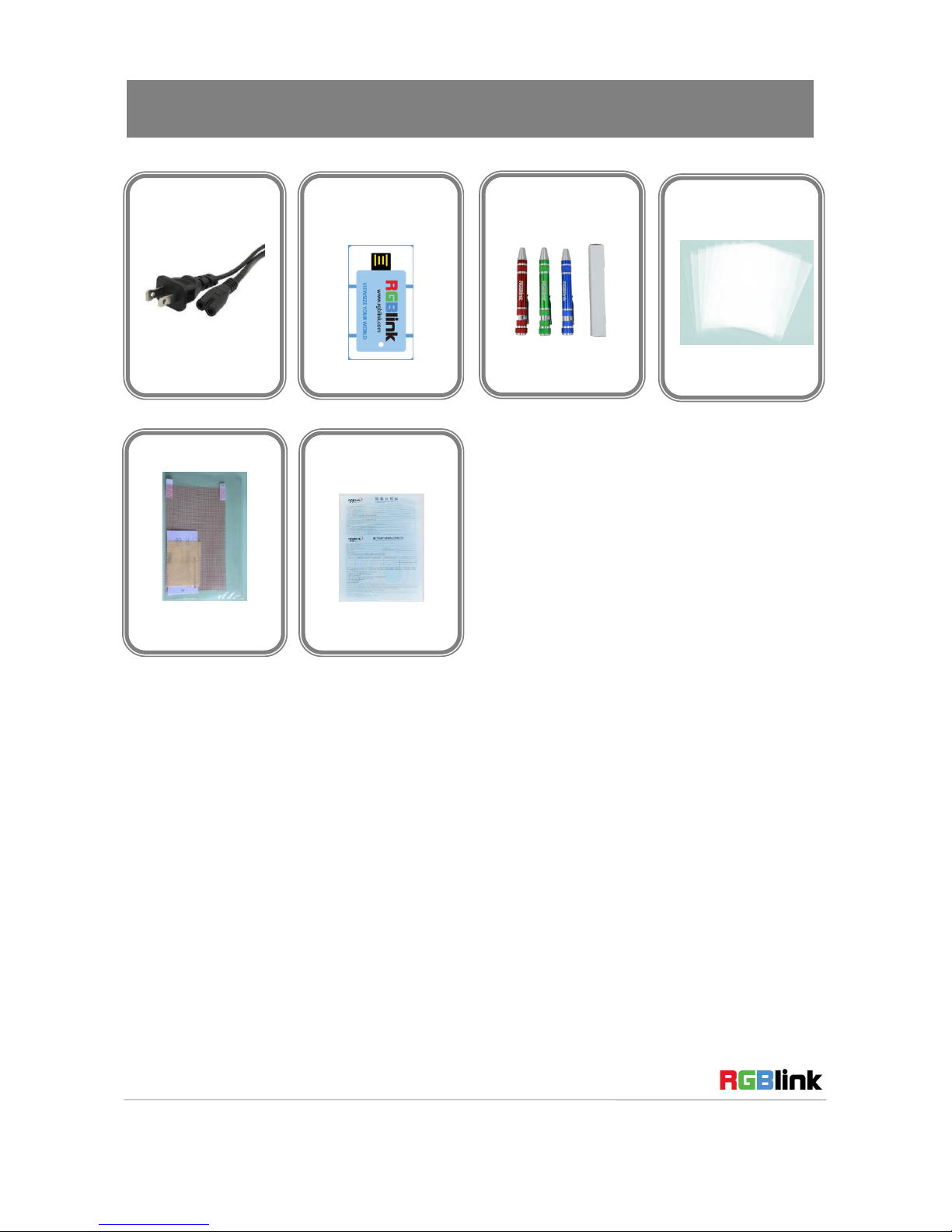
Note: The color of the screw driver is randomly when packing.
Power Cord
USB Disk
Screw Driver
Antistatic Bag
DVI 转HDMI 线
防静电袋
Screen Film
Certification
防静电袋

Address:S603-604 Weiye Building Torch Hi-Tech Industrial Development Zone Xiamen, Fujian Province, P.R.C
Tel: 00865925771197 Fax: 00865925771202
Email: [email protected] http://www.rgblink.cn
4
Hardware Orientation
Front Panel
Button Instruction
1
3.5mm earphone jack
7
Display current settings
2
Power on/off indicator
8~11
Source button
3. 4
User defined function button
12
Menu button
5
Ratio button
13
Select and apply button
6
Zoom button
14
Tally light

Address:S603-604 Weiye Building Torch Hi-Tech Industrial Development Zone Xiamen, Fujian Province, P.R.C
Tel: 00865925771197 Fax: 00865925771202
Email: [email protected] http://www.rgblink.cn
5
Back Panel
Input Interface
4
DVI+VGA Input DVI-I port
6
3G-SDI input BNC port
8
CVBS Input BNC port
Loop Out Interface
3
DVI+VGA Loop Out DVI-I port
5
SDI Loop Out BNC port
9
CVBS Loop Out BNC port
other Interface
1
Power
2
TALLY Controlling Port
7
USB Interface USB-B

Address:S603-604 Weiye Building Torch Hi-Tech Industrial Development Zone Xiamen, Fujian Province, P.R.C
Tel: 00865925771197 Fax: 00865925771202
Email: [email protected] http://www.rgblink.cn
6
Menu Operation
Content
MENU
System Submenu
Picture Submenu
OSD Submenu
Display Submenu
F Key Submenu
VGA Setup Submenu

Address:S603-604 Weiye Building Torch Hi-Tech Industrial Development Zone Xiamen, Fujian Province, P.R.C
Tel: 00865925771197 Fax: 00865925771202
Email: [email protected] http://www.rgblink.cn
7
MENU
Language setting
The language in menu is optional, it includes Chinese, English, etc. English is the default language.
Following is the operation for how to change English to Chinese, and the opposite applies as well.
1. Push the “MENU” button to enter to menu system.
2. Turn the knob to select “OSD” and push the knob to confirm.
3. Enter to “OSD” option to select “LANGUAGE” and push the knob to confirm.
4. Rotate the knob to change “ENGLISH” to “CHINESE”.
5. Push the “MENU” button to return to menu system.
Submenu setting
1. Push the “MENU” button and it will display menu system.
2. Rotate the knob to select an item. The selected item will be highlighted display yellow. Push the
knob ( select yellow ) to enter the selected item, rotate the knob to select the parameter.
3. Under menu system, push the “MENU” button to back to previous menu, then push the “MENU”
button to exit.

Address:S603-604 Weiye Building Torch Hi-Tech Industrial Development Zone Xiamen, Fujian Province, P.R.C
Tel: 00865925771197 Fax: 00865925771202
Email: [email protected] http://www.rgblink.cn
8
System Submenu
The System Submenu includes:
1. RATIO:Aspect ratio has two options, 16:9 and 4:3.
2. SCAN: “UnderScan” / “OverScan” selection.
3. ZOOM: “OFF”, “Zoom1” and “Zoom2” selection.
Zoom1: Canon DSLR scale zoom-in.
Zoom2: Pixel to Pixel zoom-in.
4. MARKER: Select and set the safe area scale from 80%, 85%, 90% 95% and user. In user mode,
user can adjust the width, height, POS X and POS Y of the marker.
5. FLIP: Select “ON” and push the knob to flip the picture by 180°.
6. FAC RESET: Select “OK” to recover all to factory setting.
7. TITLE: User defined title.
Yellow is the selected letters, rotate the knob to select the letters, and push the knob to input.
Max 10 letters are supported. After setting, push the knob to confirm, the system will display
the user defined title.

Address:S603-604 Weiye Building Torch Hi-Tech Industrial Development Zone Xiamen, Fujian Province, P.R.C
Tel: 00865925771197 Fax: 00865925771202
Email: [email protected] http://www.rgblink.cn
9
Picture Submenu
The Picture Submenu includes:
1. CONTRAST: the adjustment range is 0~100.
2. BRIGHTNESS: the adjustment range is 0~100.
3. SATURATION: the adjustment range is 0~100.
4. SHARPNESS: the adjustment range is 0~100.
5. COL TEMP: Color temperature, the selections includes: cool, medium, warm and user.
6. PIC MODE: User defined and preset picture modes, including dynamic, standard, mild and user.
7. HUE: the adjustment range is 0~100 (Only available under CVBS NTSC input, other signal display
gray and can not be adjusted).
Autres manuels pour RMS 8424S
1
Table des matières
Autres manuels RGBlink Moniteur


