
Recon MOD Live Manuel utilisateur
Page 1 MOD Live User Manual | Version 1.1 | © 2012 Recon Instruments Inc | All rights reserved | www.reconinstruments.com
MOD Live User Manual

Page 2 MOD Live User Manual | Version 1.1 | © 2012 Recon Instruments Inc | All rights reserved | www.reconinstruments.com
What’s in the box
Your MOD Live box includes the following
components:
• Micro-opcdisplayandbaerypack.
Thissnapsintoyourgoggles.
• Bluetooth remote control. This lets
youcontrolthemicro-opcdisplay.
• Gogglestrap.Thisaachesthe
remotecontroltoyourgoggle.
• Wriststrap.Thisaachesthe
remotecontroltoyourwrist,jacket,
backpack,orbelt.
• ACAdapters.Includestwotypes
of adapters (North American and
European)forchargingthebaeryon
themicro-opcdisplay.
• MicroUSBcable.Thisletsyou
connect MOD Live to an AC adapter
ortoyourcomputerforcharging.

Page 3 MOD Live User Manual | Version 1.1 | © 2012 Recon Instruments Inc | All rights reserved | www.reconinstruments.com
SafetyInformaon
MOD LIVE uses Bluetoothlowenergy to communicate with the
wirelessremotecontroller.Followthesesafetyguidelines:
ROAD SAFETY COMES FIRST.Toavoiddistracon,turnoMOD
Livebeforeyoudrive.Neverusetheremotecontrollerwhile
driving:keepyourhandsfree.
SWITCH OFF IN HOSPITALS AND AROUND MEDICAL DEVICES.
Wireless devices can cause interference with medical equipment.
KeepMODLiveturnedoaroundmedicalequipment.Followany
restriconspostedinhospitalsandhealthcenters.Ifyouweara
pacemaker,checkwiththemanufactureron
SWITCH OFF IN AIRCRAFT.KeepMODLiveturnedoaround
helicoptersoraircra.Followanyrestriconspostedinhelipads
and airports.
SWITCH OFF NEAR BLASTING.KeepMODLiveturnedoinareas
whereblasngisinprogress.
SWITCH BEFORE REFUELLING.KeepMODLiveturnedoat
gasstaons,refuellingareasorinareaswherefuelandvolale
chemicals such as propane are stored.
Page 4 MOD Live User Manual | Version 1.1 | © 2012 Recon Instruments Inc | All rights reserved | www.reconinstruments.com
EyeSafetyTips
MODLivedisplaysavirtualimage
focusedvefeetawayfromyoureye.
Ifyouexperiencenauseaoreyestrain
whenusingMODLive,takeabreakfor
several minutes.
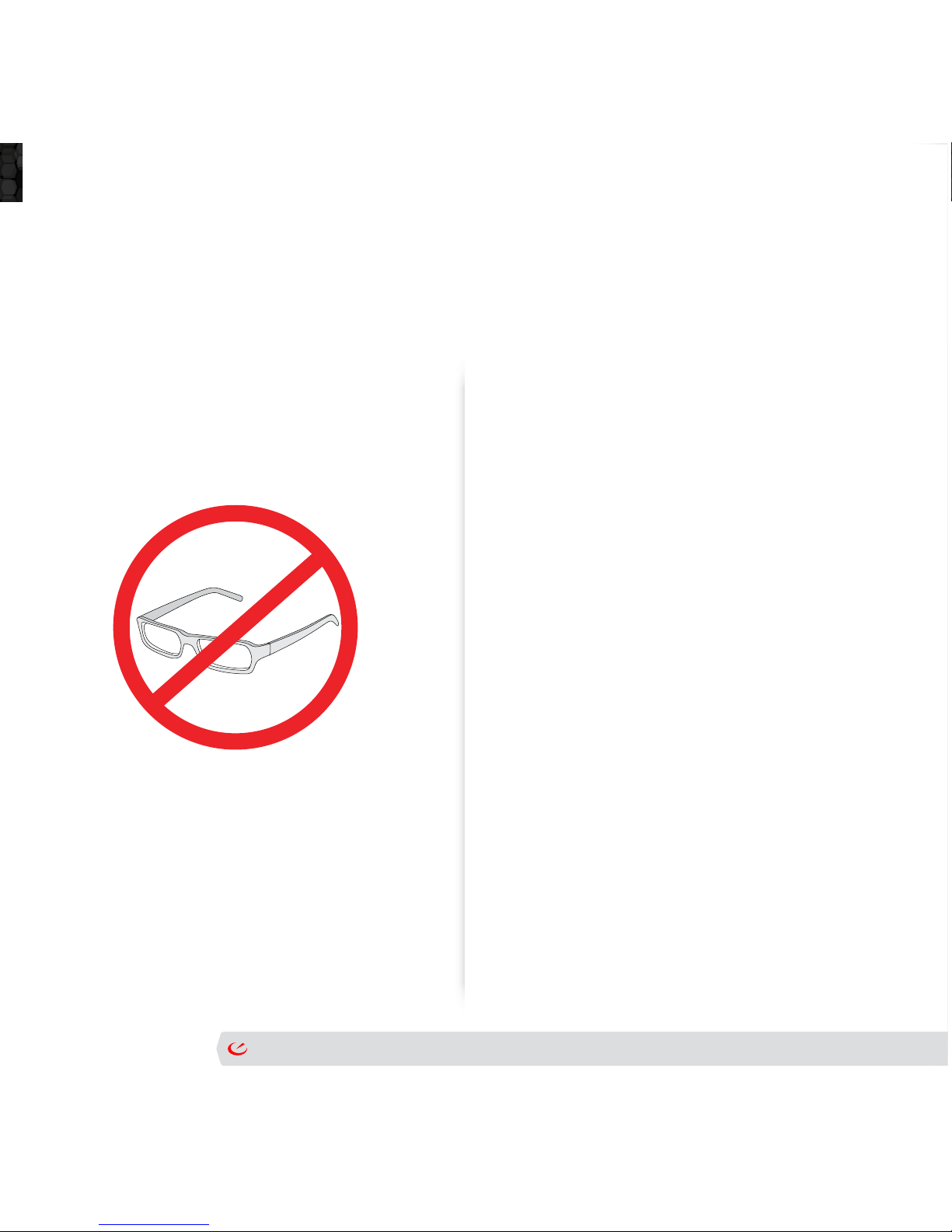
Avoidwearingeyeglassesunderyour
goggles.
Page 5 MOD Live User Manual | Version 1.1 | © 2012 Recon Instruments Inc | All rights reserved | www.reconinstruments.com
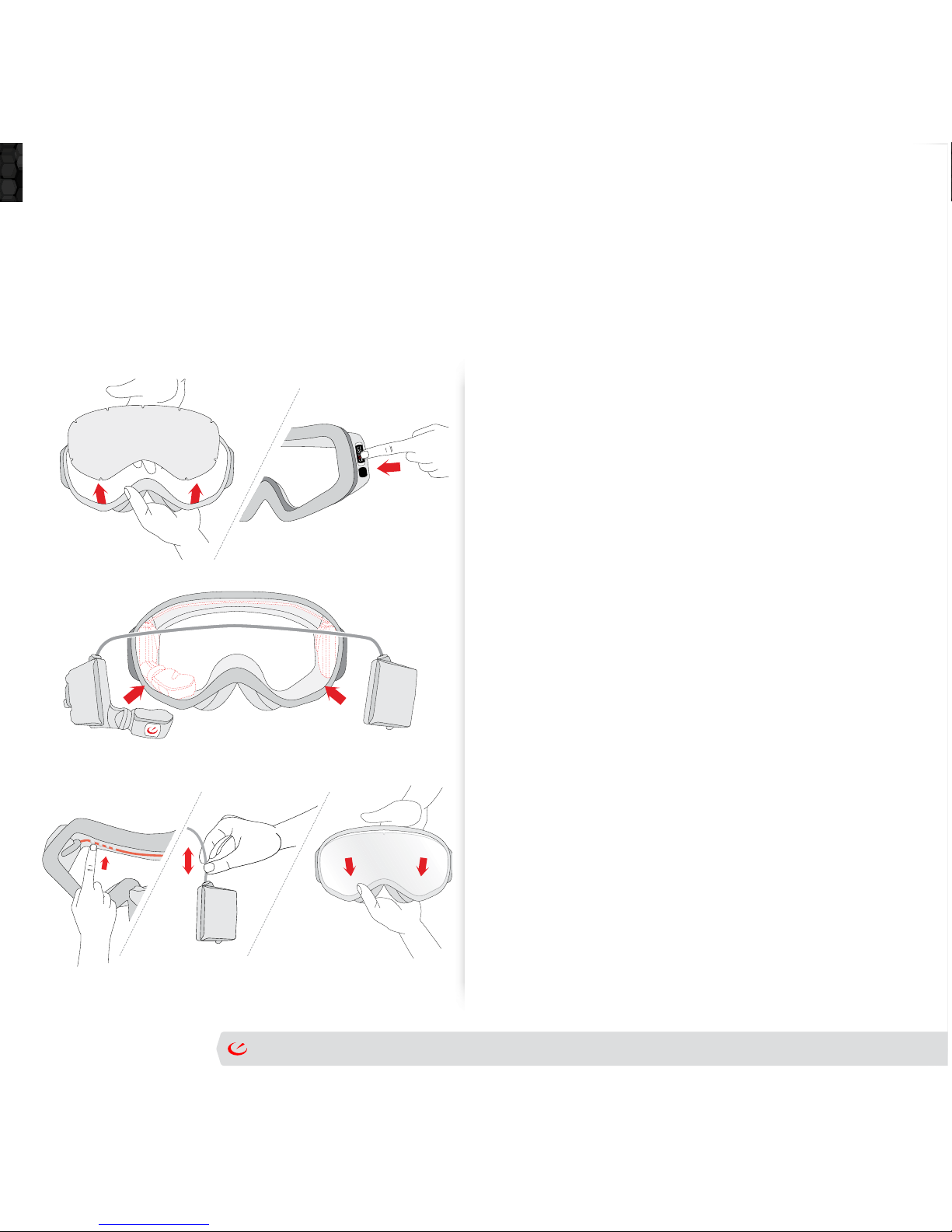
Snap MOD Live into goggles
1. Remove the lens from the goggle frame.
Seeinstruconsprovidedbythegoggle
manufacturer.
2. Ontheframeofyourgoggles,removethe
protecvebadgefromthelesideofthe
frame. This will reveal slots for MOD Live
to be inserted.
3. Next,insertMODLiveintothegoggle
frame as follows: with the goggles facing
you,snaptheMODLivemicroopcs
displayunitintotheleinnercornerof
theframe.Next,insertthebaerypack
into the right corner.
4. Push the MOD Live cable into the groove
sothatittsghtly.
5. Ifthecableistooshort,tugitgentlyso
the white stripes appear. If the cable is
toolong,pushitbackin.
6. Insertthelensbackintothegoggles.Take
care not to touch or smudge the lens.
OnlyusegogglesthatareRecon-Ready®.2011ReconReady™partnersinclude:
Uvex®,Briko®,Zeal®,andAlpina®.
LearnmoreaboutRecon-Readygogglesathp://www.ReconReady.com
Page 6 MOD Live User Manual | Version 1.1 | © 2012 Recon Instruments Inc | All rights reserved | www.reconinstruments.com
Charge Up Mod Live
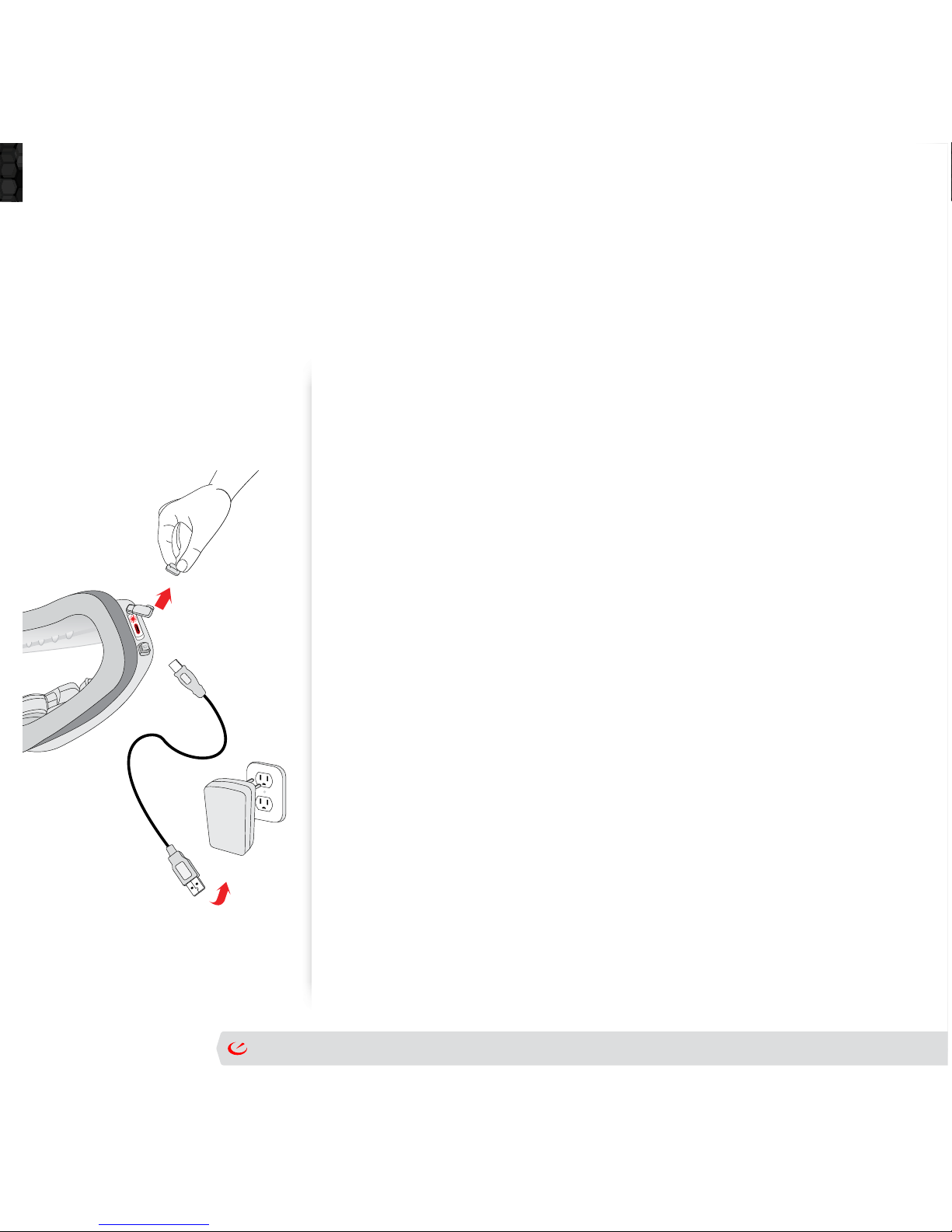
1. TofullychargeMODLiveusinganACadapter:
2. MakesureMODLiveisturnedobeforeyoustart.
3. AssembletheACadapterbyinserngtheNorthAmerican
or European plug.
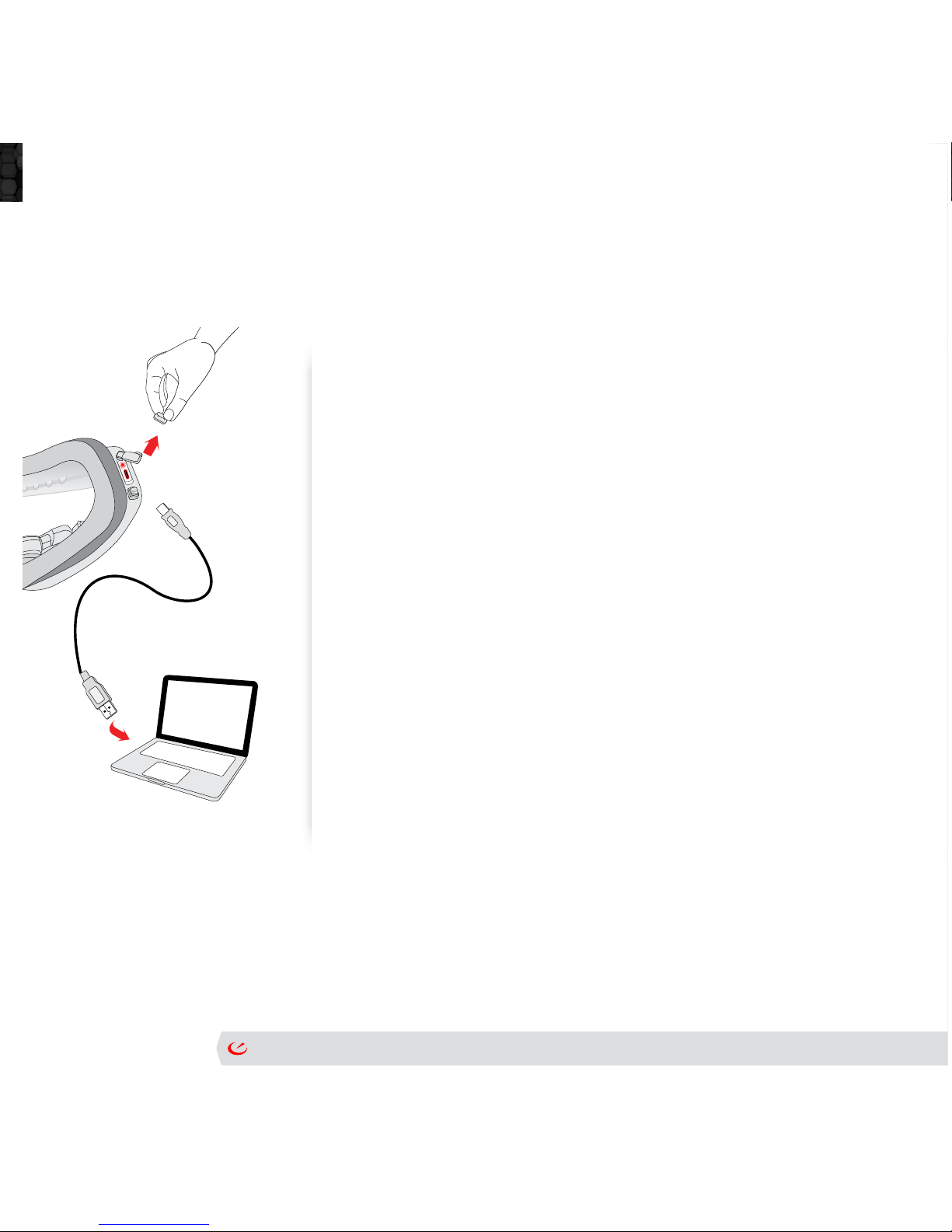
4. Insert the large plug of the USB cable into the adapter port.
5. Pop open the cover of MOD Live’s USB port. Tip: the port
covershowsanyimageofaUSBcable.Insertthesmaller
plugintoMODLive’sUSBport.Checkthattheplug’s7L
leeringappearsontheoutsideofthegoggle.
6. Plug the adapter into a power outlet. When MOD Live
beginscharging,aredlightappearsdirectlyabovethe
USBport.Ifthebaerywasdrainedaertheunitlethe
factory,itcantakeupto3hoursforthebaerytobecome
fullycharged.
7. Aertheredlightdisappears,disconnecttheadapter.
Remove the USB cable from MOD Live.
8. ReplacetheplascUSBportcovertoensuretheportis
protectedfromrain,snowandice.
NOTE:AlwaysusetheReconACadapterandUSBcableshippedwithyourunit.
Neverusethird-partycablesoradapters.
Page7 MOD Live User Manual | Version 1.1 | © 2012 Recon Instruments Inc | All rights reserved | www.reconinstruments.com
Charge Up Mod Live
1. MakesureMODLiveisturnedobeforeyoustart.
2. TurnonyourPCorMac.Makesurethecomputerisnotin
standbymode.
3. FindtheMODLivepowerbuonlocatednexttothemicroUSB
port.Holddownthepowerbuonfor3seconds.
4. Plug the micro USB cable’s smaller end into MOD Live’s micro
USB port.
5. PlugtheUSBcable’slargerendintotheUSBportinyourPC
or Mac. WhenMODLivebeginscharging,aredlightappears
directlyabovetheUSBport.
6. Wait for the red light to disappear.
7. Navigateto“safelyremoveorejectthehardware”usingyour
PCorMacbeforeyoudisconnecttheUSBcablefromMODLive.
8. Disconnect the adapter.
9. RemovetheUSBcableandsealthemicroUSBghtly.Usethe
plascUSBportcovertoensuretheportisprotectedfromrain,
snow and ice.
NOTE:Inopmalcondions,MODLivecanachieveafastcharge(80%ofbaery)using
yourcomputerorACadapterin1hour.MODLivecanbefullychargedin3hours.Formore
informaon,seetheseconBATTERYCARE,laterinthisguide.
Page 8 MOD Live User Manual | Version 1.1 | © 2012 Recon Instruments Inc | All rights reserved | www.reconinstruments.com
CheckTheRemoteController
AlthoughMODliveisfactory-paired(synchronized)withtheremote
controllershippedinthebox,followtheseinstruconstocheck
thattheremoteis“paired”withMODLive.
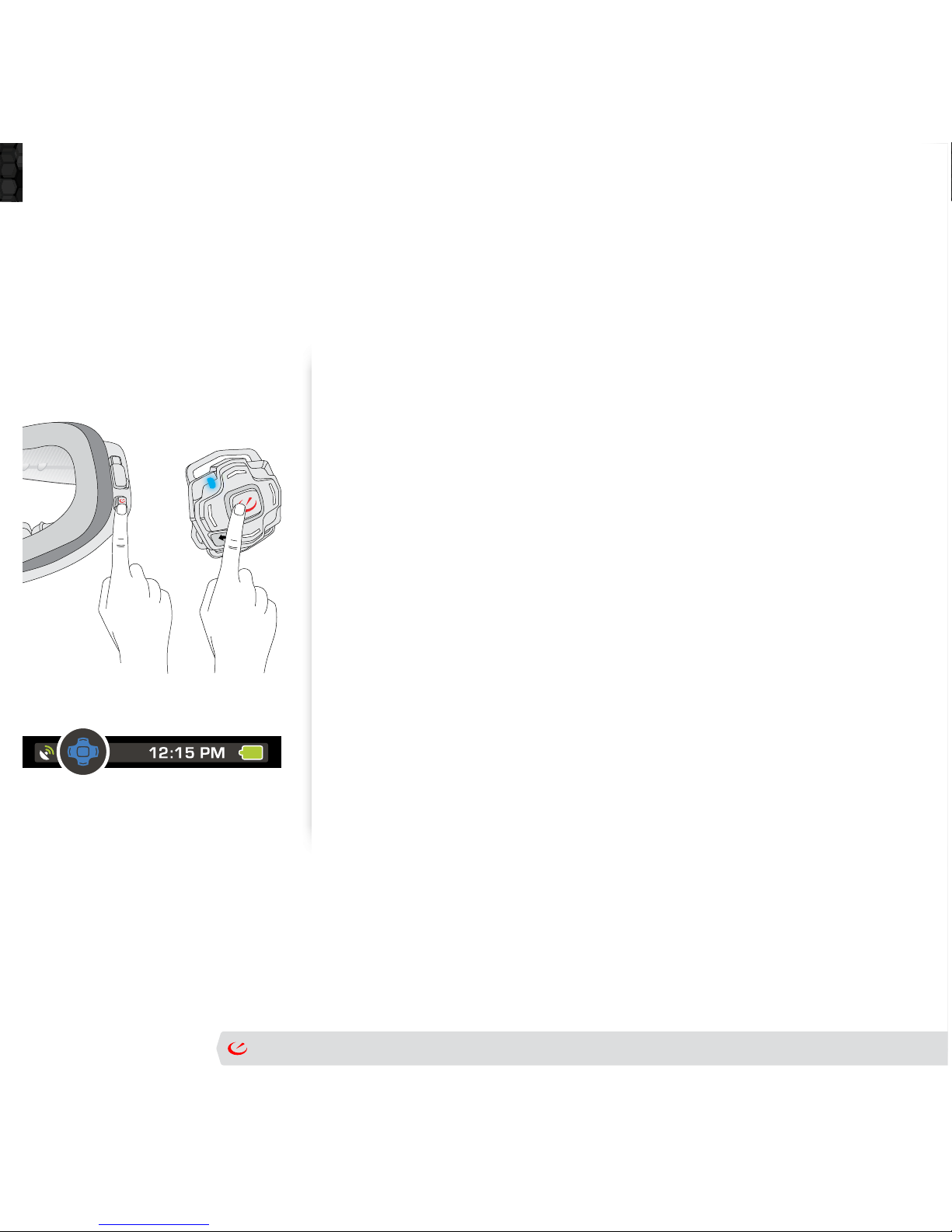
• OnMODLive,pressdownthepowerbuonfor3seconds.
• Ontheremotecontroller,pressanybuonandwaitforablue
lighttoash.ThisconrmstheremoteisconnectedtoMOD
Live.
• Holdthegogglestoyoureyesandcheckthestatusbaronthe
display.Theremotestatusindicatoricononthele-handside
should be blue.
Formoreinformaonaboutcaringandhandling,seethesecon,RemoteCare,
later in this guide.

Page 9 MOD Live User Manual | Version 1.1 | © 2012 Recon Instruments Inc | All rights reserved | www.reconinstruments.com
MicroOpcsDisplay
• Rotatethemicroopcsdisplayby
rotangtheheadasfollows
Page 10 MOD Live User Manual | Version 1.1 | © 2012 Recon Instruments Inc | All rights reserved | www.reconinstruments.com
AachAStrap
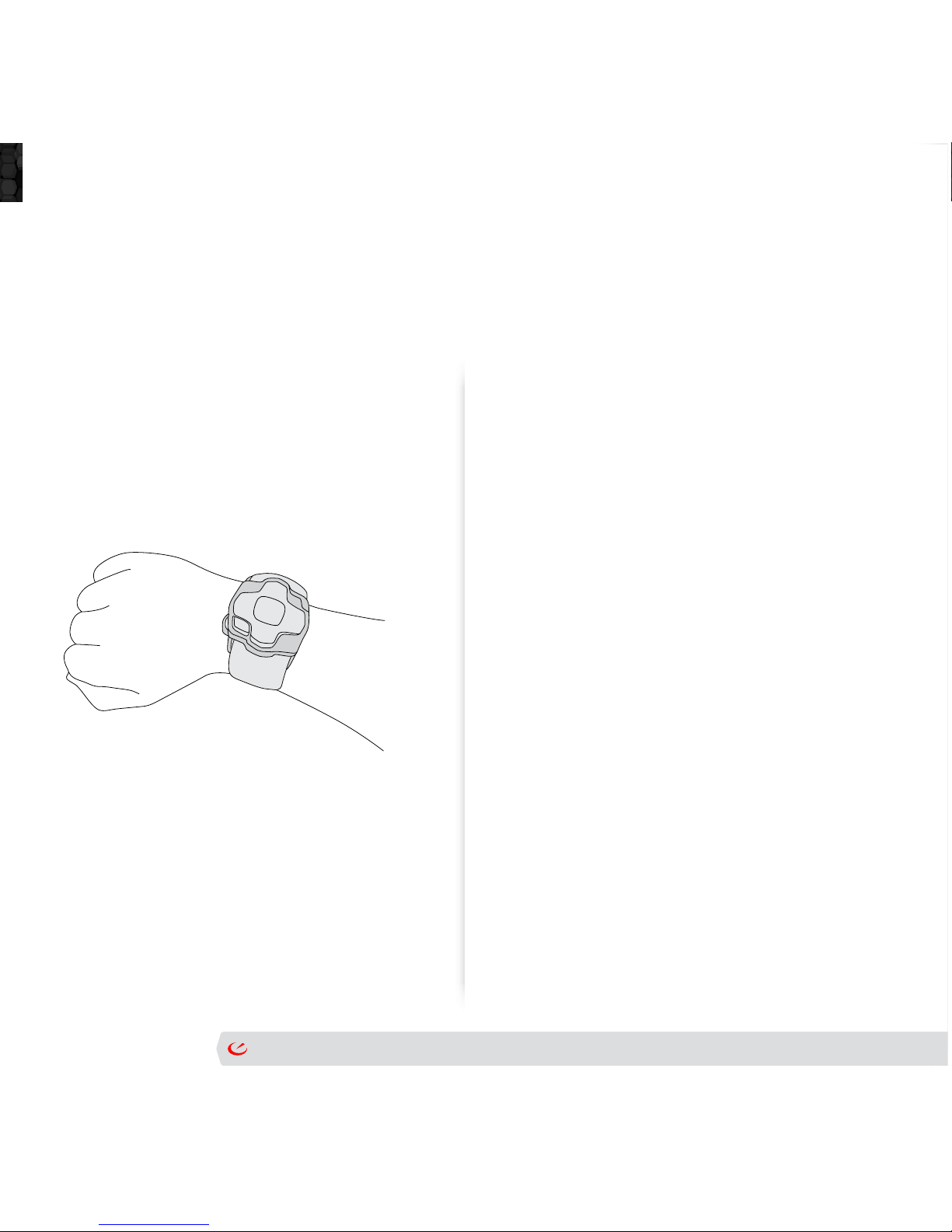
Toaachthewriststrap:
1. Slip either end of the Velcro strap (rough
side facing out) into the remote’s handle.
Tip:insertthestrapatadiagonal,andeither
pull or push it through the handle.
2. Alignthe“V”oftheVelcrostrapwiththe
edgeofthecontroller.Pushdownunlyou
hearaclick.
3. Stretch the strap and insert the other end of
theVelcrostraprepeangsteps1and2.
4. AachVelcroaroundthecuofyourglove
orjacketandpullitforasnugt.Or,usethe
straponajacketbeltorbackpack.
Autres manuels pour MOD Live
2
Table des matières


