Reclaim v1 Manuel utilisateur

INSTALLATION
OPERATION
MAINTENANCE
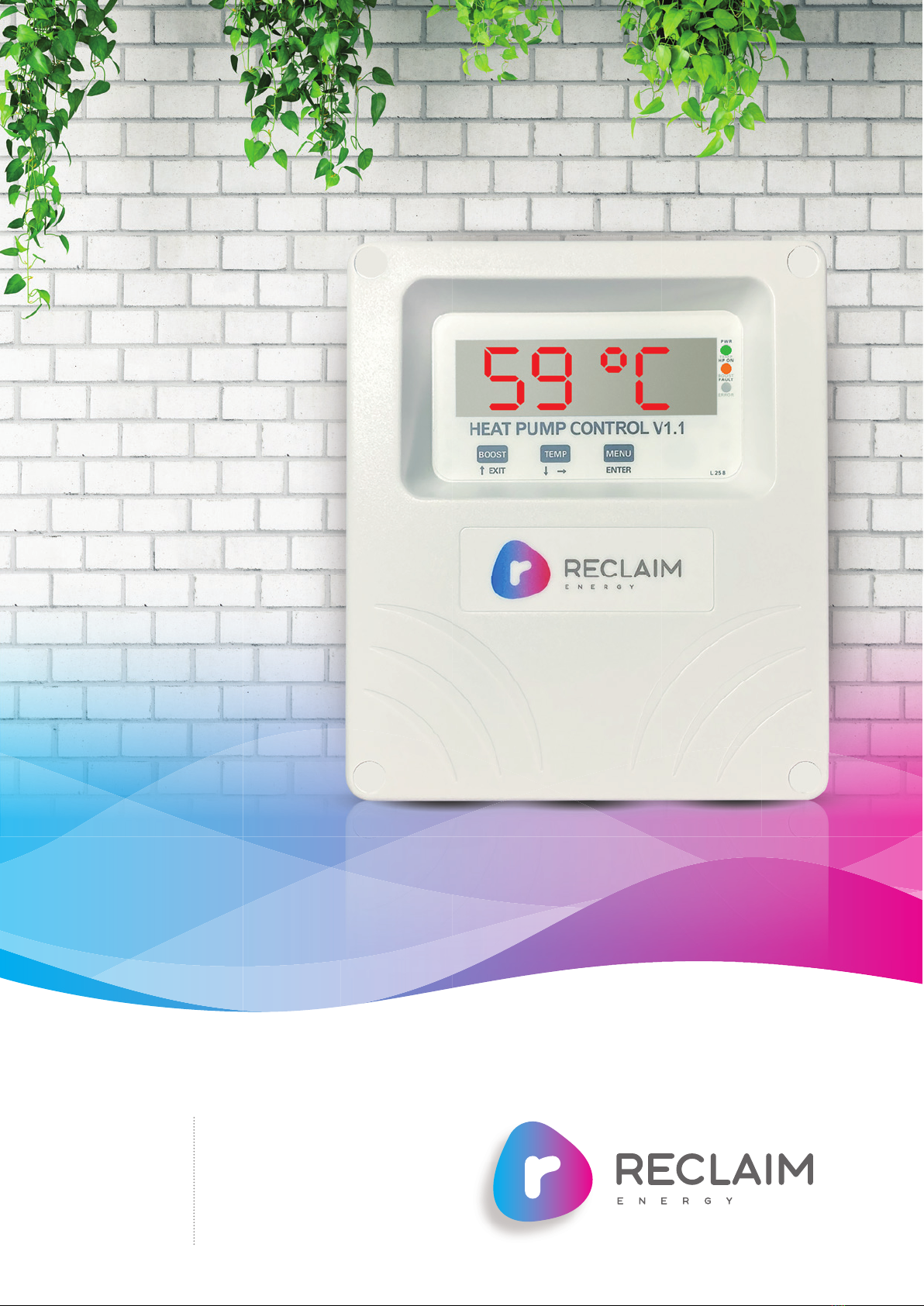
HEAT PUMP CONTROLLER V1.1
MANUAL

Reclaim Energy |Owners/Installation Manual – Controller v1.1
2
Issue 01b | Jan 2023
IMPORTANT
This appliance is not intended for use by persons (including children) with reduced physical, sensory or
mental capabilities, or lack of experience and knowledge, unless they have been given supervision or
instruction concerning use of the appliance by a person responsible for their safety. Children should be
supervised to ensure that they do not play with the appliance.
WARNING
This appliance may deliver water at high temperature. Refer to the Plumbing Code of Australia (PCA), local
requirements and installation instructions to determine if additional delivery temperature control is required.

Owners/Installation Manual – Controller v1.1 | Reclaim Energy
RECLAIMENERGY.COM.AU 3
SECTION PAGE
1 Overview
4
2 Before you begin installation 5
3 Installing the Reclaim controller
6
4First time commissioning guide 9
5Front panel operation
10
6Modes of operation 11
7User access 13
8Status of operation LED and 16
Button function summary
9Heat pump faults 17
10 Communication/temperature
sensor cable extension guide 18

Reclaim Energy |Owners/Installation Manual – Controller v1.1
4
SECTION
1
OVERVIEW
This controller is designed to work only with the Reclaim CO2 domestic hot water heat
pump. The key difference between V1 and V1.1 controller is the introduction of Option 6
which is a remote option control in V1.1. All functionalities between controllers are the
same so for more information on how the controller works, please refer to the heat
pump installation manual.
The controller measures the tank temperature and
compares that to set points that it has stored in memory.
These set points can be dependant on time of day
depending on the option set. Once the lower temperature
is reached the controller signals the heat pump to start
heating via the RJ45 cable. Once an upper temperature is
attained the controller signal the heat pump to stop
heating. The controller automatically manages Legionella
safety, heating once a day if the Legionella safe
temperature has not been attained during the day.
The 7 segment display defaults to time of day but can
also show the measured temperature. 3 status LEDs
show additional information as shown on page 5.
The onboard Real Time Clock is maintained by a Super
Capacitor on the main circuit board. This will keep the
time running for 3 weeks with no power applied but itself
should last for the lifetime of the controller.
The controller is prewired to be ‘plug n play’ and there is
usually no need to remove the cover on installation. The
enclosure is water resistant (to rain) and is UV resistant.
The case is made of non-burning tough polycarbonate.
v1 CONTROLLER v1.1 CONTROLLER
Times at which temperature mode is
enabled:
All options are same as V1 with additional
of option 6 as below:
Option 1: 24/7
Option 2: 10 pm- 7 am
Option 3: Midnight -6 am
Option 4: 10 am- 4 pm
Option 5: two cycles – first must set for
a minimum of 6 hours and second can
be set as little as 0 hours!
One shot boost: this activates the heat
pump if temperature is less than 59°c
and heating up until 59°c at sensor level
is achieved.
Option 6: One shot boost is activated by a
dry contact signal from home management
or PV inverters or dry contact smart switches
This is called “Remote” option.

Owners/Installation Manual – Controller v1.1 | Reclaim Energy
RECLAIMENERGY.COM.AU 5
SECTION
2
Case tools required Philips 1 screwdriver for lid screws (if required to remove cover)
Pozi 2 screwdriver for mounting screws
READ THESE SAFETY PRECAUTIONS and
LIMIT OF LIABILITY BEFORE YOU BEGIN
The following pages contain instructions for qualified
personnel only. They involve potentially hazardous
adjustments and high voltage mains wiring information.
General Safety
Precautions
The installation to be checked at least annually for damage
or malfunction. All servicing to be carried out by qualified
personnel only. All aspects of the installation must comply
with local electrical and plumbing regulations.
WARNING These products are not designed for use in, and should not be
used for, applications which are in conjunction with items that
are critical to any person’s health (e.g. life support systems).
In any critical installation, independent fail-safe back-up
systems must always be implemented.
Installation
Precautions
Make sure the controller is installed out of direct sunlight,
flammable liquids or radiant heat sources. Power leads must
face directly down.
Ensure controller is in a safe environment for users to inspect
display panel.
Sensor leads should be kept 300mm (12 inches) away from
mains and comms cables if run parallel to those cables.
A readily accessible power disconnect device is required.
CAUTION
Dangerous Voltages may be present.
No user serviceable parts.
Protective enclosure must only be opened
by qualified personnel.
Remove ALL power sources before removing
protective cover. The Reclaim Controller must
be installed by a qualified person.
Ensure suitable over-current protection and RCD
protection for the Reclaim Controller is in place.
BEFORE YOU BEGIN INSTALLATION
!

Reclaim Energy |Owners/Installation Manual – Controller v1.1
6
SECTION
3
Mounting Follow these steps:
1. Allow for the enclosure dropping 5mm (1/5 inch) from screw
centres once mounted (keyhole mounting).
2. Place the printed drill guide template (that ships with the
controller) against the wall, checking for level alignment. All
four mounting holes should be used with at least two firmly
secured into wood or masonry.
3. Mark and drill/screw as appropriate leaving the heads of the
screws above the surface by approximately 3mm (1/8 inch).
4. Place the unit over the four screw heads. The unit should
slide down 5mm into the ‘key’ slots and become secured to
the wall. You might need to adjust the screw height to obtain
a secure fit.
Sensor Mounting WARNING: It is CRITICAL the sensor is mounted correctly for
accurate readings, safe and efficient operation of the system,
durability of the sensors
The sensor should be fitted into a dry metal immersion ‘pocket’
in the hot water cylinder. Apply plenty of heat transfer
compound (available from your distributor) between the sensor
and the lining of the ‘pocket’ then seal against water ingress
where the cable exists the cylinder with neutral cure silicon.
Connect to Heat Pump Plug RJ45 cable into the heat pump.
Connect PV Remote
wires (only if applicable)
A ‘clean set of contacts’ (passive only) is expected for this input.
If not, then the controller could be damaged.
The remote input is accessible by removing the cover.
Ensure mains power is isolated during this work.
Loosen the cable gland and thread the cable next to the
sensor cable.
Wire in as indicated on diagram on the right.
Plug in the controller
to the power source
Before power up read all safety instructions, warnings and
liability statements.
Controller will run through start up checks including lighting
all LEDs. Then first display will be the time of day the controller
thinks it is. Page 7 has details on how to adjust the time.
INSTALLING THE RECLAIM CONTROLLER
SENSOR REMOTE

Owners/Installation Manual – Controller v1.1 | Reclaim Energy
RECLAIMENERGY.COM.AU 7
SECTION
3
RECLAIM CONTROLLER WITH THE COVER REMOVED
Owners/Installation Manual – Controller v1.1
|
Reclaim Energy
Dry contact terminals
for option 6 (page 9).

Reclaim Energy |Owners/Installation Manual – Controller v1.1
8
SECTION
4
The following steps are required during the commissioning of controller:
1. The controller is connected to the power point and has
power on it.
2. The correct version of controller is chosen on the heat
pump
a. V1.1 controller requires “r1” to be set at “1”. This
can be checked as follows on the PCB main of the
heat pump
i. Change the value of “r1” to “2” as follows:
ii. Press and hold UP(▲) and DOWN(▼) buttons.
iii. The value displayed is “r1” & “1”
iv. Change the value of “r1” to “2” by pressing the
RIGHT ( ) or LEFT( ) button.
v. Press and hold UP(▲) and DOWN(▼) button to
complete the setting when display returns to its
original display (i.e. blank display).
vi. To check if “r1” & “2” is established, try step 1
one additional time and then go to step 4 to exit.
3. The controller shows the correct time of day>
SETTING THE TIME OF DAY
a. Press the Menu Button, “Menu” is displayed.
b. Press Temperature Button (move to next
parameter), “TIME” is displayed.
c. Press the Menu Button, Time of day “XX:XX” is
displayed, alternatively with “AdJ-“, indicating you
are in data change or adjust mode).
d. Use the Boost Button to increment the Time UP, or
the temperature button to decrement the Time
DOWN. The longer the button is pressed the faster
the time will change. Note that the “AdJ-“ prompt is
not displayed whilst the up/down buttons are
pressed.
e. Once the correct time of day is displayed, press the
Menu button.
f. “TIME” will be displayed. Press the Boost button
(exit) to revert to the normal display.
Note: If no button is pressed for 30 seconds, the display
reverts to Normal Display Mode.
Note that the clock is always in 24hr mode, and all
adjustments for day light saving must be done manually.
4. Connect the RJ 45 cable and initiate the purge cycle.
The controller communication cable is connected to
the heat pump. V1.1 controller: RJ 45 terminal block
to be used.
FIRST TIME COMMISSIONING PROCEDURE

Owners/Installation Manual – Controller v1.1 | Reclaim Energy
RECLAIMENERGY.COM.AU 9
SECTION
4
5. Initiate the purge cycle. To activate Purge Mode,
perform the following steps:
a. Ensure the module is in the Normal Display mode,
displaying either Time of day, or Temperature.
b. Press and hold down the Menu button for
approximately 5 seconds.
c. The Display will commence flashing “Purg”.
d. The heat Pump output will be disabled.
e. The Purge output will be enabled.
f. Purge mode will remain active for 5 minutes.
g. All menu and display modes are disabled during
Purge Mode.
h. After 5 minutes has elapsed, the purge output will
turn off.
i. All control functionality will resume.
j. When the test operation display above disappears
and the purge mode is complete, open the PTRV
on tank for 5 seconds.
k. When water comes out from the PTRV on tank,
close the PTRV.
Note: Purge mode can be turned off at any time, by
pressing and holding the menu button for 5 seconds.
Purge mode is automatically turned off if the module
is currently displaying a heat pump error code.
6. Select among the 6 operational modes. To see if
the option is selected correctly, after setting up the
option, please go back to the main menu and press
“temp” button. Then, the current tank option and
active option will be shown within seconds.
Reclaim Energy
Owners/Installation Manual – Controller v1.1
|
Reclaim Energy
Make sure to complete the air purg before
heating operation. It can cause unit failure
CAUTION

Reclaim Energy |Owners/Installation Manual – Controller v1.1
10
SECTION
5
FRONT PANEL OPERATION
HEAT PUMP CONTROL V2.0
EXIT
BOOST
ENTER
PWR
TEMP
HP ON
BOOST
FAULT
ERROR
MENUTEMP
59 °C
BOOST key
Normal Mode: Boost Toggle
Menu Mode: Exit Menu
Data Change Mode: Increment
TEMP key
Normal Mode: Sensor °C
Menu Mode: Next Setting
Data Change Mode: Decrement
Green LED : Power
Flashing in standard mode,
Steady on in Boost mode.
Yellow LED : Output
Is telling Heat Pump to turn on.
If flashing is in Boost mode.
Red LED : Fault
LED on solid will display fault
code on digits. Flashing is
sensor fault.
MENU key
Normal Mode: Menu Mode
Menu Mode: Enter
Data Change Mode: Accept setting
Reclaim Energy
|
Owners/Installation Manual – Controller v1.1
Autres manuels pour v1
2
Ce manuel convient aux modèles suivants
1
Table des matières
Autres manuels Reclaim Contrôleurs


