
Ravo MP-10 Manuel utilisateur

GUITAR/BASS MULTI-EFFECTS PROCESSOR
&
USB AUDIO INTERFACE
OWNER’S MANUAL
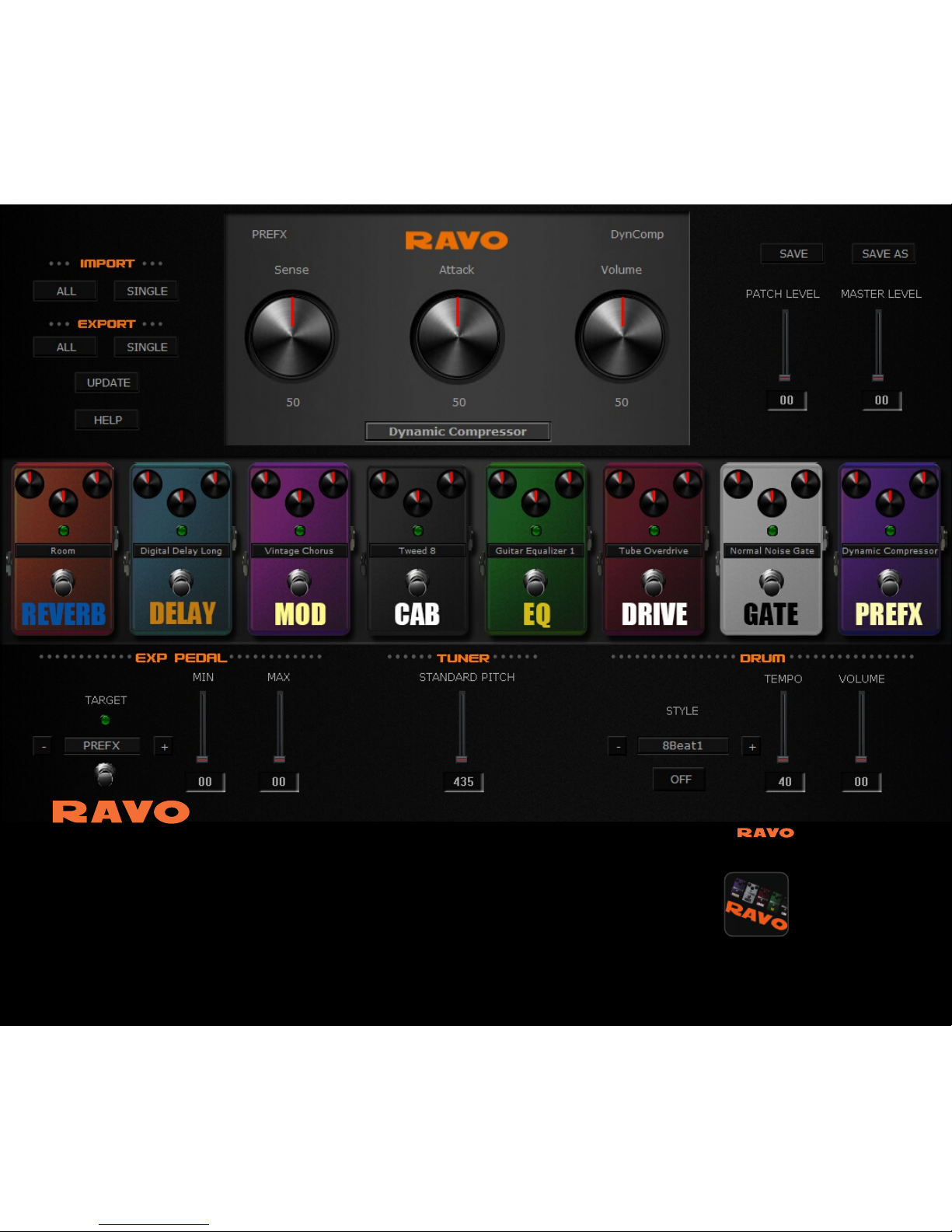
*Note: RAVO Tonebank is now only compatible with PC.
www.hotoneaudio.com/support
You can download Tonebank here:
RAVO Tonebank is a free tone editor software designed for
RAVO*. It has a friendly, easy-to-use graphical user interface
and all edits will be transferred in real time. You can use the
RAVO Tonebank software for editing, importing/exporting
and sharing your own patches. Connect your RAVO to your
computer with a USB cable (sold separately), open the RAVO
Tonebank software, and ROCK!
Tonebank

Thank you for purchasing a HOTONE product. Please read this manual
carefully to learn about all functions of the RAVO.
CONTENTS
1
OWNER’S MANUAL
Precautions
Usage Precautions
Panel lntroduction
Connections
Beginner’s Guide
3
6
7
9
12
13
13
15
18
22
Definitions
Bypass/Mute/Tuner Function
Loop Function
Drum Module
How To Play

CONTENTS
2
Expression Pedal Calibration
Using Expression Pedal
Pre-Patch-Select Function
Factory Reset
Store
Advanced Operations 24
24
29
31
32
34
38
43
44
45
Effect Types And Parameters
Drum Rhythm List
Troubleshooting
Patch List
Edit Your Own Sound
Effect Types List
Using Audio Interface Function
Specifications
98
88
108
110

Precautions
Please observe the following precaution tips to ensure safe use of this unit.
3
Power Considerations
Since power consumption of this unit is high, we recommend the use of an AC adapter.
If you use batteries, please use alkaline batteries.
AC Adapter Operation
Battery Operation
• Always use a DC9V center negative 500mA AC adapter. Use of an adapter other than that
specified could damage the unit or cause malfunction and pose a safety hazard.
• Always connect the AC adapter to an AC outlet that supplies the rated voltage required by
the adapter.
• When disconnecting the AC adapter from an AC outlet, always pull the adapter itself.
• During lightning storms or when not using the unit for an extended period, disconnect the
AC adapter from the AC outlet.
• Use 4 conventional 1.5V AAA batteries (or nickel metal hydride batteries).
• Carefully read the safety indications on the batteries before use.
• When not using the unit for an extended period, remove the batteries from the unit.
• If battery leakage should occur, thoroughly wipe the battery holder and the battery
terminals to remove battery fluid.
• Close the battery holder cover when using the RAVO.

4
Environment Considerations
• Extremely hot or cold places
• Near heaters and other heat sources
• Sandy or dusty places
• Places that are extremely humid or exposed to splashing water
• Places with lots of vibrations
Avoid using the unit in any of the following conditions that could cause malfunction:
Handling
• Never put objects filled with liquids, such as vases, on the unit since this could
cause electric shock.
• Never place candles and other burning objects on top of the RAVO. Doing so could cause
a fire.
• The RAVO is a precision instrumental device. Do not apply excessive force to the switches
and other controls, exposing the unit to strong impacts, including applying excessive force,
dropping it or bumping it, which could cause it to break.
• Do not put foreign objects, including coins and wires, or liquids, including water, soft drinks
and alcohol, into the RAVO.

Connecting cables and input and output jacks
Please always turn OFF the power to the unit and all other equipment before connecting or
disconnecting any cables. Also make sure to disconnect all connection cables and the AC
adapter before moving the unit.
Never open the case or attempt to modify the product in any way since this can result in
damage to the unit. HOTONE Corporation will not assume responsibility for any damage
to the unit caused by alterations.
Alterations
Volume
Do not use the RAVO at a loud volume for a long time since this could cause hearing
impairment.
5

Usage Precautions
Electrical interference with other equipment
6
In consideration of safety, the RAVO has been designed to provide maximum protection
against the emission of electromagnetic radiation from the device and to minimize external
electromagnetic interference. However, equipment that is very susceptible to interference
or that emits powerful electromagnetic waves should not be placed near the RAVO, as
interference could occur. In such a case, place the RAVO and the other equipment sufficiently
far apart.
With any type of digital control device, the RAVO included, electromagnetic interference could
cause malfunction and could corrupt or destroy data. Please use caution.
Use a soft cloth to clean the panels if they become dirty. If necessary, slightly moisten the
cloth. Never use cleansers, wax, or solvents such as paint thinner, benzene or alcohol.
Cleaning
Malfunction
If the unit should malfunction, disconnect the AC adapter and turn the power OFF immediately.
Then, disconnect all other connected cables.
Prepare information including the model name, serial number, specific symptoms related to
the malfunction, your name, address and telephone number and contact the store where you
bought the unit, or contact HOTONE support.
Please keep this manual in a convenient place for future reference.

7
● Parameter
As shown in Panel Introduction section (→P9), you can use up to 8 effect units
simultaneously. Each of these units is called a “module”.
● Module
● Effect type
Variables that determine the application of an effect are called “parameters”. If we imagine
each module as a separate effect pedal, then each parameter would be a knob on that pedal.
● Patch
The ON/OFF status of each module and the parameter settings are stored in units called
“patches”. Use patches to recall and save effects.
Among the modules, some allow different effect types to be activated. For example, when “ ”
using the MOD module you can choose one of several modulation effect types, including
chorus, flanger, tremolo, and so on.
Definitions

A set of 10 patches is called a “bank”. This unit has a total of 20 banks, including user banks
A–J, which can be edited and saved and preset banks 0–9, which can only be recalled.
● Bank
Each operation status of the RAVO is called a “mode”. Depending on the currently selected
mode, the functions of keys and knobs change. The modes include the play mode in which
you choose a patch and play your instrument, the rhythm mode in which you can play back a
rhythm pattern, the edit mode in which you can create and change patches, and the store
mode in which you can save patches.
● Mode
8
Table des matières
Manuels Équipement d'enregistrement populaires d'autres marques


Strymon
Strymon NIGHTSKY Manuel utilisateur

Mitsubishi Electric
Mitsubishi Electric 16CH DIGITAL RECORDER DX-TL5000U Manuel utilisateur

Tews Technologies
Tews Technologies TPMC465 Manuel utilisateur

Honeywell
Honeywell Excel 50 Manuel utilisateur

SeaLevel
SeaLevel COMM+8.LPCI Manuel utilisateur

Arturia
Arturia AUDIOFUSE STUDIO Manuel utilisateur


