PURE Jongo A2 Manuel utilisateur

A2
Jongo-A2-V1-Euro.indb 1
4/9/2013 2:25:27 PM

www.pure.com/register
Please register your product to receive
the following benefits:
• Notification of FREE product
software updates
• FREE telephone and e-mail
technical support
• 2 year warranty
Veuillez enregistrer votre produit pour
bénéficier des avantages suivants :
• Notifications de mises à jour
logicielles produit GRATUITES
• Support technique par téléphone
et courrier électronique GRATUIT
• 2 ans de garantie (reportez-vous à
votre manuel pour plus de détails)
Bitte registrieren Sie Ihr Produkt, um die
folgenden Vorteile nutzen zu können:
• Benachrichtigung über
KOSTENLOSE Updates zur Produkt-
Software,
• KOSTENLOSE Support per Telefon
und E-Mail,
• zwei Jahre Gewährleistung.
Registrando il prodotto si accederà ai
seguenti vantaggi:
• Comunicazione di aggiornamenti
software GRATUITI per il prodotto
• Supporto tecnico telefonico e via
email GRATUITO
• Garanzia di due anni
Registreer uw product om van de
volgende voordelen te profiteren:
• Meldingen over GRATIS
productsoftwareupdates
• GRATIS technische ondersteuning
- telefonisch of per e-mail
• 2 jaar garantie
Registre su producto para beneficiarse de:
• Avisos de actualizaciones
GRATUITAS de productos de
software
• Soporte técnico GRATUITO por
teléfono o correo electrónico
• 2 años de garantía
Jongo-A2-V1-Euro.indb 2
4/9/2013 2:25:27 PM

1
DE
FR
ENGLISH
NL
IT
ES
Thank you for choosing Jongo A2. This manual will get
you up and running in no time and explains how to make
the most of your Jongo. We’re constantly improving and
adding new features to our products. To take advantage of
any enhancements made since your product was shipped,
please visit www.pure.com where you can check for any
updated versions of software and download the latest
version of this user guide in PDF format.
A2
Jongo-A2-V1-Euro.indb 1
4/9/2013 2:25:27 PM

2
Jongo Safety Instructions
1. Read these instructions – All the safety and operating instructions should be read before this product is
operated.
2. Keep these instructions – The safety and operating instructions should be retained for future reference.
3. Heed all warnings – All warnings on the appliance and in the operating instructions should be adhered to.
4. Follow all instructions – All operating and use instructions should be followed.
5. Clean only with dry cloth.
6. Do not install near any heat sources such as radiators, heat registers, stoves, or other apparatus (including
amplifiers) that produce heat.
7. Only use attachments/accessories specified by the manufacturer.
8. Unplug the apparatus during lightning storms or when unused for long periods of time.
9. Refer all servicing to qualified personnel. Servicing is required when the apparatus has been damaged in any
way, does not operate normally, or has been dropped.
10. To reduce the risk of electric shock, do not Remove plastic cover or screws as there are no user-serviceable
parts inside. Refer servicing to qualified personnel.
11. Avoid liquids getting into Jongo. Should not be immersed in water, or used where this may happen, such as a
bathroom.
12. The equipment’s ventilation should not be impeded by covering the ventilation openings with items such as
newspaper, table-cloths, curtains etc.
13. WARNING Please refer to the information on the bottom exterior of the enclosure for electrical and safety
information before installing or operating the apparatus.
14. WARNING To reduce the risk of fire or electric shock, do not expose this apparatus to rain or moisture. The
apparatus shall not be exposed to dripping or splashing and that objects filled with liquids, such as vases, shall
not be placed on apparatus.
15. WARNING: The direct plug-in adapter is used as disconnect device, the disconnect device shall remain readily
operable.
16. This equipment is a Class II or double insulated electrical appliance. It has been designed in such a way
that it does not require a safety connection to electrical earth.
Jongo-A2-V1-Euro.indb 2
4/9/2013 2:25:27 PM

3
EN
Contents
4 Introduction
6 Front panel
7 Base
8 Rear panel controls and connectors
9 Switching between Sleep, On and Off
10 Power light states
11 Getting started
11 Preparing Jongo to connect to a wireless network
13 Manually connecting Jongo to your wireless network
15 Streaming audio to your Hi-Fi
18 Using Jongo Setup Manager
20 Appendix
20 Connecting Jongo to your wireless network using Push
Button Configuration
21 Technical specifications
Jongo-A2-V1-Euro.indb 3
4/9/2013 2:25:27 PM

4
Introduction
Jongo A2 is an easy way to bring all the content available on the
Pure Connect app or a Jongo-compatible Pure product* to your
existing hi-fi and make it part of your Jongo multiroom system.
Get connected
Immersing yourself in music couldn’t be easier. Download the Pure
Connect app via your iOS or Android device and connect your
Jongo to access a world or music.
Pure Connect is free, and lets you stream all your own music
collection, gives you access to over 20,000 live radio stations from
around the world, podcasts and a library of your favourite BBC
radio programmes.
Subscribe to Pure Music** and you can also choose from a library
of over 15 million tracks, with unlimited streaming for just £4.99 a
month.
*Visit www.pure.com for more information on Jongo compatible Pure music
streaming and radio systems.
**Currently available in the UK and Germany. See www.pure.com/availability
Jongo-A2-V1-Euro.indb 4
4/9/2013 2:25:27 PM

5
EN
Go multiroom
Jongo makes it easy to expand your system. Add other Jongo
products to go multiroom with speakers wherever you like; all
streaming synchronised music around your home.
Express yourself
Easy-fit colour replacement trims are available for all our Jongo
products. Choose from White, Black, Lime green, Burnt Orange or
Mango.
Jongo-A2-V1-Euro.indb 5
4/9/2013 2:25:27 PM

6
Front panel
Power
Press to switch between Sleep, On and
Off. See page 9 for more information.
Power light also changes colour to
indicate various states. See page 10 for
more information.
Jongo-A2-V1-Euro.indb 6
4/9/2013 2:25:27 PM

7
EN
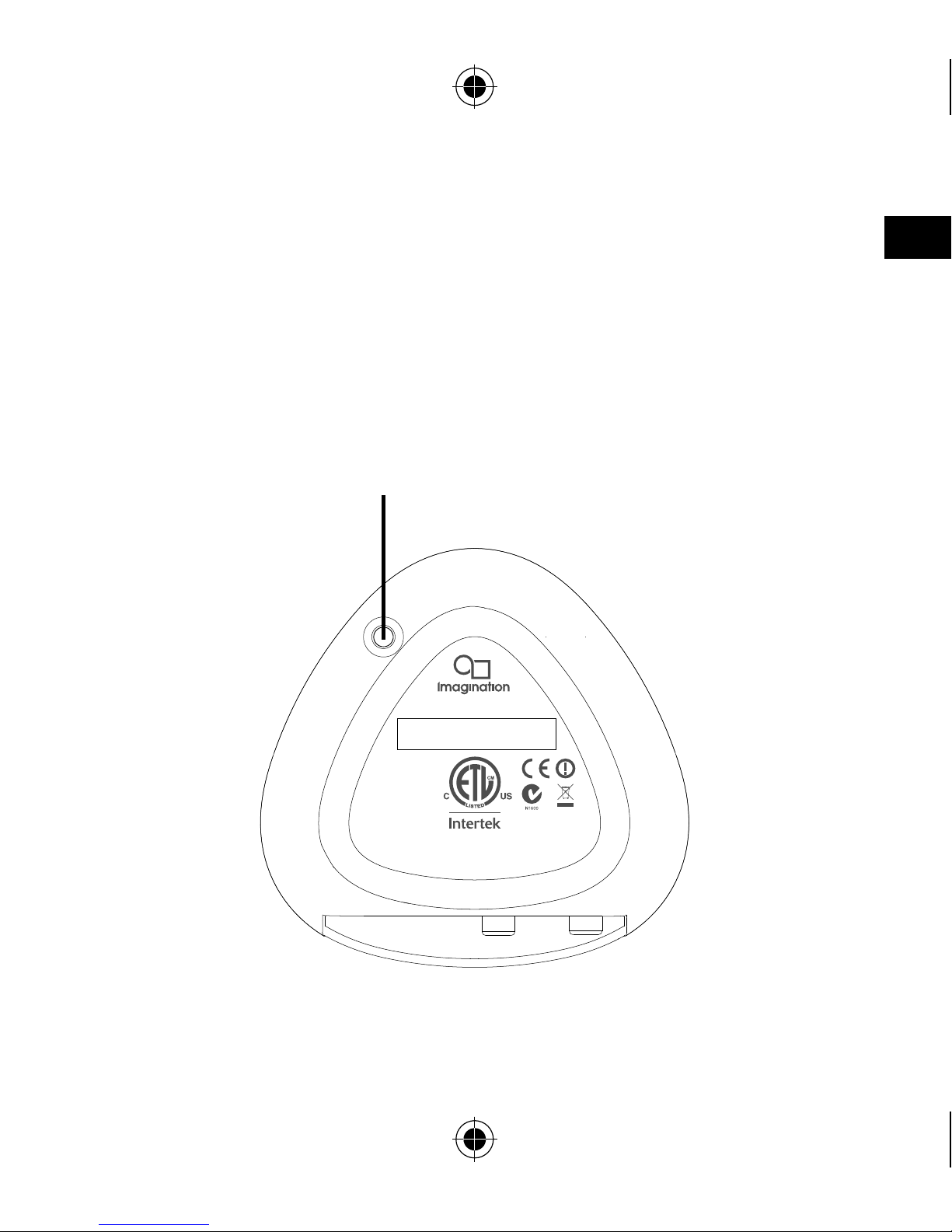
Base
4000696
Conforms to UL
Std. 60065
Certified to CSA Std.
C22.2 No. 60065
This device complies
with Part 15 of the FCC
Rules. Operation is
subject to the following
two conditions: (1) This
device may not cause
harmful interference, and
(2) this device must
accept any interference
received, including
interference that may
cause undesired
operation.
FCC ID: X280068
IC: 8864A-0068 Designed and engineered in the UK
Assembled in China
WiFi
Model A240
WiFi button
Press to enter Wi-Fi Setup mode. Press and hold
to setup Jongo using Push Button Configuration.
See page 20 for more information.
Jongo-A2-V1-Euro.indb 7
4/9/2013 2:25:27 PM

8
Rear panel controls and connectors
Line out Digital optical out
Digital coaxial out
R
L
5.5V DC
Jongo
A2
Mains
adapter
Connect to
mains power
supply
USB
USB connector
for optional USB
Ethernet adapter
Digital coaxial out
Connect to digital coaxial (S/PDIF)
input on an amplifier or receiver
Digital optical out
Connect to digital
optical (S/PDIF)
input on an amplifier
or receiver
Analogue audio
Connect to 3.5mm
input of any audio
product, or to
analogue inputs on
an amplifier, receiver,
TV or monitor
Jongo-A2-V1-Euro.indb 8
4/9/2013 2:25:28 PM
Autres manuels pour Jongo A2
2
Table des matières
Langues :
Autres manuels PURE Adaptateur