
Pro FPP13206 Guide de dépannage

50051986-003 A
User & Installation Guide FPP13206
DIGITAL TIMER
-DAY-CHANNEL

WARNING: This product must be correctly installed and congured to work properly. If you
are not experienced in electrical wiring, we recommend professional installation to avoid
possible personal injury or equipment damage.
DISCONNECT ELECTRIC POWER BEFORE INSTALLATION: Can cause
electrical shock or equipment damage.
DISPOSAL AND RECYCLING: Waste electrical products should not be disposed of
with household waste. Please recycle where these facilities exist. Check with your local
authority or retailer for recycling advice.

3
About your new Digital Timer
Features................................................... 4
Quick reference to controls...................... 5
Date/time settings .................................... 6
Operation and programming
Operating modes ..................................... 7
Cost-saving programme schedules ......... 8
To adjust programme schedules.............. 9
Special functions
Temporary schedule overrides .............. 10
Extra Hour ............................................. 11
Holiday mode......................................... 12
Advanced features................................. 13
Installation and setup
System installation................................. 14
Wall bracket installation .................... 15-16
System wiring ................................... 17-20
Installer setup ................................... 21-22
Appendix
Alternate programme schedules............ 23
In case of difficulty ................................. 24
Contents

User Manual
4
The Digital Timer is designed to work with your existing thermostat and heating system. It can work
automatically, or you can adjust it manually to maintain a comfortable indoor environment while minimising
energy use and costs associated with heating your home.
Features
•Energy-saving design: Automatically activates or shuts down your heating system up to six times per
day to t your lifestyle while saving energy costs. Each day of the week can be programmed separately
(see pages 8-12).
•One-touch comfort control: Allows you to override programmed settings at any time by turning your
heating system on or off — or by extending an “on” period by up to three hours.
•Holiday button: Turns off your heating system for up to 99 days while you are away, then resumes
normal operation when you return (see page 12).
•Seasonal clock change: Automatically adjusts the clock for seasonal changes in the spring and autumn
to adjust for standard time or daylight savings time.
•Lifetime memory: Saves your customised settings indenitely, even if the mains power supply fails.
About your new Digital Timer

5
Quick reference
Line of text
area
Current
time
Current
day
Operating modes
(see page 7)
Daily programme
periods (see page 8)
Press to programme
next day (see page 9)
Press to copy a daily
programme schedule
(see page 9)
“Holiday” button
(see page 12)
Press to extend heating
time (see page 11)
Press to override heating
programme (see page 10)
Light is on when heating
system is on
Slider (set to RUN except
during programming)
Mode button
(see page 7)
Press to change time
or advance in menus
Press to save changes and
advance to next step
Remove cover to use
controls
12:34
PM
mon tue wed thu fri sat sun
19/06/2021
on 1
off 1
on 2
off 2
on 3
off 3
cont
once
auto
off

Operation and Programming
6
Date/time settings
To change the date or time, set the slider to DAY/TIME.
Use the +or -buttons to set the correct day, then press the OK
button. Follow the same procedure to set month, year and time.
Date and time are set at the factory and should not need to be
changed unless you turn off the automatic daylight savings feature
(see pages 21-22).
TIP: While setting the time, press and hold the +/- buttons to change
the clock time more rapidly.
30
12
mon tue wed thu fri sat sun
SET THE DAY
SET THE MONTH
Set to DAY/TIME
Press +or -to change
Press OK to save
31
IS DAY OK?
7
Operating modes
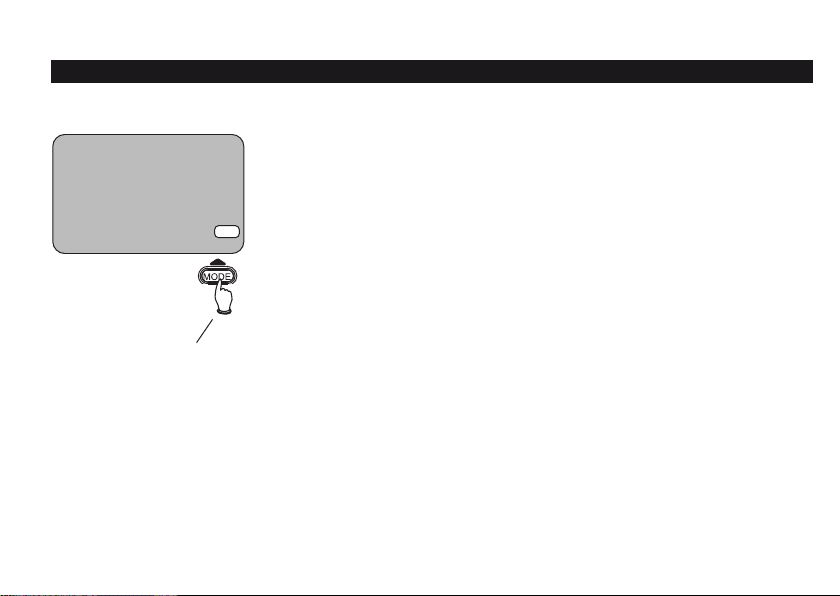
Press the MODE button repeatedly to select an operating mode:
Cont: Heating system remains on continuously.
Auto: In this mode the Digital Timer follows a daily schedule for the
heating system, turning it on and off at preset times during the day
(see page 8).
Once: In this mode the heating is turned on at the rst programmed
“On” time of the day, and remains on until the last programmed “Off”
time (see page 8).
Off: Heating system remains off at all times.
12:34
PM
mon tue wed thu fri sat sun
30/12/2021
cont
once
auto
off
Press to change
heating system
operating mode

Operation and Programming
8
Cost-saving programme schedules
Monday-Friday ON 1 [off 1] ON 2 [off 2] ON 3 [off 3]
6:30am 8:30am 12:00pm 1:00pm 4:30pm 10:30pm
Saturday-Sunday ON 1 [off 1] ON 2 [off 2] ON 3 [off 3]
6:30am 9:30am 12:00pm 1:00pm 4:30pm 11:00pm
The Digital Timer is preset at the factory to turn off your home heating system when it’s less likely to be
needed. The preset schedule is shown below. To change it, see pages 9-12. (See also two alternate
schedules on page 23.)
To run this schedule (as shown below, or as you’ve modied it), leave the MODE button set to Auto and
move the slider to RUN. You can make temporary adjustments at any time (without changing the schedule)
by pressing the EXTRA HOUR or OVERRIDE buttons.
Default
on/off times
(Schedule A)
TIP: To review your schedule quickly, move the slider to PROGRAMME, then press
the OK button repeatedly to see each on/off time period.

9
To adjust programme schedules
To programme the heating system schedule:
1Move slider to PROGRAMME, then press +or -to adjust the “On”
time for Period 1 as shown at left.
2Press OK to save, then press +or -to adjust the “Off” time for
Period 1. Repeat for all time periods.
3After all Monday time periods are set, press the NEXT DAY button
to adjust settings for Tuesday. Repeat for all other days.
To stop programming at any time, move slider to RUN.
SHORTCUT: While programming, press the COPY DAY button to copy
settings for the current day and apply them to other days. For example,
you can apply Monday settings to other days of the week.After copying,
press the NEXT DAY button to select a target day, then press OK.
Set to PROGRAMME
6:30
AM
6:40
AM
8:30
AM
mon tue wed thu fri sat sun
mon tue wed thu fri sat sun
mon tue wed thu fri sat sun
SET ON-TIME 1
ON-TIME 1 OK?
SET OFF-TIME 1
on 1
off 1
on 2
off 2
on 3
off 3
Press +or -to change time
Press OK
TIP: To delete an unwanted time period, set identical times for the
“On”and“Off”periods.

Special Functions
10
Temporary schedule overrides
The OVERRIDE button works like a simple “on/off” switch. If you
press the button when the system is on, it will turn off. If off, it will
turn on.
This button works only when the MODE is set to Auto or Once (see
page 7).
This change is temporary. It does not change the daily programme
schedule, which will resume at the next programmed “On” or “Off”
time period.
NOTE: See also temporary overrides for extra hours or holidays (see
pages 11-12.
Press to turn system on or off
Green light shows system status
(on or off)
12:34
PM
mon tue wed thu fri sat sun
OVERRIDE
cont
once
auto
off
Table des matières
Autres manuels Pro Minuteur


