Using the Phonebook
Your handset can store up to seventy names and numbers in your phonebook. When all
the phonebook entries are full, you will hear a beep and MEMORY FULL appears. You
cannot store any additional names and numbers unless you delete some of the existing
ones.
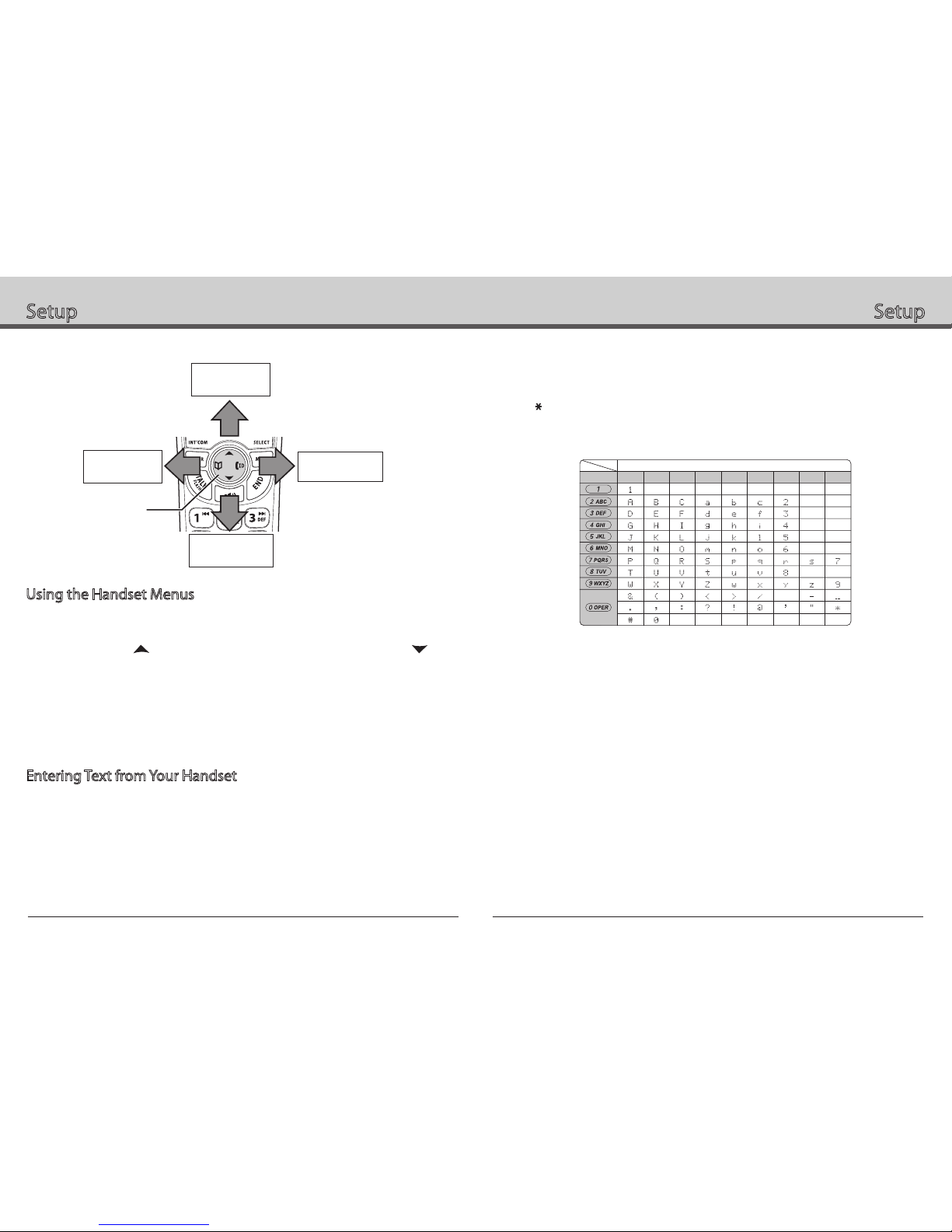
Press to enter the phonebook. Once in the phonebook, you have the following options:
Scroll through the entries Press to scroll through the phonebook alphabetically.
Jump to entries that
start with a certain letter
Press the number key corresponding to the letter you want to jump
to.
Store a new entry
1. Press MENU/SELECT.
2. Move the cursor to CREATE NEW, and then press
MENU/SELECT.
Copy one entry to another
station
1. Find the entry you want to copy, and press MENU/SELECT.
2. Move the cursor to COPY, and press MENU/SELECT.
3. Move the cursor to select the station you want to copy the entry
to, and press MENU/SELECT.
Copy all entries to
another station at once
1. Press MENU/SELECT, and then select COPY ALL.
2. Move the cursor to select the station you want to copy the
entries to, and press MENU/SELECT.
3. Move the cursor to YES, and press MENU/SELECT.
Dial an entry 1. Find the entry you want to dial.
2. Press TALK/FLASH or .
Delete an entry 1. Find the entry you want to delete, and press MENU/SELECT.
2. Move the cursor to DELETE, and press MENU/SELECT.
Delete all entries 1. Press MENU/SELECT.
2. Move the cursor to DELETE ALL, and press MENU/SELECT.
Close the phonebook Press END, or press again if you are on a call.
Redialing a Number
To redial one of the last five numbers dialed on this handset, press REDIAL/PAUSE.
This opens the redial list. Use and to find the number you want to dial, and press
TALK/FLASH or in standby, or press MENU/SELECT during a call.
Muting the Ringer (One Call Only)
While the handset is ringing, press /MUTE or END to mute the ringer for this call.
The phone will ring again on the next call. (The handset must be off the cradle to mute the
ringer.)
Muting the Microphone
To mute the microphone so the caller can't hear you, press /MUTE during a call.
MUTE ON and appear in the display. Press /MUTE again to cancel muting.
Privacy Mode
To prevent other stations from interrupting a call, press MENU/SELECT during a call.
Move the cursor to CALL PRIVACY, and then press MENU/SELECT. PRIVACY MODE
ON and P appear in the display. Repeat the procedure to turn off privacy mode.
Adjusting the Audio Tone
If you aren’t satisfied with the audio quality of your phone, you can adjust the Audio Tone
of the earpiece while on a call. Your phone gives you three audio tone options: low, natural
and high; the default setting, Natural Tone, is recommended for hearing aid users. Audio
tone adjustments only apply to the earpiece, not the speakerphone.
To adjust the audio tone:
1. While on a call, press MENU/SELECT.
2. Move the cursor to select AUDIO TONE, and then press MENU/SELECT.
3. Move the cursor to select desired option (HIGH TONE, NATURAL TONE, or LOW
TONE), and then press MENU/SELECT. Selected option appears in the display
for two seconds, and then the display returns to normal.