
Philips M450 Manuel de l'opérateur
www.philips.com/support
Always there to help you
Register your product and get support at
M450
M455
Extended user
documentation
Question?
Contact
Philips


1EN
Contents
1 Important safety instructions 3
2 Your phone 4
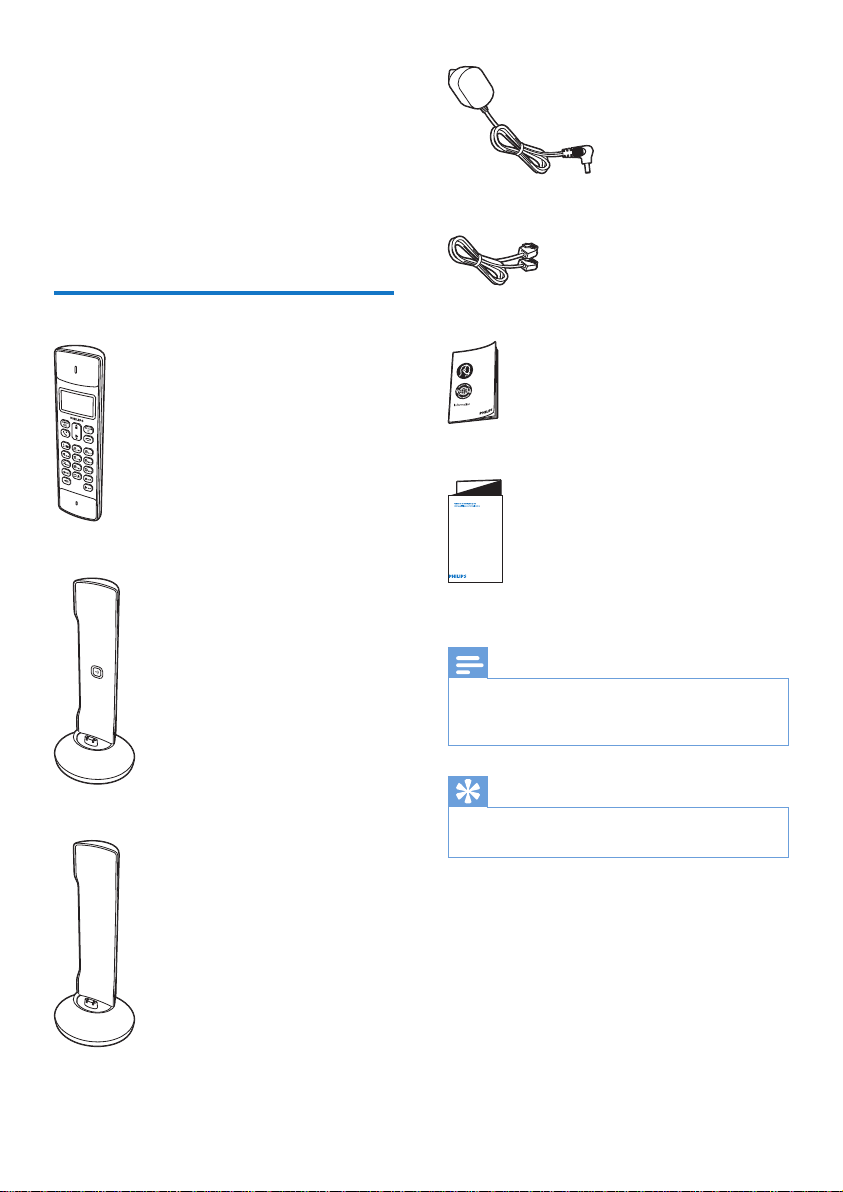
What is in the box 4
Overview of the phone 5
Overview of the base station 6
3 Get started 7
Connect the base station 7
Install the handset 7
dependent) 8
Change the remote access PIN code
(for M455) 8
Charge the handset 9
Check the battery level 9
What is standby mode? 9
Display icons 9
Check the signal strength 10
Switch the handset on or off 10
4 Calls 11
Make a call 11
Answer a call 11
End a call 11
Adjust the earpiece/speaker volume 12
Mute the microphone 12
Turn the speaker on or off 12
Make a second call 12
Answer a second call 12
Switch between two calls 12
Make a conference call with the
external callers 12
5 Intercom and conference calls 13
Make a call to another handset 13
Make a conference call 13
6 Text and numbers 15
Enter text and numbers 15
Switch between uppercase and
lowercase 15
7 Phonebook 16
View the phonebook 16
Search a record 16
Call from the phonebook 16
Access the phonebook during a call 16
Add a record 17
Edit a record 17
Delete a record 17
Delete all records 17
8 Call log 18
Call list type 18
View the call records 18
Save a call record to the phonebook 18
Return a call 18
Delete a call record 18
Delete all call records 19
9 Redial list 20
View the redial records 20
Redial a call 20
Save a call record to the phonebook 20
Delete a redial record 20
Delete all redial records 20
10 Phone settings 21
Sound settings 21
ECO+ mode 21
Name the handset 22
Set the date and time 22
Set the display language 22
Auto answer 22
11 Telephone answering machine 23
Turn the answering machine on or off 23
Set the answering machine language 23
Set the answer mode 23
Announcements 24
Incoming messages 24
Set the ring delay 25
Remote access 25

2EN
12 Services 27
Call list type 27
Auto conference 27
1HWZRUNW\SH
$XWRSUHÀ[
Select the recall duration 28
Dial mode 28
Auto clock 28
5HJLVWHUDGGLWLRQDOKDQGVHWV
8QUHJLVWHUWKHKDQGVHWV
5HVWRUHGHIDXOWVHWWLQJV
13 Technical data 30
14 Notice 31
Declaration of conformity 31
8VH*$3VWDQGDUGFRPSOLDQFH
Compliance with EMF 31
Disposal of your old product and
batteries 31
15 Frequently asked questions 33
16 Appendix 35
Text and number input tables 35

3EN
1 Important safety
instructions
Power requirements
• This product requires an electrical supply
of 100-240 volts AC. In case of power
failure, the communication can be lost.
• 7KHYROWDJHRQWKHQHWZRUNLVFODVVLÀHG
DV7197HOHFRPPXQLFDWLRQ1HWZRUN
9ROWDJHVDVGHÀQHGLQWKHVWDQGDUG(1
Warning
• 7KH(OHFWULFDOQHWZRUNLVFODVVLÀHGDVKD]DUGRXV7KH
RQO\ZD\WRSRZHUGRZQWKHFKDUJHULVWRXQSOXJWKH
power supply from the electrical outlet. Ensure that the
electrical outlet is always easily accessible.
To avoid damage or malfunction
Caution
• Use only the power supply listed in the user
instructions.
• Use only the batteries listed in the user instructions.
• Risk of explosion if battery is replaced by an incorrect
type.
• 'LVSRVHRIXVHGEDWWHULHVDFFRUGLQJWRWKHLQVWUXFWLRQV
• 'RQRWGLVSRVHRIEDWWHULHVLQÀUH
• Always use the cables provided with the product.
• 'RQRWDOORZWKHFKDUJLQJFRQWDFWVRUWKHEDWWHU\WR
come into contact with metal objects.
• Do not let small metal objects come into contact with
the product.This can deteriorate audio quality and
GDPDJHWKHSURGXFW
• Metallic objects may be retained if placed near or on
the handset receiver.
• Do not use the product in places where there are
H[SORVLYHKD]DUGV
• 'RQRWRSHQWKHKDQGVHWEDVHVWDWLRQRUFKDUJHUDV
\RXFRXOGEHH[SRVHGWRKLJKYROWDJHV
• )RUSOXJJDEOHHTXLSPHQWWKHVRFNHWRXWOHWVKDOO
be installed near the equipment and shall be easily
accessible.
• Handsfree activation could suddenly increase the
YROXPHLQWKHHDUSLHFHWRDYHU\KLJKOHYHOPDNHVXUH
the handset is not too close to your ear.
• 7KLVHTXLSPHQWLVQRWGHVLJQHGWRPDNHHPHUJHQF\
calls when the power fails.An alternative has to be
PDGHDYDLODEOHWRDOORZHPHUJHQF\FDOOV
• Do not allow the product to come into contact with
liquids.
• 'RQRWXVHDQ\FOHDQLQJDJHQWVFRQWDLQLQJDOFRKRO
DPPRQLDEHQ]HQHRUDEUDVLYHVDVWKHVHPD\KDUP
the set.
• Do not expose the phone to excessive heat caused by
KHDWLQJHTXLSPHQWRUGLUHFWVXQOLJKW
• Do not drop your phone or allow objects to fall on
your phone.
• Active mobile phones in the vicinity may cause
interference.
About operating and storage temperatures
• Operate in a place where temperature is
DOZD\VEHWZHHQ&WR&XSWR
relative humidity).
• Store in a place where temperature is
DOZD\VEHWZHHQ&DQG&XSWR
UHODWLYHKXPLGLW\
• Battery life may be shorter in low
temperature conditions.
4EN
2 Your phone
&RQJUDWXODWLRQVRQ\RXUSXUFKDVHDQGZHOFRPH
WR3KLOLSV
7RIXOO\EHQHÀWIURPWKHVXSSRUWWKDW3KLOLSV
RIIHUVUHJLVWHU\RXUSURGXFWDWZZZSKLOLSV
com/welcome.
What is in the box
Handset**
Base station
&KDUJHU
3RZHUDGDSWHU
Line cord*
Guarantee
Short user manual
Note
• * In some countries, you have to connect the line
DGDSWHUWRWKHOLQHFRUGWKHQSOXJWKHOLQHFRUGWRWKH
telephone socket.
Tip
• ** In multi-handset packs, there are additional handsets
DQGFKDUJHUVDQGSRZHUDGDSWHUV
4XLFNVWDUWJXLGH

M455
M455
M455
M450

6EN
• 2IIQRQHZHYHQW
• 2QLQDFDOO
• )ODVKLQJQHZPLVVHGFDOOVQHZ
PHVVDJHVRQDQVZHULQJPDFKLQHQHZ
voice mails.
• )ODVKLQJRQFHZKHQSXWWLQJWKH
handset on the base station.
• )ODVKLQJTXLFNO\LQFRPLQJFDOOV
p Handset back cover
Overview of the base station
a
• 3UHVVWRÀQGKDQGVHWV
• 3UHVVDQGKROGWRHQWHUWKHUHJLVWUDWLRQ
mode.
a

7EN
3 Get started
Caution
• Make sure that you have read the safety instructions in
the 'Important safety instructions' section before you
connect and install your handset.
Connect the base station
Warning
• 5LVNRISURGXFWGDPDJH(QVXUHWKDWWKHSRZHUVXSSO\
YROWDJHFRUUHVSRQGVWRWKHYROWDJHSULQWHGRQWKHEDFN
or the underside of the phone.
• 8VHRQO\WKHVXSSOLHGSRZHUDGDSWHUWRFKDUJHWKH
batteries.
Note
• ,I\RXVXEVFULEHWRWKHGLJLWDOVXEVFULEHUOLQH'6/KLJK
VSHHGLQWHUQHWVHUYLFHWKURXJK\RXUWHOHSKRQHOLQH
HQVXUH\RXLQVWDOOD'6/ÀOWHUEHWZHHQWKHWHOHSKRQH
OLQHFRUGDQGWKHSRZHUVRFNHW7KHÀOWHUSUHYHQWV
noise and caller ID problems caused by the DSL
LQWHUIHUHQFH)RUPRUHLQIRUPDWLRQRQWKH'6/ÀOWHUV
contact your DSL service provider.
• The type plate is located on the bottom of the base
station.
1 Connect each end of the power adapter
WR
• the DC input jack at the bottom of the
base station;
• the power socket on the wall.
2 &RQQHFWHDFKHQGRIWKHOLQHFRUGWR
• the telephone socket at the bottom of
the base station;
• the telephone socket on the wall.
3 Connect each end of the power adapter
WRIRUPXOWLKDQGVHWYHUVLRQRQO\
• the DC input jack at the bottom of the
H[WUDKDQGVHWFKDUJHU
• the power socket on the wall.
Install the handset
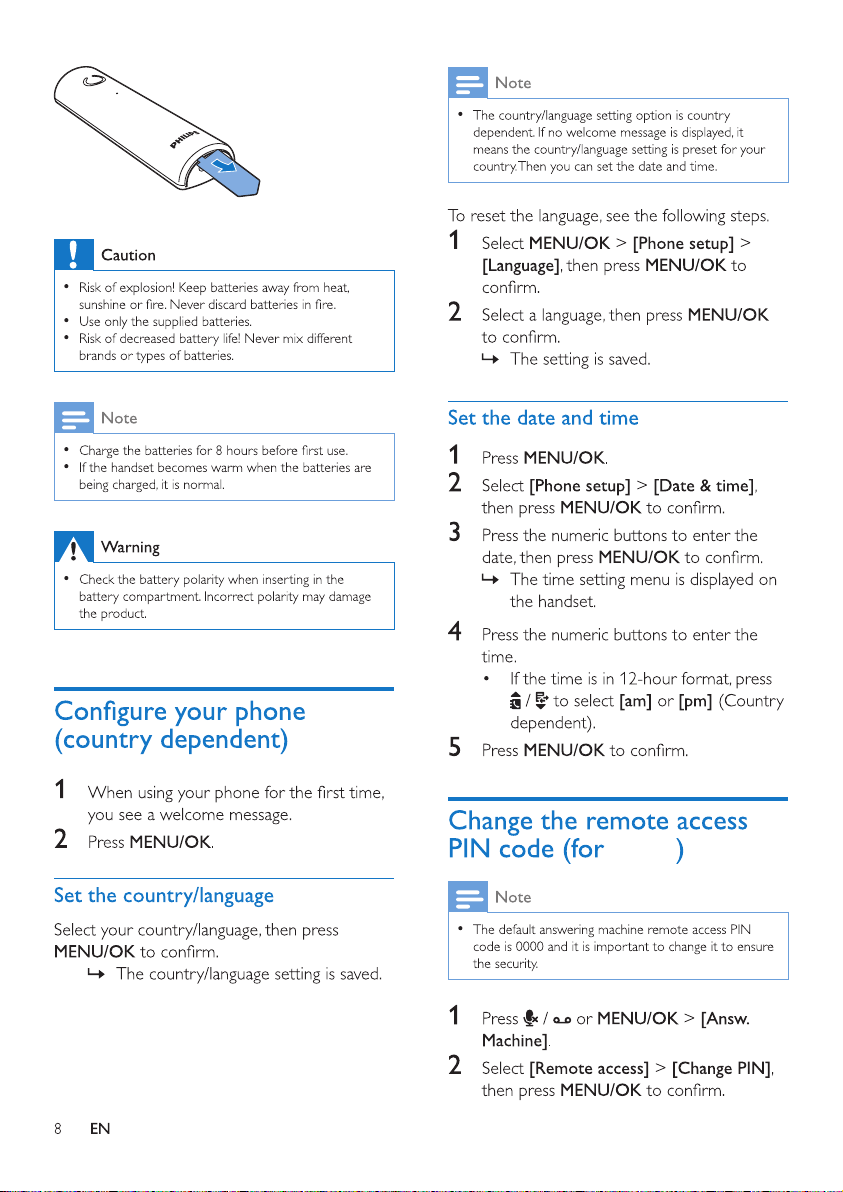
The batteries are pre-installed in the handset.
3XOOWKHEDWWHU\WDSHRIIIURPWKHEDWWHU\GRRU
EHIRUHFKDUJLQJ
M455
Autres manuels pour M450
1
Ce manuel convient aux modèles suivants
1
Table des matières
Autres manuels Philips Accessoires pour projecteur


