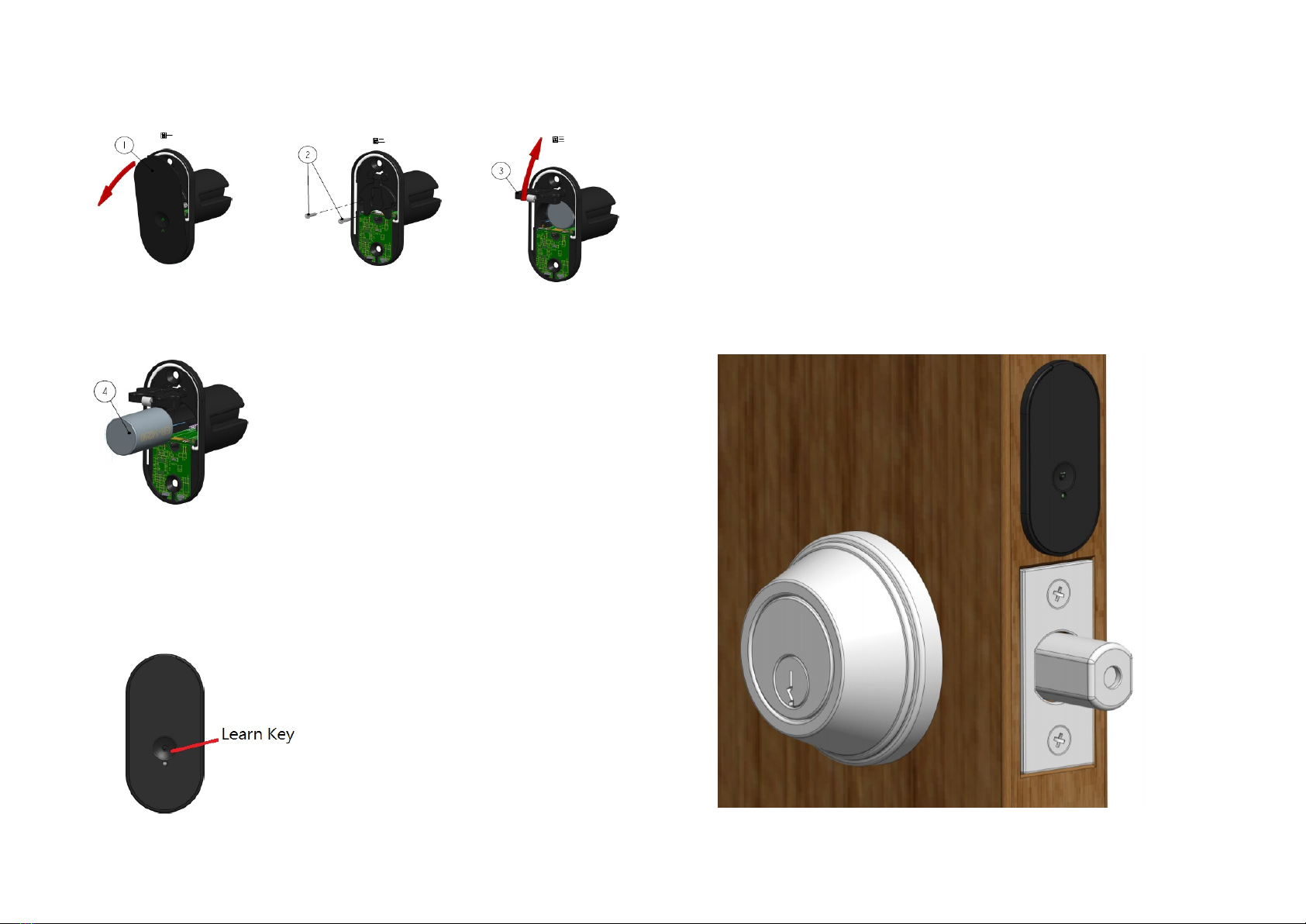
2.Correct the position of the lock tongue
2.1 The infrared detection hole must be aligned with the bolt and a
reflective tape between the two.
2.2 Press and hold the button for 3 seconds, then let go, the LED light
will be on for 20 seconds. Before the light is off, close the door. After
the door is closed, lock the lock tongue in 5 seconds. When 5 seconds
is reached,
The infrared will be emitted and the received signal will be stored as a
standard on the lock. When the calibration is completed, the status will
be reported from Z-Wave.
Disposal
This marking indicates that this product should not be
disposed with other household wastes throughout the EU. To
prevent possible harm to the environment or human health
from uncontrolled waste disposal, rec cle it responsibl to
promote the sustainable reuse of material resources. To
return our used device, please use the return and collection
s stems or contact the retailer where the product was
purchased. The can take this product for environmental safe
rec cling.
Compan : Philio Technolog Corporation
Address: 8F., No.653-2, Zhongzheng Rd., Xinzhuang Dist., New Taipei Cit
24257, Taiwan (R.O.C)
www.philio-tech.com
FCC Interference Statement
This equipment has been tested and found to compl with the limits for a Class
B digital device, pursuant to Part 15 of the FCC Rules.
These limits are designed to provide reasonable protection against harmful in-
terference in a residential installation.
This equipment generates, uses and can radiate radio frequenc energ and, if
not installed and used in accordance with the instructions, ma cause harmful
interference to radio communications.
However, there is no guarantee that interference will not occur in a particular
installation.
If this equipment does cause harmful interference to radio or television recep-
tion, which can be determined b turning the equipment off and on, the user is
encouraged to tr to correct the interference b one of the following measures:
• Reorient or relocate the receiving antenna.
• Increase the separation between the equipment and receiver.
• Connect the equipment into an outlet on a circuit different from that to which
the receiver is connected.
• Consult the dealer or an experienced radio/TV technician for help.
6