
Phase3 Models Phantom Manuel utilisateur

1
IMPORTANT Before beginning assembly, please read and understand the warnings listed on the next page. Failure to read
and understand these warnings could lead to bodily harm and/or injury. The Phase 3 Models Fantom is not intended for those
under 14 years of age, unless closely supervised by an adult.
OPERATING INSTRUCTIONS
SPECIFICATIONS AND FEATURES:
●Wing Span: 890mm (35 Inches)
●Wing Area: 23.94dm2 (371 Square Inches)
●Flying Weight: 550g ~ 650g (19.4 ~ 22.93 Ounces)
●Wing Loading: 25g/dm2 (8.22 Ounce/Square Foot)
●Simple and quick to assemble
●Durable, Lightweight Factory-Moulded Foam Airframe
●Highly Visible Colour Scheme
●Easy-Access to Battery Via Large Canopy
●Lightweight, One-Piece Construction
●Custom, Powerful Brushless Motor Included
●High Performance Fan Unit Included
●Requires a Minimum of 3-Channel Radio Control
●Finger Grip Holes Make Hand-Launching Safer and Easier
●Smooth, Fast and Stable Flying
Includes high performance
brushless motor, ducted fan unit
and brushless speed controller!
Kit Part Number: PH008
CAUTION The Phase 3 Models Fantom is designed for intermediate to advanced pilots. It's not intended for beginners. It is
not a trainer!
All contents copyright © 2006, Phase 3 Models
Version 1 June 2006
Phase 3 Models,
P.O. Box No. 402,
Texaco Road PO,
New Territories, Hong Kong.

2
FOR YOUR SAFETY - PLEASE READ AND UNDERSTAND THESE WARNINGS
●Donotyyouraircraftifanothermodelisonthesamefrequency
as you.
●Neveryyouraircraftfromthestreetoratnight.Alwaysyin
an open area free of obstructions.
●Whenying,makesureanyspectatorsarebehindyou.
●Always be conscious of the spinning rotor. Be careful not to allow
loose clothing to be drawn into the rotor.
●Because your aircraft is operated by radio control, it is important
to make sure you are always using fresh and/or fully charged
batteries. Never allow the batteries to run low or you could lose
control of the model.
●Never attempt to disassemble any of the aircraft's components
- especially the electronics.
●Do not allow any of the electrical components to get wet or
electrical damage may occur.
GENERAL WARNINGS
●Always turn on your transmitter before turning on the aircraft
and always turn off the aircraft before turning off your transmitter.
●Alwaysunplugthebatterywhennotyingthemodel.
●Never cut the receiver aerial shorter or you could lose control
ofthemodelduringight.
●Whenyingtheaircraft,makesureyourtransmitteraerialis
completely extended.
●Never attempt to disassemble or modify any of the radio system
components.
LITHIUM POLYMER BATTERY WARNINGS - YOU MUST READ THIS BEFORE CHARGING YOUR BATTERY
RADIO SYSTEM WARNINGS
●You should complete a successful range check of your radio
equipmentpriortoeachnewdayofying,orpriortotherst
ightofaneworrepairedaircraft.
●If your aircraft gets dirty, do not use any solvents to clean it.
Solvents will damage the foam and plastic. Use a dry cloth to
clean any dirt from the outside of the aircraft.
● Thisproductmayexplodeorcatchre.Seriousinjurycanresultfrommisuse.Seriousinjury,lossofproperty,reanddeath
can result from misuse of this product.
● Allinstructions,warningsandcautionsmustbefollowedatalltimes.Failuretodosocanleadtoseriousinjuryorre.
●Do NOT use this product before reading and understanding all directions and warnings.
●Do NOT use or charge if the battery is hot.
●Do NOT leave in direct sunlight or in a hot car or storage area.
●Do NOT overcharge. Maximum voltage for each pack must be followed.
●Do NOT get wet or expose to moisture.
●Do NOT short-circuit the battery.
● ONLYdischargeandchargethebatteryoutdoorsorinaresafecontainer.
●Do NOT leave the battery connected when not in use.
●Do NOT operate or charge unattended.
●Do NOT use the product if you do not understand the warnings and proper use of the product.
●Always let the battery cool and "rest" between uses and charging.
● Werecommendtheuseofaresafecontainerwhenchargingorstoring.
●Do NOT charge inside your car or inside your house.
●Inspect the battery before each use for swelling or other malformation. If the cell has ballooned, it MUST be discarded.
●Check polarity and then connect battery to charger.
●In use, do not over-discharge or exceed maximum discharge.
●When handling the battery, remember not to poke, bend or damage the cell. The cell outer casing is soft and can be damaged.
●Remember, the cells must never exceed 160 degrees Fahrenheit (71°C) for any reason.

3
INTRODUCTION
Thank you for purchasing the Phase 3 Models Fantom. Before completing the assembly of your new aircraft, please carefully
read through these operating instructions in their entirety. Doing so will ensure your success rst time around. As you can see,
there's not much to it!
● Identify the parts and familiarise yourself with your new Fantom
●Install the fan unit and power system
●Join the fuselage
●Fit the wings
●Apply the colourful decals
●Fitthens
●Install the R/C
Check out our website for more information on this and other exciting Phase 3 Models products!
WWW.PHASE3MODELS.COM
This section lists the items you will need to assemble your new aircraft. As you can see, there's not much to it!
TOOLS NEEDED FOR FINAL ASSEMBLY
BECOMING FAMILIAR WITH THE FANTOM
Left Elevon
Left Wing Panel
Lower Fuselage Moulding
Upper Fuselage Moulding
Moulded Canopy
Canopy Retainer
Left Fin
Right FinRight Elevon
Right Wing Panel
Ducted Fan Unit
Set Square
Modelling Knife
Wire
Cutters
Z-Bend Pliers
Drill w/Assorted
Drill Bits
Pencil
White or Clear
Tape
Ruler
Phillips Head
Screwdrivers
ITEMS RECOMMENDED TO COMPLETE THE FANTOM
Cirrus CS-301
Servos x 2
Cirrus Micro
Receiver
Impulse 3 Cell
Li-Po Battery
Transmitter with
Elevon Mixing
200mm Servo
Extension Leads x 2
Quattro LiPO
Battery Charger
Continued On Next Page

4
STEP 1: INSTALLING THE FAN UNIT & SPEED CONTROLLER
❑ Prepare the electronic speed controller leads by soldering on your
choice of connector. We recommend 2mm gold connectors with heat
shrink tube as shown left.
ASSEMBLING THE FANTOM
❑ Attach a length of velcro (hook and loop) tape to the back speed of the
speed controller and the corresponding 'pocket' in the lower fuselage
half.
❑ Mixupsufcient5minuteepoxyandapplyittotherearofthelower
fuselage half to attach the fan unit on its hardwood motor bearer.
❑ Glue the fan unit in position, aligning the rear of the hardwood bearer
with the rear of the fuselage, so the front of the fan unit is in line with
the step in the lower fuselage moulding. Check the fan unit is square
to the fuselage and the bearer is completely seated in its slot while the
epoxy cures.
❑ Fix the speed controller in position on its velcro as shown
WARNING It is very important that you use no solvents or Cyanoacrylate (C/A) glue, which can damage foam. If any of these chemicals
comes in contact with the foam parts, the parts will be destroyed. Use only epoxy or white glue to repair damaged foam parts.

5Continued On Next Page
STEP 2: JOINING THE FUSELAGE
❑ Trial t the top fuslage moulding. You may like to mark where the
strengthening webs on the top have touch the bottom half as a guide
to where to apply the adhesive in the next step.
❑ Mixupsufcientepoxytojointhetwofuselagehalves.30minuteepoxy
isrecommendedasitwillgiveyousufcientworkingtime.Applythe
epoxy to the upper moulding as shown, ensuring that you coat all the
areas the two mouldings are in contact.
❑ Use a low tack masking tape to hold the two mouldings together as the
glue cures. Make sure you do not introduce any bends in the fuselage
asyoutapethejoins.Takecaretoavoidtheepoxycomingintocontact
with the speed controller leads.
IMPORTANTCleanupanyexcessepoxythatoozesoutofthejoin
using tissue or paper towels before it begins to cure.
❑ Thewingsarejoinedtothefuslageusingepoxy.Applysufcientad-
hesivetoboththefuselageandwingensuringthatnoneentersthen
pockets in the upper fuselage moulding.
❑ Ensure the wings are aligned with the fuselage and use a low tack
masking tape to hold them in place as the glue cures. Make sure you do
notintroduceanytwistsasyoutapethejoins.Allowthegluetocure.

6
STEP 3: INSTALLING THE ELEVON SERVOS
❑ Prepare your choice of micro servos for installation by wrapping them
in a turn of masking tape as shown. This will allow you to glue them in
thewingwithoutpermanentlycoatingthemwithglue.Checkthetof
the servos in the underside of the wing and enlarge the mounting holes
if necessary.
❑ Using suitable adhesive - we recommend one of the modern high tack
glues designed for foam models, or epoxy - coat the masking tape on
each elevon servo.
❑ With the servo output horn to the front of the model, slowly push the
servo into its moulded mount ensuring the lead is pulled towards the
groove moulded in the underside of the wing. Hold the servo in place
until the glue dries. Repeat for the second elevon servo.
❑ Using a sharp knife, carefully cut two holes at the inboard ends of the
rearward grooves moulded in the wing to allow a pair of servo extension
leads to pass through.
❑ Carefully push a servo extension lead through each wing half as
shown.

7Continued On Next Page
STEP 4: APPLYING THE DECALS
❑ Connect the two elevon servos to their extension leads and - using the
connected plug and socket as a guide, trim away enough of the foam
toallowittositatinthewing.
❑ Withbothleadssunkintothewingandushwiththesurface,youcan
run a length of clear or white tape (not included) over each lead to
secure them in place.
❑ Carefully trim around the perimeter of the decals. Peel back only a
small amount of backing sheet.
❑ Starting from the wing tip and working back to the fuselage, then forward
tothenose,slowlyapplytherstdecalwhilesmoothingitdownwith
your hand. Only remove the backing slowly as you progress over the
wing's surface.
FPRO TIPFYou may like to add temporary guide marks to assist you
when positioning the decal. If you use scraps of tape on each 'corner'
position, you can mark the tape not the model
❑ Before the decals are applied, it is a good idea to prepare the elevons
fortheircontrolhorns-althoughthehornsarenotttedatthisstage.
Carefully cut a small clearance slot in each elevon for the control horns
to pass through as shown. Remove the control horns.

8
❑ Using a ruler and a sharp knife, carefully split the decal at the inboard
edge of the elevon.
❑ Again, using a ruler and a sharp knife, cut through the decal along the
elevon hinge line.
IMPORTANT Make sure you only cut through the decal and not the
hinge itself
❑ Runangernaildownthehingelinetoattachthedecaltotherearof
the wing and the front of the elevon.
❑ Using a sharp knife, remove the decal from where the n will be
attached.
❑ If you take your time and make sure the model's surface is clean as
you apply the decals, it is suprisingly easy to achieve excellent results
- despite the large decal sizes.

9
STEP 5: FITTING THE FINS
❑ The nished decal should look like this once the excess has been
trimmed off.
Now repeat this process to apply the decal to the right wing panel in
exactly the same way.
❑ Thedecalsforthensareappliedonlytotheoutboardsidesofthen.
The inboard edges remain white as an aid to orientation. Check the
nsbeforeapplyingthedecals-allthemouldingmarks(partofthe
manufacturingprocess)areontheinboardsideofthens.
IMPORTANTMakesureyoumakealeftandrightnanddon'tuse
bothndecalsononen!
❑ Make sure the lower edge of the decal does not overhang the bottom
ofthenasthisiswherethenwillbegluedintothefuselage/wing
assembly.
❑ Trim round the perimeter of the black anti-glare decal and apply to the
model's nose as shown. Work from the centre out to avoid wrinkles.
FPRO TIPFAny wrinkles can be removed by making short cuts in
the decal.
❑ Checkthetofthensintheirslotsinthewing.Mixupsufcient5
minute epoxy and apply to the slots taking care not to get any excess
adhesive on the elevons.
Continued On Next Page

10
STEP 6: INSTALLING THE RECEIVER
❑ Prepare your receiver for installation by cutting a short length of velcro
and attaching it to the back of the receiver. Attach the other half of the
velcrotothecockpitoorattherearoftheopeningandxthereceiver
in place as shown.
❑ Use a sharp tool such as a screwdriver, drill or awl to create an angled
exit hole for the receiver aerial in the underside of the model.
❑ Push the aerial through the exit hole and lay it in one of the pre-moulded
grooves in the underside of the wing. Run a length of clear or white
tape (not included) over the length of the aerial to secure it in place.
IMPORTANT Do not trim the length of the aerial! Any excess length
of aerial can simply hang out at the wingtip.
STEP 7: APPLYING THE UNDERSIDE DECAL
❑ Carefully trim around the perimeter of the underside decal. Despite it
being a large decal, it is easy to apply without wrinkles if the following
method is adhered to. Start by making two cuts approximately 200mmm
(8") long - one either side of the central black stripe - back to the rear
of the decal.
❑ Installthensensuringthattheyaresquaretothewingandpushed
fully down in place. Wipe off any excess epoxy before it cures and use
tapetoholdthensalignedwhilethegluedriesifnecessary.
Table des matières
Autres manuels Phase3 Models Jouet

Phase3 Models
Phase3 Models Spitfire PH-017 Manuel utilisateur

Phase3 Models
Phase3 Models P-38 LIGHTING Manuel utilisateur

Phase3 Models
Phase3 Models Swoop Manuel utilisateur
Phase3 Models
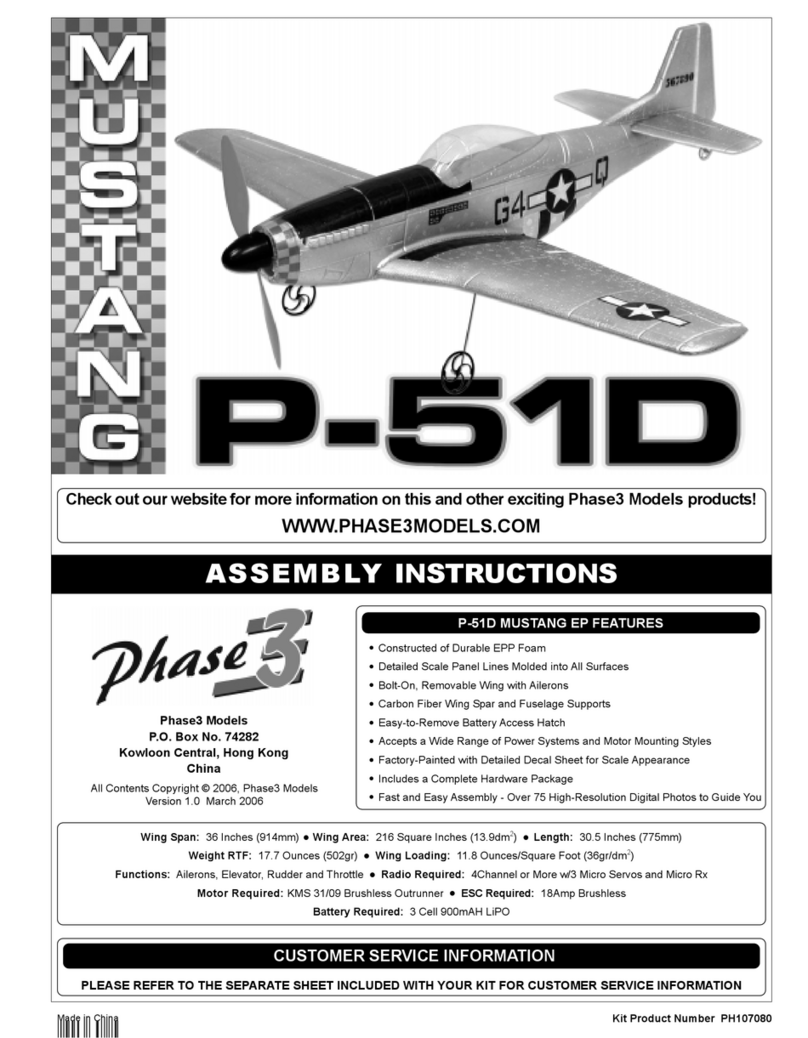
Phase3 Models Mustang P-51D Manuel utilisateur

Phase3 Models
Phase3 Models FIDGET 3D EP BIPLANE Manuel utilisateur

Phase3 Models
Phase3 Models P-40 Warhawk EP Manuel utilisateur


