
Perfect Choice PC-217244 Manuel utilisateur

Welcome to the PERFECT CHOICE Design world
Before using this product it is important to read this manual.
V.PCD 1.2
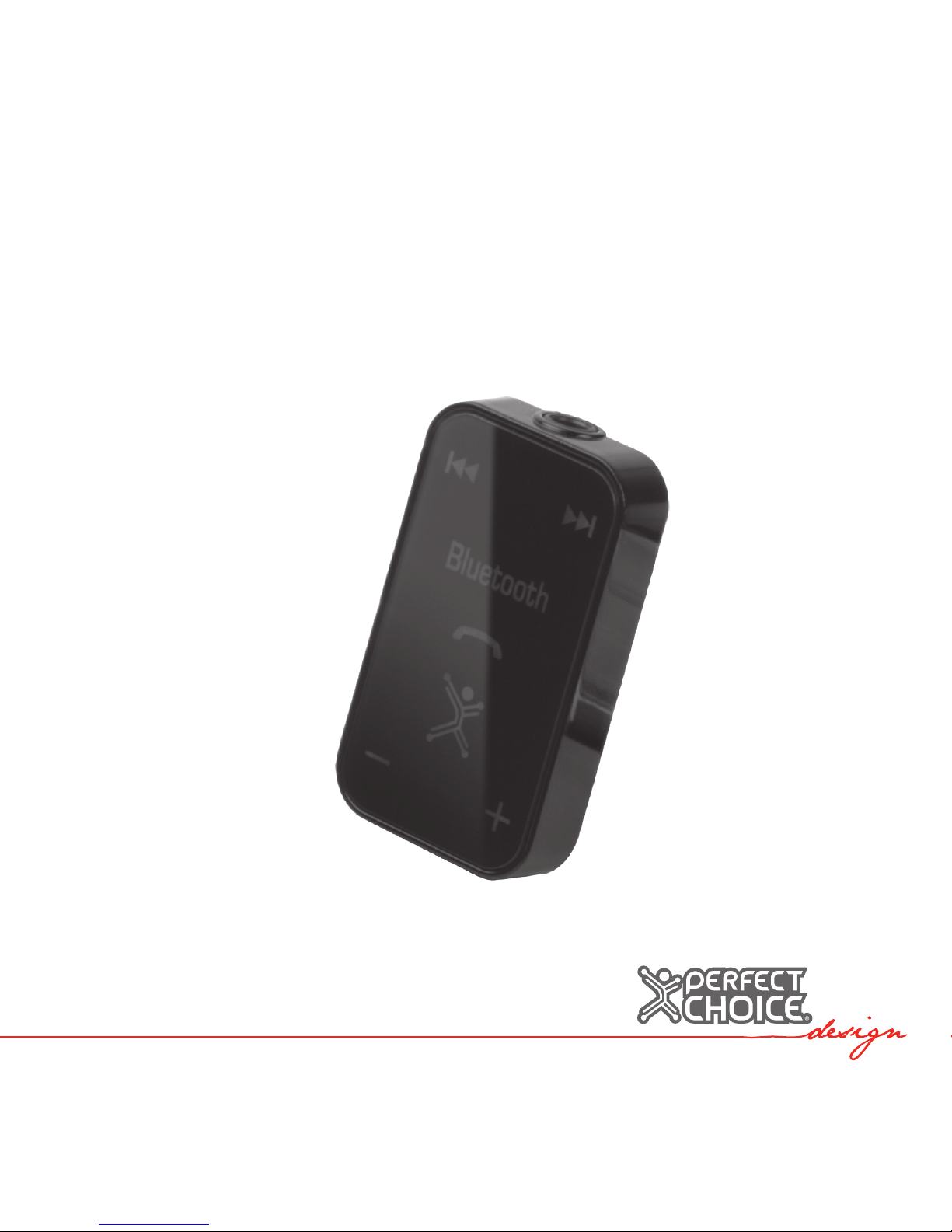
Bluetooth® Audio Receiver with built-in Microphone
PC-217244
Content
• Bluetooth® receiver 1 piece
• USB charge cable 1 piece
• User’s manual 1 piece
Features
• Get rid of cable restrictions.
• Receive audio from Bluetooth® sources and connect your receiver to headphones
or speakers.
• Built-in microphone that can be used with smart phones or PCs.
• Rechargeable battery.
• Supports the following Bluetooth® proles: A2DP (Advanced Audio Distribution
Prole), HSP (Headset Prole), HFP (Hands-Free Prole), AVRCP (Audio/Video Re
mote Control Prole).
• Works up to 10 meters.
Before using

Charging
1. Connect one end of the USB cable to the headset and the other end to a computer
or to an USB power adapter.
2. While battery is charging the red LED indicator will be turn on. When the battery is
fully charged, the red LED indicator will turn off.
Note: Your device has a built-in rechargeable battery so you should charge it for at
least 3 hours before the rst use.
Functions
Turn “ON” and “OFF”
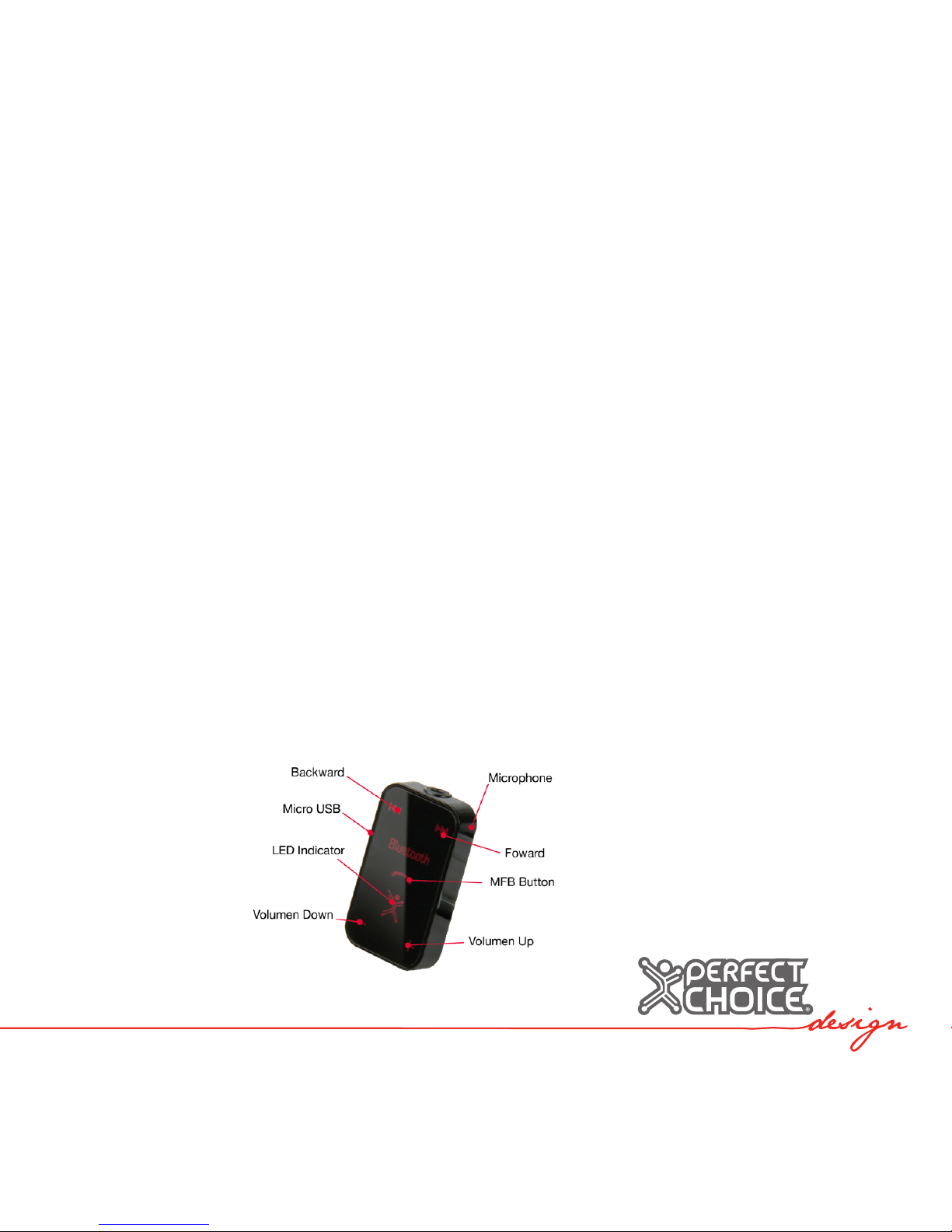
Press the “MFB” button for 3 seconds to turn it on. Your device will beep and the
LED indicator will blink in blue 3 times.
To turn it off, press the “MFB” button about 3~6 seconds. Your device will beep and
the LED indicator will blink in red 3 times.
Pairing
1. While the headset is OFF press and hold MFB button for about 6 seconds until the
LED indicator blinks red and blue.
2. Set a Bluetooth® device in paring mode. (Check the device user manual for
reference).

3. The receiver will be visible as “PC-217244”. Select it to connect to your PC or
phone.
4. The passkey to complete the pairing process is “0000”.
Note: For some devices is not necessary to enter a passkey. For Bluetooth® audio
devices that don’t require passkey is necessary to make sure that its output passkey
is 0000.
Working in Audio/Video mode
• Short press MFB button to toggle play/pause action.
• Short press Vol+ or Vol- to adjust volume one step at the time.
• Press and hold Vol+ to constantly increase the volume.
• Press and hold Vol- to constantly decrease the volume.
• Short press Forward or Backward button to select songs
Working in headset mode
Standby mode:
• Double click MFB button to start voice dial function.
• Long press MFB button to start the last number redial function
Incoming call mode:
• Short press MFB button to accept phone call.
• Long press MFB button to reject incoming call.
During a call:
• Short press Vol+ or Vol- to adjust volume.
• Long press MFB button (until you hear a beep tone) to toggle the call between
headset or the phone.
• Short press MFB button to end call.
• Press simultaneously Forward and Backward buttons to toggle microphone mute.
LED indicator status
Compatibility
• Bluetooth® 2.1+EDR
• Proles: HSP (Headset Prole), HFP (Hands-Free Prole), A2DP (Advanced Audio
Distribution Prole) y AVRCP (Audio/Video Remote Control Prole)
POWER ONLED indicator blinks 3 times in blue.
POWER OFF LED indicator blinks 3 times in red.
PAIRING Blue and red LED flashes in blue then red.
STANDBY MODE LED indicator turns On in blue.
AV ACTIVE MODE LED indicator blinks in blue twice every 2 seconds.
HEADSET ACTIVE MODE LED indicator blinks in blue once every 2 seconds.
LOW BATTERY INDICATION LED indicator blinks in red continuously once 2 sec.
AUTO SHUTDOWNLED
Indicator blinks in red 3 times and powers off
(5 minutes if there is no connection)

Troubleshooting
Bluetooth® receiver does not turn on
• Fully charge the battery.
Both devices cannot be paired
• Start again the procedure to pair both devices.
• Check if connecting device requires no passkey and make sure default passkey is
set to “0000”, same as the receiver.
One or more proles are not available
• Check if Bluetooth® emitter’s protocol is compatible with receiver’s protocol.
Safety and Care Information
• Handle with care. Avoid dropping your headset.
• Always store the device turned off and protected from heavy objects.
• Do not store at high temperatures (greater than 110 º F) like a car at direct sunlight.
• Do not expose your device to liquids
• Clean with a damp cloth slightly.
• Keep equipment away from dust.
Technical specications
Power supply:............................................................................................5 Vcc 500 mA
Battery capacity:..................................................................................................90 mAh
Working time talk mode:......................................................................................4 hours
Stand-by mode:...............................................................................................140 hours
Work frequency:..................................................................................................2.4 GHz
Bluetooth® version:.....................................................................Bluetooth® 2.1 + EDR
Operating Distance:......................................................................Up to 10 m in open air
Bluetooth® proles:.......................................................A2DP, HSP, HFP (V1.5), AVRCP
Contents, specications and options are subject to change without notice.
Regulatory Information
Federal Communication Commission Interference Statement
This equipment has been tested and found to comply with the limits for a Class B
digital device, pursuant to Part 15 of the FCC Rules. These limits are designed to
provide reasonable protection against harmful interference in a residential installation.
This equipment generates, uses and can radiate radio frequency energy and, if not in-
stalled and used in accordance with the instructions, may cause harmful interference
to radio communications. However, there is no guarantee that interference will not
occur in a particular installation. If this equipment does cause harmful interference to
radio or television reception, which can be determined by turning the equipment off
and on, the user is encouraged to try to correct the interference by one of the follow-
ing measures:

• Reorient or relocate the receiving antenna.
• Increase the separation between the equipment and receiver.
• Connect the equipment into an outlet on a circuit different from that to which the
receiver is connected.
• Consult the dealer or an experienced radio/TV technician for help.
This device complies with Part 15 of the FCC Rules. Operation is subject to the fol-
lowing two conditions: (1) This device may not cause harmful interference, and (2) this
device must accept any interference received, including interference that may cause
undesired operation.
Any changes or modications not expressly approved by the party responsible for
compliance could void the user’s authority to operate this equipment.
The product comply with the FCC portable RF exposure limit set forth for an uncon-
trolled environment and are safe for intended operation as described in this manual.
The further RF exposure reduction can be achieved if the product can be kept as far
as possible from the user body.
This transmitter must not be co-located or operating in conjunction with any other
antenna or transmitter.
Technical support:
Mexico / US
01 800 PCHOICE (724-6423) / 1-800 PCHOICE
Imported by: Master Choice S.A. de C.V.
Magallanes # 1155
Col. Santa Anita Zip. 45603
Tlaquepaque, Jalisco. México
R.F.C. MCH-920810-FE6
Made in china

Bienvenidos al mundo PERFECT CHOICE Design
Antes de comenzar a usar el producto es importante que leas este manual.
Table des matières
Langues :


