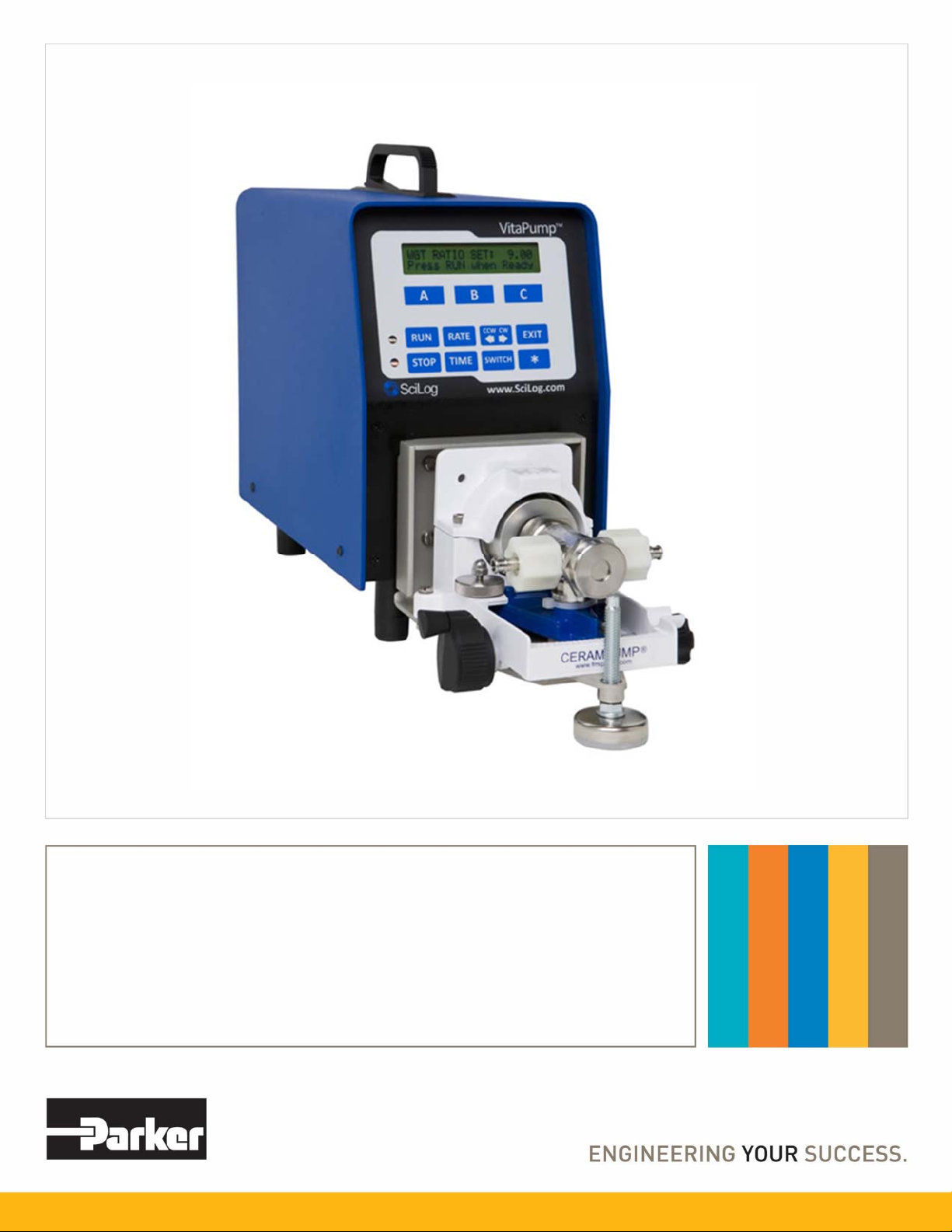
Parker VitaPump Mode d’emploi

V
itaPump
®
System
Installation, Operation & Maintenance Instructions

2
(This Page Intentionally Left Blank)
Parker Hannifin Corporation has a continuous policy of product development and although the Company reserves the right to
change specification, it attempts to keep customers informed of any alterations. This publication is for general information only and
customers are requested to contact your local Parker Sales Representative for detailed information and advice on a product’s
suitability for specific applications. All products are sold subject to the company’s Standard conditions of sale.
SciLog®, Tandem®and VitaPump®are registered trademarks
of Parker Hannifin Corporation.

3
Precautions
READ this manual BEFORE operating or servicing this equipment.
FOLLOW these instructions carefully.
SAVE this manual for future reference.
DO NOT allow untrained personnel to operate, clean, inspect, service or tamper with
this equipment.
ALWAYS DISCONNECT this equipment from the power source before cleaning or
performing maintenance.
CALL Parker Customer Service for parts, information and service.
WARNING
DISCONNECT ALL POWER TO THIS UNIT BEFORE INSTALLING,
SERVICING, CLEANING OR REMOVING THE FUSE. FAILURE TO DO
SO COULD RESULT IN BODILY HARM AND/OR PROPERTY
DAMAGE.
CAUTION
OBSERVE PRECAUTIONS FOR HANDLING ELECTROSTATIC
SENSITIVE DEVICES.
WARNING
ONLY PERMIT QUALIFIED PERSONNEL TO SERVICE THIS
EQUIPMENT. EXERCISE CARE WHEN MAKING CHECKS, TEST AND
ADJUSTMENTS THAT MUST BE MADE WITH POWER ON. FAILING
TO OBSERVE THESE PRECAUTIONS CAN RESULT IN BODILY
HARM.
WARNING
FOR CONTINUED PROTECTION AGAINST SHOCK HAZARD,
CONNECT TO PROPERLY GROUNDED OUTLET ONLY. DO NOT
REMOVE THE GROUND PRONG.
IF the power cord is lost or damaged, contact Customer Service to obtain a new one. Do not
replace it on your own.

4
Précautions
LISEZ ce manuel AVANT de faire fonctionner ou d’entretenir cet équipement.
SUIVEZ attentivement ces instructions.
CONSERVEZ ce manuel pour future référence.
NE LAISSEZ PAS du personnel non qualifié utiliser, nettoyer, inspecter, entretenir,
réparer ou manipuler cet équipement.
DÉBRANCHEZ TOUJOURS cet équipement de la source de courant avant de
nettoyer ou d’exécuter l’entretien.
APPELEZ PARKER pour pièces détachées, renseignements et entretien.
ATTENTION
DÉBRANCHEZ TOUT COURANT DE CETTE UNITÉ AVANT DE FAIRE
L’INSTALLATION, D’EFFECTUER L’ENTRETIEN, LE NETTOYAGE OU
AVANT DE RETIRER LE FUSIBLE. NE PAS OBSERVER CES
PRÉCAUTIONS RISQUERAIT DE CAUSER DES BLESSURES
CORPORELLES OU/ET D’ENDOMMAGER L’ÉQUIPEMENT.
PRUDENCE
SOYEZ PRUDENT LORSQUE VOUS MANIPULEZ DES APPAREILS
SENSIBLES À L’ÉLECTROSTATIQUE.
ATTENTION
AUTORISEZ SEULEMENT LE PERSONNEL QUALIFIÉ À
ENTRETENIR CET ÉQUIPEMENT. SOYEZ PRUDENT LROSQUE DES
VÉRIFICATIONS, TESTS ET AJUSTEMENTS DOIVENT ÊTRE
EFFECTUÉS SOUS TENSIONS. NE PAS OBSERVER CES
PRÉCAUTIONS RISQUERAIT DE CAUSER DES BLESSURES
CORPORELLES.
ATTENTION
POUR ASSURER UNE PROTECTION CONTINUE CONTRE UNE
DÉCHARGE ÉLECTRIQUE, BRANCHEZ UNIQUEMENT SUR UNE
PRISE CORRECTEMENT RELIÉE Á LA TERRE. NE RETIREZ PAS LA
FICHE DE TERRE.
SI le cordon d'alimentation est perdu ou endommagé, contactez le service clientèle pour en
obtenir un nouveau. Ne le remplacez pas par vous-même.

5
Table of Contents:
Standards..................................................................................................................................6
Installation & Start-Up..............................................................................................................6
Introduction: .............................................................................................................................6
Start-up: Vitamin Addition by Weight.....................................................................................8
VitaPump™ Specifications: Summary ..................................................................................13
Part A: Hardware ....................................................................................................................15
1.0 VitaPump™: Overview...................................................................................................15
2.0 Front Panel: ...................................................................................................................16
3.0 Back Panel:....................................................................................................................17
Part B: Software .....................................................................................................................19
1.0 Main Menu .....................................................................................................................19
2.0 Vitamin Metering: Edit / Alarms...................................................................................... 20
3.0. Metering: Exec ..............................................................................................................22
4.0 Setup: Edit...............................................................................................................23
4.10 Setup: Scale ..........................................................................................................25
4.4 Printer Documentation:............................................................................................ 26
4.7 Setup: External Run/Stop ........................................................................................27
5.0 Serial Mode: Remote Control by PC: Printer & PC Control............................................28
5.1 Printer: Commands & Data format...........................................................................28
5.2 PC Control: Commands and Data format ................................................................29
6.0 Manual Mode .................................................................................................................31
Appendix “A” Tandem Pump Head Installation and Maintenance .........................................32
Appendix “B” FMI Q1 Pump Head Installation and Maintenance ..........................................37

6
Standards:
EN 61326-1:2006, Class B
EN 6100-3-2:2006
EN 6100-3-3:1995 +A1:2001 +A2:2006
EN 61010-1 Issued: 2001/03/01
Conforms to UL STD 61010-1:2012 Ed.3+R:29Apr2016
Certified to: CAN/CSA-C22.2 No 61010-1-12:2012 Ed.3+U1:U2
Installation & Start-Up:
Installation of the VitaPump™ System must be carried out only by trained personnel in accordance
with the relevant regulations and this operations manual. Make sure that the technical specifications
and input ratings of the VitaPump™ are observed. See “VitaPump™ Specifications”.
The protection provided by this equipment may be impaired if the VitaPump™ is used in a manner
inconsistent with this manual or for purposes not specified by the manufacturer.
Maintenance & Cleaning:
The VitaPump™ is practically maintenance free. The Tandem™ peristaltic pump head should
periodically have tubing debris cleaned from it, but requires no lubrication. If equipped with a piston
head, no lubrication is needed, but does require annual preventative maintenance along with the
rest of the unit.
To remove dust, dirt and stains, the outer surfaces of the VitaPump™ may be wiped using a soft,
non-fluffing cloth moistened with water. If required, you may also use a mild detergent or 2-
propanol.
Introduction:
You will find the VitaPump™ System easy to use. The VitaPump is interfaced with an electronic
balance to provide programmable vitamin feed by weight. Two user-definable alarms can be utilized
to monitor pump rate and solution batch weight. All pump parameters and data can be printed out
or sent to a PC for data archiving.

7
Please read the following instructions carefully!
Inspections: Remove the products carefully from the shipping container. Check the contents
against the purchase order to verify that all parts are included and undamaged.
Please do the inspection now, even if the products are not used immediately. Many carriers must
receive damage claims within seven days of delivery. Please retain all packing material so unit may
be shipped safely, if necessary.
Customer Service: Parker customer service: If assistance is required, please contact us at:
Parker Hannifin Manufacturing Ltd Parker Hannifin Corporation
Bioscience Division – EMEA Bioscience Division – N.A
Durham Road 2340 Eastman Avenue
Birtley, Co. Durham Oxnard, California, USA 93030
DH3 2SF, England toll free: 877 784 2234
phone +44 (0)191 4105121 phone: +1 805 604 3400
fax +44 (0)191 4105312 fax: +1 805 604 3401
email: [email protected] email: [email protected]
www.parker.com/bioprocessing www.parker.com/bioprocessing
Parker customer service personnel will be able to serve you more efficiently if you have the
following information:
Serial number and model name of the equipment
Installation procedure being used
Concise list of symptoms
List of operating procedures and conditions in use when problem arose
Warranty
Country specific information can be found at: www.parker.com/termsandconditions
VitaPump Maintenance
Factory based preventative maintenance is recommended on an annual basis.
Contact your Territory Manager or Parker Technical support to obtain a TSP Number and pricing on
this procedure.

8
Start-up: “Vitamin Addition by Weight”
Equipment: You will need the following items to get started:
Parker P/N Description Quantity
Appropriate Vitamin Reservoir 1 pc
200-DARY-714Q VitaPump System w/Q1 Piston Head,
Includes the following Items:
100-VIPER6 Mettler ICS425 Scale, 6 Kg x 0.1 gm 1 pc
080-072ICS Mettler Balance Interface cable 1 pc
080-074 Cable Set, Alarm, Status & Remote On/Off 1 pc
080-095A Printer Kit, includes Printer, Cable, 6 rolls Paper 1 kit
Also needed:
400-217 #17 Food Grade Tygon Tubing 50 ft. (1 box)
400-002M Sinker, SS, for #17 Tubing 1 pc
Hardware Setup:
1. Unpack all the components, visually identify and inspect for damage.
2. At the metering location, place the Balance to the far left, with the Vitamin Reservoir on it.
Place the VitaPump to its right and the Printer, if you are using one, to the right of the pump.
This arrangement can be varied depending on the installation location. The VitaPump and
Balance in most dairy installations are in an enclosed cabinet to protect them from getting
wet.
3. Connect the interface cable between the VitaPump. Connect the DB9 end of the cable to
the “S1” connector on the rear panel of the VitaPump. The other end of the cable plugs into
the round M12 connector on the bottom of the scale’s terminal. Connect the Printer cable
between the “Printer” connector on the rear panel of the VitaPump and the connector on the
Printer.
4. Connect the Alarm, Status and Remote On/Off Cable set to the “External I/O” connector on
the rear of the VitaPump. The Remote On/Off Cable can be connected to your PLC flow
control switch. This is a normally open contact closure connection; no power is required nor
should be supplied. It acts as a ‘fail-safe’ for your system as the VitaPump will not meter
vitamins if this feature is enabled and the switch is in the open position. Connect the Alarm
Cable to the PLC or remote alarm control. This provides a low current, 5volt control signal, it
will not drive the alarm on its own, only control it.
5. Plug in and power up the system, Balance, Printer and VitaPump, in that order please.
6. Cut enough of the #17 tubing to connect the vitamins and the VitaPump, placing a Sinker on
the end of the tubing to help hold it at the bottom of the bottle. Secure the tubing to the left
side port of the pump head with a cable tie or clamp.
7 Connect and secure tubing to the right port of the pump head and route this to the injection
point of your process stream and attach it appropriately.

9
Program Editing and Execution:
1. At this point, you need to consider the parameters of the addition that you are doing and the
information you need from the VitaPump. The following is a list of the various parameters
and alarms available. Adjust these parameters based on your dairy’s needs and systems.
Consult the noted sections of the VitaPump Manual for more information.
a. Vitamin Metering: Exec/Edit, Section 7.0, Pg. 19
PUMP/MASS RATE: Defines the weight to be metered in grams/minute. For
example, if you want to meter 10.00 gm/min, use the “Incr” and “Decr” keys to scroll
to 10.00 and press “Select”. (The default PUMP/MASS RATE=0.79 gm/min)
DIRECTION: Defines the rotation of the pump head, this parameter can be changed
from clock-wise (CW) to counter clock-wise (CCW). (Default = CW)
b. Vitamin Metering: Alarms, Section 8.0, Pg. 20
All the Alarms have 3 options: “Off”, “Beep Only”, and “Pump Stop”. “Off” disables
the alarm. “Beep Only” gives an audible alarm and continues pumping. “Pump Stop”
gives an audible alarm and stops the pump. Use Pump Stop for all critical alarms.
When the pump rate alarm is activated, the pump is running at 100%. After pressing
any key to disable the alarm, you must press EXIT, and then Exec to re-enter the
metering program.
ALARM: PUMP RATE: The VitaPump will maintain the pump rate based on
feedback from the balance. When it is unable to maintain the rate (E.G. when the
vitamin reservoir is empty), it will increase its speed to compensate. If it reaches
100% of motor speed for 30 seconds, it will activate the pump rate alarm. This is
considered a critical alarm, and should be set to “Pump Stop” to avoid over/under
fortification.
ALARM: WEIGHT ALARM: Allows the setting of a Batch Weight to provide an alarm
when the set weight is reached. Generally used as a warning that a bottle of vitamins
is nearly empty. When used, which is extremely rare, the usual setting is “Beep
Only”. (Default = Off)
ALARM: BATCH WEIGHT: If Weight Alarm above is enabled enter a Batch Weight
here. This is usually set to the weight of a full bottle minus 5%.
ALARM: INTERUPT: The Interrupt alarm is triggered when the VitaPump has been
in a self-paused state for more than 2 minutes. This usually occurs when the scale
has been interfered with (more vitamins poured into the bottle) while the scale is in
use! Options: OFF Beep Only, and Pump Stop. This is normally a critical alarm, and
should be set to PUMP STOP.
2. For this example, use the default pump rate of 6 gm/min. Press the EXIT key on the front
panel until you reach the Mode Select screen. From the Mode Select screen, use “A” or “B”
to go up or down to the “Metering” mode. You will see following display:
Mode Selct METERING
Up Down Select
A B C

10
3. Press “C” to select, and the following screen is displayed:
-
V
ITAMIN D -
Exec Edit Alarm
A B C
4. At this point, you may press “C” again to enter the “ALARM” submenu and configure them
as discussed above. You may also press “B” to enter the Edit Menu to change the flow rate
or the pump direction. When ready, press “A” to Execute the program, and the display will
show the following:
↓
5. Press the “RUN” key on the front panel, or close the flow control switch in your process, and
the VitaPump will Tare the scale and begin metering. The following is displayed:
↓
PR PUMP RATE (grams/minute).
TW TOTAL WEIGHT (kilograms). This a long-term cumulative weight, designed for weekly,
monthly, or longer recording of vitamins dispensed. It should only be reset with a
supervisor’s approval.
BW BATCH WEIGHT (kilograms). This weight is reset every time the metering program is exited
and re-executed, i.e. when the vitamin bottle is changed.
NOTE: The Remote On/Off connected to your PLC flow control switch will only have an effect on
the pump when the “Press RUN When Ready” screen is displayed, or the pump is actually
metering. This requires a contact closure (CC), i.e. a solenoid or solid-state switch.
PR = 6.00 g/m RUN
TW = 0000.000 BW = 0.000
REMOVING TARE WEIGHT
Please Wait
VITAMIN D: 6.00 g/m
Press RUN When Ready
SCALE INITIALIZATION
Please Wait
Table des matières
Autres manuels Parker Équipement de laboratoire

Parker
Parker Compumotor 6200 Manuel utilisateur

Parker
Parker NITROSource N2-25P Manuel utilisateur

Parker
Parker PICOSPRITZER III Manuel utilisateur

Parker
Parker Domnick Hunter 060 Series Manuel utilisateur

Parker
Parker Balston FID 1000 Manuel utilisateur

Parker
Parker ALIGN-MG-NA Manuel utilisateur

Parker
Parker SciLog LabTec Instructions de montage
Manuels Équipement de laboratoire populaires d'autres marques

Agilent Technologies
Agilent Technologies 5800 ICP-OES Manuel utilisateur

Endress+Hauser
Endress+Hauser Cleanfit CPA875 Manuel utilisateur

NI
NI PXI-5422 Manuel

Collomix
Collomix Aqix Manuel utilisateur

SPEX SamplePrep
SPEX SamplePrep 6875 Freezer/Mill Series Manuel utilisateur

Ocean Insight
Ocean Insight FLAME-NIR+ Manuel utilisateur