
Pager Genius T9005 Manuel utilisateur
Pager Genius Sta and Server
Paging Systems
T9005/W6010/C5980
www.pagergenius.com
Pager Genius, INC.
9852 W Katella Ave, Suite #500, Anaheim, CA 92804
USER MANUAL
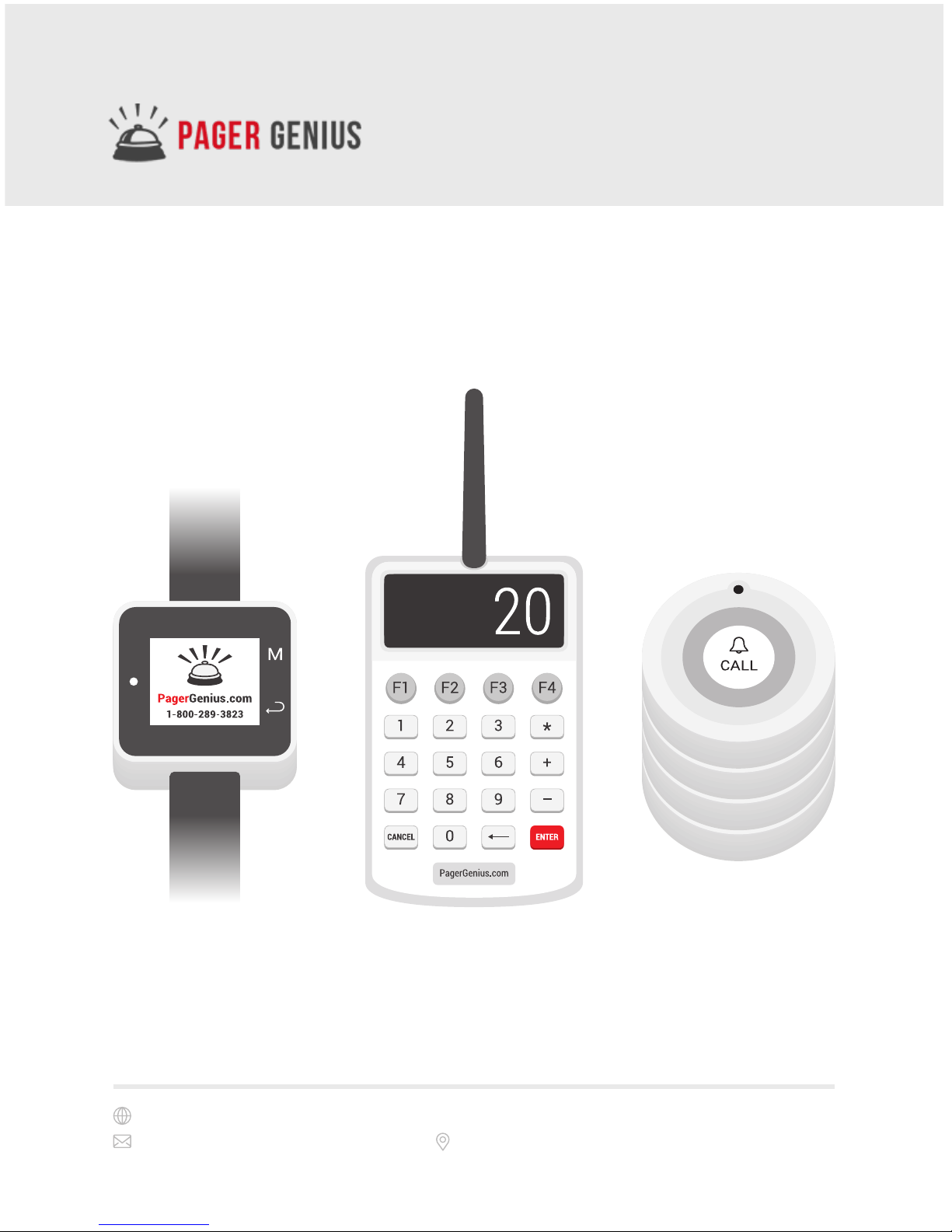
Watch Pager W6010 Transmitter T9005 Call Button C5980

www.pagergenius.comUser manual 1
T9005/W6010/C5980
Thank you for purchasing
the Pager Genius System
We provide a great paging product, and 24-7 customer service. Please
familiarize yourself and sta with the contents of this manual in order to
properly operate and maintain your system. If you have any question or
service problems, please call.
Please keep this manual in a safe place for the sta and managers to
view in the future.
1-800-289-3823
9852 W Katella Ave, Suite #500,
Anaheim, CA 92804

www.pagergenius.comUser manual 2
T9005/W6010/C5980
TABLE OF CONTENTS
Pager Genius Sta Paging System Manual
Setting Up And Operating Sta Paging System
Transmitter Keypad Operation
Paging Your Watches
Charging The W6010 Watch Pager And Powering On
W6010 Pager Genius Watch Pager Display Readings
Programming A Watch To The Transmitter
W6010 Pager Genius Watch Pager Setting The Alerts
W6010 Pager Genius Watch Pager Setting The Date And Time
W6010 Pager Genius Watch Pager Setting The Alarm
Pager Genius Server And Employee Paging System
Setting Up And Operating Server And Employee Paging System
Pager Genius Server And Employee Paging System Station Set-Up
Operating And Setting Up The C5980 Transmitter
Programming A Watch To The C5980 Transmitter
Warranty
PAGER GENIUS PAGING SYSTEM
Test the range of the paging system by doing test paging around the property.
If you need more range on your paging system we do sell range extenders
that more than triple the range, and you can use as many range extenders
as needed to cover whatever kind of area you are looking to cover.
3
3
4
4
5
6
7
8
8
9
10
10
11
11
12
13
www.pagergenius.comUser manual 3
T9005/W6010
Pager Genius Sta Paging
System Manual
SETTING UP AND OPERATING STAFF PAGING SYSTEM
The Pager Genius Sta Paging System comes already set-up, and is ready to
use immediately after the W6010 Pager Genius watch pagers are charged.
Pager Genius paging systems do not connect to the internet or phone lines,
all they require is power.
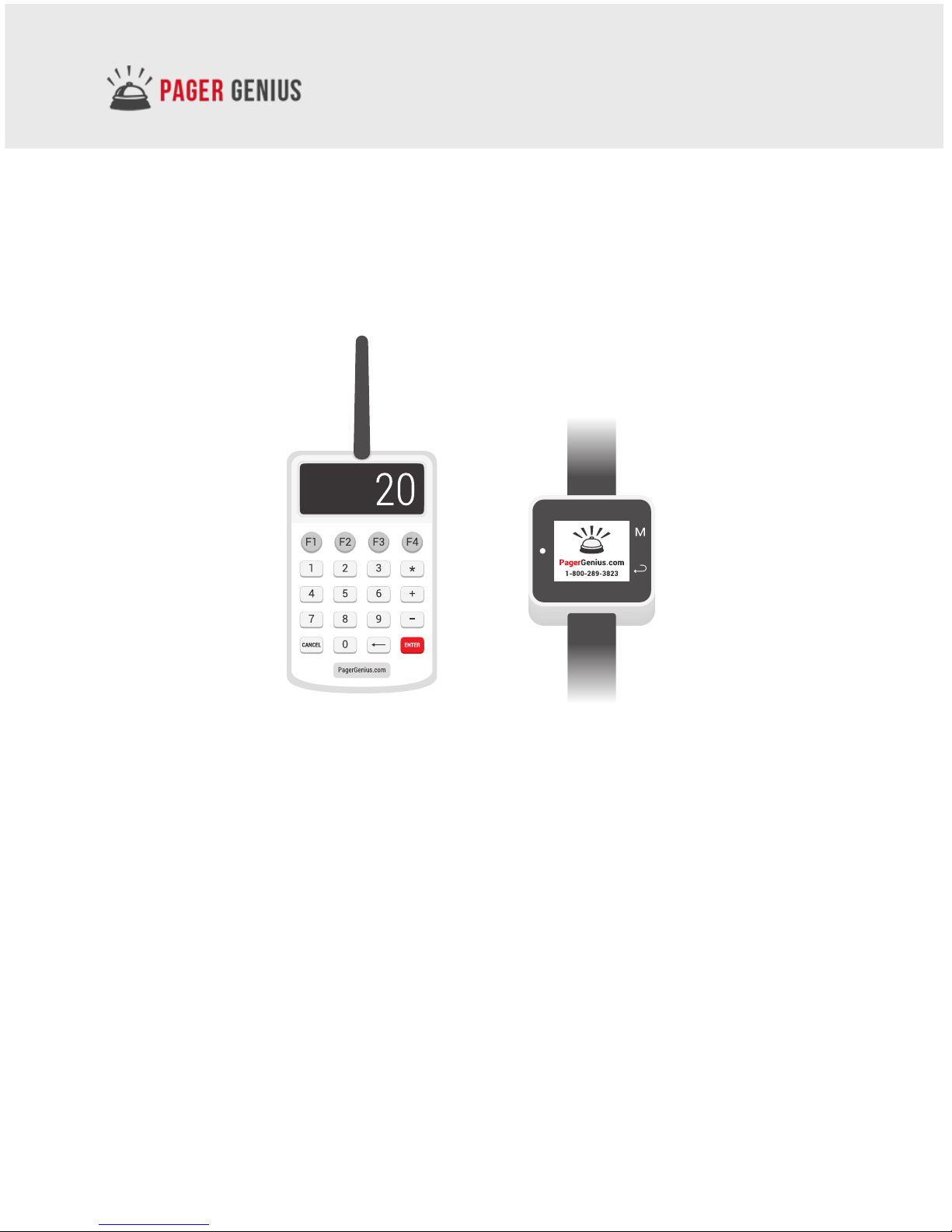
Watch Pager W6010Transmitter T9005

www.pagergenius.comUser manual 4
T9005/W6010
TRANSMITTER KEYPAD OPERATION
PAGING YOUR WATCHES
The Pager Genius Transmitter can page watches numbered 1-99. To page a
watch, simply press the number of the pager you would like to page into the
transmitter followed by the enter key.
Example: To page Watch #7, press 7 on the keypad
followed by the enter
button.
Each watch is clearly marked with a numbered sticker
on the rear of the watch, press that number into the
transmitter followed by the enter button. When the
page is received by the transmitter, the watch will alert
and the screen will show the page.
Number Keys (1-99)
Press the number of the watch
you wish to notify
Enter
To send the numeric page
www.pagergenius.comUser manual 5
T9005/W6010
CHARGING THE W6010 WATCH PAGER
AND POWERING ON
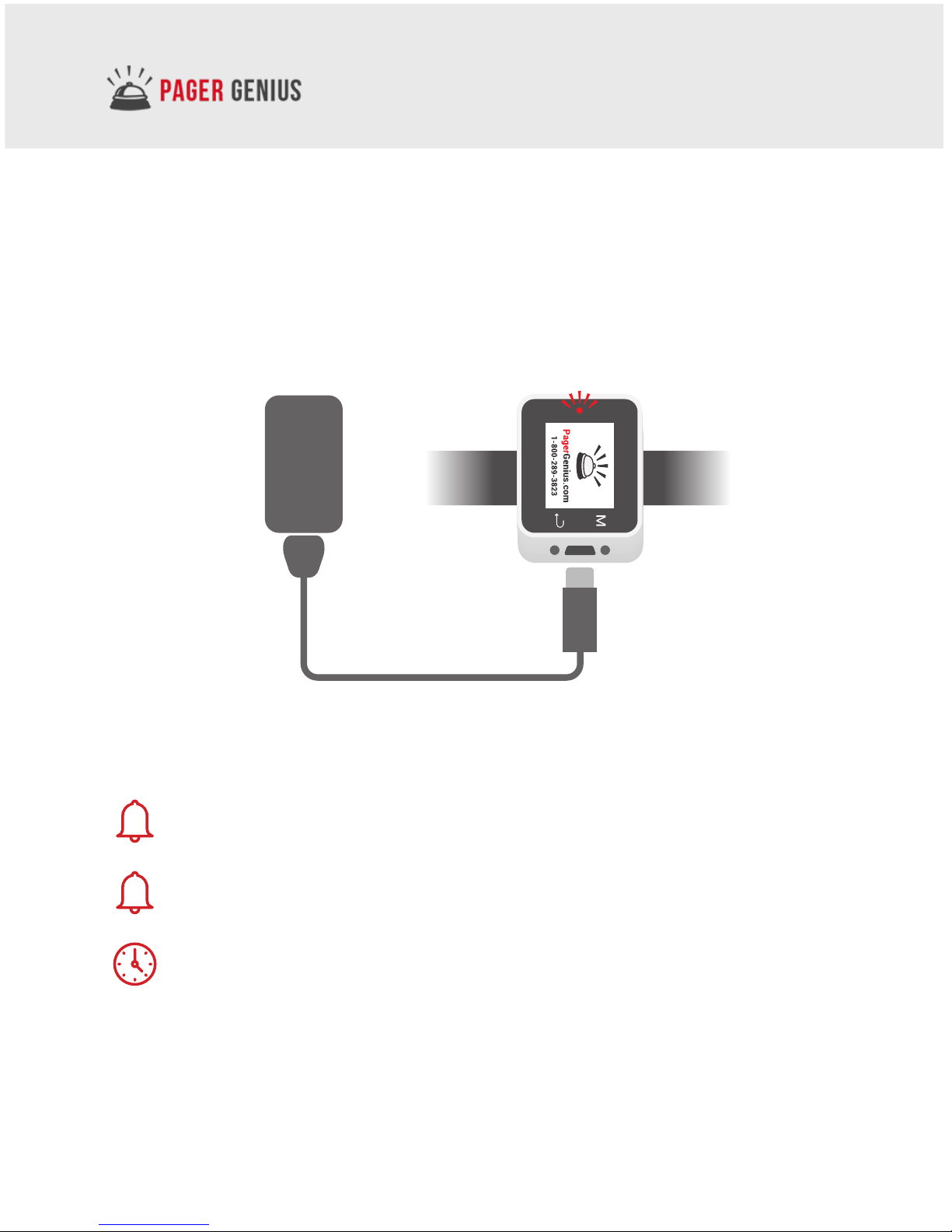
Plug the CA202 watch pager plug into power, and connect it to the W6010
charging Supply. When the watch is is charging, the red charging indicator
light will come on.
To turn on the the watch press the M key and the arrow key at the same
time.
Encourage sta to always look for the charging light
illumination when closing at night.
It is important that the watches are always charging, even
when they are not being used for long periods of time.
The watches fully charge in just 40 minutes time.
www.pagergenius.comUser manual 6
T9005/W6010
W6010 PAGER GENIUS WATCH PAGER
DISPLAY READINGS
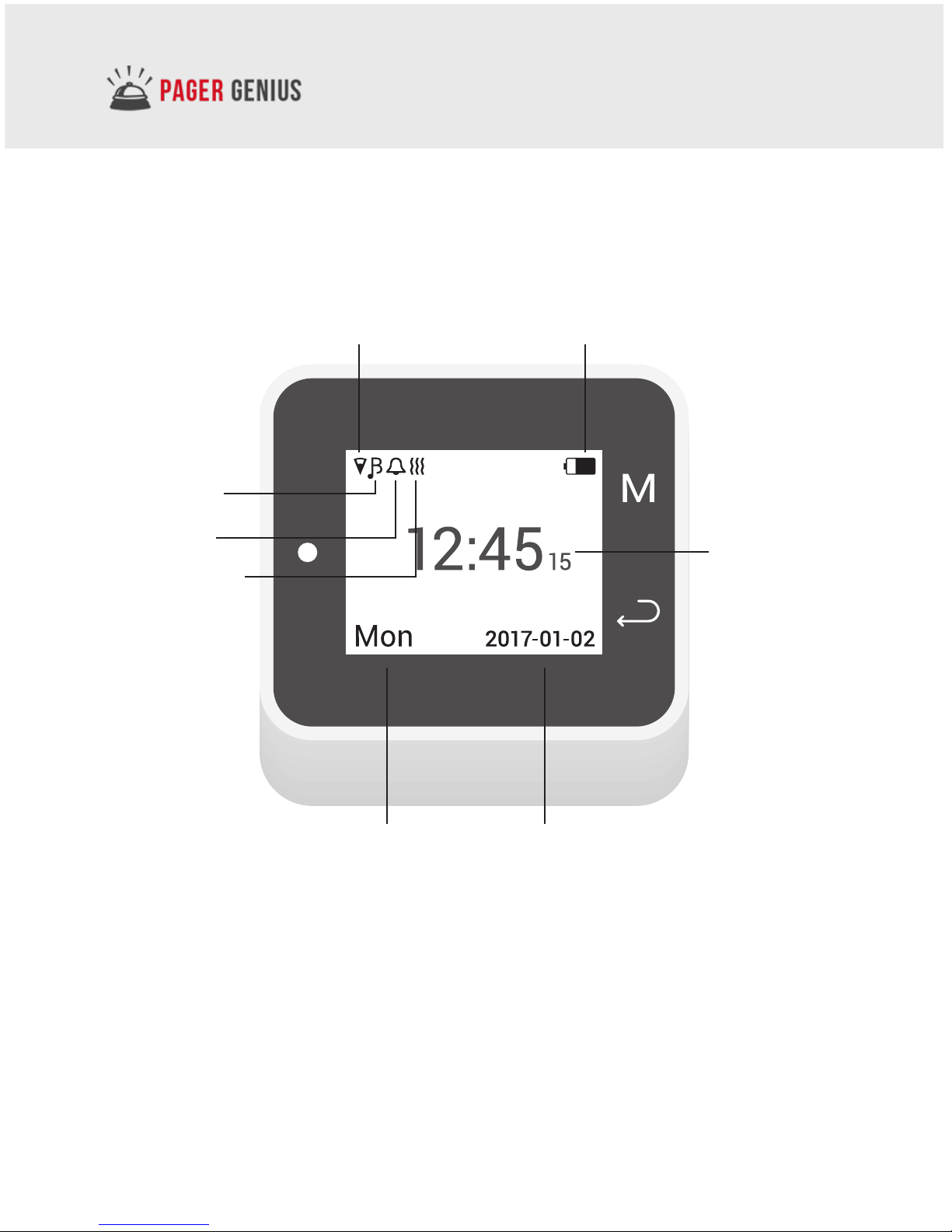
Day Of Week Date
Time
Battery LifeSignal Strength For Last Page
Beep Alert
Vibrate Alert
Alarm Set
www.pagergenius.comUser manual 7
T9005/W6010
PROGRAMMING A WATCH TO THE TRANSMITTER
When you order more watches for
your Pager Genius System in the
future, you will need to program
the new watches to the existing
transmitter. Below are the following
steps to program a new watch to
your system:
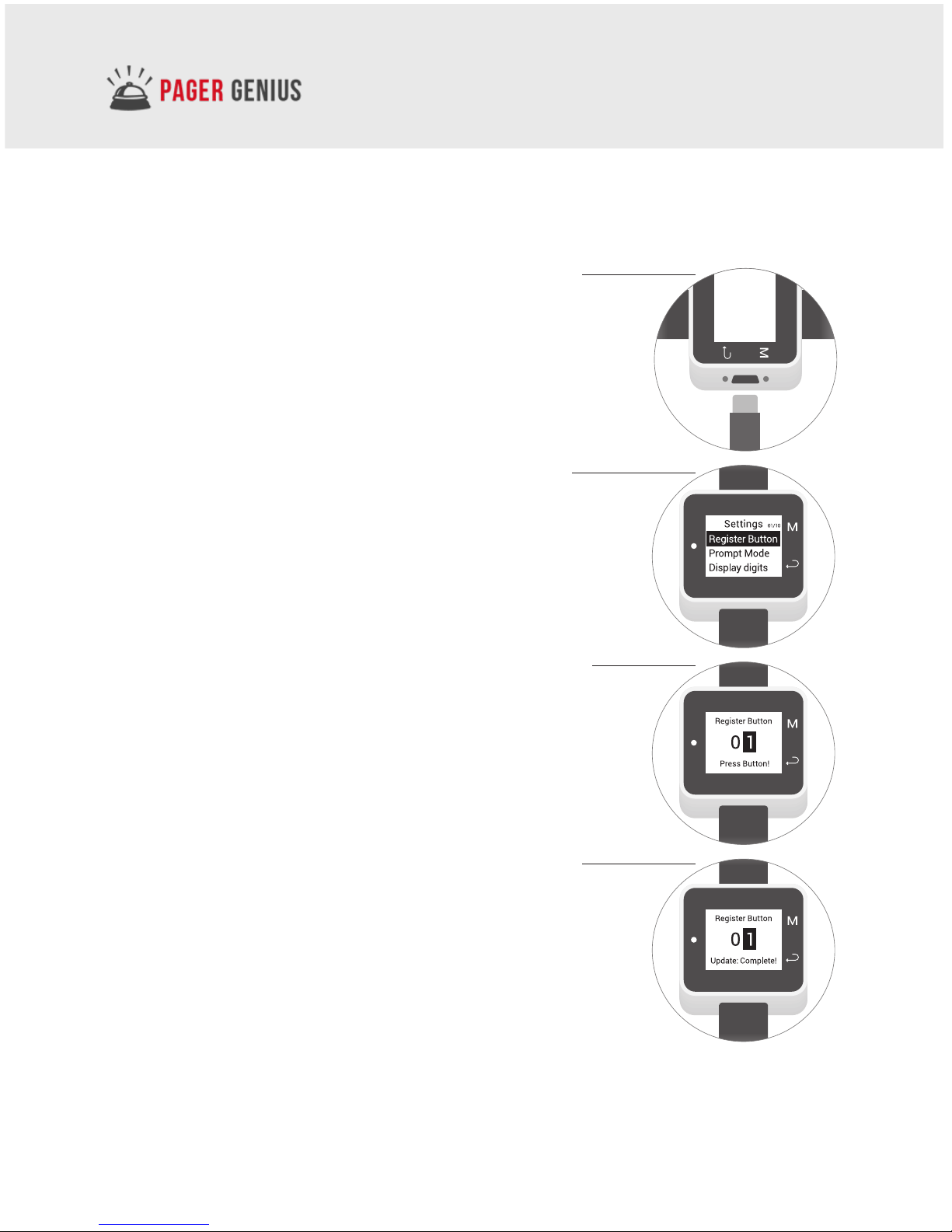
Step 1: Plug in the W6010 watch
pager into power, the only way
to program a new watch to your
transmitter is to have it plugged
into power.
Step 2: Press the M key and the
arrow key at the same time to
bring up the watch pager menu.
Step 3: Highlight the register button,
and press the arrow button to
select it.
Step 4: Select what watch number
you want this new watch to be.
Step 5: Type in this same number
into the transmitter followed by the
enter button.
The watch will display the Update
Complete! symbol. Now this watch
is programmed to the transmitter
and is ready to use.
Plug in the
W6010 watch
pager into power
and press the
M key and the
arrow key at the
same time
Highlight
the register
button, and
press the
arrow key
to select it
Select what
watch number
you want this
new watch to be
The watch
will display
the Update
Complete!
symbol
www.pagergenius.comUser manual 8
T9005/W6010
W6010 PAGER GENIUS WATCH PAGER
SETTING THE ALERTS
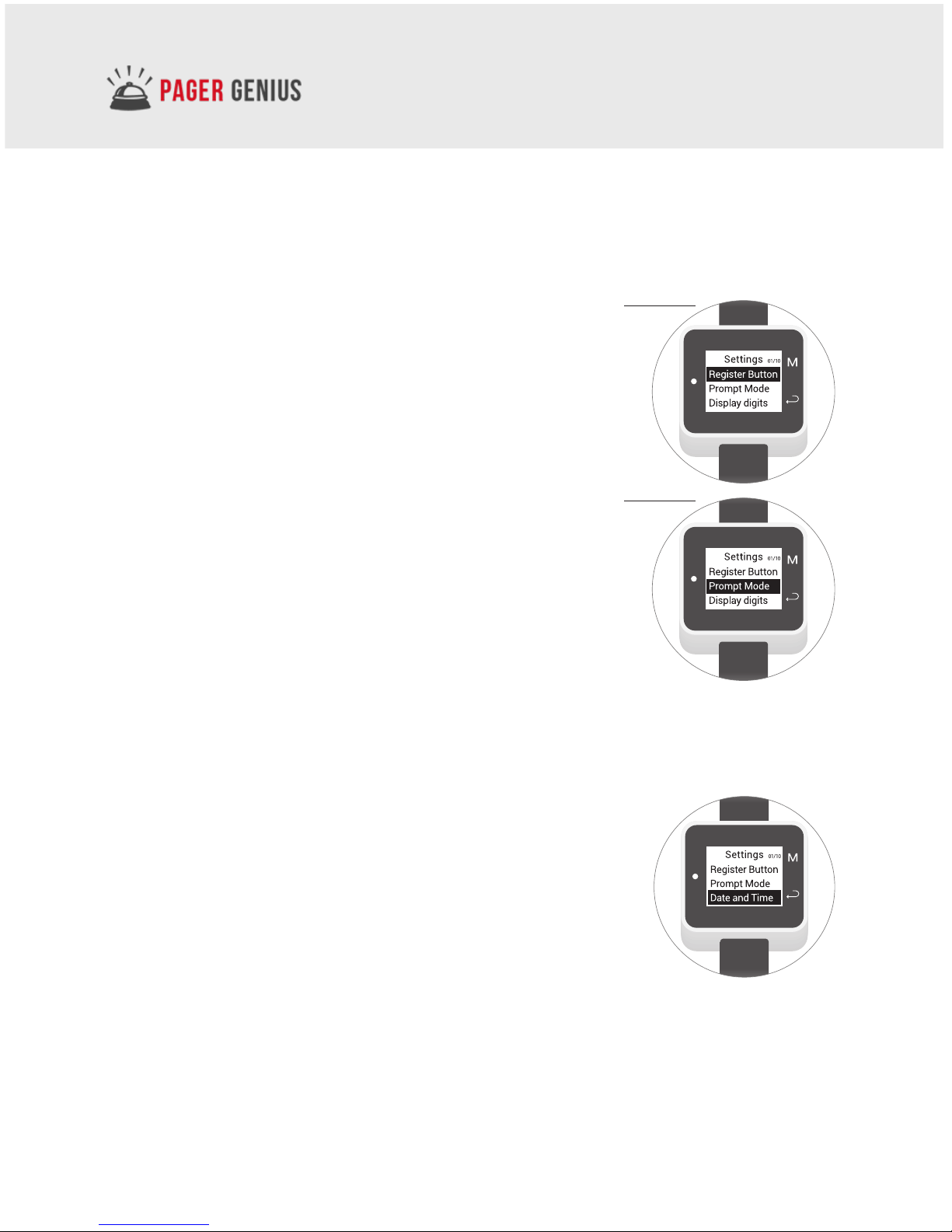
Pager Genius Watch Pagers can
do one or all the following: beep,
vibrate, and ash. To change these
settings do the following steps:
Step 1: Press the M button and the
arrow button at the same time to
bring up the Settings menu.
Step 2: Highlight the Prompt Mode,
and press the M Button.
Step 3: Highlight the boxes of the
alerts you want, and press the M
button and the arrow button to
return back to the settings menu.
W6010 PAGER GENIUS WATCH PAGER
SETTING THE DATE AND TIME
Pager Genius watch pagers can display time of day,
date, and the day of the week. Below are the steps to
change these settings:
Step 1: Press the M button and the arrow button at
the same time to bring up the Settings menu.
Step 2: Highlight the Date & Time icon, and press the
M Button.
Step 3: Change the numbers and the days using the M button,
and use the arrow buttons to advance to the next setting.
Press the M key
and the arrow
key at the same
time to bring
up the settings
menu
Highlight the
Prompt Mode,
and press
the M Button
www.pagergenius.comUser manual 9
T9005/W6010
W6010 PAGER GENIUS WATCH PAGER
SETTING THE ALARM
Pager Genius Watch pagers come
with up to three possible alarms
settings. Employees can set these
alarms to remind them of when
their shift is over for example.
Below are the steps to set a alarm.
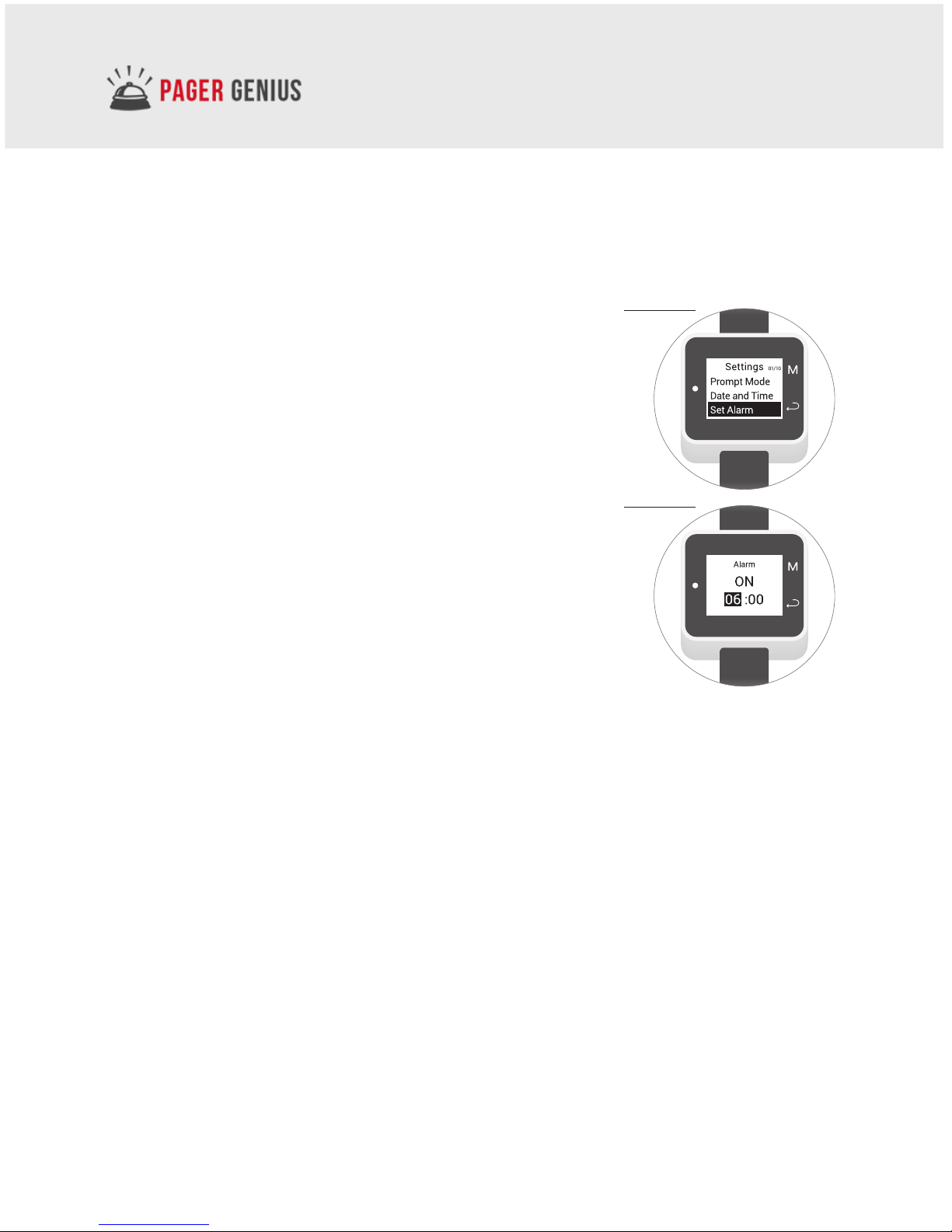
Step 1: Press the M button and the
arrow button at the same time to
bring up the settings menu.
Step 2: Highlight the Set Alarm
icon and press the arrow button.
Step 3: Select the date and time
you want the alarm to activate, and
then press the M button and the
arrow button at the same time to get
back to the settings menu.
Highlight the Set
Alarm icon and
press the arrow
button
Select the date
and time you
want the alarm
to activate
Autres manuels pour T9005
1
Ce manuel convient aux modèles suivants
2
Table des matières
Autres manuels Pager Genius Téléavertisseur


