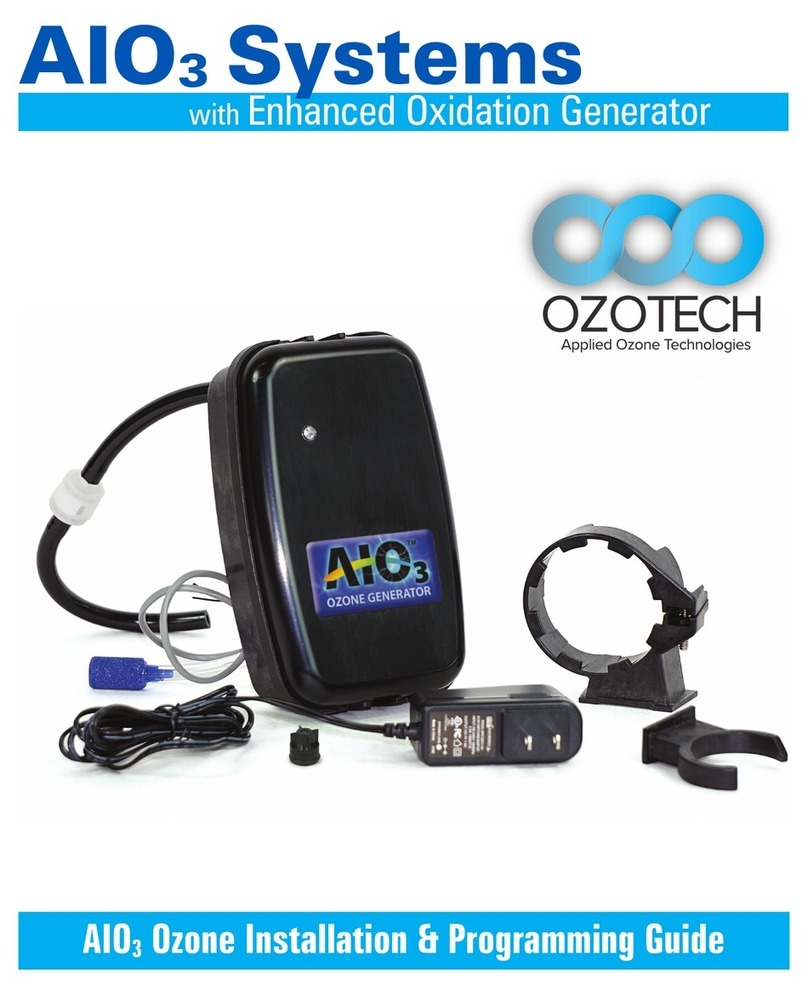
Ozotech EOG Manuel

OzotechEOG
Enhanced Oxidation Generator
Installation and Service Manual
M43-31506

Table of Contents
1.0 Limited Warranty 1
2.0 Service Returns 2
3.0 Caution 3
4.0 Installation and Operation 4
4.1 Operating Environment 4
4.2 Installation 5 - 6
4.3 Operation 7
5.0 Maintenance 9
5.1 Ozone Generator Maintenance 9 -11
5.2 Timer Service Reset Instructions 11-12
6.0 Spare/Replacement Parts 13
7.0 Specications 14
8.0 Component Replacement 14
9.0 Troubleshooting Guide 15
10.0 Illustrations 16
Figure 1. OzotechEOG internal layout 16
Rev B: 10-01-20

1.0 Limited Warranty
Ozotech, Inc., warrants the OzotechEOG series ozone generators to be
free from defects in parts and workmanship for (12) months from date of
invoice, under conditions of normal use. The corona discharge (CD) cell is
warrantied against catastrophic electrical failure for 3 years from date of
invoice. All other parts, repaired or replaced, will be warranted only for the
remainder of the original warranty period.
Ozotech, Incorporated will refund the purchase price, perform repairs or
replace equipment, at the option of Ozotech, Incorporated.
The warranty shall be null, void, and non-binding upon Ozotech,
Incorporated if Ozotech, Incorporated (or authorized service center)
determines the cause of malfunction or defect to be a result of:
1) Failure to perform proper maintenance as dened and recommended in
this manual.
2) Failure to adhere to and provide proper operating conditions, as
dened in this manual, including operation outside of temperature
range, operating in wet or dirty environment, operation outside of
manufacturer’s specications.
3) Adjustments made by user other than product output ow rate within
ranges specied by manufacturer.
Ozotech, Incorporated assumes no liability for damages incurred by
deliberate or incidental misuse of this product, or damages incurred in
transit.
1.

If the need arises to return your equipment for service, the following
procedure must be followed to ensure accurate and timely processing of
repairs.
✓Obtain model number/name of unit to be returned.
✓Contact Ozotech, Inc and request a Return Material Authorization
(RMA) form. Make sure to give the factory representative an accurate
and current shipping address.
✓Provide a description detailing the problem with the unit. Be as specic
as possible.
✓After receipt of RMA form, package unit for shipment. Enclose the RMA
form with the unit. Use the original packaging materials if possible. If
not, please package the product to ensure against shipping damage.
✓Clearly write the RMA number on the outside of the shipping package.
✓Verify that the address is correct and current.
✓Shipments that are not factory authorized will be refused.
It is recommended that you ship with a reputable and reliable shipping
company, and that the contents of the package are insured. Ozotech, Inc.
accepts no responsibility for damage or loss of equipment in transit.
ALL FREIGHT CHARGES INTO THE FACTORY MUST BE PREPAID. If the
repair is covered under warranty, the factory will pay return shipping
charges (surface rates only) to the address listed on the RMA, within the
Continental United States.
If the repair is not covered under warranty, the returning party is
responsible for payment of return shipping and handling charges, as well
as labor and equipment costs associated with the repair.
2.0 Service Returns
2.

3.0 Caution
3.
Read the following safety guidelines thoroughly before
attempting to operate or install your equipment.
As with all electrical devices, this equipment should never be
allowed to come in contact with water.
Only qualied personnel should be allowed to set up,
maintain and operate this equipment.
The equipment must be operated using a properly grounded
electrical circuit that is protected by either a fuse or circuit
breaker.
Do not use an extension cord to supply power to this
equipment.
* Ozotech, Inc., assumes no liability for damages or injuries
incurred by misuse of this product.

4.0 Installation and Operation
Your generator requires special operating conditions in order to
maintain performance and reliability. Your ozone generator is
designed to be operated under a negative pressure situation.
Warranty coverage of your equipment is contingent upon strict
compliance with the operating conditions specied in this
manual.
4.1 Operating Environment
External
It is most important to choose a cool, clean external operating
environment. Consideration of these factors should be a priority.
Mount your ozone generator in the best possible operating
environment that is available at the chosen site. If possible, mount
in an area that is free of airborne moisture particles.
Internal
Keep the inside of the generator chassis clean and dry. Dust
particles and condensation pose a challenge to the consistent
operation of all ozone generators. Make a note to inspect
the internal cleanliness of the equipment when scheduled
maintenance is performed. For further information, refer to
section 5.0.
4.

2. Disconnect power to the control valve. Remove the front cover
from valve backplate. Release the control board bracket
from backplate.
3. Route the grey control wire from the OzotechEOG into Clack®
valve housing through the hole in the backplate, and through the
strain relief channel above to keep wiring in place.
a. Leave enough wire length to connect to the signal relay
terminal block of the control circuit board. Make sure the
wire is ush in the channel for proper bracket
installation.
b. Replace the control board bracket into backplate until it
“snaps” into place.
4.2 Installation
1. Mount the OzotechEOG to the Clack® control valve. A #2 Philips
screwdriver will be required.
a. Install clamp ring into OzotechEOG backplate receiver.
b. Install port clip into OzotechEOG backplate receiver.
c. Loosen clamp screw, slide clamp over valve injector cap.
Rotate OzotechEOG counterclockwise to secure port
clip. Tighten clamp screw.
5.

4. Secure red wire into RLY 1 terminal, and black wire into +COM
terminal on Clack® control board.
5. Replace control valve front cover.
6. Plug the supplied wall transformer into a wall outlet. Plug the
male DC plug into the female DC jack located at the back of the
OzotechEOG.
7. Program ozone start and end schedule using control valve PCB.
4.2 Installation Continued
6.
a. Enter cycle programming mode
b. Set backwash to 14 minutes
c. Set draw time to 40 minutes
d. Turn o ll
e. Turn o rinse
f. Set relay to“on”
g. Set the relay on time to 15 minutes (one minute longer
than backwash)
h. Set the relay duration for 38 minutes (2 minutes less than
draw time)
i. Return to service
j. Press regeneration button to lock in timing

4.3 Operation
The OzotechEOG will automatically turn on and o by the Clack®
control PCB dened timing schedule. The OzotechEOG control
board utilizes an on-board diagnostic LED light to convey real-time
performance status of the unit. The control board within the
OzotechEOG has several inputs and outputs. The following will
address functions of the diagnostic LED, control input, and auxiliary
outputs.
LED Diagnostic Functions:
Green Light Blinking Slowly: Standby mode; unit is powered,
pilot input is OFF.
Green Light Blinking Quickly: High voltage startup (up to 3 sec-
onds).
Green Light Solid: High voltage is ON & stable; CD cell producing
ozone.
Red Light Solid: Unstable operation; CD cell may need cleaning.
Green/Red Light Alternating Twice/Second: HV is ON, but
operating current is low. If persistent, CD cell may need cleaning.
Red Light Flashing: NO or NC contacts are shorted. Remove short
condition.
Orange Light: 1-year timer has expired; clean CD cell, then reset
timer by pressing red “alarm reset” button on PCB once.
7.

Control Input:
The OzotechEOG PCB is activated to produce ozone when a pilot
input signal is applied across“+” & “pilot” terminals.
Auxiliary Output Functions:
The NO/NC auxiliary outputs have a 3 second o-delay, after the
pilot signal is shut o. These outputs are capable of outputting a
maximum of 60mA @ 70°F and are intended to be used as a control
circuit only. Attach positive wire to NO or NC output terminal, and
negative wire to GND terminal to complete the desired circuit. See
gure 1, on page 14 for auxiliary output locations.
Fusing:
The control PCB is equipped with automatically resetting on-board
fuses. If these fuses trip, due to a short of the HV transformer,
excessive load on the auxiliary output(s), remove excessive load/
cause of short, and cycle main power on/o to reset. If the HV
transformer is shorted, the LED indicator will stay solid red until
condition is remedied. If either NO or NC output is active and
experiences excessive load, the LED indicator will quickly ash red
until condition is removed.
4.3 Operation Continued
8.
Table des matières
Autres manuels Ozotech Onduleur