
OVO SSE Chameleon IHD3 Manuel utilisateur
Quick Start Guide to
your Chameleon IHD3
Your Smart
Pay As You
Go Meter
2
If you need any help or advice, please go online for more
information at sse.co.uk/smart-meters/pay-as-you-go
In 2020, SSE Energy Services (the part of the SSE Group
that supplied your energy) became part of the OVO family –
a group also made up of OVO Energy and CORGI HomePlan.
Together, we now power nearly 5 million homes across
the UK with a mission to bring clean, aordable energy to all.

3
Contents
Welcome to Smart Pay As You Go 4
Meet your new Pay As You Go In-Home Display (IHD) 4
Main menu 6
Meet your new Smart Pay As You Go meters 7
Topping up your Smart Pay As You Go meter 8
Emergency credit and friendly credit 9
When you’re away from home 10
What to do if your top-up doesn’t work 10
How to activate emergency credit 14
How to re-enable your supply 17
How to view your tari information 18
How to set a budget and view your debt screens 22
Troubleshooting 25
Safety notice 25
Extra help and information 26
4
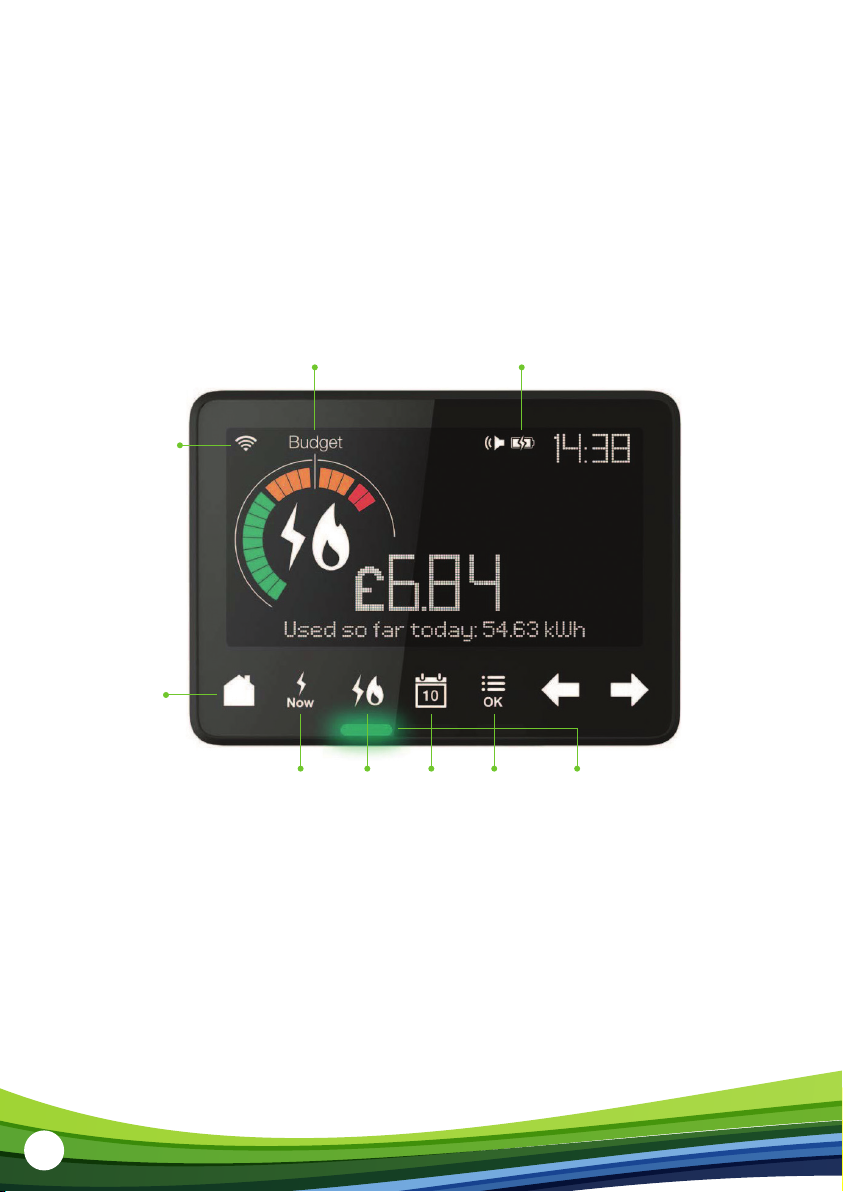
Your Energy Usage
UtilityNow Calendar MENU
button
Lights indicating
energy usage
Connectivity
Indicator
HOME
button
Battery Level
Welcome to Smart Pay As You Go
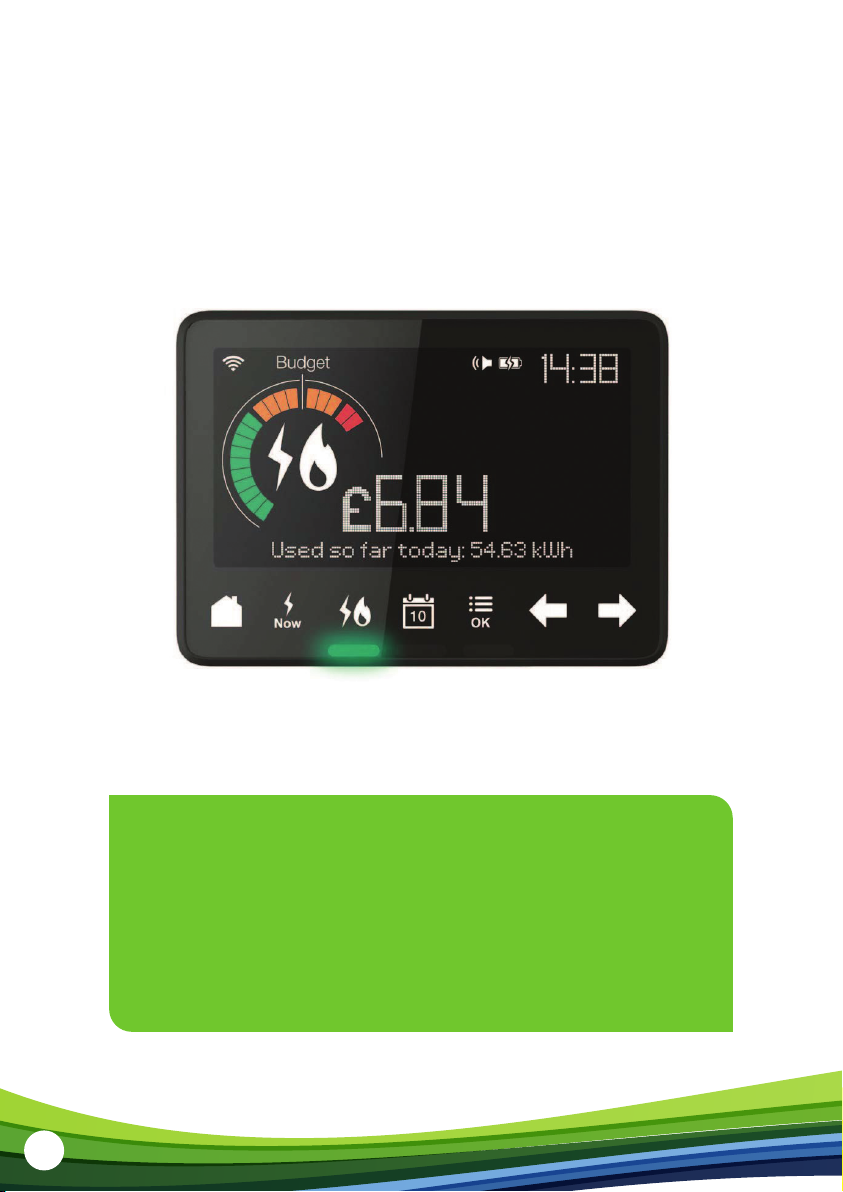
With Smart Pay As You Go, you pay for your gas and electricity as you use it. You won’t get
any bills from us, so it’s a simple way to pay for your energy. Your new In-Home Display (IHD)
helps you budget your energy use, and see how much you’re using on a daily basis.
Meet your new Pay As You Go
In-Home Display (IHD)
Your IHD shows energy use for electricity and gas smart meters and will have been
configured to work with the meters you have installed. This may be electricity or gas,
or both. Please read the important safety notice on page 25, before using your IHD.

5
Connecting the power supply
Plug your IHD into the mains and press and hold the button on the back to turn it on.
During your IHD installation, you will be able to watch a tutorial that demonstrates how
to use your display. To watch this again, press the OK or MENU button, followed by the
right arrow. When you see “Tutorial”, press OK to watch. You should always leave your
IHD connected to the power supply.
You can configure the screen on the IHD to dim or switch o at certain times of the
day (press OK or MENU and scroll to “Settings”). The power supply has been designed
exclusively for the IHD and must not be used with other devices.
Your IHD has an inbuilt rechargeable battery. It’s advisable to power the IHD with
the supplied power supply and not to use the battery for a prolonged period.

6
Main menu
The seven buttons on the front make it easy to use your display and find out how much,
when, and where you are using energy in your home.
HOME button
The HOME button returns you to the
home screen at any time and shows
your energy use so far today.
You can also see your remaining
balance here.
NOW button
Press NOW to see how much electricity
you are using right now.
UTILITY button
The UTILITY button allows you to see
your gas, electricity, or combined fuel
usage. The lights at the bottom of the
device will display green, amber or red,
dependent on your current usage.
CALENDAR button
Use the CALENDAR button and left and
right arrows to see your energy usage
so far today, this week, this month,
or this year.
OK or MENU button
The OK or MENU button allows you
to access the settings of your IHD
including budget, screen settings
such as brightness, and language.
Use the arrows to navigate through
the menu followed by OK to confirm
your selection.
7
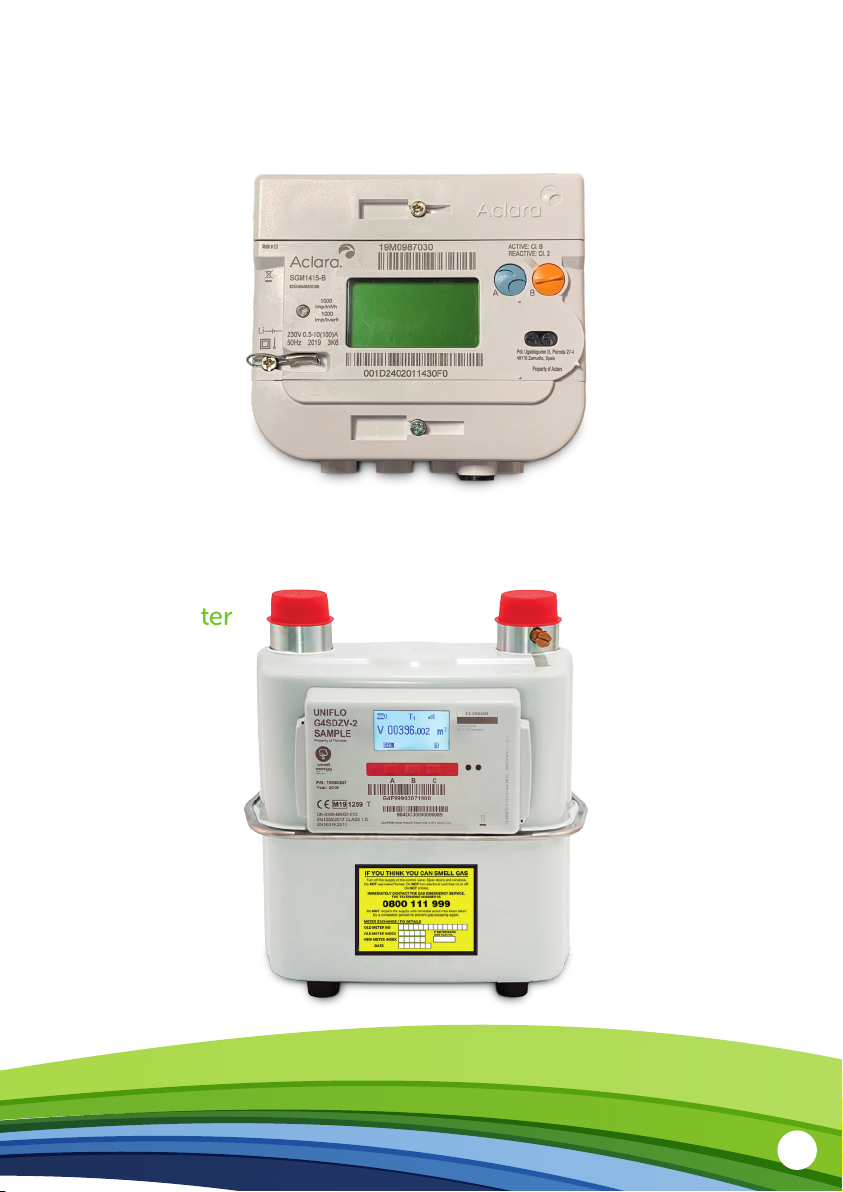
Meet your new Smart Pay As You Go meters
Your electricity meter
Your gas meter
8
Topping up your Smart Pay As You Go meter
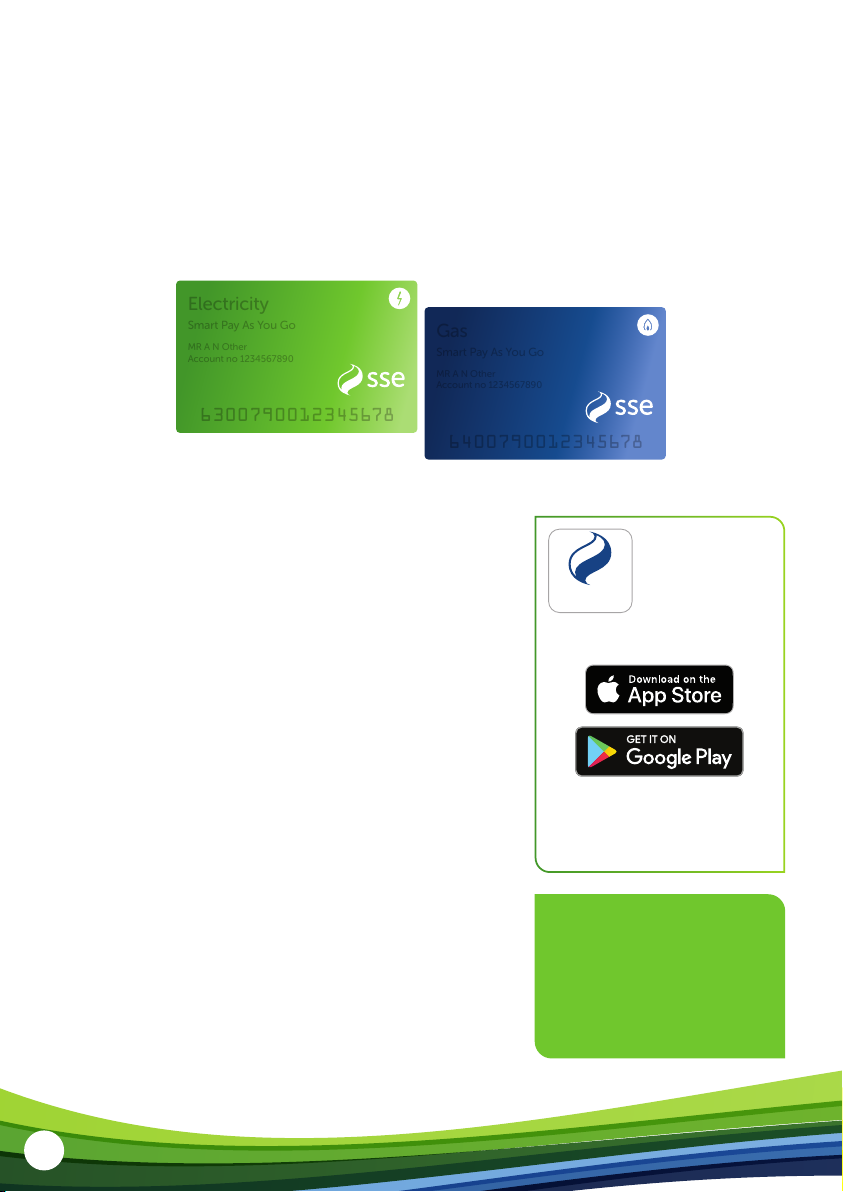
By now, you should have received your Smart Pay As You Go Top-Up card.
Your Smart Pay As You Go card number will be printed across the face of the card.
Once you’ve topped up, it will automatically upload to the meter – but be aware it can
take up to 40 minutes. If it doesn’t top up after that time, you can enter the 20-digit
Top-Up Code into your IHD or meter.
To make sure your supply doesn’t stop, it’s important
to keep your gas and electricity meters topped up.
Here are the dierent ways you can top up your
smart meter:
• PayPoint – Take your Smart Pay As You Go card
and pay over the counter at your nearest PayPoint
shop. You can find your nearest PayPoint at:
www.paypoint.com/en-gb/consumers/
store-locator
• Post oce – Take your Smart Pay As You Go card
and pay over the counter at your nearest post
oce. You can find your nearest post oce at:
www.postoce.co.uk/branch-finder
• Online – Make payments by credit or debit card
with our “SSE Top-Up” app or at sse.co.uk/topup
Please make sure you have your Smart Pay As You Go
card number and credit/debit card close to hand.
6300790012345678
6300790012345678
Electricity
Smart Pay As You Go
Electricity
Smart Pay As You Go
MR A N Other
Account no 1234567890
MR A N Other
Account no 1234567890
6400790012345678
6400790012345678
Gas
Smart Pay As You Go
Gas
Smart Pay As You Go
MR A N Other
Account no 1234567890
MR A N Other
Account no 1234567890
If you need any help or
advice, please go online
for more information at
sse.co.uk/smart-meters/
pay-as-you-go
Top-up your credit
anytime and
anywhere with the
'SSE Top-Up' app.
Top-Up
Apple, the Apple logo, and iPhone are
trademarks of Apple Inc., registered in the U.S.
and other countries and regions. App Store is
a service mark of Apple Inc. Google Play and
the Google Play logo are trademarks of
Google LLC.
Download free from the App Store
for iPhone and on Google Play.
9
Emergency credit and friendly credit
Emergency credit
If you run out of credit on your Smart Pay As You Go meter, please don’t worry.
We’ll lend you emergency credit to keep you going until you top up.
• In England or Wales, it’s £5 for electricity.
• In Scotland, it’s £10 for single-rate and £20 for multi-rate meters.
• For gas, we’ll lend you £5.
You can activate your emergency credit once your prepaid credit gets down
to £2 or below.
Friendly credit
At certain times, it may be more dicult to top up. That’s why we have “friendly credit”
periods to make sure you won’t lose your energy supply if you run out of credit during
these times.
Remember, you must have credit on your smart meter at the start of the friendly credit
period. If your credit runs out before that, please top up. You will still need to pay for any
energy you use during the friendly credit period when you next top up.
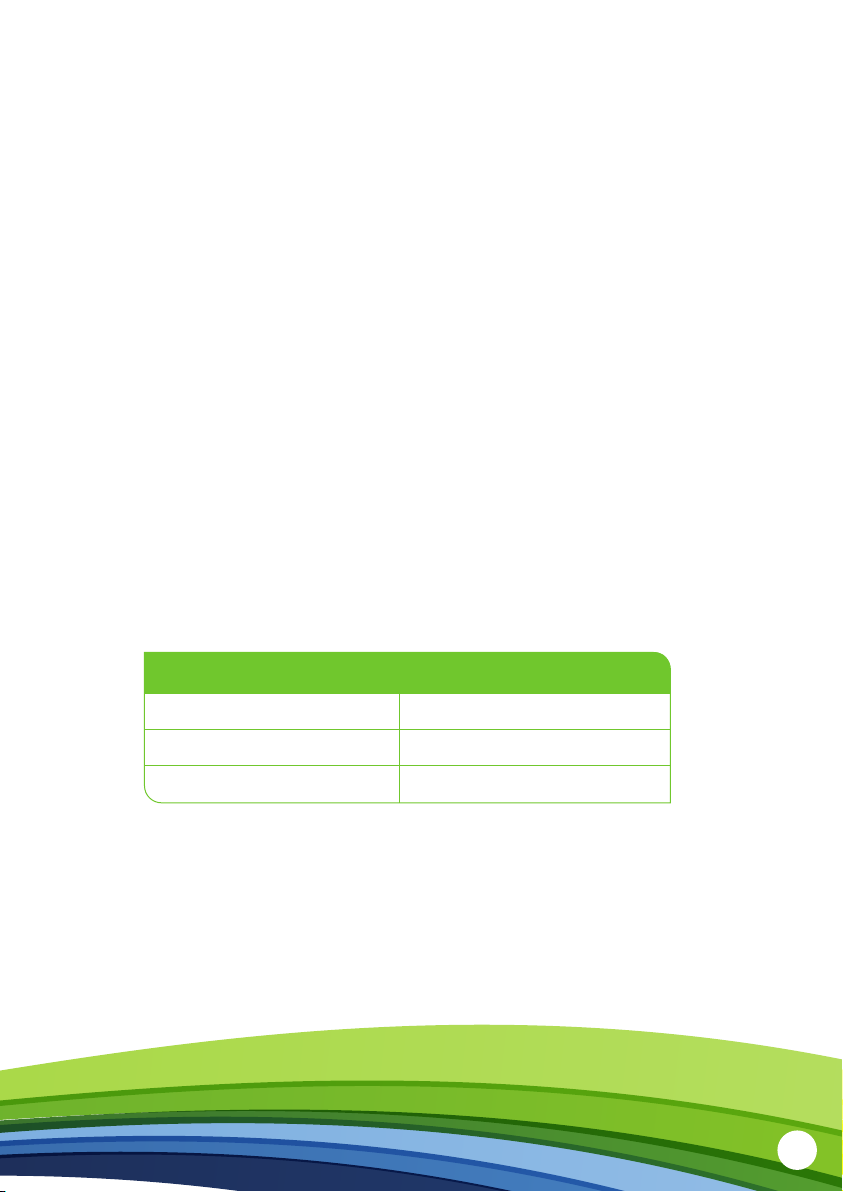
The friendly credit periods are:
Monday to Friday
Saturday and Sunday
Bank Holidays
6pm – 9am
All day
All National Bank Holidays

10
When you’re away from home
If you’re going away, you’ll need to check you’ve got enough credit to last until you get
back. Even if you’ve switched o all your appliances, your meter will collect a daily standing
charge. And if you’re making weekly repayments towards an outstanding balance, it will
collect those too.
You might also be leaving appliances on (such as your fridge and freezer). If so, make
sure you’ve got enough credit to cover those as well. If you run out of credit, there won’t
be anyone around to start the emergency credit, so your supply will stop.
What to do if your top-up doesn’t work
If your top-up doesn’t register on your meter within 40 minutes, you can use a Top-Up
Code (also known as UTRN – Unique Transaction Reference Number) to manually add
the credit to your meter.
If you topped up at a PayPoint or post oce, the Top-Up Code can be found on
your receipt. If your top-up was made online, the Top-Up Code can be found in your
email receipt or on the confirmation page once the transaction has been completed.
If you’ve lost your Top-Up Code, contact the Smart Pay As You Go Team on
0345 026 0677 and they’ll be able to tell you the Top-Up Code over the phone.
You can enter your Top-Up Code in two separate ways – either using your IHD or
using your meters. Your credit should appear within 40 minutes and there are separate
Top-Up Codes for your electric and gas meters. For each top-up you buy, you will be
given a new Top-Up Code.
Autres manuels pour SSE Chameleon IHD3
1
Table des matières
Autres manuels OVO Moniteur


