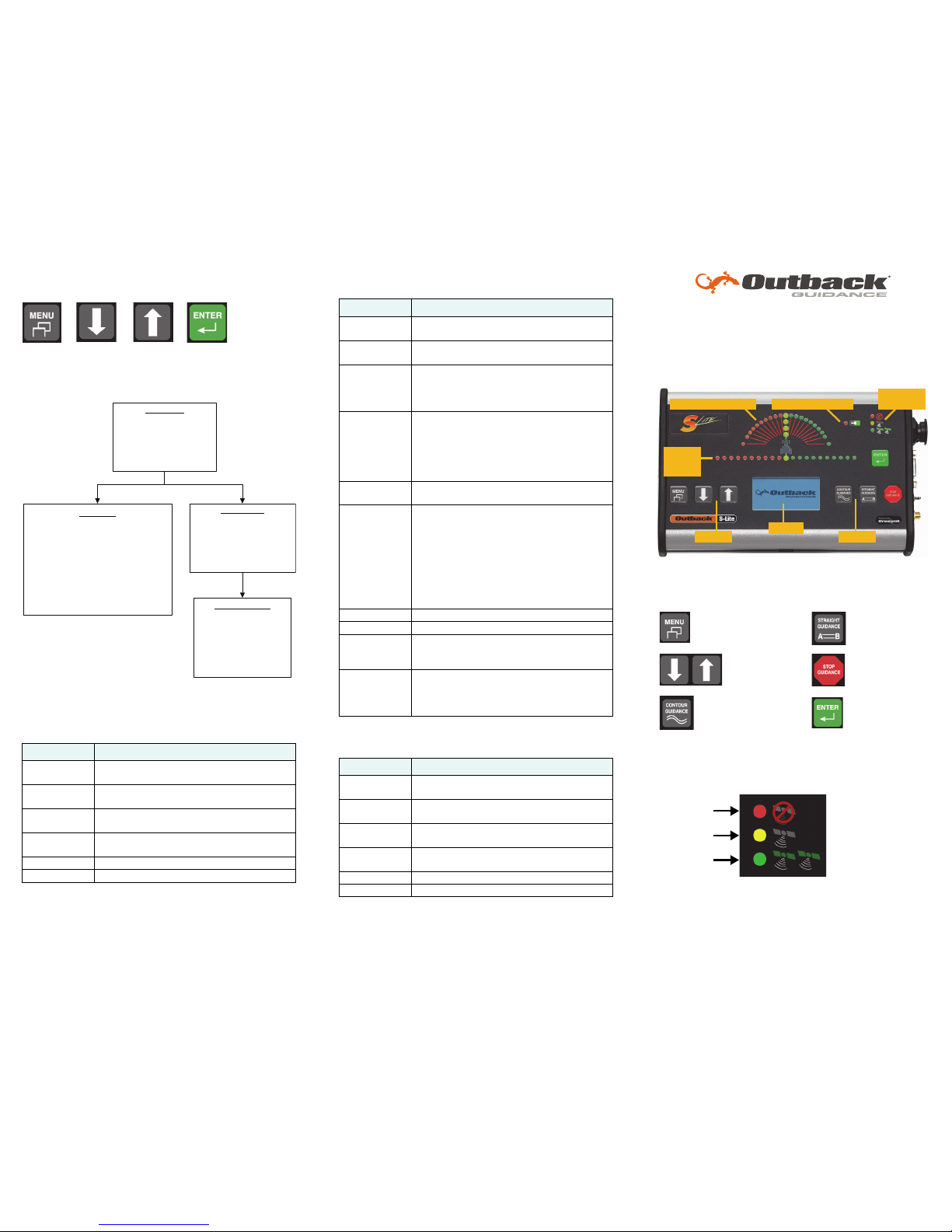
Selecting Menu Options
All S-Lite menu items are shown below.
Menu and Item Descriptions
Setup Menu
Diagnostics Menu
Use this menu to view current settings (read-only).
Service Menu
Use this menu to select settings.
Item Description
Brightness Adjust display and LED brightness—1 (dim) to
10 (bright).
Swath Width Adjust to equal the width of the implement or
boom.
Sensitivity Adjust manual guidance indicator sensitivity
to LOW, MEDIUM, or HIGH.
Perimeter
Setup
Select RIGHT, CENTER, or LEFT edge of swath
width for field perimeter area calculation.
Diagnostics See “Diagnostics Menu” after this table.
Service Menu See “Service Menu” after this table.
Item Description
Correction
Typ e
Type of differential correction being used—
SBAS (default) or e-Dif.
Sats Number of GPS satellites currently visible in
the sky (not including correction satellites).
STDEV Pseudo-estimate of DGPS solution accuracy.
Valid only if six or more satellites are used in
the solution calculation.Typical values for
SBAS are 0.15 m - 0.45 m (0.5 ft -1.5 ft).
HDOP Horizontal dilution of precision indicates the
influence of the current GPS satellite
constellation geometry on the horizontal
accuracy of the position solution. Lower
HDOP values indicate better geometry. Typical
valves are 0.8 - 2.0.
Diff Age Age (in sec) of RTCM corrections used in
DGPS calculation. Optimal value is < 7.
Bit Error Rate Quality of the correction data received from
SBAS satellites. S-Lite can track one or two
correction satellites and each satellite is
represented by a different BER value. The
scale of each value is 0 to 500, with 0 being
the best (highest quality signal) and 500 being
the worst. When tracking two correction
satellites the two values are separated by a
hyphen, such as 20-200.
GPS Software GPS software version.
App Software Application software version.
Serial Number Serial number of your S-Lite—this should
match the number on the serial number tag
on the back of the console.
Memory Remaining memory (in hours). All passes are
recorded in memory until erased at the end of
each field. To clear memory, press the STOP
GUIDANCE button then select Erase Memory.
Item Description
Correction
Typ e
Select differential correction type (SBAS or
e-Dif).
SBAS Satellite Optional menu item appears only if you select
SBAS as the correction type.
NMEA Port
Setup
Display NMEA Port Setup menu where you
set the baud rate and message update rates.
Unit of
Measure
Select unit of measure (feet or meters).
Language Select language.
Reset Defaults Reset factory defaults.