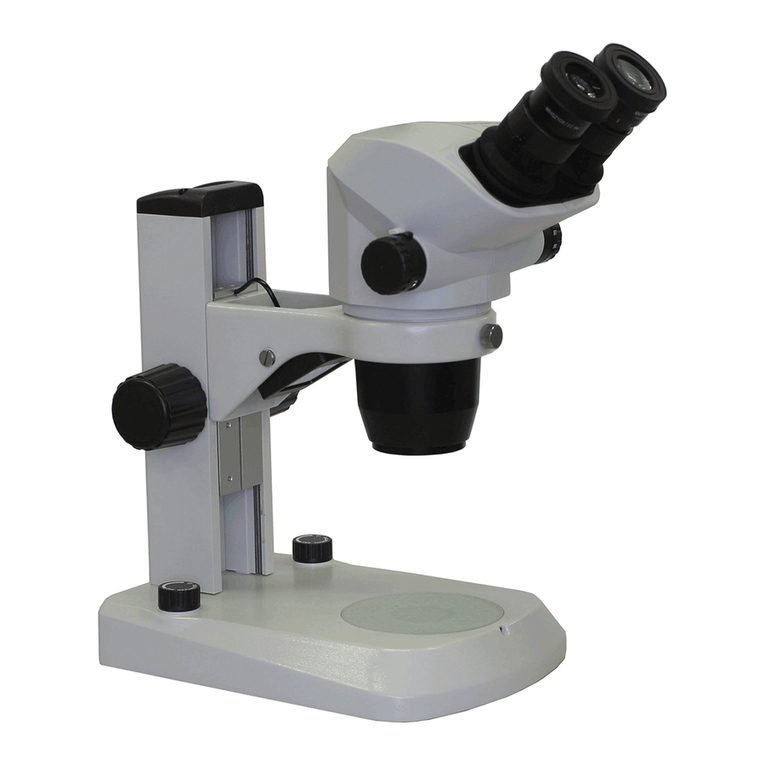
OPTIKA MICROSCOPES B-150D Manuel utilisateur

OPTIKA MICROSCOPES - ITALY
Ver. 1.1.0
B-150D
OPERATION MANUAL
GUIDA UTENTE
MANUAL DE INSTRUCCIONES

Page 2
INDEX
1.0 DESCRIPTION page 4
2.0 INTRODUCTION page 6
3.0 UNPACKING AND ASSEMBLY page 6
4.0 USING THE MICROSCOPE page 7
5.0 USING THE CAMERA page 8
6.0 RECHARGEABLE BATTERY (B-150DMR - B-150DBR MODELS) page 10
7.0 MAINTENANCE page 10
8.0 TECHNICAL SPECIFICATIONS page 11
9.0 RECOVERY AND RECYCLING page 11

Page 3
This microscope is a scientic precision instrument designed to last for many years with a minimum of main-
tenance. It is built to high optical and mechanical standards and to withstand daily use.
Optika reminds you that this manual contains important information on safety and maintenance, and that it
must therefore be made accessible to the instrument users.
Optika declines any responsibility deriving from instrument uses that do not comply with this ma-nual.
Safety guidelines
This manual contains important information and warnings regarding safety about installation, use and
maintenance of the microscope. Please read this manual carefully before using the equipment. To
ensure safe use, the user must read and follow all instructions in this manual. OPTIKA products are
designed for safe use in normal operating conditions. The equipment and accessories described in
the manual are manufactured and tested according to industry standards for safety instrumentation
laboratory. Misuse can cause personal injury or damage to the instrument. Keep this manual at hand
close to the instrument, for an easy consultation.
Electrical safety
Before connecting the power cord to wall outlet, ensure that your mains voltage for your region corre-
sponds to the voltage supply of the instrument, and that the illuminator’s switch is in position OFF. The
user must observe the safety regulations in force in his region. The instrument is equipped with CE sa-
fety marking, in any case the user has full responsibility concerning the safe use of that instrument.
Warning/Caution symbols used in this manual
The user should be aware of safety aspects when using the instrument. Warning or hazard symbols
are shown below. These symbols are used in this manual.
The instructions on this symbol to avoid possible severe personal injuries.
Warning of use; the incorrect operation on the instrument can cause damages to the
person or instrument.
Possibility of electric shock.
Attention: high temperature surfaces. Avoid direct contact.
Technical notes or usage tips.
SAFETY GUIDELINES

Page 4
1.0 DESCRIPTION
EYEPIECE
DIOPTRIC ADJUSTMENT RING
BINOCULAR
DIGITAL HEAD
OBJECTIVE
SLIDE CLAMP
COARSE FOCUSING
KNOB
FINE FOCUSING
KNOB
BRIGHTNESS ADJUSTMENT
ON/OFF KNOB (ON LEFT SIDE) LED
ILLUMINATOR
IRIS DIAPHRAGM
TRANSLATION
KNOBS
CONDENSER
STAGE
NOSEPIECE

Page 5
1.0 DESCRIPTION
MONOCULAR
DIGITAL HEAD
TENSION
ADJUSTMENT KNOB
POWER SUPPLY
INPUT JACK
REAR:

Page 6
2.0 INTRODUCTION
This microscope is a scientic precision instrument designed to last for many years with a minimum of main-
tenance. It is built to high optical and mechanical standards and to withstand daily use.
Optika reminds you that this manual contains important information on safety and maintenance, and that it
must therefore be made accessible to the instrument users.
Optika declines any responsibility deriving from instrument uses that do not comply with this manual.
3.1 The microscope is housed in a moulded Styrofoam container. Remove the tape from the edge of the
container and lift the top half of the container. Take some care to avoid that the optical items (objecti-
ves and eyepieces) fall out and get damaged. Using both hands (one around the arm and one around
the base), lift the microscope from the container and put it on a stable desk.
3.2 Place the observation head onto the top of the arm and tighten the lock-screw. Insert the eyepieces
into the eye tubes.
3.3 Connect the provided power supply to the power supply input jack on the rear of the microscope.
3.0 UNPACKING AND ASSEMBLY
Connect the mains plug into the socket at the base
Make sure, before you turn the illumination on, that the voltage selector is set to the mains voltage for
your region.
The power cord should be used only on network sockets equipped with adequate grounding.
Contact a technician to check the state of your electrical system. If there is no need to install additional
accessories, the instrument is now ready for use. Once positioned and installed with the necessary
components, the microscope is ready to be used. Your microscope is a laboratory instrument desi-
gned to last. Handle it always carefully and avoid abrupt vibrations or shocks. Always disconnect the
power cable from the microscope when not in use for long time, while you clean it or when you perform
any maintenance.
AVOID DISASSEMBLING THE INSTRUMENT
Do not disassemble the instrument. This entails the cancellation of the warranty and may cause
malfunction.

Page 7
4.0 USING THE MICROSCOPE
4.1 Adjust the observation head
Loosen the lock-screw, turn the observation head to a comfortable position for observation, and then
lock the lock-screw.
4.2 Place the specimen on the stage
Lock the specimen slide on the mechanical stage using the slide clamp. Ensure that the specimen is
centred over the stage opening by adjusting the coaxial knobs of the stage.
4.3 Lamp settings
The microscope is tted with power white LED illuminator. Before turning on the light, read the section
5.3 about electrical safety precautions. Insert the plug of the power supply into the jack on the rear.
Turn the brightness adjustment knob in order to switch the light on and to reach a brightness suitable
for observation.
4.4 Adjust interpupillary distance
Hold the right and left parts of the observation head by both hands and adjust the interpupillary distan-
ce by turning the two parts until one circle of light can be seen.
4.5 Focus and diopter adjustment
Rotate the coarse focusing knob to bring the slide into focus using an objective with a low magni-
cation. Adjust the ne focusing knob to get the image sharp and clear while observing with your right
eye, then turn the dioptric adjustment ring on the left eyepiece until a sharp and clear image can be
observed also with the other eye. Turn the tension-adjust-knob to get a suitable tension for the focus
system. When the image is in focus, turn the nosepiece to choose the objective you need.
4.6 Condenser adjustment
Hold the lever of the condenser and rotate it up or down until you reach a clear and uniform sample
illumination.
4.7 Set the numerical aperture
Adjust the aperture of the iris diaphragm to set the numerical aperture of the illuminator, thus control-
ling image contrast and resolution.
HOLD THIS
LEVER AND
ROTATE IT

Page 8
5.0 USING THE CAMERA
5.0 INSTALLATION OF CAMERA DRIVERS AND SOFTWARE
1.1 Operating system requirements: Windows XP, Windows Vista or Windows 7. If your PC is Windows
XP: before the installation of your Camera please check if Service Pack2 is installed. If not, please
update your XP from the Microsoft web site. If your PC has a USB port less than 2.0, there may be
some problems in capturing image from the camera due to the slow transmission.
1.2 Please insert your CD and run:
\ optikam vision lite \ setup.exe
1.3 Now Optika Vision Lite icon appears on your desktop.
1.4 Choose from the folder “\drivers\” the model of your microscope, then choose your windows
accordingly to the folders you nd. Now run the driver.exe.
1.5 The installer may show warnings about missing Windows certication: ignore such warnings and
select “Continue”. Note : do NOT cancel the installation.
1.6 At the end of the installation process restart the PC if requested.
1.7 Plug the Camera in your PC: the camera will be identied and Windows will recognize the driver
which has just been installed from the CD.
Then ignore any message about Windows compatibility and select “Continue” .
Note : do NOT cancel the installation.
1.8 At the end of the identication process, disconnect your Camera and try to plug it again, in order to
check if the Driver was installed correctly (no Windows error messages should appear).
Should any error message appear on your PC, you will nd a “\Troubleshooting” folder on your CD
which shows how to solve any problem which Windows could give.
2.0 SOME NOTES
You should know that your Windows PC needs to install a Driver before capturing images from the
camera: after installing the driver from the CD, Windows needs to recognize the camera before us-
ing it.
Often a PC has some ports on the front and some on the back: the ports on the back are usually
faster. We suggest to use these ones.
All our cameras, even though they may have an external connection, do not need any external
power supply because it comes from the USB cable of your PC.
If you connect the camera into another USB port, Windows needs to recognize its Driver again
even if it has alredy done this operation for the rst USB port.
Generally, every time you use a peripheral device and after that you connect your Camera, then
Windows needs to recognize the Driver again.

Page 9
5.0 USING THE CAMERA
It may happen sometimes that Windows doesn’t recognize a Camera using one of your PC USB
ports, while gives no problem using another port.
3.0 HOW TO TEST YOUR CAMERA
In order to check if your Camera works correctly, it’s not necessary to put it into the microscope: it’s
enough to connect it into the USB port, run Vision Lite using the icon on your desktop, select the right
driver and check whether the shown image is not totally black.
4.0 SELECT THE RIGHT DRIVERS
It’s very easy :
For B-150DM Monocular :
NOVEL-H1C
For B-150DB Binocular :
CAMERA -X3
To use Optika Vision Lite you have to tell the Software which is the Driver by selecting the microsco-
pe-shaped icon.
5.0 GETTING STARTED WITH OPTIKA VISION LITE, A VERY EASY
MEASURING AND DOCUMENTATION SOFTWARE
Run Optika Vision Lite by clicking on its icon on your desktop.
Select the right Driver for capturing the image. Note that after choosing the driver and before capturing
the image you can set the brightness, saturation, gamma ecc..
Then you can capture the image.
The image is now ready for being manipulated using Optika Vision Lite.

Page 10
7.1 Microscopy environment
This microscope is recommended to be used in a clean, dry and shock free environment with a
temperature of 0-40°C and a maximum relative humidity of 85 % (non condensing). Use a dehumidier
if needed.
7.2 To think about when and after using the microscope
• The microscope should always be kept vertically when moving it and be careful so that no moving
parts, such as the eyepieces, fall out.
• Never mishandle or impose unnecessary force on the microscope.
• Never attempt to service the microscope yourself.
• After use, turn off the light immediately, cover the microscope with the included dust-cover, and keep
it in a dry and clean place.
7.3 Electrical safety precautions
• Before plugging in the power supply, make sure that the supplying voltage of your region matches with
the operation voltage of the equipment and that the lamp switch is in off-position.
• Users should observe all safety regulations of the region. The equipment has acquired the CE safety
label. However, users do have full responsibility to use this equipment safely.
7.4 Cleaning the optics
• If the optical parts need to be cleaned try rst to: use compressed air.
• If that is not sufcient: use a soft lint-free piece of cloth with water and a mild detergent.
• And as a nal option: use the piece of cloth moistened with a 3:7 mixture of ethanol and ether.
Note: ethanol and ether are highly ammable liquids. Do not use them near a heat source, near
sparks or near electric equipment. Use these chemicals in a well ventilated room.
• Remember to never wipe the surface of any optical items with your hands. Fingerprints can damage
the optics.
• Do not disassemble objectives or eyepieces in attempt to clean them.
7.5 If you need to send the microscope to Optika for maintenance, please use the original packaging.
7.0 MAINTENANCE
B-150DMR - B-150DBR models are equipped with a built-in rechargeable battery.
The battery can be recharged simply by connecting the microscope to the provided external power supply,
using the jack connector on the rear.
During the charging process, you can use the microscope as usual.
In order to speed up the charging of the battery, it’s suggested to turn the
LED off when you connect the external power supply.
For a full charge, it’s suggested to keep the external power supply connected
to the microscope for at least 8 hours.
Always unplug the external power supply from the microscope, when
not in use.
6.0 RECHARGEABLE BATTERY (B-150DMR - B-150DBR MODELS)
Table des matières
Langues :
Autres manuels OPTIKA MICROSCOPES Microscope

OPTIKA MICROSCOPES
OPTIKA MICROSCOPES B-190 Series Manuel utilisateur

OPTIKA MICROSCOPES
OPTIKA MICROSCOPES MS-1 Manuel utilisateur

OPTIKA MICROSCOPES
OPTIKA MICROSCOPES SZM Series Manuel utilisateur

OPTIKA MICROSCOPES
OPTIKA MICROSCOPES SZP Manuel utilisateur

OPTIKA MICROSCOPES
OPTIKA MICROSCOPES SZM-GEM Series Manuel utilisateur

OPTIKA MICROSCOPES
OPTIKA MICROSCOPES CL-30 Manuel utilisateur

OPTIKA MICROSCOPES
OPTIKA MICROSCOPES B-500DK Manuel utilisateur

OPTIKA MICROSCOPES
OPTIKA MICROSCOPES B-500POL-I Manuel utilisateur

OPTIKA MICROSCOPES
OPTIKA MICROSCOPES XDS-3 MET Manuel utilisateur

OPTIKA MICROSCOPES
OPTIKA MICROSCOPES XZ-2 Manuel utilisateur