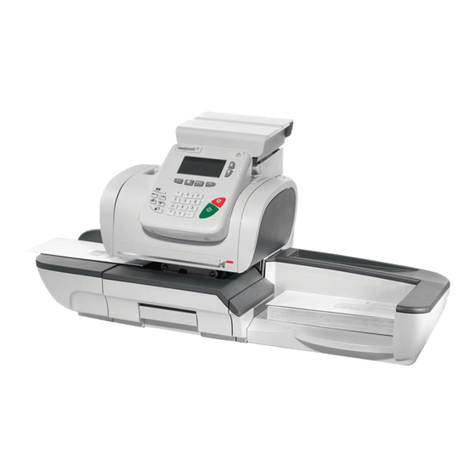
Opex 72 Manuel utilisateur

© 2015 OPEX®Corporation
All rights reserved. This publication is made available solely for use by the OPEX Service Organization. The infor-
mation contained herein is proprietary, confidential and copyrighted by OPEX®Corporation. Copying, duplicating,
selling, or otherwise distributing any part of this publication or the information contained herein without the express
written consent of OPEX®Corporation is strictly forbidden.
August 14, 2015
Document Revision 15-01
Model 72 User Manual

2
Model 72 User Manual - OPEX Corporation
Document History
If you find errors, inaccuracies, or any other issues or concerns with this
document, please contact the OPEX Technical Writers via email at:
Doc
Rev Date Changes (click blue text to go to that page)
12-01 August 2012 Initial Release. The Model 72 Service Manual was
completely restructured for better viewing on a Tablet-
style reader.
15-01 August 14,
2015
Page 1 - Updated look of title page, adding document
revision
Page 2 - Added new Document History table, added
functional link for contacting tech writers
Page 5 - fixed the incomplete note from the president
Page 7 - The Caution icon has been updated to current
standards
Page 8 and 59 - The Warning icons have been updated
to current standards
Page 14 - color has been removed from table
background for clarity
Page 16 - changed the font for keypad descriptions, for
uniformity within the document.
Page 66 - specifications for Japanese machines have
been added
All pages - The text in the footers has changed since
user manuals are not confidential

3
Model 72 User Manual - OPEX Corporation
Table of Contents
Document History ................................................................................................ 2
Introduction .......................................................................................................... 6
Safety .................................................................................................................. 7
Functional Description ......................................................................................... 9
Desktop height operator adjustable .............................................................. 11
Software options ........................................................................................... 12
Overview of Model 72 Operation ....................................................................... 13
Machine controls ............................................................................................... 14
Navigation .......................................................................................................... 16
Enhanced Scrolling ....................................................................................... 16
Operating Instructions ....................................................................................... 18
Operating the Model 72 ................................................................................ 19
Adjust LCD Contrast ..................................................................................... 23
Setting and Viewing Operator Passwords .................................................... 24
Supervisor Operations ....................................................................................... 26
Change Operator List .................................................................................... 26
Change Job List ............................................................................................ 31
Job Parameters ................................................................................................. 34
Job Parameter Descriptions .......................................................................... 35
Print All Jobs or Individual Job Parameters .................................................. 42
Password Options ......................................................................................... 43
Statistics ............................................................................................................ 45
Operator Statistics ........................................................................................ 45
Supervisor Statistics ..................................................................................... 46
Troubleshooting ................................................................................................. 51
Routine Maintenance ......................................................................................... 59
Emptying the Cutter Trash ............................................................................ 60
Changing the Feed belts ............................................................................... 61
Changing the retard tire ................................................................................ 64
Specifications .................................................................................................... 65
Electrical Specifications ................................................................................ 65

4
Model 72 User Manual - OPEX Corporation

From the President of OPEX Corporation
Thank you for choosing OPEX equipment to manage your mail
extraction needs. For over three decades, OPEX Corporation
has been the leader in mailroom automation technology. Our
Rapid Extraction Desks have been recognized as the industry
standard for high volume rapid extraction of incoming mail.
The Model 72 is our latest advance in processing both clean
singles and outsorted mail. The Model 72 provides opening and
extraction options to match your mail processing needs, while
providing you an efficient and comfortable content extraction
method.
Whatever the application, the key to this process is YOU, the
Model 72 operator. We’ve gone to great lengths to design our
equipment to be user friendly, and I believe that you will be
pleased with the final result.
Thank you for taking the time to familiarize yourself with the
contents of this manual. Welcome to the OPEX family! We trust
that you will enjoy using the Model 72, and wish you much
success in your mail operation.
Sincerely,
OPEX Corporation
Mark Stevens
President

6
Model 72 User Manual - OPEX Corporation
Introduction
The OPEX Model 72 is a Rapid Extraction Desk (RED) mail handler for
incoming mail. It is designed to provide improved performance and value in the
scanner integrated market. The Model 72 is an automated workstation that
requires the operator to load envelopes on the conveyor and to extract the
contents from the opened mail.
The OPEX Model 72 is designed to allow you to increase your productivity
while reducing much of the physical stress normally associated with your job.
Ergonomic considerations will contribute to your comfort as an OPEX operator.
These include the following improvements:
• A larger wrap-around work surface which gives you room to spread out
• The envelope extract heads open the envelope wide for easy access.
• The backlit LCD screen provides easier viewing.
• The optional lift system adjustment allows you to choose the most
comfortable setting.
• An operator-adjustable rack system simplifies large document sorting and
placement.

7
Model 72 User Manual - OPEX Corporation
Safety
As in any occupation which requires you to perform the same motion
repeatedly during the course of your work, it is important to consider how you
perform your task. Always use proper operating procedures when working at
your Model 72 Rapid Extraction Desk. Follow the directions for using and
adjusting your chair and desk. Using improper procedures can result in a
potentially serious injury.
• Maintain an upright body posture.Avoid the tendency to slump in your chair.
The angle between your torso and thighs should always be 90 degrees.
• Adjust the seat position on your chair so that your elbow, when held at a 90-
degree angle at your side, is approximately 1½ inches below the top of the
Model 72 work surface. For your comfort, we recommend use of a specially-
designed OPEX ergonomic desk chair to ensure proper posture and seat
position.
• Occasionally change the angle of your posture for greater comfort.
• If possible, avoid operating the machine for longer than a single 8-hour shift.
• If your Model 72 is equipped with the optional height adjustment, adjust the
height of the desk so that you are able to work comfortably in a position
which maintains good posture. If your Model 72 is not equipped with the
height adjustment, adjust the leveling feet on the desk to provide greater
comfort while operating the machine.
While no suggestions can guarantee completely against work-related injuries,
you will certainly increase your comfort and safety while operating the
Model 72 if you put these suggestions into practice. The Model 72 has been
designed with you in mind. If it is operated correctly, you should find your work
experience comfortable and enjoyable.
Safety while operating the machine:
• If your desk has the optional lift system, care must be taken to not create a
pinch point between the desk and your body as the height adjustment is
activated in the down travel mode.
• Keep hands, hair, loose clothing and jewelry away from moving parts.
CAUTION
Caution: To reduce possible risks, we strongly urge you to follow these
suggestions:

8
Model 72 User Manual - OPEX Corporation
• Do not place fingers in the cutter areas. The cutter blades are sharp and may
cause cuts should you inadvertently come in contact with them whether the
machine is running or not.
• Do not operate this equipment with the cover doors removed.
• Do not set liquids on the desk which could spill into the machine.
• Do not use high pressure “canned air” that is marked flammable to clean
paper scraps and dust from the machine.
• Do not place fingers in the feed area while running the machine.
Avoid creating pinch points
with adjustable work surface.
(Optional lift system only)
Transport is adjustable by job.
When selecting a job, keep hands
out from under the machine.
Keep hands, hair, loose clothing
and jewelry away from moving parts
Warning: Unplug the machine from the power source to remove power
from the machine for servicing or when moving the machine.

9
Model 72 User Manual - OPEX Corporation
Functional Description
The OPEX Model 72 is a semi-automatic workstation. Its function is to improve
productivity in mail extraction by allowing an operator to open envelopes and
extract the contents in a rapid fashion.
After an extraction is complete, the Model 72 can check the envelope to make
sure that all contents have been removed. The Model 72 records and displays
job and operator information. It compiles and retains statistics for management
purposes. The Model 72 is typically equipped with adjustable sort bins and a
moveable content “sawtooth” sort tray. Several optional enhancements are
available:
• Internal Printer: The printer provides a hard copy of job and operator
statistical information.
• Lift System: Allows the operator to find his/her optimum desk level for
increased comfort and productivity. Accommodates wheelchair access.
Clear sort bins
Trash bin
Verifier
Extractor
Trash bin
Control keypad
Cutter adjustments
LCD Screen Side cutter (under cover)
Sawtooth
Top cutter
(under cover)
Pusher
Conveyor
(inside cabinet)
Feeder section
Optional printer
(under desktop)
Feed tray

10
Model 72 User Manual - OPEX Corporation
Envelope specifications
• Envelope Height: 3.5” to 6.375”
• Envelope Length: 5” to 11.5”
• Envelope Thickness: up to 3/8” (0.375”)
Conveyor capacity
• Approximate Capacity: 22 ½”
Button keypad controls
• Used for navigating the menus and starting/
stopping the machine
• Keypad controls are easy on the fingers
Optional Printer
• Paper loads easily - the printer features an easy
access door, allowing convenient drop-in loading
of paper rolls
Removing envelope contents
• The envelope opening width is adjustable under
the individual job parameters
Depth of cutters are operator adjustable:
• Side cut has 4 options
• Top cut has 5 options
Sort bins operator adjustable
• Flexible rack system minimizes reach, and can
be adjusted to various heights.
Table des matières
Autres manuels Opex Système de publipostage numérique