
NORDVÄL SW103 Manuel utilisateur
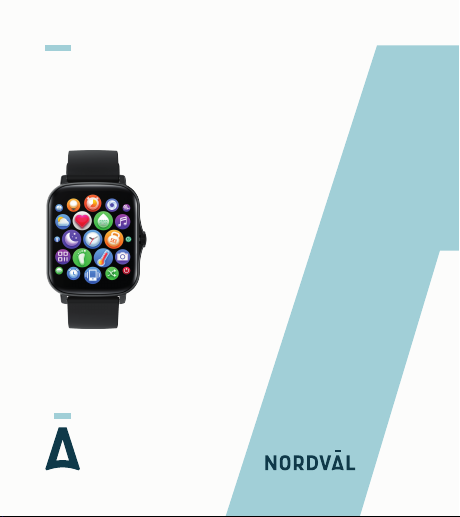
SMARTWATCH
NORDVÄL SW103
English

Copyright © 2021 TJM Supplies B.V. All rights reserved.
Nordväl® is the registered trademark of TJM Zwerink Holding B.V.
Your smart technology friends.

1
2
4
4
5
5
10
12
Thank you for purchasing the Nordväl SW103 smartwatch.
Let’s get started!
HELLO,
Declaration of Conformity
What’s in the box
Get to know your smartwatch
App
Getting started with your smartwatch
Frequently asked questions
Specifications
TABLE OF CONTENTS
2
4
4
5
5
10
12
2
Product information
For the following
Product: Smartwatch
Type: SW103
Declaration and applicable standards
TJM Supplies B.V. hereby declares that the type of smartwatch
SW103 series conforms to:
Directive EMC 2014/53/EU, RoHS directive(2011/65/EU) and
its amendment directive2015/863/EU on the restriction of the use
of certain hazardous substances in electronic equipment.
The full text of the EU declaration of conformity can befound at the
following internet address: www.nordval.eu/declaration-of-conformity/
DECLARATION OF CONFORMITY

3
Importer
Company: TJM Supplies B.V.
Address: Zompstraat 8
8102 HX Raalte
The Netherlands
Email: [email protected]
Phone number: +31 85-0402973
Business license number: 72016981
VAT number: NL858946439B01
Nordväl® is the registered trademark of TJM Zwerink Holding B.V.
Specifications are subject to changewithout notice.
Copyright © 2021 TJM Supplies B.V.
All rights reserved.
Manufactured in China
4
Please check the box for each of the following items before using
your smartwatch:
WHAT’S IN THE BOX
Nordväl SW103 smartwatch
USB magnetic charger
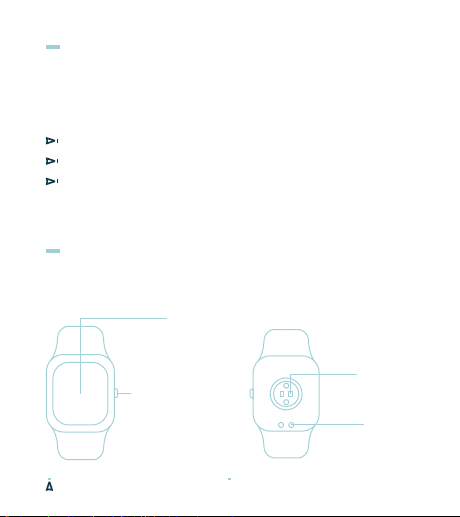
GET TO KNOW YOUR SMARTWATCH
User guide
Heart rate
sensor
Charging
contact
Power on, activate
screen, zoom and
scroll.
Control button
1,69 inch
touchscreen
5
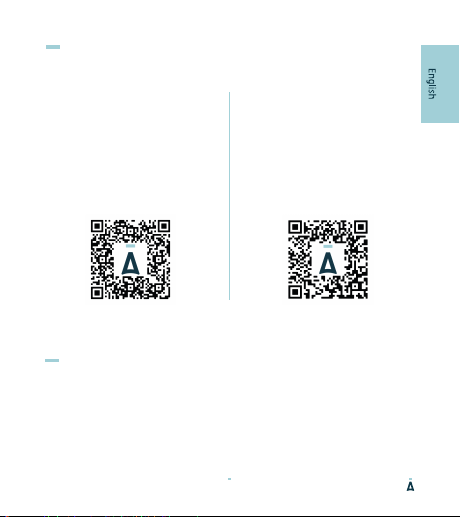
Android
Open the Google Play Store and
search “Da Fit” to download and
install the app. You can also scan
the QR code down below for a
direct download link.
APP
iOS
Open the App Store and search
“Da Fit” to download and install
the app. You can also scan the QR
codedown below for a direct
download link.
Power-on
Plug in the charger to charge the smartwatch prior to use, press
the control button for 3 seconds.
GET STARTED WITH YOUR SMARTWATCH
6
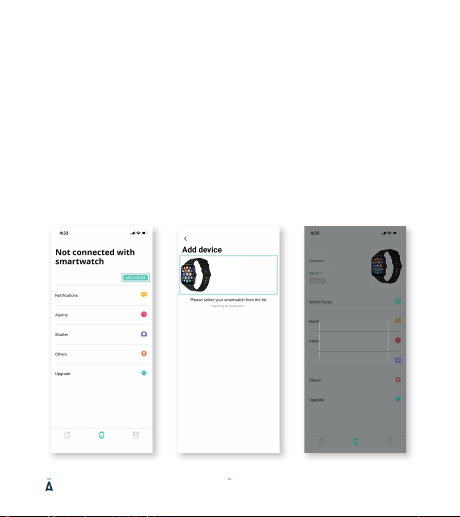
Connect the smartwatch to your phone
Open the Da Fit app on your smartphone and follow the next steps:
1. Click on "Add Device" (image 1).
When using an Android smartphone, you can connect the smartwatch
directly to your smartphone through the Bluetooth settings.
2. Click on your device named “SW103“ in the device list (image 2).
When using an iPhone, your phone will show aBluetooth pairing request.
You can click on Bluetooth "Pairing" to confirm the Bluetooth link (image 3).
3. You are now connected and ready to use your smartwatch.
Image 1 Image 2 Image 3 (iOS)
SW103B
FA:B3:0F:21:09:31
SW103B
FA:B3:0F:21:09:31
Shutter
7
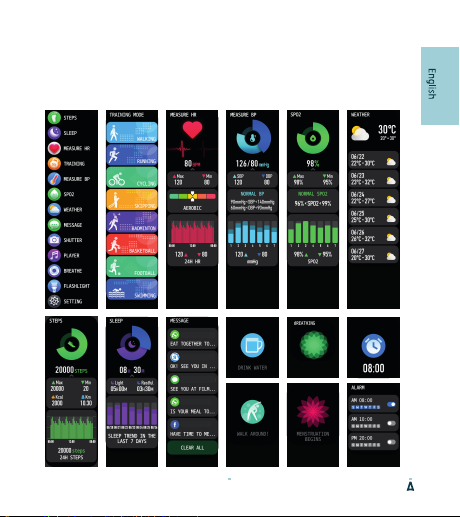
Functions
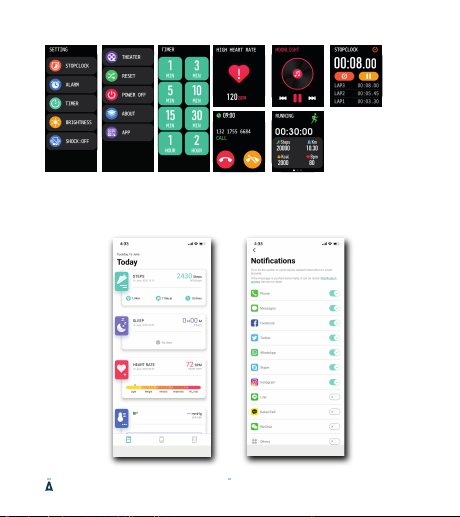
Turn on the smartwatch to open the main menu.Here you will find
the following functions:
Smartwatch interface
BREATHE IN
1/8
JOHN SIMONS
MOM
SOFIA JOHNSON
ELIZABETH
MOM
8
App interface
Ce manuel convient aux modèles suivants
1
Table des matières


