
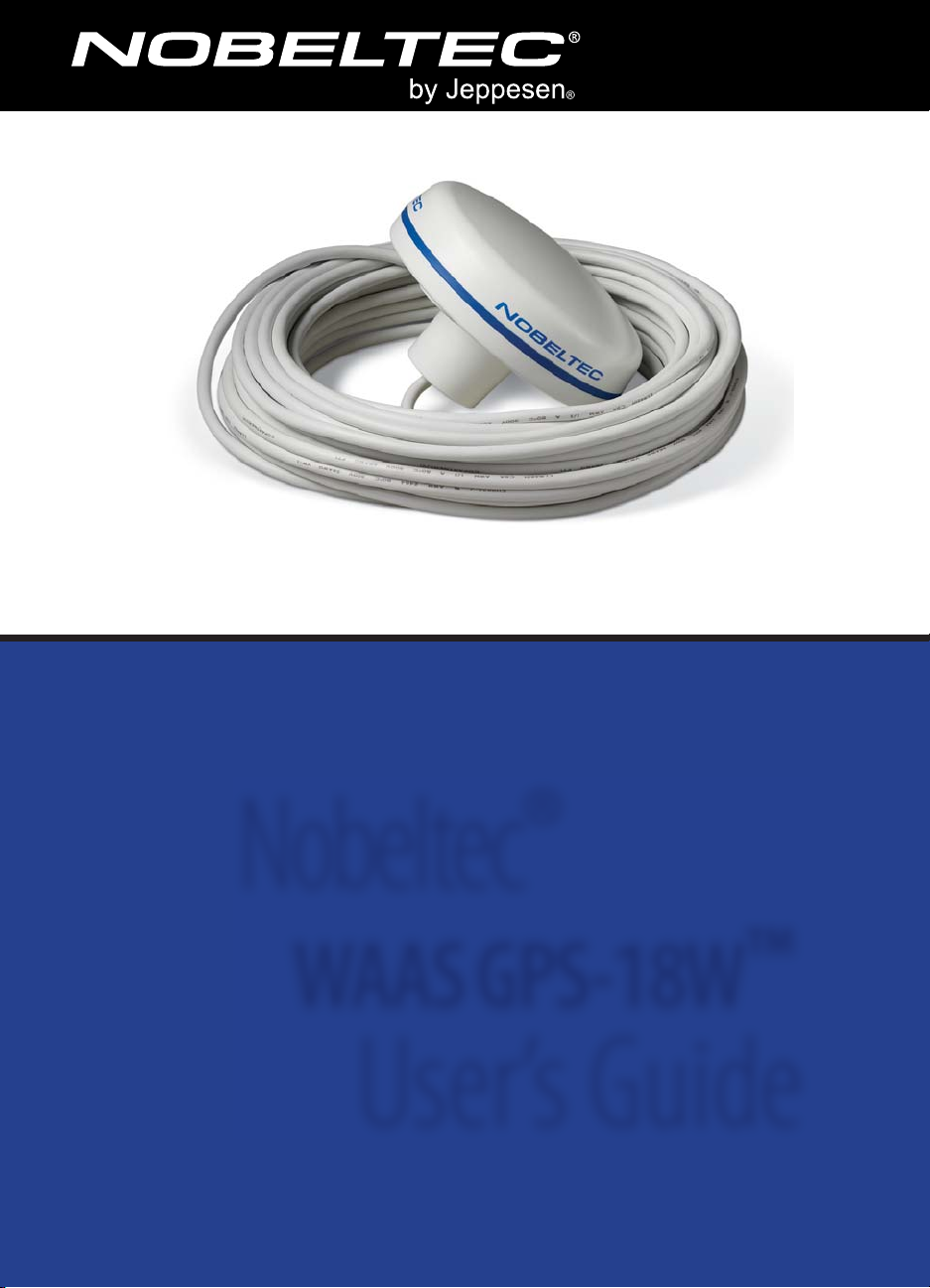
Nobeltec WAAS GPS-18W Manuel utilisateur
Nobeltec®
WAAS GPS-18W™
User’s Guide
ii
Safety Warnings
ATTENTION:
READ CAREFULLY PRIOR TO INSTALLATION
All personnel engaged in the installation, operation, and maintenance of electronic
equipment, or those who are engaged in training personnel on electronic equipment,
have a duty to remain aware of the following safety precautions:
• Never assume the power to the Nobeltec WAAS GPS-18W Receiver is off. Always
consult your ship's wiring schematics.
• Always disconnect the power when not in use.
• Power down before you change any hardware devices. A power surge could
damage the electronic components of your system.
• Use a ground mat to prevent static electricity discharges.
• Do not rely solely on safety devices to protect you and your system from surges.
NOTE: Jeppesen is not liable for errors contained herein, nor incidental or consequential
damages in connection with use of this material.
Nobeltec WAAS GPS-18W
Product Support
Jeppesen's® Nobeltec® WAAS GPS-18W™ is believed to be accurate and reliable, but
can be misinterpreted. For this reason, we suggest that you carefully read through
this User’s Guide and make sure you understand its contents before using the
Nobeltec WAAS GPS-18W Receiver. For safe navigation, compare information received
from your WAAS GPS-18W to all available navigation input received from other
navigation hardware that you carry on board.
WARNING: DO NOT OPEN the Nobeltec WAAS GPS-18W Receiver. There are no serviceable
parts inside. Please contact Jeppesen for service options. Any unauthorized repair could result in
damage to the unit, which will not be covered by the warranty.
If you have a question about this product, please first review this User’s Guide. If you
cannot find the answer you are looking for, contact Jeppesen Customer Support.
Nobeltec WAAS GPS-18W Product Box Contents
• The Nobeltec WAAS GPS-18W Receiver
• 15 meter 8x28 AWG cable with bare wires
• Mounting Template Sheet
• Nobeltec WAAS GPS-18W User's Guide (this manual)

iii
Nobeltec WAAS GPS-18W
Table of Contents
Safety Warnings.............................................................................................ii
Product Support...........................................................................................................................ii
Nobeltec® WAAS GPS-18W™ Product Box Contents.................................................................ii
Chapter 1. Welcome ......................................................................................1
Nobeltec WAAS GPS-18W Product Description ........................................................................1
What is WAAS?..............................................................................................................................1
GPS Dimensions ...........................................................................................................................2
Technical Specifications ..............................................................................................................2
Chapter 2. Hardware Installation .................................................................3
Choosing a Mounting Location for the Nobeltec WAAS GPS-18W ........................................3
Installing the WAAS GPS-18W ....................................................................................................3
Wiring the WAAS GPS-18W to the DB-9 Connector.................................................................4
Chapter 3. Setting Up the WAAS GPS-18W ...................................................5
Initializing the GPS ......................................................................................................................5
Software Interface .......................................................................................................................6
Legal Disclaimer & Limited Warranty............................................................7
Jeppesen Contact Information....................................................................10

iv Nobeltec WAAS GPS-18W
1
Nobeltec WAAS GPS-18W
Welcome 1
Thank you for purchasing Jeppesen's®
Nobeltec® WAAS GPS-18W Receiver!
The WAAS GPS-18W is based on an 18-
channel GPS engine that delivers location
accuracy within 3 meters by decoding GPS
correction signals from satellite-based
WAAS (Wide Area Augmentation System).
The GPS engine, interface electronics,
and passive antenna are enclosed inside
durable waterproof plastic housing. This
superior-quality GPS provides advanced,
state-of-the-art positioning performance
and plug-and-play use with Nobeltec
Navigation Software charting programs.
Nobeltec Navigation Software (Visual
Navigation Suite™ or Admiral™, sold
separately), interfaced with the WAAS
GPS-18W on your onboard computer,
intelligently interprets and displays GPS
data in an easy-to-comprehend onscreen
format, providing you with the ability to
make safer and more prudent navigation
decisions in shorter periods of time.
This User's Guide covers the key
installation information for the Nobeltec
WAAS GPS-18W. It is written for an
audience assumed to have a mid-level,
pre-existing knowledge of PC operation
and the principles of marine navigation,
as well as previous marine equipment
installation experience.
This document should in no way be used
to replace actual navigation training and
experience.
Nobeltec® WAAS GPS-18W™ Product Description
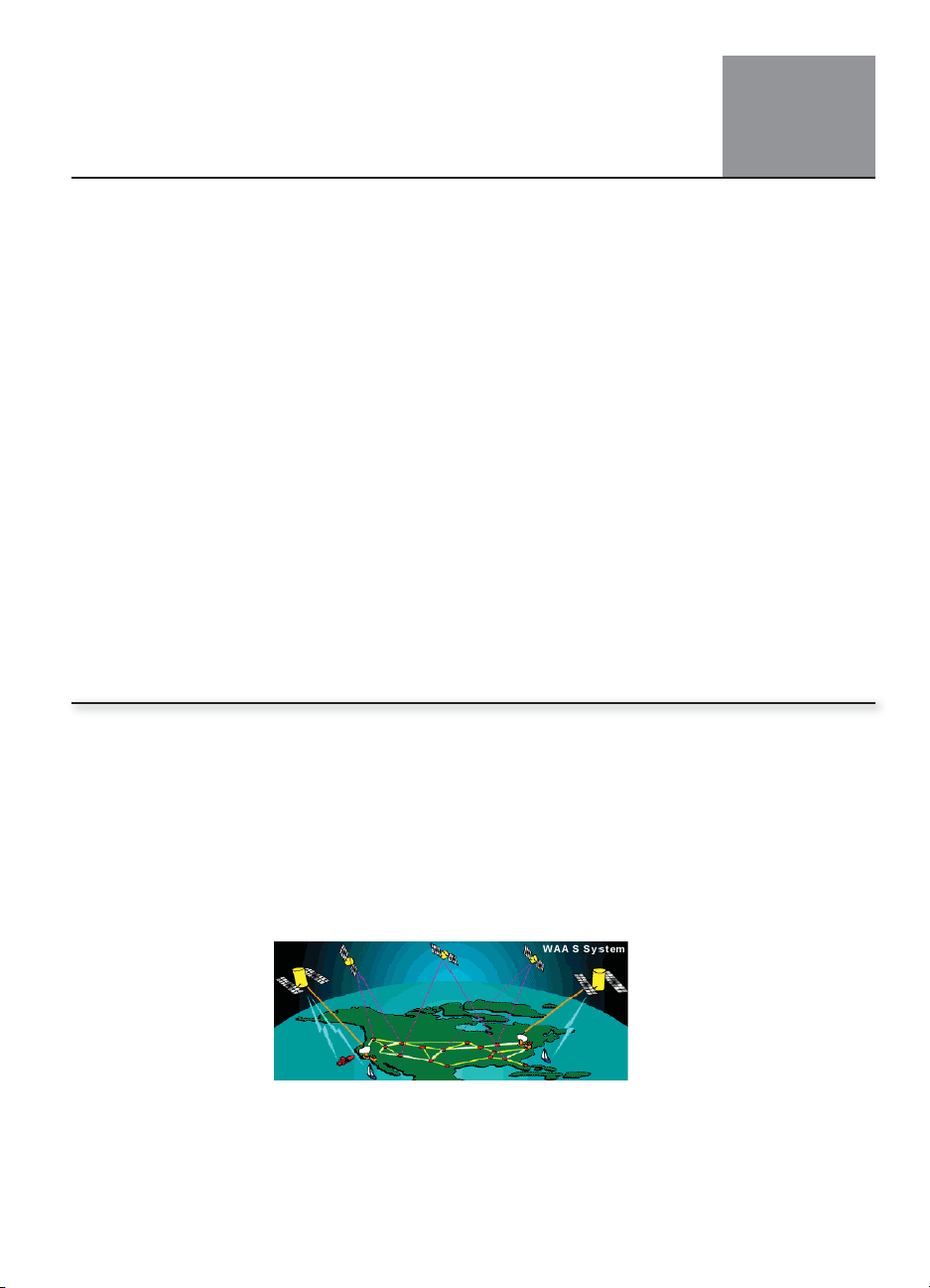
What is WAAS?
WAAS consists of a network of ground reference stations across the United States that
monitor GPS satellite data. The master stations collect data from the reference stations
and create a GPS correction message, taking into account selective availability (SA),
GPS satellite orbit and clock drift, and signal delays caused by the atmosphere and
ionosphere. The “corrected”differential messages are then broadcast through two
Geostationary Earth Orbit (GEO) satellites on the same frequency as the GPS signal. The
result is a DGPS system that delivers superior accuracy (<3 meters).
Fig. 1 - WAAS System
2Nobeltec WAAS GPS-18W
Chapter 1 Welcome
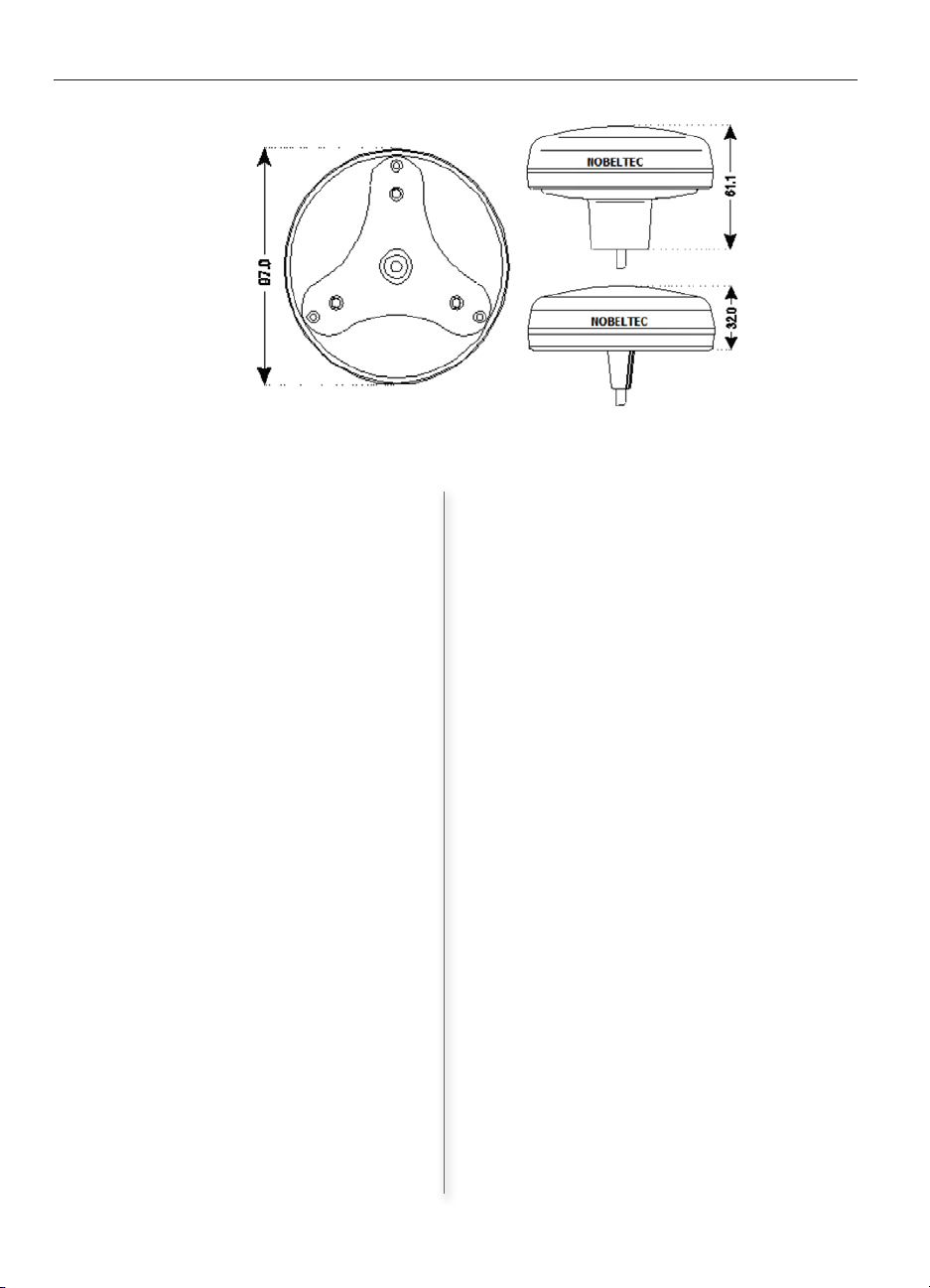
Physical Characteristics
Color Ivory white.
Dimensions 97mm in diameter x
32mm in height
(flush mounted)
61.5mm on flag-pole
mount.
Weight 160 grams (without
cable).
Cable white 15 meter 8x28
AWG cable with bare
wires
Electrical Characteristics
Input Voltage 10 Vdc to 35 Vdc
unregulated
Power Consumption 1.2 W max
Electrical Interface TTL voltage levels, RS-
232 polarity
Performance
Receiving Method 18 channels parallel
Receiving Frequency 1575.42MHz (L1, C/A
code)
Receiving Sensitivity Less than -130 dBm
Time to First Fix (TTFF)
Hot start 11 seconds (typical)
Warm start 37 seconds (typical)
Cold start 44 seconds (typical)
Accuracy
Position Less than 10m (2drms)
GPS: (SA=OFF;
PDOP<3)
Less than 8m (2drms):
DGPS: (SA=OFF;
PDOP<3)
Velocity Less than 1m/s (rms)
Dynamics
Acceleration Less than 1g
Velocity Less than 350Km/h
DGPS format RTCM SC-104,
4800bps; WAAS
Output format NMEA-0183 Baud rate
4800 N81
NMEA Output GGA, GLL, VTG, RMC,
GSA, GSV, PKODG,1,
PKODG,7, PKODG,16
Geodetic Datum WGS84
Environmental Characteristics
OperatingTemperature 0° C~ +60° C
StorageTemperature -20° C~ +85° C
Relative Humidity 95% non-condensing
Water Resistance 100% waterproof
Technical Specifications
Fig. 2 - GPS Antenna Dimensions
GPS Dimensions
3
Nobeltec WAAS GPS-18W 3
Choosing a Mounting Location for the WAAS GPS-18W
Choose a location for the WAAS GPS-18W antenna that has a clear view of the sky.
Ensure that there are no major obstructions, overhanging items, or fixtures in immediate
proximity to the antenna.
Your WAAS GPS-18W antenna relies on direct“line of sight” satellite reception. If you are
unsure that the chosen location is suitable it may be advisable to mount the antenna in
a temporary manner to verify correct operation.
Installing the WAAS GPS-18W
The Nobeltec WAAS GPS-18W is designed for easy flush mounting.
TIP: This step requires a drill with 4mm and 16mm drill-bit sizes and RTV marine silicone.
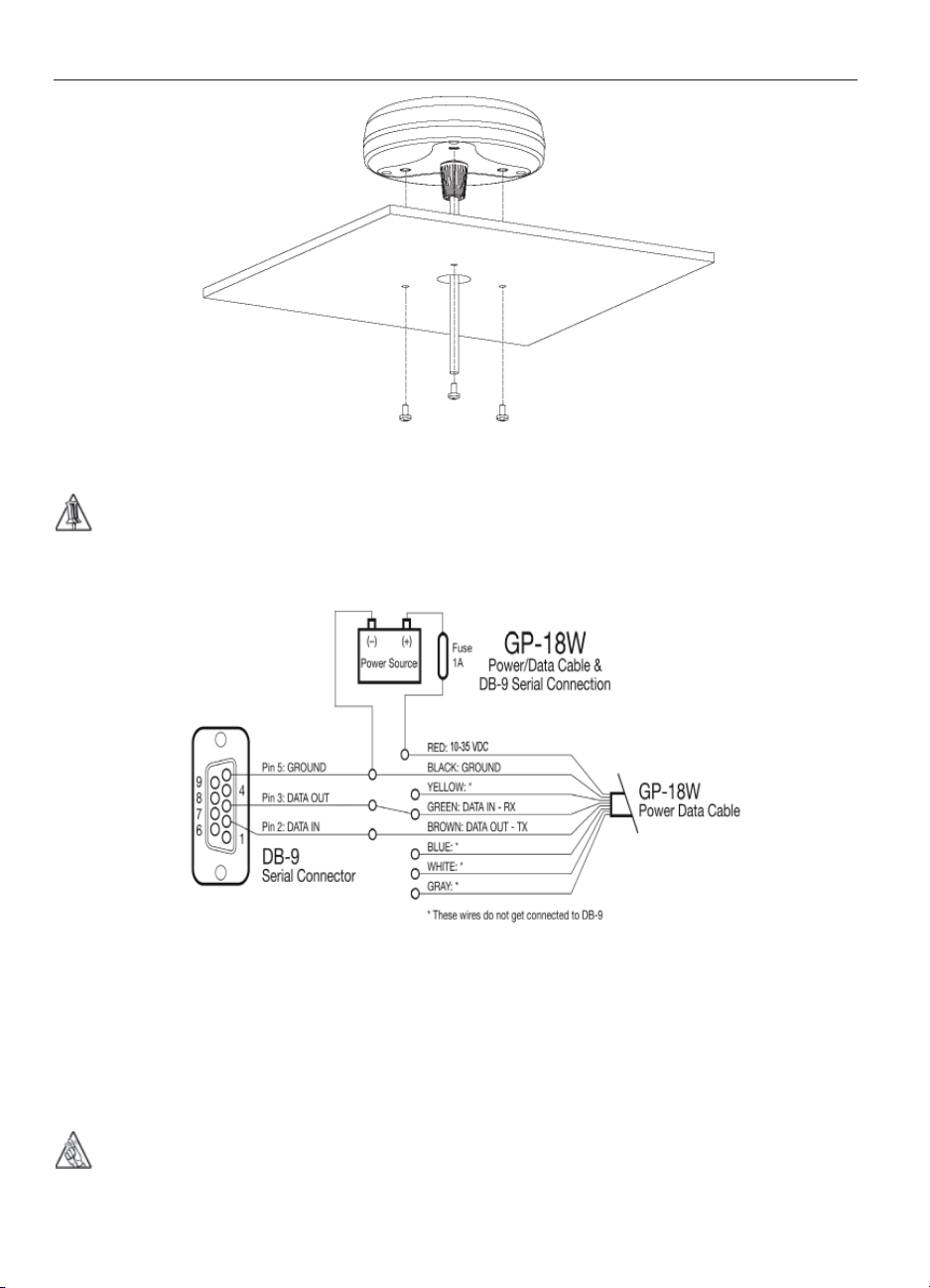
1. Place the mounting template on the mounting location you have selected.
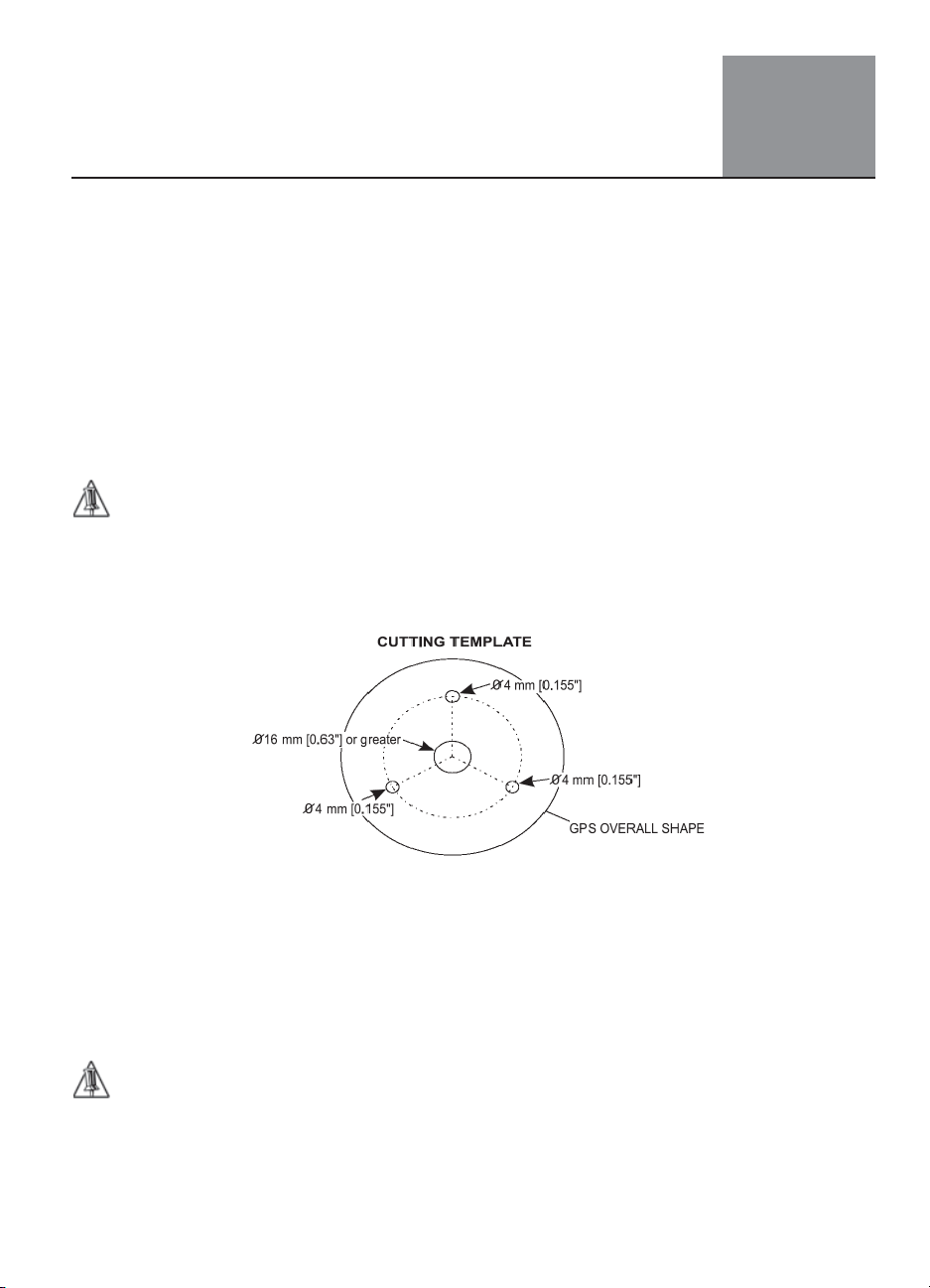
2. Following the instructions from the mounting template, drill a 0.63" (16 mm) hole
and three 0.155" (4 mm) holes in your mounting location as shown in Figure 3.
3. Remove the template and thread the provided cable through the central hole.
4. Apply a small coat of RTV (marine silicone) to the underside of the antenna.
5. Place the antenna in the prepared location and then secure it down from
underneath using the three included M3 screws.
TIP: The 1", 14TPI thread used on the antenna is a standard thread used on many marine
industry mounting brackets and the swivel joints commonly used for angled surfaces. Be aware,
there may be some extra thread when you tighten the antenna to the mounting bracket. DO NOT BE
CONCERNED - tighten the antenna until it stops rotating on the antenna mounting bracket. DO NOT
OVERTIGHTEN.
Hardware Installation 2
Fig. 3 - Installing GPS Antenna - Cross-Section
Nobeltec WAAS GPS-18W
Wiring the WAAS GPS-18W to the DB-9 Connector
TIP: This step requires a soldering iron and solder.
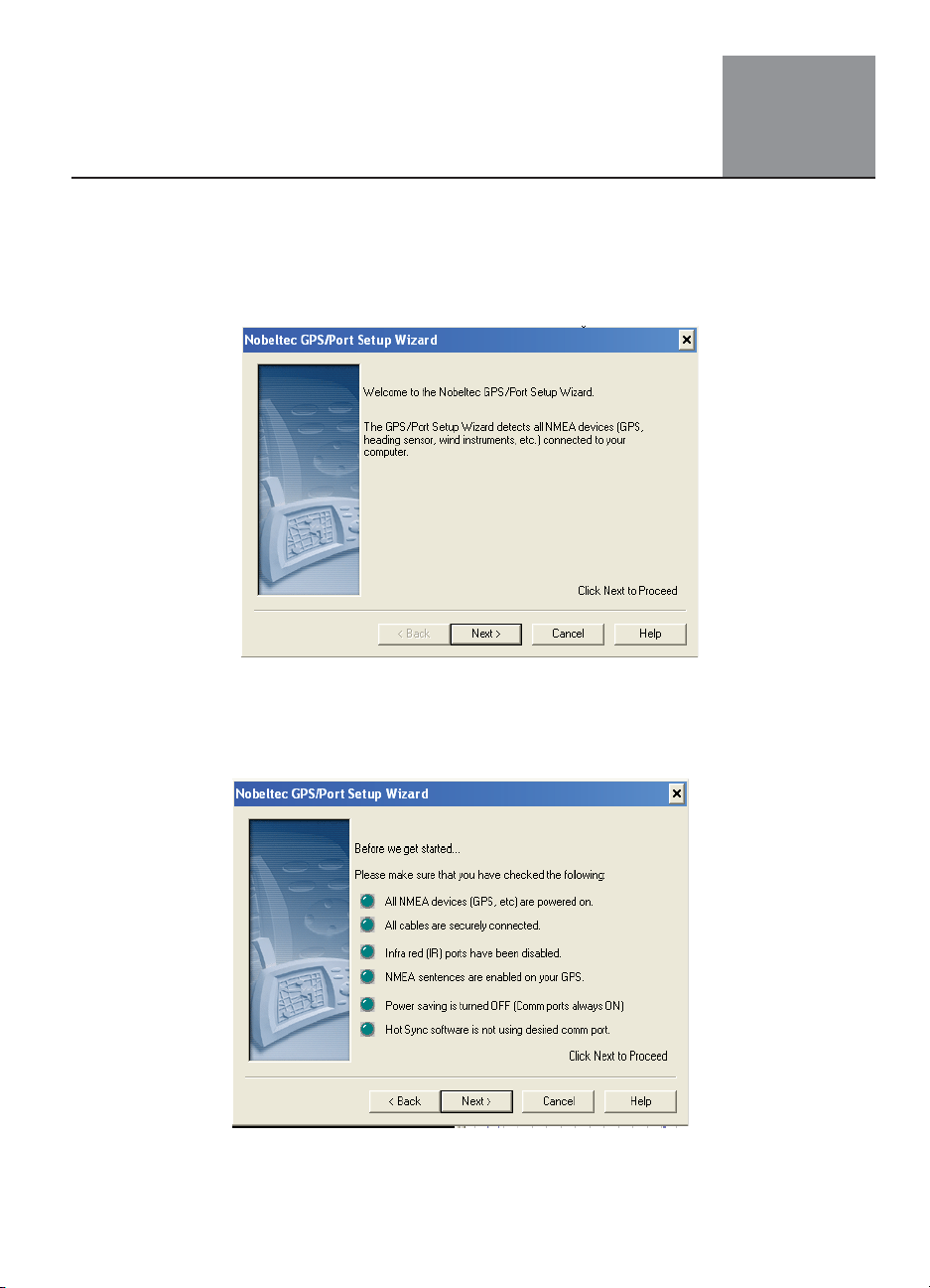
1. Solder the Brown TX wire directly to Pin 2.
2. Solder the Green RX wire to Pin 3.
3. Splice the Black wire. Solder ½ of the spliced Black wire to Pin 5 and ½ of the
spliced Black wire to a common ground on your electronics panel.
5. Connect the Red wire directly to your 12V electronics panel with a 1A fuse, either
in line or on the panel.
6. Check your solder connections carefully to verify that all wires are connected to
the proper pin numbers and that no solder is touching any other pin.
REMEMBER: The remaining wires (shown in Figure 5 with an * next to them) DO NOT get
connected to the DB-9 connector.
4
Chapter 2 Hardware Installation
Fig. 4 - Installing GPS Antenna - Side View
Fig. 5 - Diagram for GPS-18W with DB-9 Connector
5
Nobeltec WAAS GPS-18W
Initializing the GPS
Use the following steps to initialize the GPS:
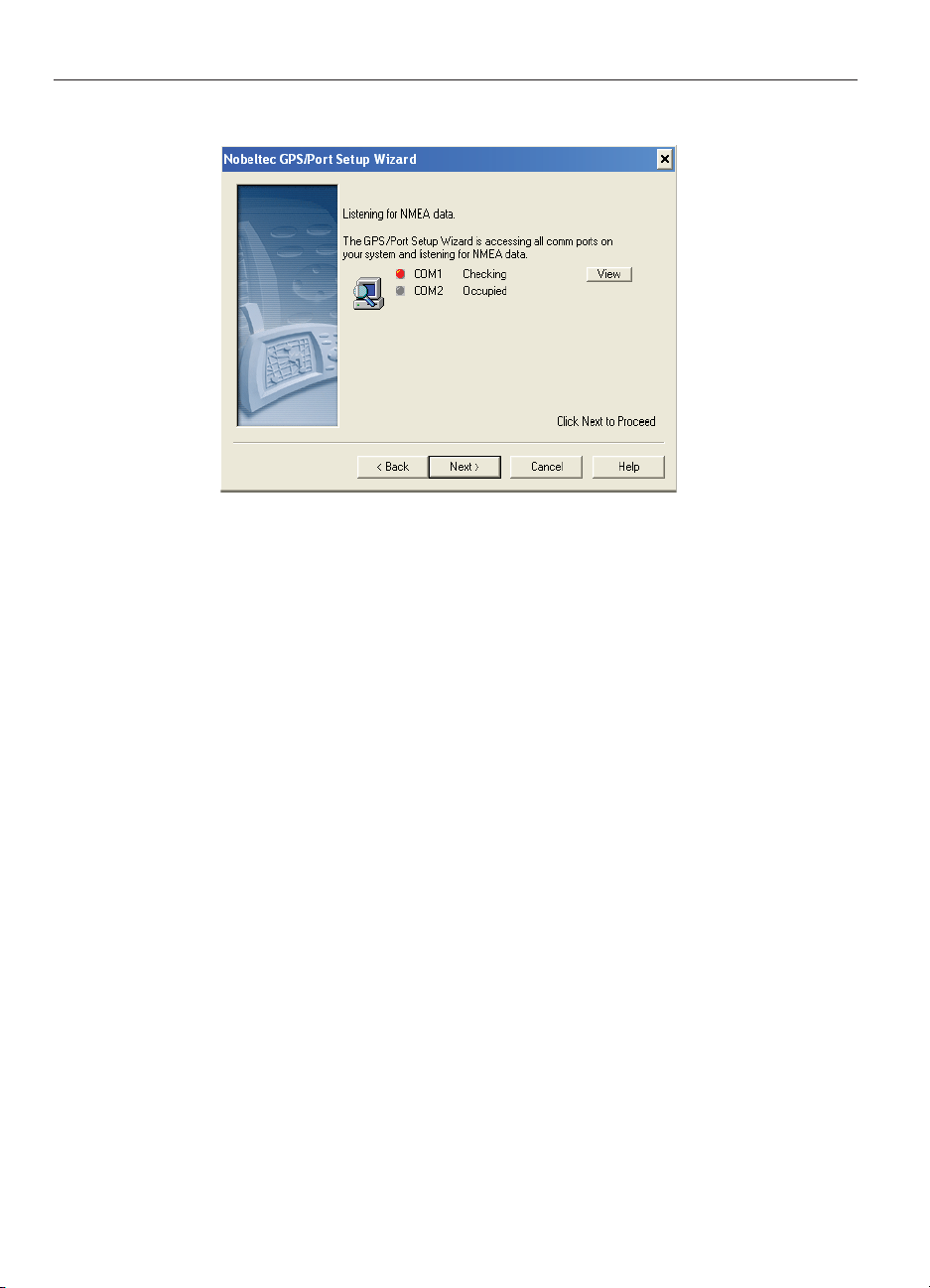
1. From your desktop, select Start | Programs | Nobeltec | GPS Port Setup Wizard.
2. The Nobeltec GPS Port Setup Wizard will launch.
3. Verify that the Nobeltec GPS-18W is connected, as well as any other NMEA output
devices previously connected, such as a heading sensor. Click Next.
4. Confirm data in the list as shown in Figure 7, then click Next.
Fig. 6 - GPS Port Setup Wizard
Fig. 7- Nobeltec GPS Port Setup Wizard
Setting Up the WAAS GPS-18W 3
6Nobeltec WAAS GPS-18W
Chapter 3 Setting Up the WAAS GPS-18W
5. The GPS Port Setup Wizard will detect the connected devices and list them in the
COM port list.
6. Select Next and confirm that NMEA data is coming through the computer.
7. Click Finish to complete the process.
Software Interface
The GPS product interface protocol design is based on the National Marine Electronics
Association’s ASCII interface specification (NMEA 0183). These standards are defined in
NMEA 0183 Version 3.1. For more information see www.nmea.org.
Fig. 8 - Nobeltec GPS Port Setup Wizard
Table des matières
Autres manuels Nobeltec GPS


