
Nexvoo DoubleView Pro Manuel utilisateur

Nexvoo DoubleView Pro
All-In-One Video Bar
User Manual
(Model: N120W)

Packing List
1. DoubleView Pro N120W
2. Remote Control
3. 12/2A Power Adapter
4. 5m USB-C to USB-A Cable
5. 1.5m USB-C to USB-A Cable
6. 1.8m HDMI Cable
7. 1.5m Ethernet Cable
8. Mounting Bracket and Accessories
9. Warranty Card
10. User Manual
Note: We recommend that you use the accessories provided or approved by Nexvoo, using uncertified
accessories may cause uncertain problems.
Remote controlDoubleView Pro N120W 12V/2A
Power Adpter
Mounting Bracket
and Accessories
x4
x4
5m USB-C to
USB-A Cable
1.5m USB-C to
USB-A Cable
1.8m HDMI Cable 1.5m Ethernet Cable
User ManualWarranty Card
Nexvoo DoubleView Pro
All-In-One Video Bar
User Manual
(Model: N120W)

Product Introduction
Mic Arrays
Telephoto Camera
4K Ultra-Wide Camera
Speaker
Camera LED
Power Connector(12V/2A)
3.5mm Audio Output
5 13
14 10 6
12 8
9
11 7
1 42 3
1
2
3
4
5
6
7
HDMI Output 2
HDMI Output 1
USB-A Input 2
USB-A Input 1
RJ45 Ethernet Port
USB-C Output
Reset Port
8
9
10
11
12
13
14

1
2
4
6
3
1
1
11
8
12
13
10 9
7
5
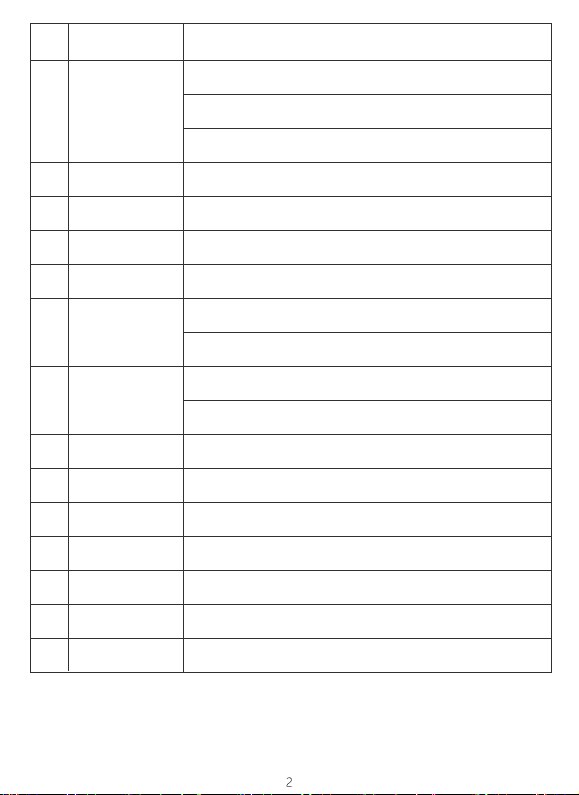
1. The remote control shall be equipped with two AAA batteries.
2. You can press and hold "VOL-" and "ZOOM-" for 3 seconds at the same time, while the indicator light
flashes. DoubleView Pro N120W will be connected to the remote control automatically. Once connected,
the indicator light of the remote control will be off and the display interface will prompt "Remote Control
Connected".
Always on
LED Color LED Status Function Description
Camera is off.
The microphone is muted.
The device is being restored to factory Settings.
The device is updating the firmware.
Blink slowly
Blink quickly
Always on Camera is on.
Camera Indicator
Remote Control
AI
Return
Mouse
VOL +/-
ZOOM +/-
Home
VOL- and ZOOM -
Press the button to confirm the selection or open the APP in Video mode.
Press the up, down, left or right direction button to move the cursor in Video
mode.
Press the direction button to pan and tilt camera when the AI function is turned
off in USB mode.
Press the button to open or close the AI function (Auto frame and Speaker
Tracking).
Press the button, return to the previous interface or exit App.
Press the button to open the mouse function (Default is closed), the red indicator
of the remote control remains on.
Increase/decrease speaker volume.
Press ZOOM + / - button to zoom in/out when the AI function is turned off.
Press the button to return to home interface.
Press and hold "VOL-" and "ZOOM-" for 3 seconds at the same time, while the
indicator light flashes, the remote control is in pairing mode.
Press the button to switch wide angle lens or telephoto lens in USB mode.
OK
Direction
Press any button, the indicator light is on.
When the remote control is in pairing mode, the indicator light flashes quickly.
Press the button to close the screen display, press the button again to open the
screen display.
Press the button to turn off the microphone, press the button again to turn on the
microphone.
Open the mouse function, the indicator light remains on.
1
2
3
4
5
6
7
8
9
10
11
12
13
14
NO. Button Name Function Description
Press the button to delete the text in the input box.
Press the button to switch the remote control to control Video mode or USB
mode.
Indicator
Sleep
Mute
Delete
Switch control

TV TV
Mount the DoubleView Pro N120W below the
TV when the mounting height of the lower
side of the TV is higher than 3.937ft(120cm).
Mount the DoubleView Pro N120W above the
TV when the mounting height of the upper
side of the TV is lower than 3.937ft(120cm).
TV TV
H>3.937ft(120cm)
H<3.937ft(120cm)
0.328ft(10cm)
DoubleView Pro N120W
Installation Instructions

DoubleView Pro N120W

Adjust the device angle after switching to the telephoto camera.
5
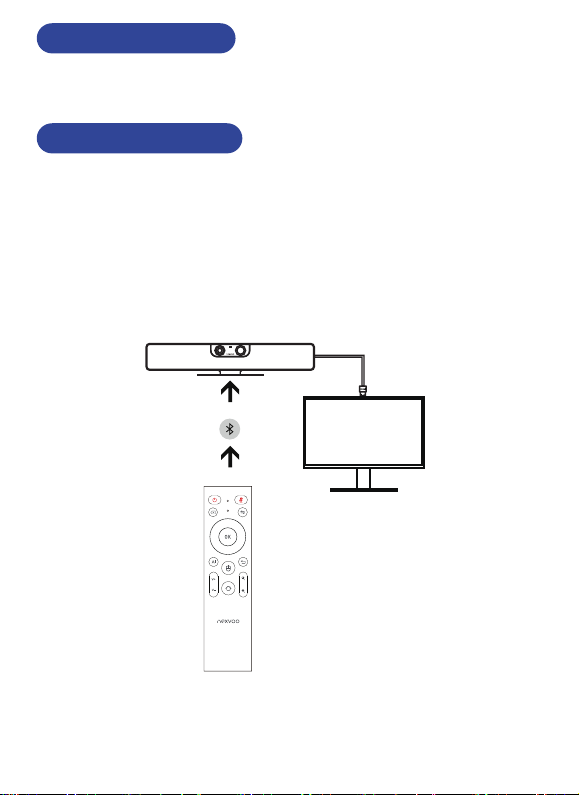
DoubleView Pro N120W doesn’t have a power button. When you plug in the power cord, the device
turns on.
• Connecting DoubleView Pro and displayer through HDMI 1 Output port.
• Connecting DoubleView Pro to power adapter, the device turns on.
• Network can be connected through Ethernet cable or WIFI.
• Open video conference platform (for example Microsoft Teams, Zoom, ...), successfully
connected to the meeting achieved and turned on the camera when green light remains on.
• Short press Sleep button of remote control to turn off screen display when meeting is over.
• Disconnect the power and turn off DoubleView Pro, if necessary.
Powering On and Off
1. Connecting to the displayer
Connection and Usage
Notes: The default display connected to HDMI1 or HDMI2 output port is the same, whether different
displays can be output depends on the video conferencing platform used.
6
HDMI Output

Join the meeting quickly through DoubleView Pro's Web Server:
• Connect DoubleView Pro and your computer to the same LAN network.
• Start the browser on your computer, enter the IP address of DoubleView Pro and open the Web Server
(such as http://192.168.1.100).
• Enter the meeting link on the Web Server page and click "Send" (for example, enter the Zoom meeting
link).
• After DoubleView Pro receives the Zoom meeting link, it automatically opens the meeting link through the
browser, selects and clicks "Launch App" via the remote control on the browser page, DoubleView Pro
launches the Zoom App and automatically joins the Zoom meeting.
7
http://192.168.1.100
https://teams.microsoft.com/l/meetup-join/19:meeting_ZWRlZjJiNGEtZjM2NC00YTQzLWFlYTgtMzJj
Please enter the meeting link to quickly open the meeting
Send
Launch Meeting-Zoom
https://zoom.us/meetup-join/19:meeting_ZWRlZjJiNGEtZjM2NC00YTQzLWFlYTgtMzJj
Once you install Zoom Client, click Launch Meeting below
By clocking “Launch Meeting”, you agree to our Teams of Service and Privacy Statement
Launch Meeting
Ce manuel convient aux modèles suivants
1
Table des matières
Autres manuels Nexvoo Système de conférence

Manuels Système de conférence populaires d'autres marques

Kramer
Kramer VIA GO Manuel utilisateur

AVT
AVT MAGIC AC1 Go Manuel utilisateur

ProSoft Technology
ProSoft Technology AN-X4-AB-DHRIO Manuel utilisateur

Sony
Sony PCS-I150 Manuel utilisateur

Middle Atlantic Products
Middle Atlantic Products VTC Series Manuel utilisateur

Prentke Romich Company
Prentke Romich Company Vanguard Plus Mode d’emploi


