4. Network Configuration
The netis Access Point supports multiple modes including AP, Multi-SSID (VLAN),
Repeater, WDS and Client. In default, netis Access Point works in AP mode, it can be
used to create one or more wireless networks from an Ethernet connection. It is
suitable for the room where there's already a wired router but you need additional
wireless hotspots.
Here we provide the step-by step configuration process of AP mode.
Step 1: Power on all the devices.
Step 2: Search and connect to the netis Access Point's network “netis_XXXXXX” on
your wireless computers or mobile devices. The XXXXXX is the last 6 digits of the
Access Point's MAC address. The default wireless password is “password”.
If your main router is already connected to the Internet, you'll be online through
your wireless computers or mobile devices now!
If you want to change the default wireless network name and password for netis
Access Point or set up more wireless networks (Multi-SSID mode), please go on with
the steps.
Step 3: Open your browser on your wireless computer and type “http://netisap.cc” in
the address field to visit netis Access Point's web management page.
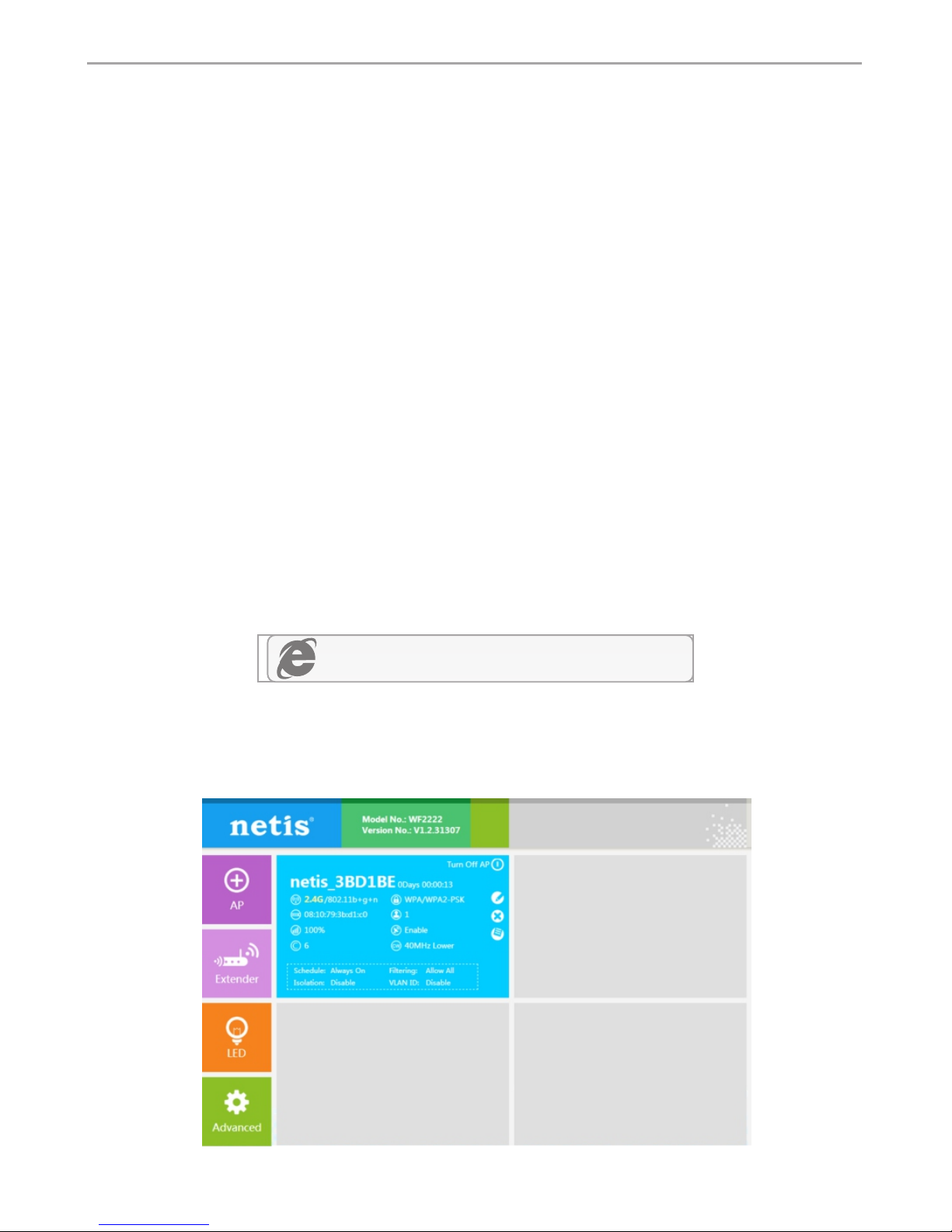
Step 4: In this Quick Setup page, you will see the blue section for the default wireless
network “netis_XXXXXX”.
http://netisap.cc
netis Wireless N Ceiling-Mounted Access Point Quick Installation Guide
6