
MuxLab 500556 Manuel utilisateur
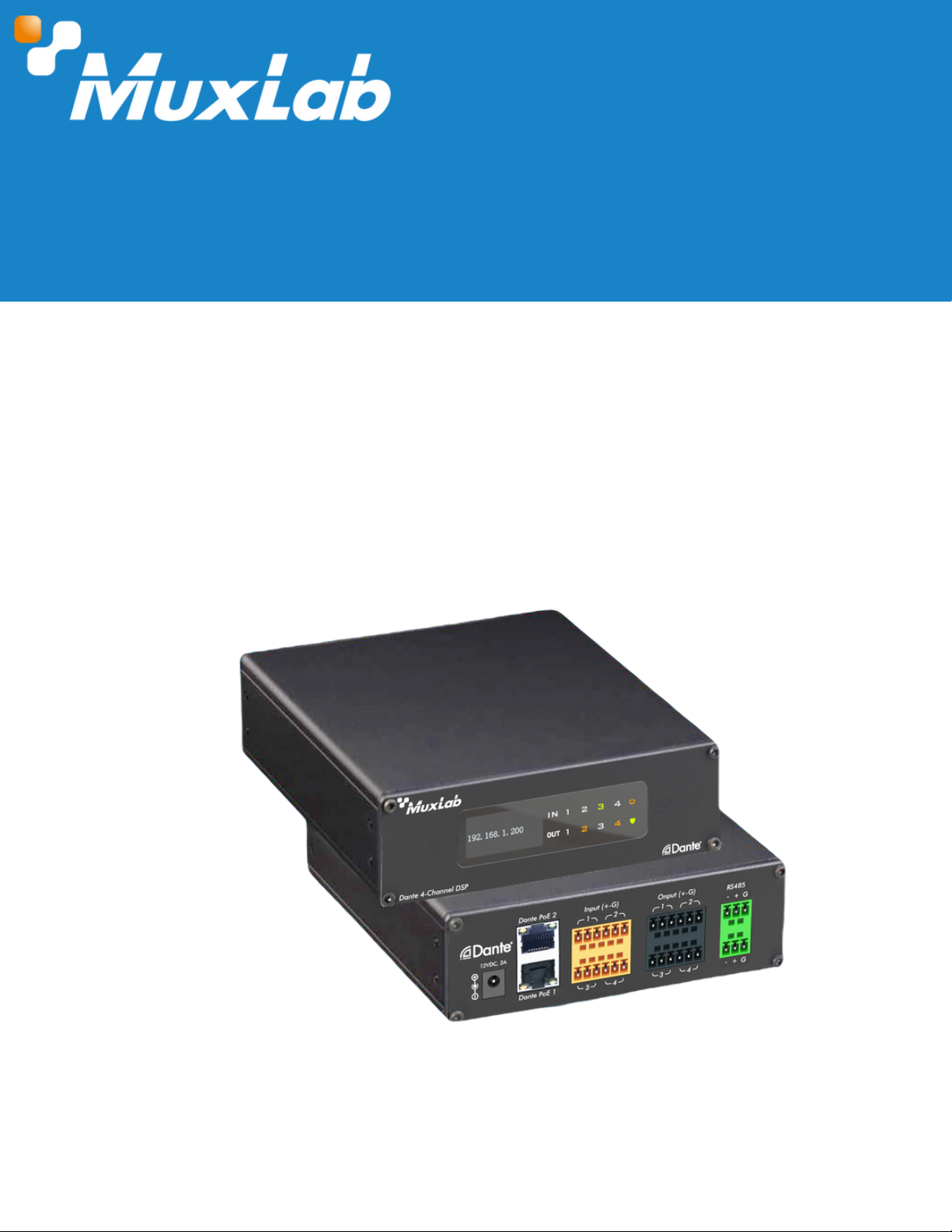
Dante 4-Channel Audio DSP
User Manual
500556
© MuxLab Inc. 2023 1 94-001009-A/SE-001009-A

Dante 4-Channel Audio DSP
Table of Contents
1. Safety Precautions....................................................................................................................................................3
2. Introduction................................................................................................................................................................4
3. Features.......................................................................................................................................................................4
4. Package Contents...................................................................................................................................................4
5. Specifications............................................................................................................................................................5
6. Hardware Interface................................................................................................................................................5
6.1 Front Panel...........................................................................................................................................................5
6.2 Rear Panel...........................................................................................................................................................6
7. Software Interface...................................................................................................................................................6
7.1 Software Download..........................................................................................................................................6
7.2 Connecting to the Unit...................................................................................................................................7
7.3 Settings.................................................................................................................................................................8
7.4 Pre-Pocessing.....................................................................................................................................................8
7.4.1 Input Settings............................................................................................................................................8
7.4.2 Parametric Equalizer...........................................................................................................................9
7.4.3 Compressor............................................................................................................................................10
7.4.4 AFC/AEC/ANS.......................................................................................................................................11
7.5 Matrix Mixing....................................................................................................................................................13
7.6 Post-Processing................................................................................................................................................13
7.6.1 Graphic Equalizer................................................................................................................................13
7.6.2 Limiter.......................................................................................................................................................14
7.7 Output Settings.................................................................................................................................................14
8. Application Diagram.............................................................................................................................................15
© MuxLab Inc. 2023 2 94-001009-A/SE-001009-A

Follow basic safety precautions to reduce the risk of fire, electrical shock, and injury.
Do not dismantle the housing or modify the module. It may result in electrical shock or
burns.
Do not open or remove the housing of the device as you may be exposed to dangerous
voltage or other hazards.
To prevent fire or shock hazard, do not expose the unit to rain, moisture and do not install
this product near water. Keep the product away from liquids.
Spillage into the housing may result in fire, electrical shock, or equipment damage. If an
object or liquid falls or spills on the housing, unplug the module immediately.
Do not use liquid or aerosol cleaners to clean this unit. Always unplug the power to the
device before cleaning.
Using supplies or parts not meeting the product specifications may cause damage,
deterioration or malfunction.
Refer all servicing to qualified service personnel.
Install the device in a place with adequate ventilation to avoid damage caused by
overheat.
Unplug the power when left unused for a long period of time.
Information on disposal of devices: do not burn or mix with general household waste,
please treat them as normal electrical waste.
All contents in this manual are copyrighted, and cannot be cloned, copied, or translated
without the express permission of MuxLab Inc. Product specifications and information in this
document are for reference only, and the content may be updated from time to time without
prior notice.
1. Safety Precautions
To ensure the best performance from the product, please read all instructions carefully before
using the device. Save this manual for future reference.
Copyright Notice
© MuxLab Inc. 2023 3 94-001009-A/SE-001009-A
Dante 4-Channel Audio DSP

Built-in Dante module
Supports PoE power from PoE network switches or via a 12V DC power supply
Features 4 balanced inputs and 4 balanced outputs
The input supports 48VDC phantom power supply
DSP processing functions include gain adjustment, stage parameter equalization,
compressor, mixer, graphic equalization, limiter, setting, etc
Provides software for the Windows platform to manage all audio operations
API provided for RS485 and TCP/IP control
3. Features
The Dante 4-Channel Audio DSP (Model 500556) is a product developed for the transmission,
routing, and processing of audio signals in Dante networks. It can perform high-quality, low-
delay audio transmission, supports 4-way input and output balanced analog channels, and can
be powered via PoE from any PoE network switch or via a 12V DC power supply. This processor
supports 4-way analog audio signal balance input and output, 4-way Dante digital audio
signal input of 2 Dante devices, and the 4-way Dante digital audio signal output. The device
has one of the best DSP algorithms in the industry that includes options such as AEC, AFC, ANC,
Compressor, Limiter, Mixer and Graphic Equalization among others; In addition, the product
provides PC version control software to monitor and operate all the functions on the DSP in an
easy and intuitive way.
2. Introduction
© MuxLab Inc. 2023 4 94-001009-A/SE-001009-A
One (1) Dante 4-Channel Audio DSP
Two (2) Cabinet mounting bracket
Four (4) 6 pin connection plug
Two (2) 3 pin connection plug
One (1) Screwdriver
One (1) User manual (available via download)
4. Package Contents
Notes
:
Confirm that the product and accessories are all included. If not, please contact the
supplier from which you purchased the unit.
Dante 4-Channel Audio DSP
Dante Interface
Simulated maximum gain
Digitalizing bit
Sampling Rate
Phantom power (per input)
Noise floor (A- weight)
System delay
Channel isolation @1kHz
Working Power Supply
Working Temperature
© MuxLab Inc. 2023 5 94-001009-A/SE-001009-A
5. Specifications
6. Hardware Interface
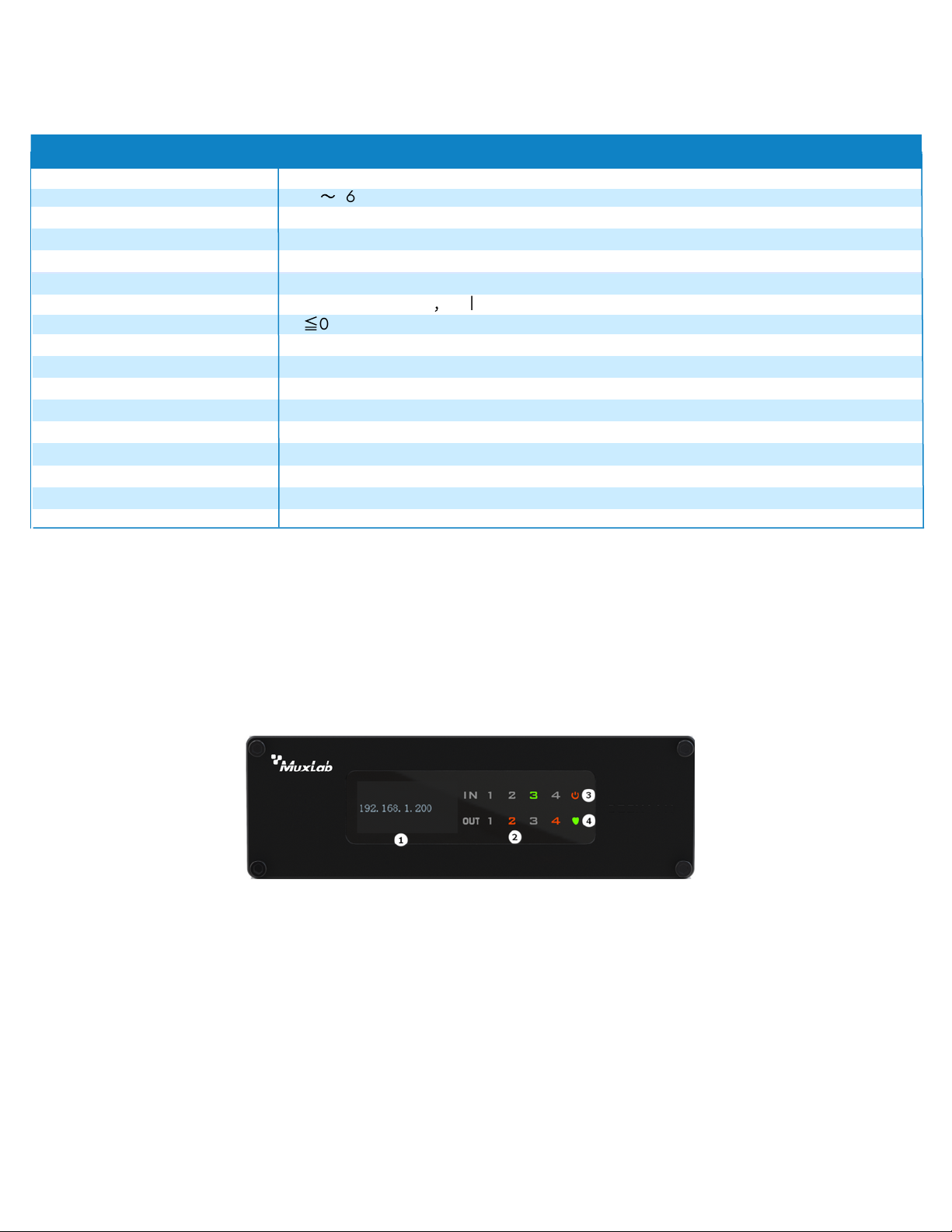
4. System indicator light: When the device is running normally, the indicator light is flashing
1. LED display: Indicates the current IP address information of the device.
2. Channel indicator: Indicates In/Out when the channel has a signal flowing through.
3. Power indicator light: Indicates device is powered on.
Dante 4-Channel Audio DSP
Frequency Response
Input impedance
Total harmonic distortion
4
24bit
48kHz 24bit
20~20KHz (±0.25dB)
-88dBu
Specification
48V
100Ω
1ms
≦
0.005% @4dBu
100dB
DC 12V & PoE
0-50℃
-6
〜
36dB
Maximum level (input/output) +10dBu /+14dBu
,
balance
Warranty
Order Information
2 years
500556 Dante 4-Channel Audio DSP (UPC: 627699005569)
Dimensions 142 X 157 X 46mm
6.1 Front Panel
© MuxLab Inc. 2023 6 94-001009-A/SE-001009-A
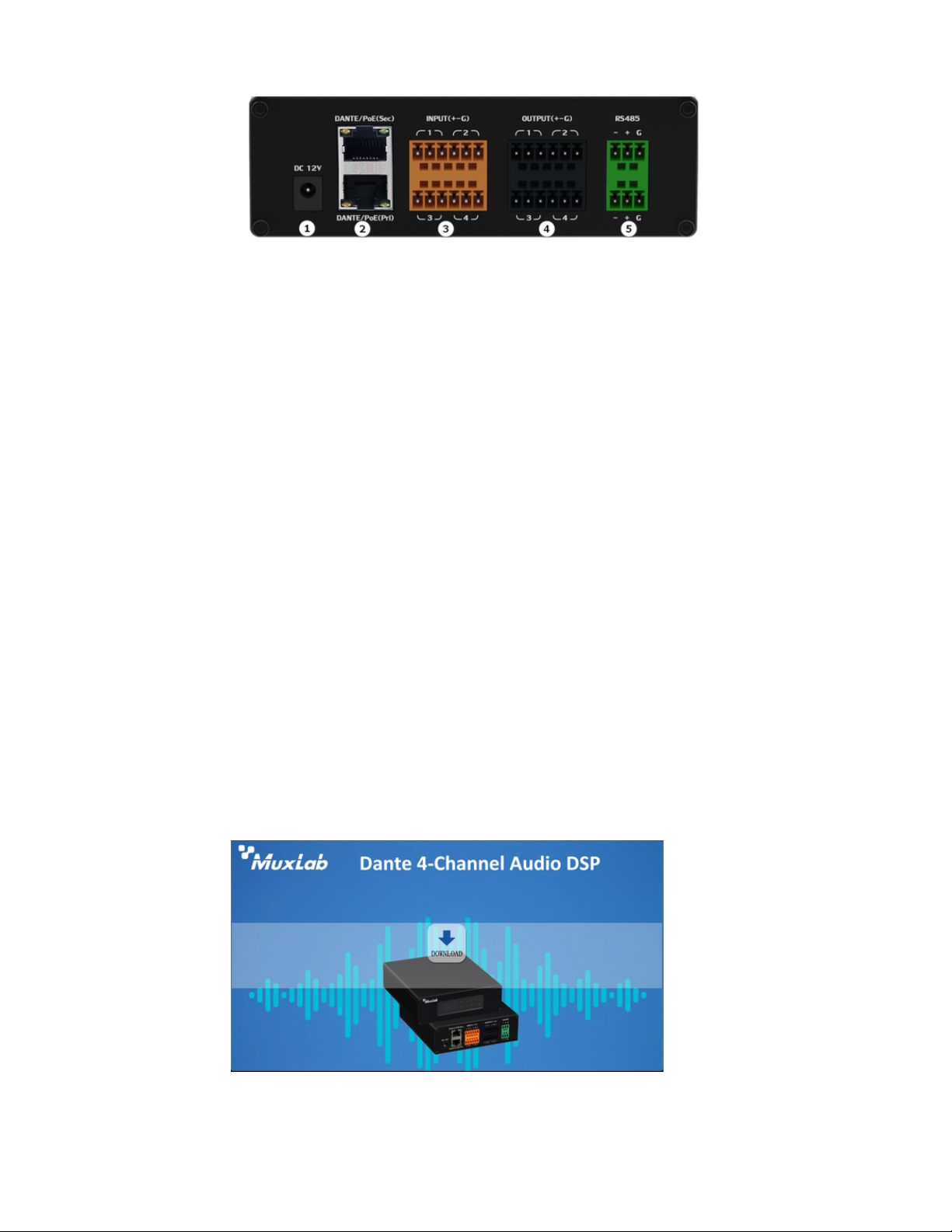
6.2 Rear Panel
7.1 Software Download
Dante 4-Channel Audio DSP
5. RS485 interface: used for control.
1. 12VDC Power interface (optional, when PoE not present)
2. Dante PoE network interface: Two network port interfaces, for Dante digital signal
transmission or can connect to Dante Controller control software.
3. Input signal interface: 4 x Input Analog Audio signals
4. Output signal interface: 4 x Output Analog Audio signals
7 Software Interface
The source file of the installation software is embedded in the device. To download the
software, you only need to enter the factory default IP address (default IP: 192.168.1.200
Subnet Mask: 255.255.255.0) in the browser url address bar, and press Enter to navigate to
the download interface. According to the content information of the web interface. Just click
to download the software, and please note that before installing the PC software, please
ensure that the PC client has installed Microsoft .Net Framework3.5 or above.
Note: Make sure the IP address of the client PC and the device are on the same network
segment; otherwise it will not be accessible.
Install the "Dante 4-Channel DSP" software you just downloaded so you can control all the DSP
options.
© MuxLab Inc. 2023 7 94-001009-A/SE-001009-A
7.2 Connecting to the unit
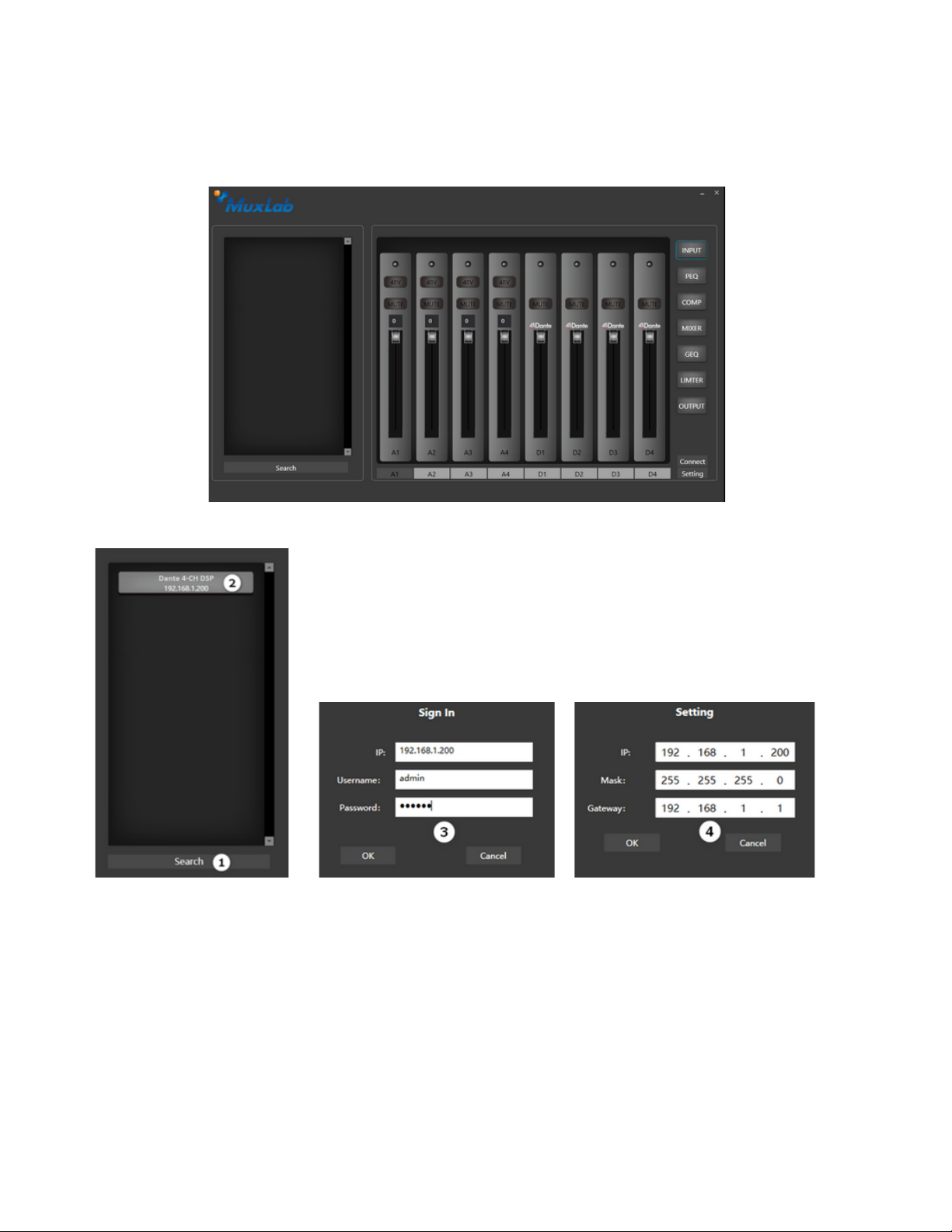
4. If you need to modify the device IP address information, right-click Device name, and the
Setting window will pop up, and you can change it according to the requirements of the use
environment.
Steps:
1. From the main interface, click search (1) to discover DSP units on the network.
2. Double-click the device name in the device list, the Sign In login window will pop up.
3. Enter the user name and password: (default user name: admin, password: 123456) click the
[OK] button to enter.
Dante 4-Channel Audio DSP
Main Interface
© MuxLab Inc. 2023 8 94-001009-A/SE-001009-A
7.3 Settings
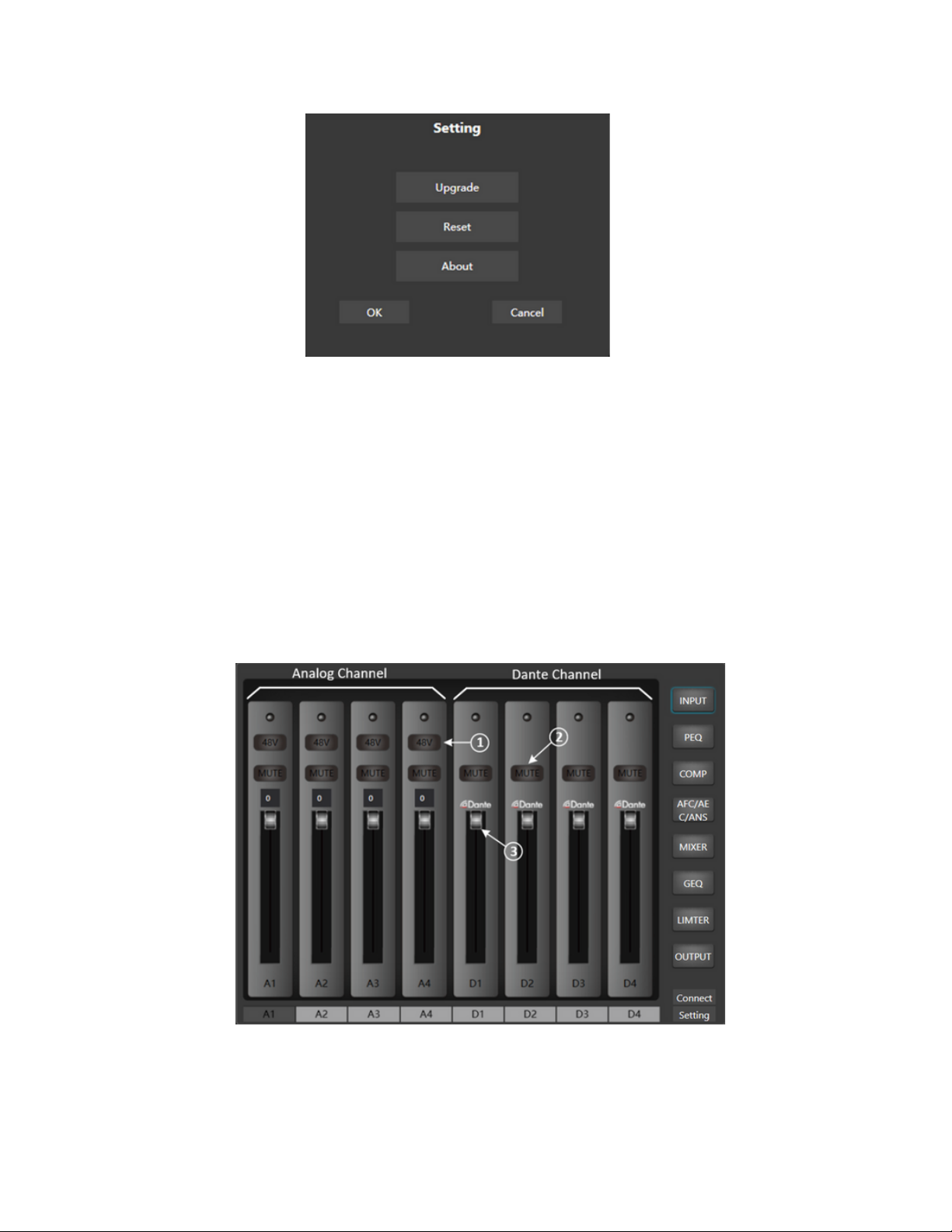
About: to view device serial number information
From the main interface, click Setting:
Upgrade: for the device firmware upgrade if necessary.
Reset: to restore the factory default parameter state.
Dante 4-Channel Audio DSP
7.4 Pre-Processing
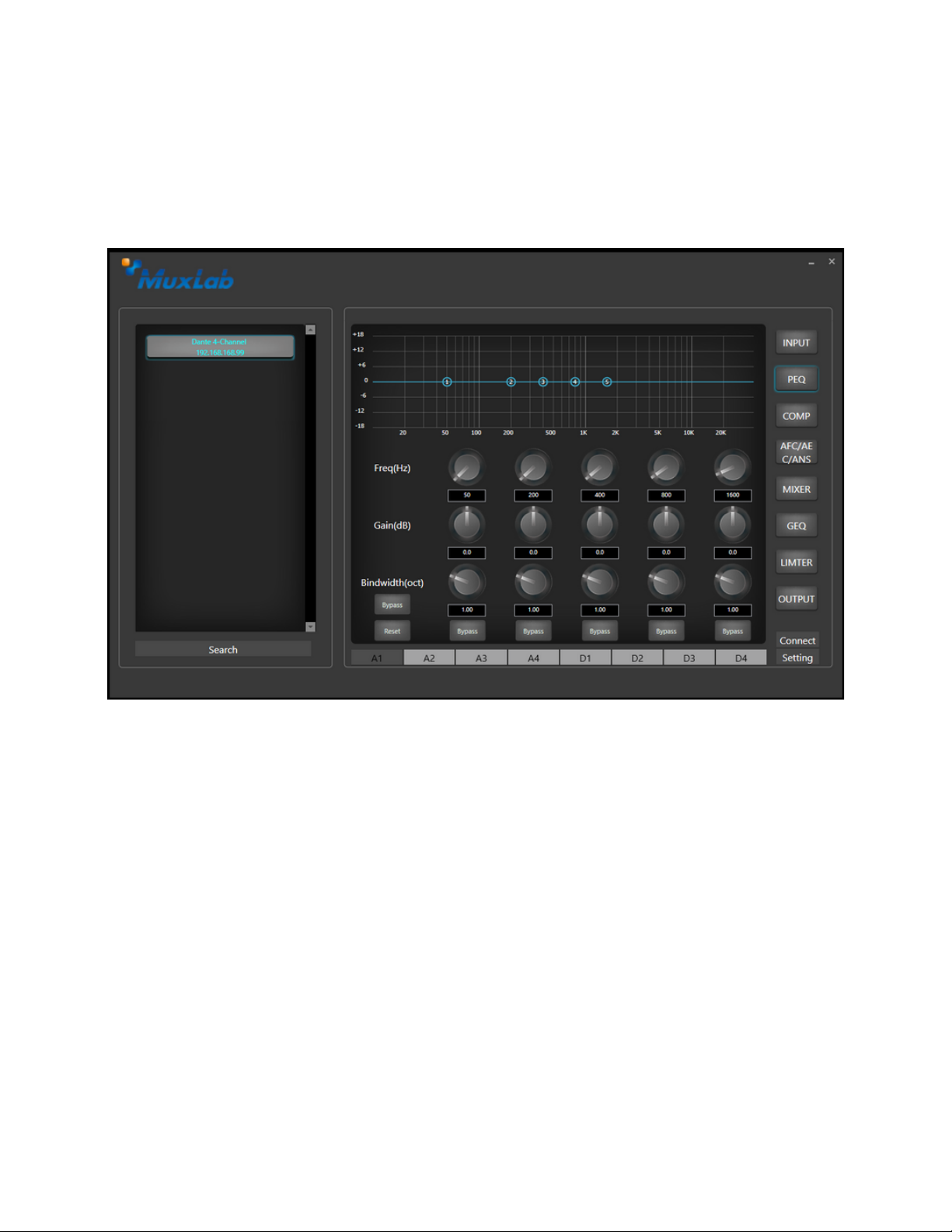
7.4.1 Input Settings
3. Channel fader: the channel gain value range (0~-72dBFS), can be controlled by the fader.
1. 48V: Turn on or off the 48V phantom power supply of the analog channel,
2. Mute: mute button.
© MuxLab Inc. 2023 9 94-001009-A/SE-001009-A
7.4.2 Parametric Equalizer
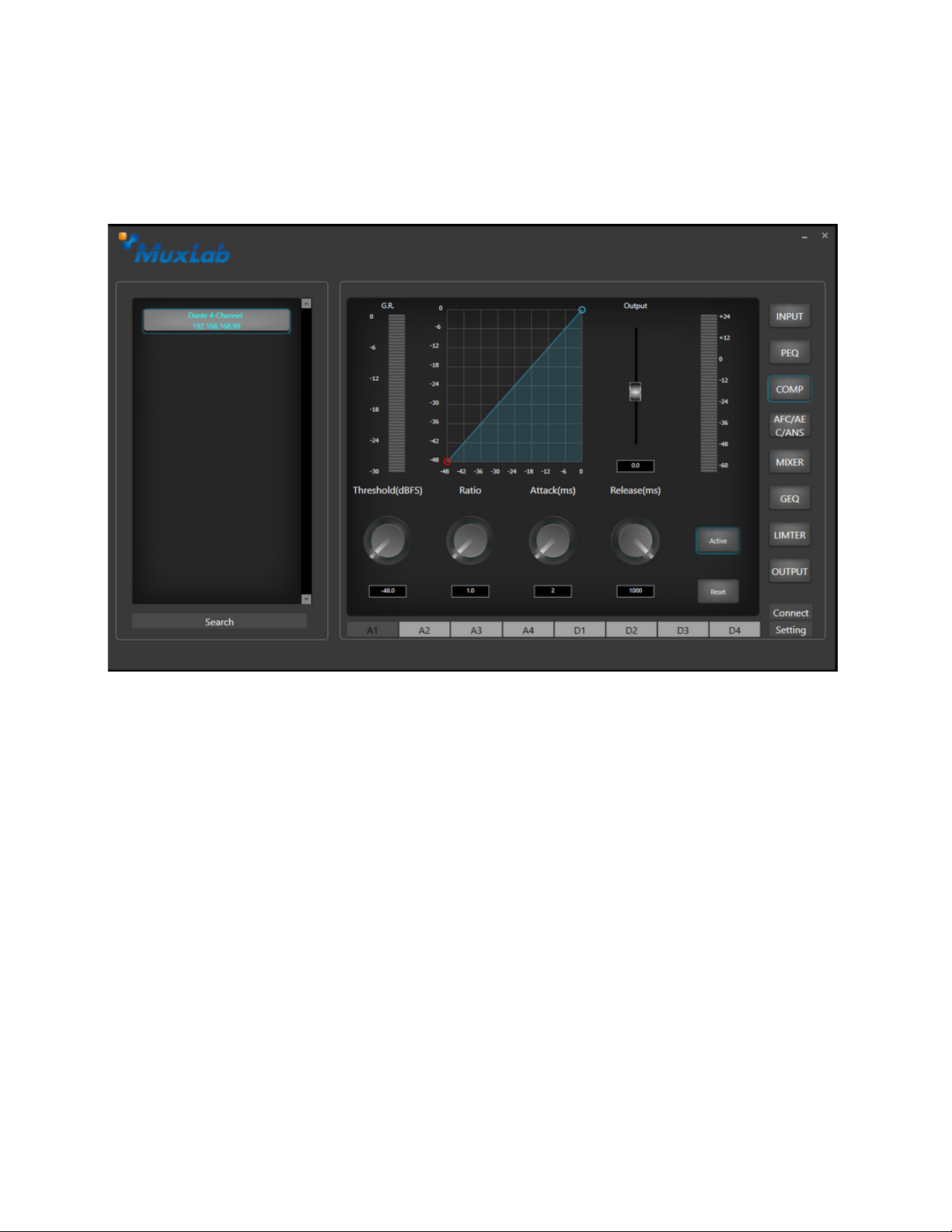
Bandwidth: That is, the range of influence of the segment around the center frequency, the
larger the value, the greater the bandwidth and the greater the range of influence.
Equalizer type: 5-terminal parametric equalizer
Passthrough/Enable: enable/disable the equalizer;
Band Pass/Enable: Enable/disable the equalizer for the current band
Reset: restore the current parameters to the default state
Center frequency: the center frequency that needs to be equalized
Gain: the gain/attenuation value of the frequency center point
Dante 4-Channel Audio DSP
Parametric equalizers are digital filters used in audio for adjusting the frequency content of a
sound signal. Parametric equalizers provide capabilities beyond those of graphic equalizers
by allowing the adjustment of gain, center frequency, and bandwidth of each filter.
© MuxLab Inc. 2023 10 94-001009-A/SE-001009-A
Dante 4-Channel Audio DSP
Enable: Compressor enable indicator or control
Threshold: Threshold of the compressor.
Ratio: The input and output compression ratio of the compressor.
Attack Time: The start time of the compressor.
Recovery Time: The recovery time of the compressor.
Reset: reset to default parameters
Compressors are used to reduce the dynamic range of signals above a user-determined
threshold, the signal levels below the threshold remain unchanged.
7.4.3 Compressor
Table des matières
Autres manuels MuxLab Équipement d'enregistrement


Manuels Équipement d'enregistrement populaires d'autres marques


Strymon
Strymon NIGHTSKY Manuel utilisateur

Mitsubishi Electric
Mitsubishi Electric 16CH DIGITAL RECORDER DX-TL5000U Manuel utilisateur

Tews Technologies
Tews Technologies TPMC465 Manuel utilisateur

Honeywell
Honeywell Excel 50 Manuel utilisateur

SeaLevel
SeaLevel COMM+8.LPCI Manuel utilisateur

Arturia
Arturia AUDIOFUSE STUDIO Manuel utilisateur


