MSV MSAT G2 Manuel utilisateur

!
!
!
!
!
!
!
!
MSAT G2
GO-KIT MANUAL
!
!
!
!
!
!
Adapted!from!materials!developed!by!Mitch!Hergett,!Columbia!Telecommunications!Corporation,!
for!the!Washington,!DC!Council!of!Governments!

Contents'
“Go@kit”!Mobile!Unit!Setup ..........................................................................................................................1!
Push@to@Talk!(PTT) ........................................................................................................................................6!
Selecting!a!Talkgroup ...........................................................................................................................6!
Making!a!PTT!Call .................................................................................................................................7!
Priority!1!Interrupt .............................................................................................................................10!
Monitor!Codes....................................................................................................................................11!
Telephony!Service ......................................................................................................................................13!
Placing/Receiving!a!Call......................................................................................................................14!
Call!Services........................................................................................................................................15!
Unit!Maintenance!and!Storage ..................................................................................................................16!
Network!Overview .....................................................................................................................................17!
Coverage.............................................................................................................................................17!
SMART!Groups....................................................................................................................................19!
Troubleshooting/Frequently!Asked!Questions ..........................................................................................21!
Quick!Reference!1:!MSAT@G2!Go@kit ..........................................................................................................22!
Quick!Reference!2:!How!to!Read!the!Handset!Display...............................................................................24!
Quick!Reference!3:!How!to!Use!a!GETS!Card .............................................................................................28!
!
Kat Nida6/27/13 10:47 AM
Kat Nida6/27/13 10:47 AM
Kat Nida6/27/13 10:47 AM
Kat Nida6/27/13 10:47 AM
Kat Nida6/27/13 10:47 AM
Deleted: 18
Deleted: 20
Deleted: 21
Deleted: 23
Deleted: 27
1!
!
'“Go*kit”'Mobile'Unit'Setup'
!
Park!your!vehicle!in!an!area!with!an!unobstructed!view!of!the!southwestern!sky.!(This!is!mandatory!for!
obtaining!a!connection!with!the!satellite.)!It!is!preferable!to!avoid!all!obstructions!within!three!(3)!
meters!of!the!antenna;!obstructions!less!than!six!(6)!inches!in!diameter!can!be!ignored!beyond!this!
distance.!It!is!recommended!that!the!antenna!be!placed!as!far!away!as!possible!from!any!other!antennas!
or!devices!emitting!radio!frequency!(R/F)!signals.!!!
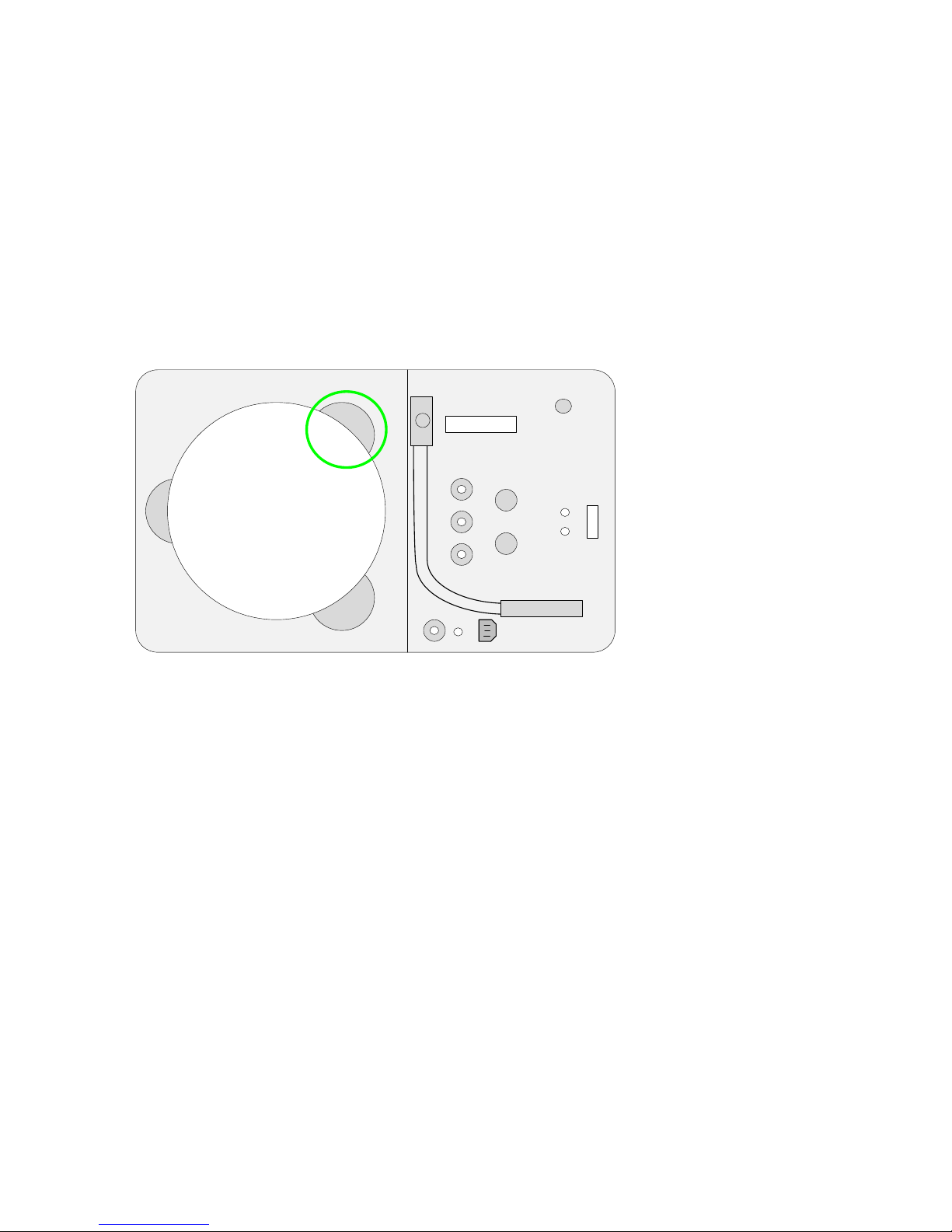
Open!the!go@kit.!Remove!the!antenna!by!grabbing!it!near!one!of!the!three!magnets!and!pulling;!when!
one!of!the!magnets!is!loose,!the!others!are!easier!to!remove.!(Note:!The!magnets!are!powerful!and!will!
provide!resistance.)!
!
!

2!
!
Place!the!antenna!on!the!roof!of!the!vehicle,!oriented!so!that!the!antenna’s!cable!outlet!is!facing!you.!It!
is!important!to!make!sure!the!antenna!is!placed!on!a!level,!firm!metal!surface.!!The!magnets!are!very!
powerful;!be!careful!not!to!get!your!fingers!pinched!between!the!antenna!and!the!mounting!surface!as!
the!magnets!attach!to!the!surface.!
!
!
!
Remove!the!12!V!“cigarette!lighter”!adapter!cable.!Insert!the!appropriate!end!of!the!cable!into!the!go@
kit,!making!sure!to!plug!the!cable!into!the!outlet!labeled!Input!12VDC;!connect!the!opposite!end!into!the!
vehicle’s!12V!receptacle.!An!orange!light!will!illuminate!on!the!go@kit!to!alert!you!that!the!go@kit!is!
receiving!power!(NOTE:!!Depending!on!your!vehicle!,!your!vehicle!may!need!to!be!turned!on!to!provide!
power!to!the!12V!receptacle).!!
!

3!
!
Connect!the!handset!to!the!go@kit!at!the!outlet!labeled!Handset.!If!extending!the!handset!with!a!CAT!5!
cable!and!connector,!plug!one!end!into!the!handset!and!the!other!end!into!the!go@kit’s!Handset!port.!
!
!
!
Connect!the!antenna!to!the!go@kit!with!the!coaxial!cable;!screw!one!end!onto!the!antenna!and!the!other!
end!into!the!go@kit!outlet!labeled!Antenna.!
!

4!
!
To!power!on!the!go@kit,!flip!the!power!switch;!the!switch!will!illuminate!with!a!green!light!to!alert!you!
that!the!power!is!on.!
!
!
If!the!handset!does!not!power!on!when!the!desktop!unit!is!switched!on,!press!the!handset’s!power!
button,!located!on!the!upper!left!corner!of!the!handset;!release!the!power!button!when!the!“MSAT”!
logo!appears!on!the!display.!!The!handset!display!will!illuminate!to!indicate!that!it!is!active.!
!

5!
!
Once!the!handset!is!activated!and!locked!onto!the!satellite,!an!LCD!display!similar!to!the!image!below!
should!appear.!!“B1”!indicates!that!the!MSAT@G2!is!locked!onto!Network!Innovations’!beam!#!1!over!the!
East!Coast!(see!“Network!Coverage”!section,!below,!for!more!details).!!“S99”!indicates!the!MSAT@G2!has!
a!signal!strength!of!99!out!of!a!possible!99!with!the!Network!Innovations!satellite.!
!
!
You!should!now!be!ready!to!make!a!call.!!
!
!
Kat Nida6/27/13 10:46 AM
Kat Nida6/27/13 10:46 AM
Deleted: LightSquared’s
Deleted: LightSquared

6!
!
'
Push*to*Talk'(PTT)'
Selecting'a'Talkgroup'
“Dispatch!Radio,”!or!“Push@to@Talk”!(PTT)!mode!is!the!default!mode!for!the!handset.!(The!“DR”!in!the!
upper!right!corner!of!the!handset!display!indicates!this!mode.)!To!use!PTT!mode,!pick!up!the!handset!
and!select!a!“talkgroup.”!(Note:!If!the!handset!is!currently!set!to!the!talkgroup!you!want,!skip!this!step.)!
A!normal!talkgroup!can!be!selected!as!follows:!
•Press!the!GROUP!soft!key!(i.e.,!the!right!side!“Minus”!sign!key)!on!the!handset!and!scroll!
through!the!talkgroups!with!the!up/down!arrow!keys!until!the!desired!talkgroup!is!illuminated.!
•Press!the!GROUP!soft!key!again!to!select!the!desired!talkgroup.!
A!private!talkgroup!for!one@to@one!push@to@talk!operation!can!be!selected!as!follows:!
•Press!the!GROUP!soft!key!(i.e.,!the!right!side!“Minus”!sign!key)!on!the!handset!and!scroll!to!the!
Private!Mode!talkgroup!("#$!%%)!using!the!up/down!arrow!keys.!
•Press!the!GROUP!soft!key!again!!to!SELECT!talkgroup!00,!and!a!“?”!will!appear!on!the!display!
screen.!Enter!the!four@digit!Directory!Number!(&')!of!the!radio!you!want!to!call.!
Note:!To!quickly!change!the!DN!while!the!radio!is!idle,!press!the!#!key!to!clear!a!previously!used!DN.!
You!will!be!prompted!to!enter!a!new!DN.!
!

7!
!
!
!
Making'a'PTT'Call'
Once!you!have!selected!a!talkgroup,!you!can!make!a!PTT!call!by!pressing!and$holding!the!large!PTT!
button!on!the!left!side!of!the!handset.!“()**+',”!will!appear!on!the!handset.When!the!talkgroup!you!
are!calling!is!connected,!you!will!hear!a!double!tone,!and!the!screen!will!change!from!“()**+',”!to!
“-./0!1'.”!!!
!
!
!
8!
!
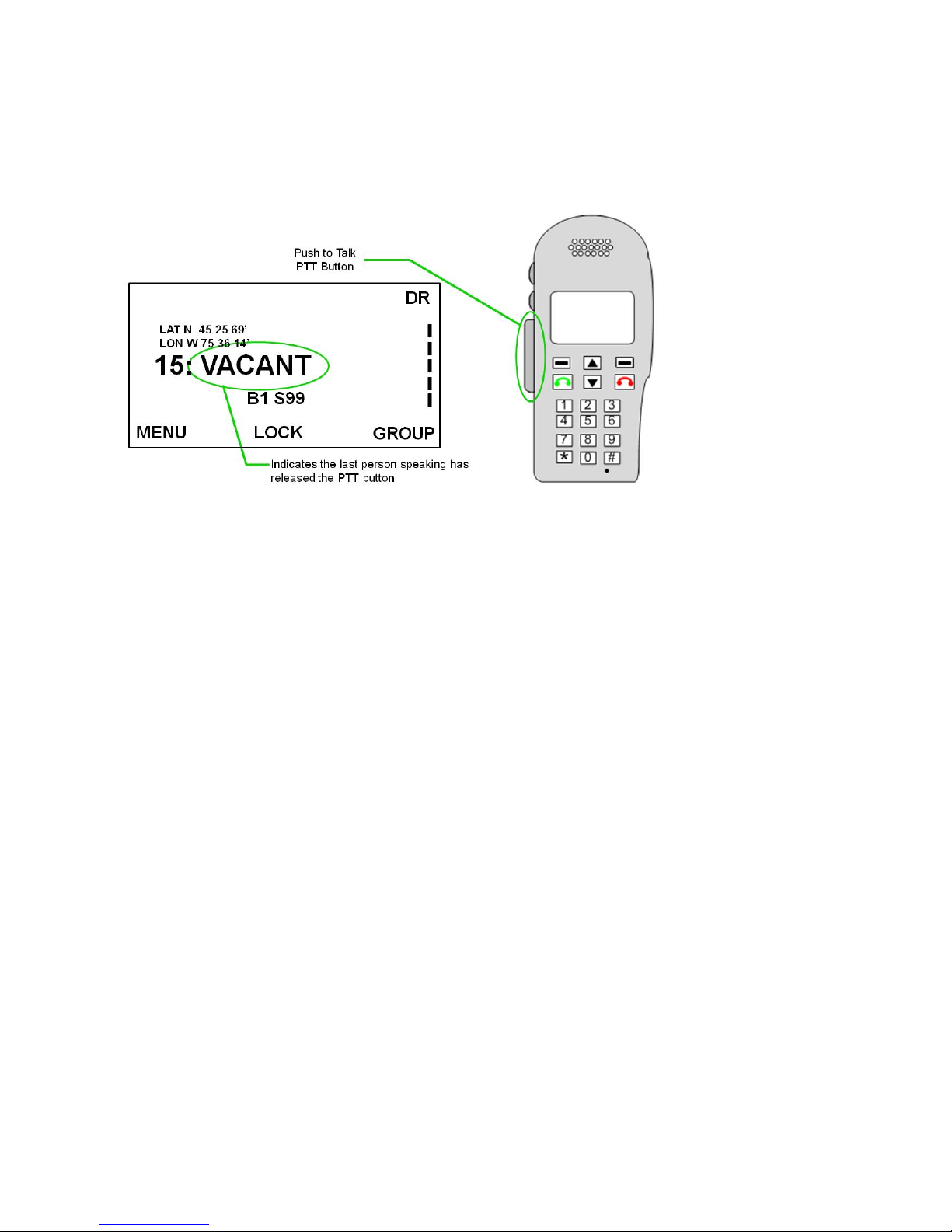
You!must!continue!to!press!the!PTT!button!to!transmit!your!voice.!Once!you!are!finished!speaking,!
release!the!PTT!button!to!allow!others!to!speak.!The!handset!will!then!display!“2)()'3.”!When!there!is!
no!current!user!holding!the!PTT!button,!“2)()'3”!will!be!displayed!on!your!handset!as!well!as!all!other!
handsets!participating!in!the!PTT.!If!the!talkgroup!remains!vacant!for!more!than!10!seconds,!the!
talkgroup!will!be!dropped!from!the!network.!!
!
!
Autres manuels pour MSAT G2
2
Table des matières