
MSTRONIC PSE-904R Manuel utilisateur
USER’S MANUAL
MSTRONIC CO., LTD.
MSE
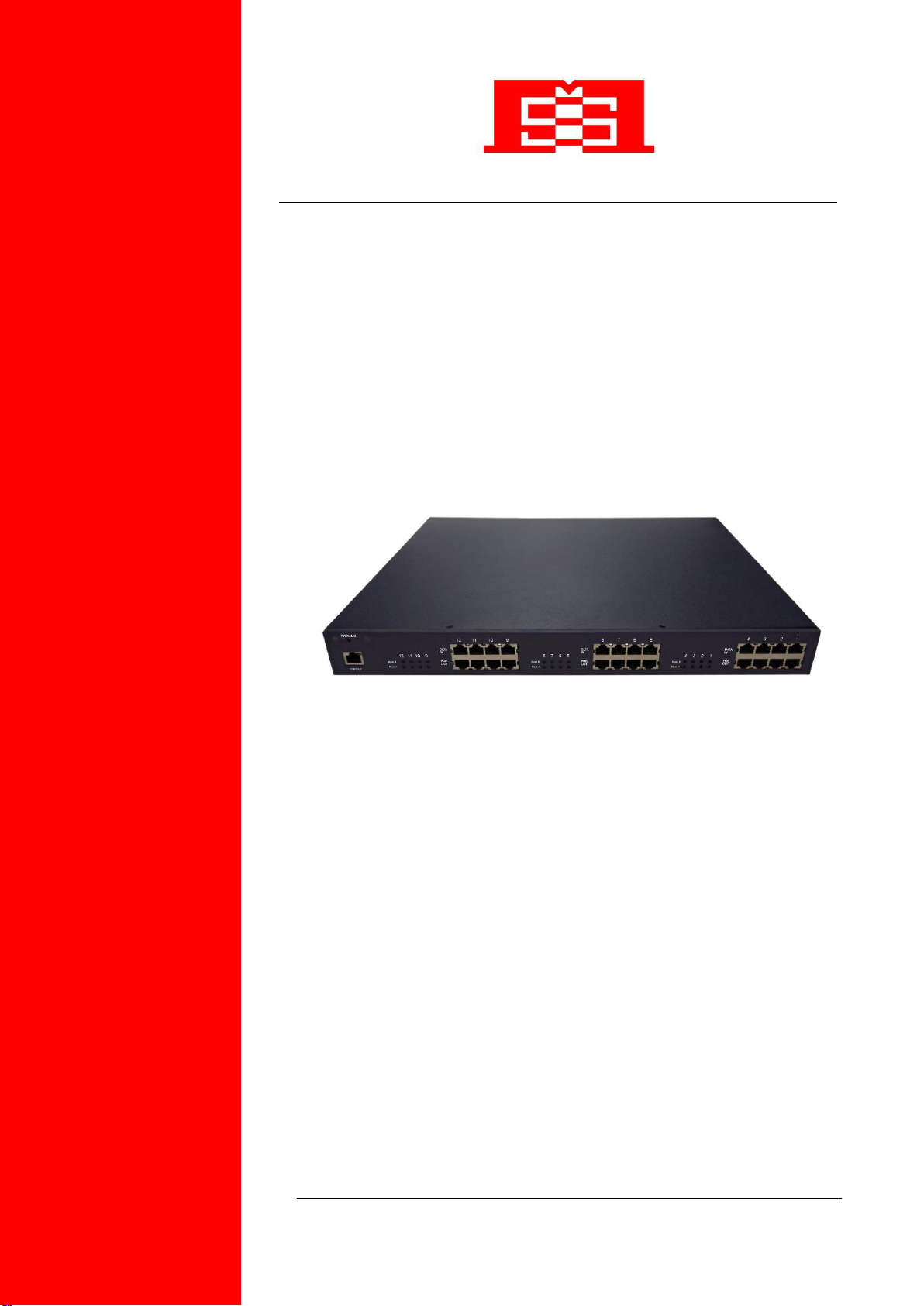
PSE-904R/908R/912R
Power Source Equipment
(Power over Ethernet Hub)

User’s Manual MSE PSE-904R/908R/912R
MSTRONIC CO., LTD.
2
Contents
1. Introduction...........................................................................
Features................................................................................................
Package Contents.................................................................................
2. Hardware Description...........................................................
Physical Dimension...............................................................................
Front Panel............................................................................................
LED Indicators.......................................................................................
Rear Panel............................................................................................
Power On..............................................................................................
Network Application...............................................................................
RJ-45 Remote Control Port...................................................................
3. Software Utility Installation..................................................
4. GUI Management...................................................................
Display and Illustration..........................................................................
System Login........................................................................................
Modify Password…...............................................................................
Edit Station TCP/IP...............................................................................
Edit Remote PoE IP.............................................................................
GUI Connect All....................................................................................
Single Station Connect/Disconnect……………………………………..
Station and Status Window Select …...................................................
Edit Port Name…………………………………………………………….
Configuration.........................................................................................
Factory Setting…………........................................................................
Board Status…………………………………………………………………
Port Status…………………………………………………………………...
GUI Version………………………………………………………………….
GUI Disconnect All…………..…………………………………………......
File Open and Save…………………………………………………………
5. Technical Specification........................................................
3
3
4
4
4
4
5
5
6
6
7
14
15
15
16
17
18
20
21
23
24
25
26
27
29
30
31
32
33
34

User’s Manual MSE PSE-904R/908R/912R
MSTRONIC CO., LTD.
3
1. Introduction
Mstronic’s family of Power over Ethernet PSE (Power Sourcing Equipment), injects
power over data-carrying Ethernet cabling. The MSE PSE-904R/908R/912R, support 4,
8 and 12 ports respectively in a 10/100/1000BaseTx Ethernet network, over
TIA/EIA-568 Category 5/5e/6 cabling. DC operating power, for data terminal units, is
fed over data pairs of the cabling (1/2,3/6,4/5 and 7/8). This allows greater flexibility in
the locating of network devices and significantly decreasing installation costs in many
cases.
The MSE PSE-904R/908R/912R follows the IEEE 802.3af/802.3at/802.3bt and is
completely compatible with existing Ethernet switches and networked devices.
Normally powers PDs (Powered Devices) that are Power over Ethernet enabled or are
equipped to receive power over Ethernet. The PSE tests whether a networked device
is PoE-capable, power is never transmitted unless a Powered Device is at other end of
the cable. It also continues to monitor the channel. If the Powered Device does not
draw a minimum current, because it has been unplugged or physically turned off, the
PSE shuts down the power to that port. Devices that are not equipped to receive power
over Ethernet may require an external splitter in order to be powered. Contact Mstronic
for such a splitter.
Features
4/8/12 port Power Sourcing Equipment ( power over Ethernet Hub)
Support 4/8/12 ports load, max. 900W
AC input (100-240 VAC, 50/60 Hz)
IEEE802.3af/802.3at/802.3bt compliance, Power over Ethernet Mid-Span mode
Remote power feeding of Ethernet terminals up to 100 meters
Auto detect PD, and support manual detect PD
Centralized power distribution for PoE powered Device (PD)
Independent overload and short-circuit protection per channel
Supports IEEE 802.3af/802.3at/802.3bt non-standard device
Auto refresh port status and support Plug and Play feature for PD
Standard 19” or 23”rack mountable
DIY upgrade from 4 port to 12 port available
Remote manage up to 24 units via TCP/IP protocol
DC input available, can work with battery, non-interrupt performance.
User’s Manual MSE PSE-904R/908R/912R
MSTRONIC CO., LTD.
4
Package Contents
Unpack the contents of the MSE PSE-904R/908R/912R and verify them against
the checklist below.
MSE PSE-904R/908R/912R x 1
Power Cord x 1
Bracket x 2 ( for 19”rack mounted)
CD-ROM x 1 (Software Utility + User Manual)
Compare the contents of your MSE PSE-904R/908R/912R package with the standard
checklist above. IF any item is missing or damaged, please contact your local dealer
for service.
2. Hardware Description
This Section mainly describes the hardware of the MSE PSE-904R/908R/912R and
gives a physical and functional overview.
Physical Dimension
MSE PSE-904R/908R/912R physical dimension is: 430mm x 407mm x 44mm (Lx W x
H),1U, 19” or 23” Rack mountable.
Front Panel
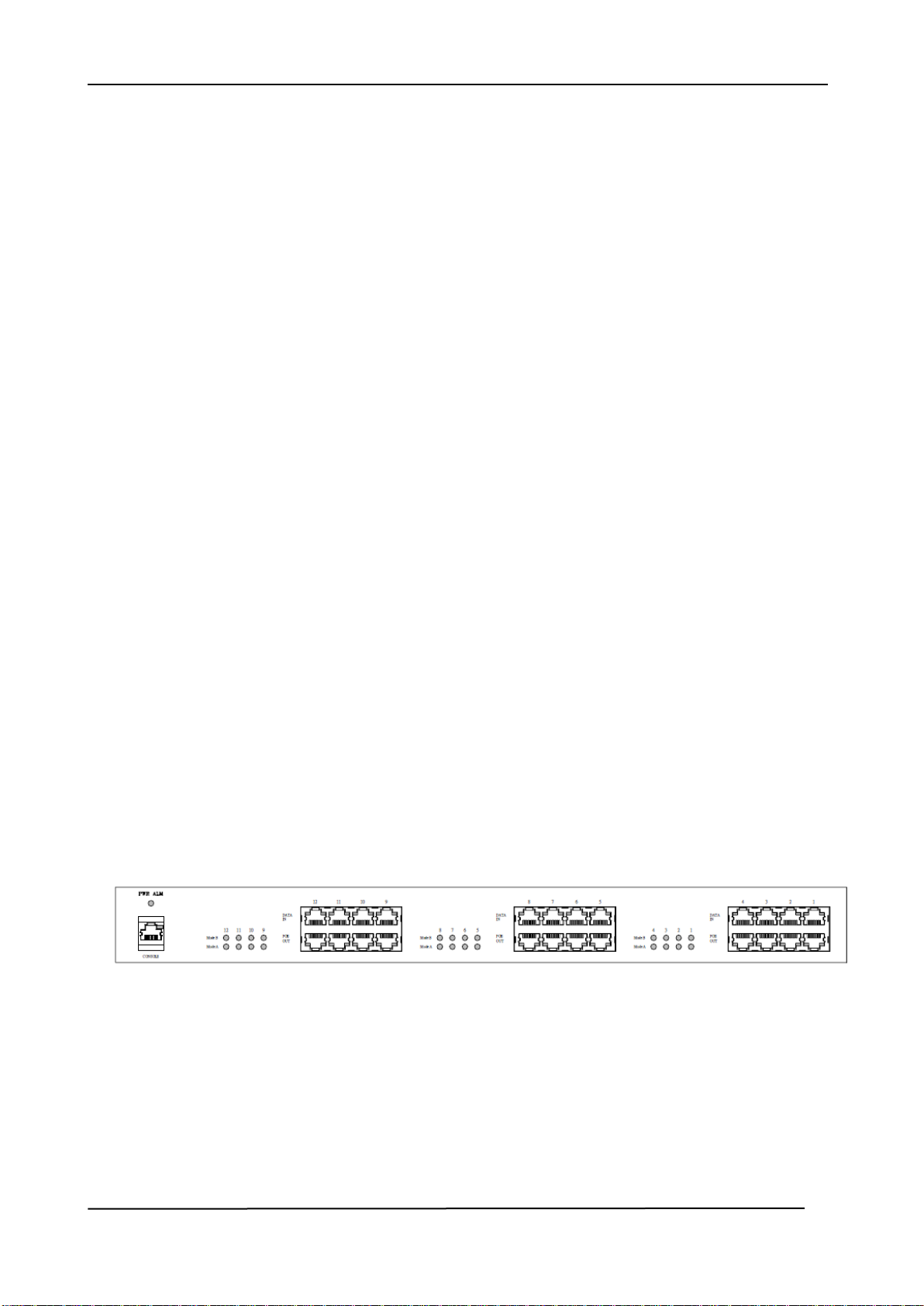
Figure 2-1. The Front panel of MSE PSE-904R/908R/912R
The Front Panel of the MSE PSE904R/908R/912R consists of 4/8/12 x RJ-45 Ethernet
ports (data), 4/8/12 x RJ-45 PoE ports (data + power), 8/16/24 x LED port indicators,
one LED power indicator and one RJ-45 remote control port(include one LED).

User’s Manual MSE PSE-904R/908R/912R
MSTRONIC CO., LTD.
5
LED Indicators
The LED Indicators gives real-time information of systematic operation status. The
following table provides descriptions of LED status and their meaning.
LED
Status
Color
Description
CONSOLE
On
Green
A network device is
detected(10/100/1000 Mbps)
but no communication activity is
detected
Blinking
Green
The Ethernet port is transmitting
to, or receiving package from
another device
Off
--
No device is detected
Power
On
Green
Power feeding normally
On
Red
Power or fan alarm
Off
--
Power off
Ports
Mode A
On
Green
Pair 1/2, 3/6 Power feeding
Blinking
Orange
Pair 1/2, 3/6 Detecting
On
Orange
Pair 1/2, 3/6 has been
shutdown
No power feeding
On
Red
Pair 1/2, 3/6 alarm
No power feeding
Off
--
Pair 1/2, 3/6 unknown device
attached
No power feeding
Ports
Mode B
On
Green
Pair 4/5, 7/8 Power feeding
Blinking
Orange
Pair 4/5, 7/8 Detecting
On
Orange
Pair 4/5, 7/8 has been
shutdown
No power feeding
On
Red
Pair 4/5, 7/8 alarm
No power feeding

User’s Manual MSE PSE-904R/908R/912R
MSTRONIC CO., LTD.
6
Off
--
Pair 4/5, 7/8 unknown device
attached
No power feeding
Table 2-1. The Description of LED Indicators
Rear Panel
The AC inlet, DC input terminal, and 4 Ventilation fan are located at the rear panel of
the MSE PSE-904R/908R/912R. The device will work with AC in the range 100-240V
AC, 50-60Hz. Or work with DC 48V. (42~57VDC)
Power On
Connect the power cord to the power socket on the rear panel of the PSE. The other
side of power cord connects to the power outlet. The internal power supply of the PSE
works with voltage range of AC in the 100-240VAC, frequency 50~60Hz, or with
voltage range of DC in the 42~57VDC. Check the power indicator on the front panel to
see if power is properly supplied.
Network Application
The PSE can provide power to the PD that follow the IEEE 802.3af/802.3at/802.3bt
standard in the network. It can solve the problem of position limitation. The network
device can be installed in more appropriate position for better performance. The
following figure is an example of network application for PSE

User’s Manual MSE PSE-904R/908R/912R
MSTRONIC CO., LTD.
7
RJ-45 Remote Control Port
PSE-904R/908R/912R can remotely manage the PoE via the network. To manage
PSE-904R/908R/912R, you must to set the PSE-904R/908R/912R TCP/IP parameter.
PSE-904R/908R/912R allowed you to use a standard Web-browser such as Microsoft
Internet Explorer or Mozila, to set the TCP/IP parameter.
Before you use the web interface to set the PoE TCP/IP, verify that
PSE-904R/908R/912R is properly installed on your network and PC on the network
can access PoE via the web-browser.
1. Verify that PC network interface card (NIC) is operational on the TCP/IP protocol.
2. Supply power to PSE-904R/908R/912R.
3. Use RJ45 cable, connect PSE-904R/908R/912R direct to your PC.
4. Make sure the PSE-904R/908R/912R default IP is 192.168.1.10.
5. Set your PC IP to 192.168.1.2 or other IP address which is located in the
192.168.1.x subnet.
6. Make sure the connector is OK (Ping 192.168.1.10 on the DOS mode).
7 Start the web-browser and type http://192.168.1.10 (or used PoE IP setting icon in
the PoE management software).

User’s Manual MSE PSE-904R/908R/912R
MSTRONIC CO., LTD.
8
8. The login in screen will appear next.
9. Key in ID (user name) and password to enter PoE TCP/IP parameter setting. Default
ID and password is admin and system.
10. PSE-904R/908R/912R TCP/IP parameter has 4 pages interface (administrator
setting, TCP Mode, UDP Mode and UART). You must change the administrator,
TCP/IP mode & UART to fit your network.

User’s Manual MSE PSE-904R/908R/912R
MSTRONIC CO., LTD.
9
11. Administrator setting: you can assign nickname, IP setting, user name, password
and view system information.
Nickname: You can assign a name to the device.
IP Address: You must assign the IP address reserved by your network. The default IP
is 192.168.1.10.
Subnet Mask: You can assign the subnet mask for the IP address. The default subnet
mask is 255.255.255.0.
Gateway: You can assign the gateway here. The default gateway is 192.168.1.1.
IP Configure: You must assign to Static for PoE serve operation. The default IP
configure is Static.
Username: You can assign new user name. The default setting is admin.
Password/Confirm: You can type in new password here. The default setting is system.
When you have finished the set up, click on Update to update your setting.

User’s Manual MSE PSE-904R/908R/912R
MSTRONIC CO., LTD.
10
12. TCP Mode: You can update the TCP control parameter here.
Telnet Server/Client: Set to Server for PoE management operation.
Port Number: You can assign port number for TCP/IP operation. The default Port
Number is 23.
Remote Server IP Address: Unused.
Clint mode inactive timeout: Unused.
Server mode protect timeout: Set to 0(Disable) for normal operation.
When you have finished the set up, click on Update to update your setting.
Ce manuel convient aux modèles suivants
2
Table des matières


