
Moxee X-Series Manuel utilisateur

X
SERIES
QUICK START GUIDE
2
Out of the box
Quality. Performance. Stylish design. Moxee X-Series
smartphones deliver an amazing and intuitive experience
designed to seamlessly connect and entertain. Featuring
an Android 4.4 experience, high-resolution screen, and
high-end camera that will transform how you work and
play every day.
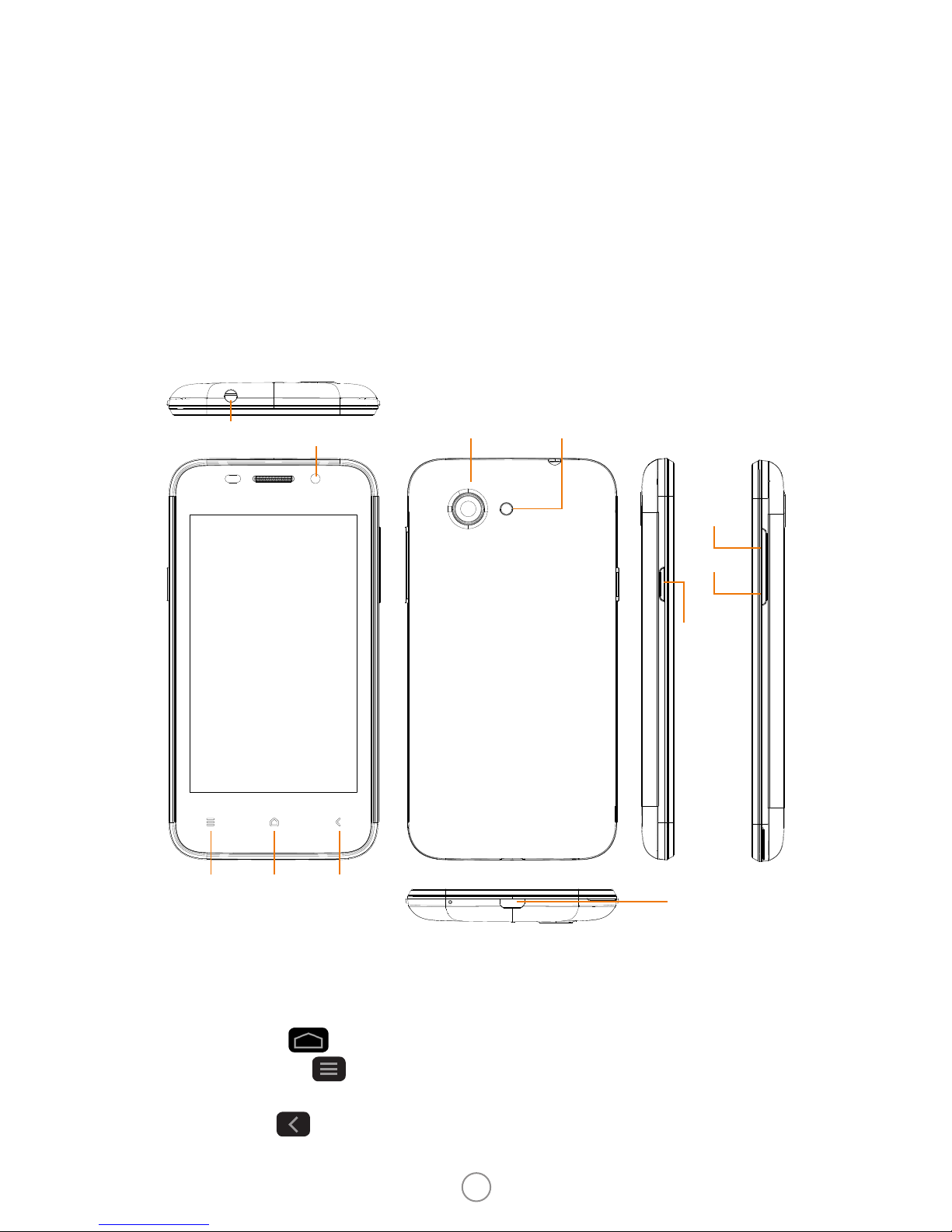
About your phone
Power: To power the phone on/o, press and hold the
POWER button. When the phone is ON, press the power
button once to activate or deactivate the screen.
Home: Tap to return to the home screen.
Settings: Tap to set wallpaper, manage widgets and
access system settings.
Back: Tap to go back.
Headset port Front camera
BackHome
Micro USB Port
Volume +
Volume -
Settings
Back camera Flash
Power
TouchPanel
Note: Icons may vary by model.
Note: Button location may vary by model. Please visit moxeetech.com for a
complete list of devices.
3
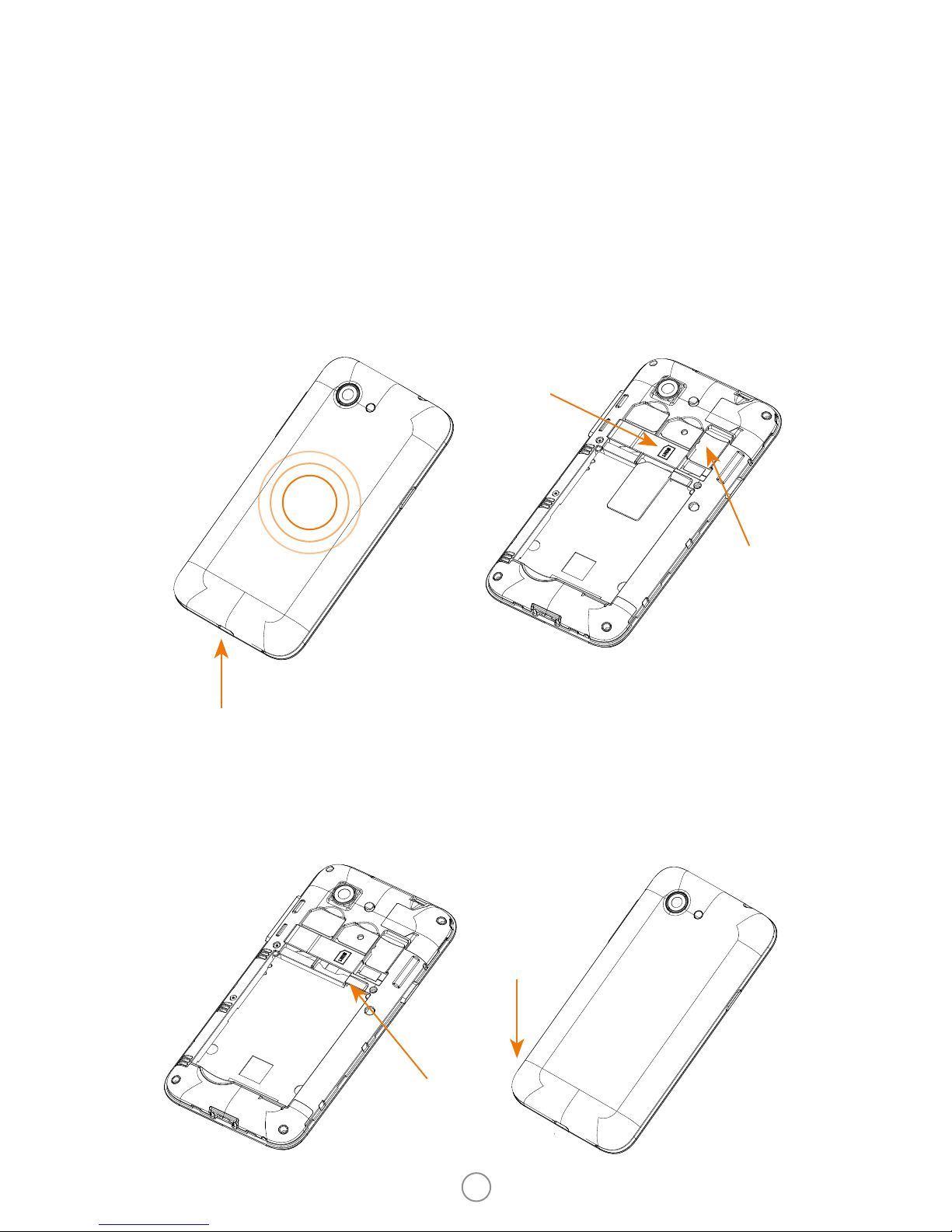
Insert SIM card and battery
Remove back cover
1. Put your nger in the
charging port.
2. Press your thumb in the
middle of the cover.
3. Pry o the cover.
Insert battery
Insert battery matching
gold contacts on phone to
gold contacts on battery.
Insert SIM and memory
cards
1. Put SIM card in SIM1
as per diagram on the
phone.
2. Optional: Put memory
card into tray.
Put battery cover back on
Battery cover snaps into
place.
SIM1
Memory
Contacts

4
Charging your phone
1. Connect the phone to the USB power cable.
2. Plug the power adapter into an electrical outlet to
begin charging the phone.
Using your phone
Main menu
Tap on the home
screen. This allows you to
view additional screens.
Swipe left for the next
screen.
5
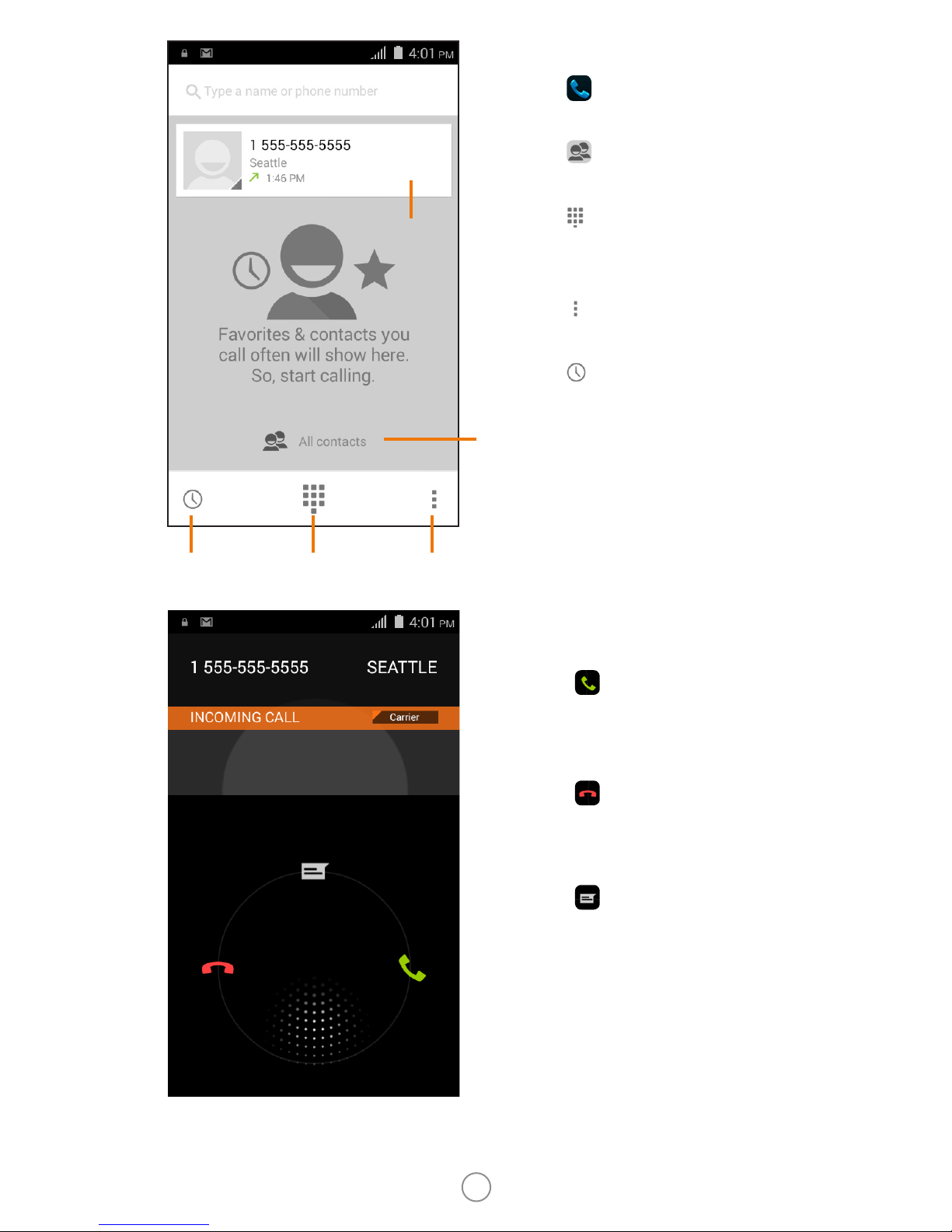
Make a call
1. Tap on the home
screen.
2. Tap to display all
contacts.
3. Tap to display the
keyboard, and dial the
phone number.
4. Tap to access the call
settings.
5. Tap to view call
history.
Answer and ignore calls
Touch and swipe right
toward to answer the
call.
Touch and swipe left
toward to ignore the
call.
Touch and swipe up
toward for a quick reply
by message.
Call
history
Settings
Display all contacts
Recent
calls
Dial pad

6
Calling
During the call, you have
the options below.
SMS/MMS
1. Tap on the home
screen.
2. Type name or number,
and then the message.
Tap to attach les.
3. Tap to send a
message.
Add a
new call
Add
attachment
Add contact
Send
End call
Hold
MuteDial pad
Speaker

7
Email
1. Tap on the home
screen.
2. Tap or to set up an
account.
3. Tap or to create a
new email.
4. Type name or email
address and compose
the message. Tap to
attach les.
5. Tap to send a
message.
Send
message
Attach
le

8
Camera
1. Tap on the home
screen.
2. Tap or for taking
a photo or recording a
video. Tap for options
while taking a photo or
recording a video.
Video player
You can watch videos once
you have stored them to
your phone.
Panorama
mode
Normal
mode
Settings
Record
video
Take
photo
Flash options
Pause/Play
Switch camera

9
Apps
You can download any of
the thousands of Apps on
the Play Store located on
the home screen.
Settings
Manage wireless
connections, audio
proles, security and much
more.
10
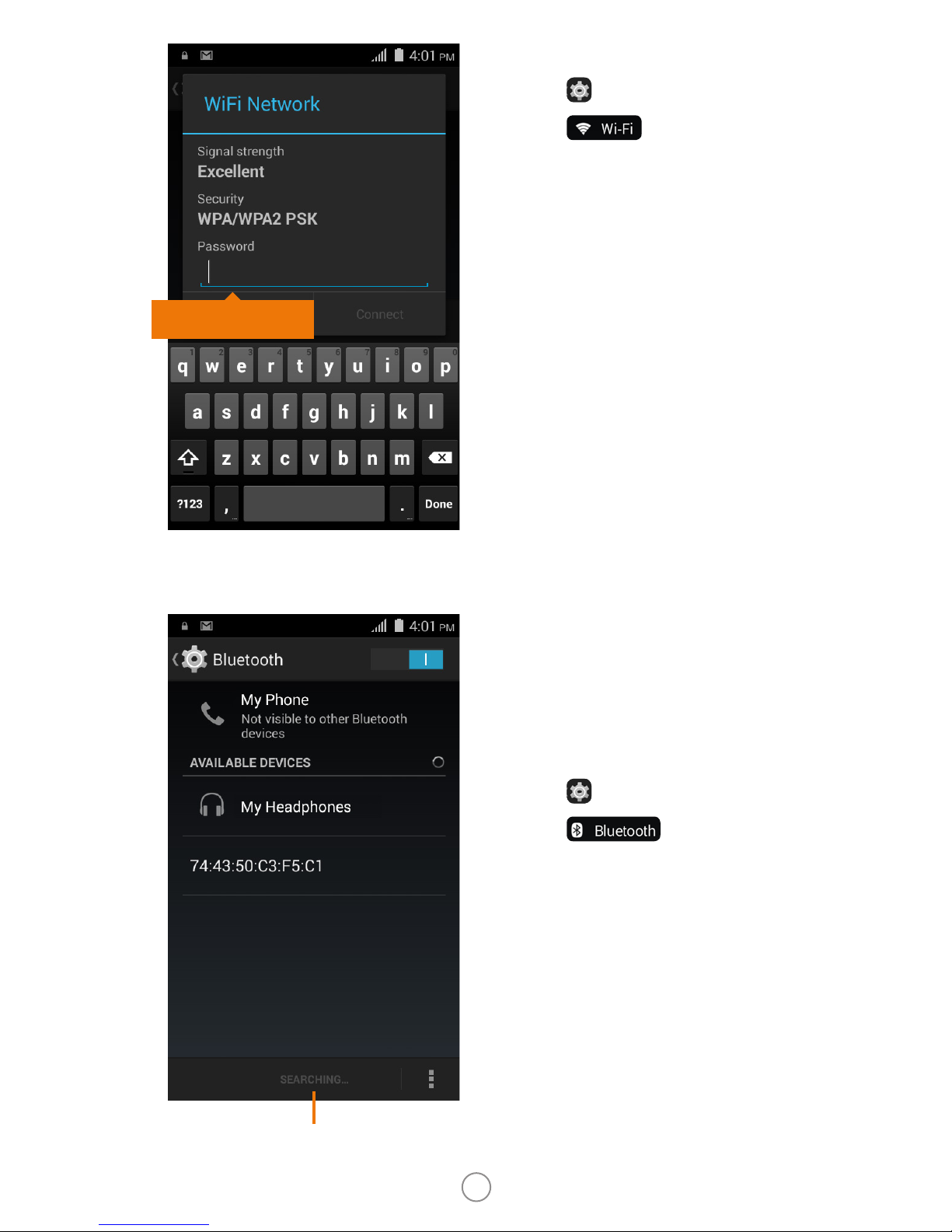
Bluetooth
You can easily transfer your
les to another person, and
connect with devices like
headsets, using Bluetooth.
1. Tap to open Settings.
2. Tap to open.
3. Select the Bluetooth
device under Available
Devices, touch the name
displayed and conrm
passkey. Select Pair.
4. The connected device is
ready to use.
Searching
devices
Wi-Fi
1. Tap to open Settings.
2. Tap to open.
3. Choose Wi-Fi network,
and tap to connect.
4. Type password.
5. You are now connected
to Wi-Fi.
Input password
Table des matières
Autres manuels Moxee Téléphone portable


