
monolith Alex Cavalli Liquid Gold X Manuel utilisateur
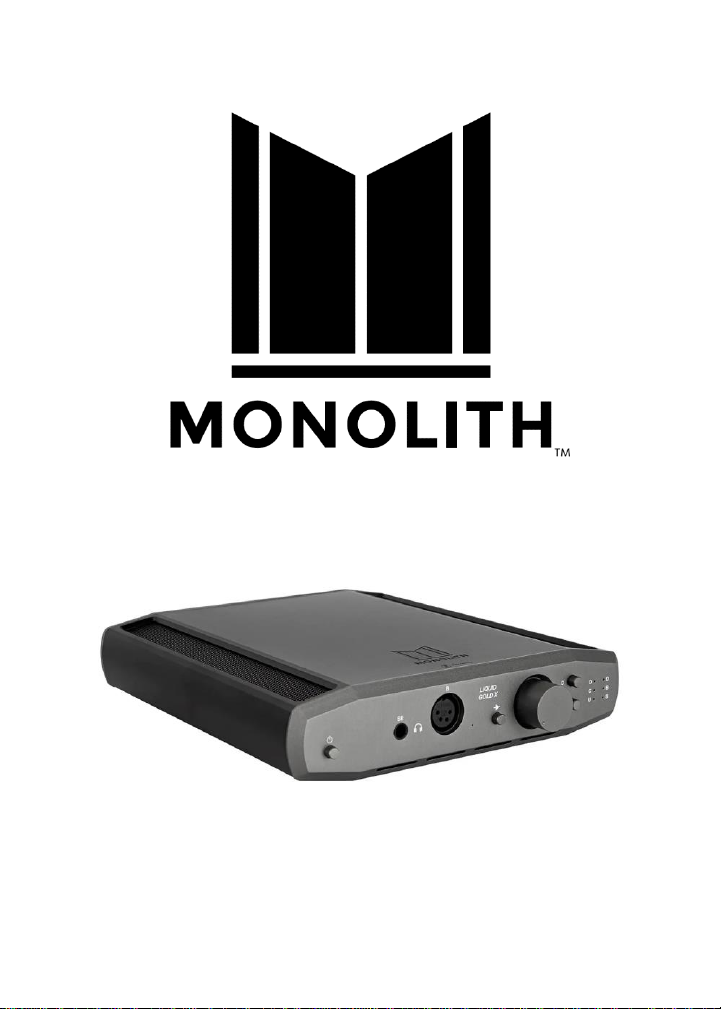
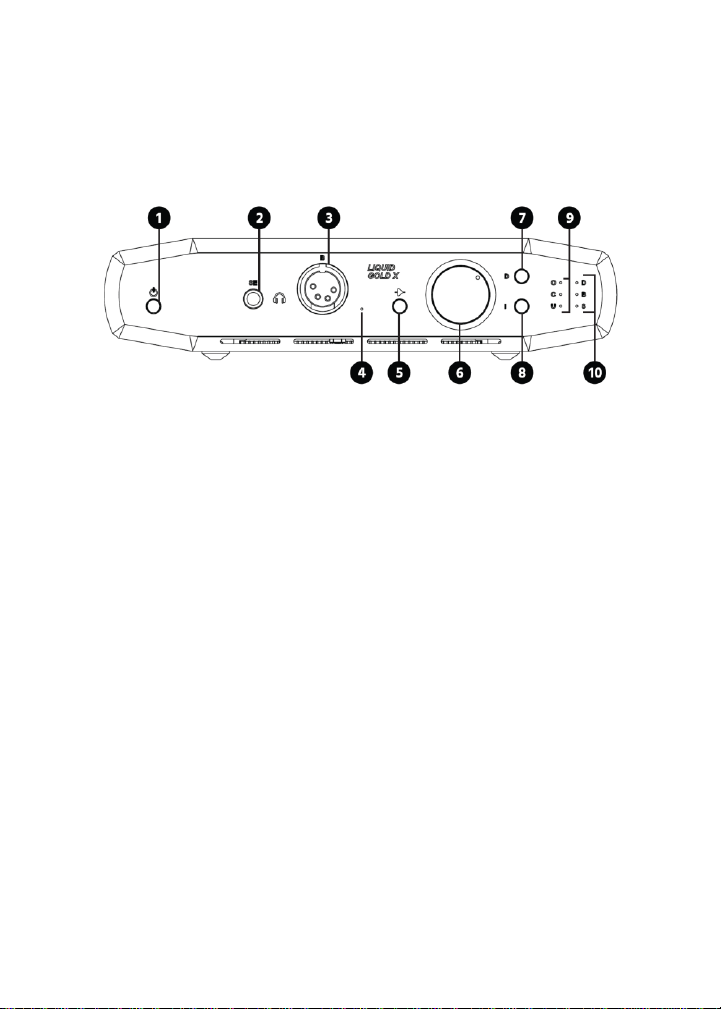
Liquid Gold X Balanced Headphone Amplifier and DAC
by Alex Cavalli
P/N 38967
User's Manual

2
SAFETY WARNINGS AND GUIDELINES
Please read this entire manual before using this device, paying
extra attention to these safety warnings and guidelines. Please
keep this manual in a safe place for future reference.
•This device is intended for indoor use only.
•Do not expose this device to water or moisture of any
kind. Do not place drinks or other containers with
moisture on or near the device. If moisture does get in
or on the device, immediately unplug it from the
power outlet and allow it to fully dry before reapplying
power.
•Do not touch the device, the power cord, or any other
connected cables with wet hands.
•Do not expose this device to excessive vibration.
•Do not subject the product to extreme force, shock, or
fluctuations in temperature or humidity.
•Do not expose this device to excessively high
temperatures. Do not place it in, on, or near a heat
source, such as a fireplace, stove, radiator, etc. Do not
leave it in direct sunlight.
•This device ventilates excessive heat through the slots
and mesh openings in the case. Do not block or cover
these openings. Ensure that the device is in an open

3
area where it can get sufficient airflow to keep from
overheating.
•Do not place or install this device in an area where it
can be exposed to excessive amounts of dust,
humidity, oil, smoke, or combustible vapors.
•Use only in a well-ventilated area. Do not use in close,
confined spaces.
•Prior to operation, check the unit and power cord for
physical damage. Do not use if physical damage has
occurred.
•Before plugging the unit into a power outlet, ensure
that the outlet provides the same type and level of
power required by the device.
•Do not use any AC power adapter other than the one
provided with the unit. The adapter is closely matched
with the MCU to provide the proper high current influx
when power is applied. Use of aftermarket power
adapters is likely to damage the amplifier.
•Unplug this device from the power source when not in
use.
•Take care to prevent damage to the power cord. Do
not allow it to become crimped, pinched, walked on, or

4
become tangled with other cords. Ensure that the
power cord does not present a tripping hazard.
•Never unplug the unit by pulling on the power cord.
Always grasp the connector head or adapter body.
•Ensure that power is turned off and disconnected
before making any electrical connections.
•Clean using a soft, dry cloth only. Do not use chemical
cleaners, solvents, or detergents. For stubborn
deposits, moisten the cloth with warm water.
•This device has no user serviceable parts. Do not
attempt to open, service, or modify this device.

5
INTRODUCTION
The Monolith™Liquid Gold X Balanced Headphone Amplifier
and DAC by Alex Cavalli is a fully differential, balanced, solid
state amplifier. It is a miniaturized version of Cavalli Audio's
high-end Liquid Gold amplifier. The Monolith Liquid Gold X
amplifier circuit topology and component values are identical
to the original Cavalli Liquid Gold. It features a balanced 4-pin
XLR output and an unbalanced 1/4" TRS output. The TRS output
is provided for compatibility with TRS terminated headphones,
but it is recommended to use the amp in fully balanced mode
using balanced headphones.
The amp has both balanced XLR and unbalanced (RCA) inputs.
The unbalanced input has an internal, solid state buffered phase
splitter to create a balanced signal and drive the amp fully
balanced. The Monolith Liquid Gold X amplifier includes its own
built-in, fully balanced DAC with USB, Coaxial, and Optical
inputs. The amplifier has 4x and 6x gain settings and an
approximate full output power of 3.6 watts per channel with a
50-ohm load.

6
CUSTOMER SERVICE
The Monoprice Customer Service department is dedicated to
ensuring that your ordering, purchasing, and delivery
experience is second to none. If you have any problem with
your order, please give us an opportunity to make it right. You
can contact a Monoprice Customer Service representative
through the Live Chat link on our website www.monoprice.com
or via email at support@monoprice.com. Check the website for
support times and links.
PACKAGE CONTENTS
Please take an inventory of the package contents to ensure you
have all the items listed below. If anything is missing or
damaged, please contact Monoprice Customer Service for a
replacement.
1x Monolith™ Liquid Gold X Amplifier and DAC
1x AC Power Adapter
1x User's Manual
7
PRODUCT OVERVIEW
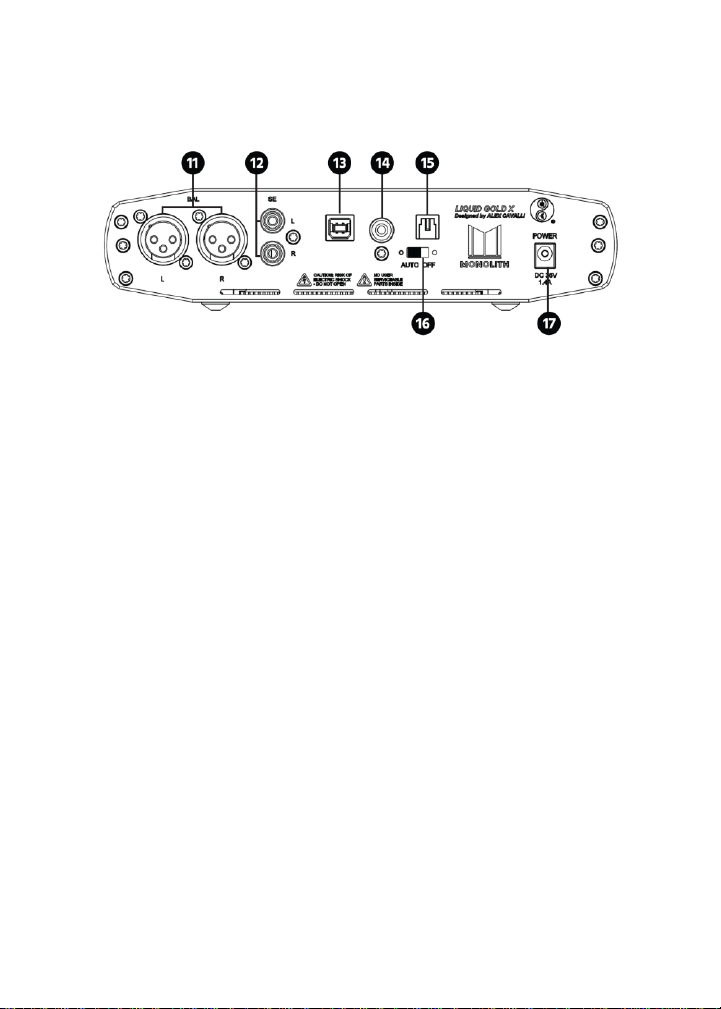
Front Panel
1. POWER: Momentarily press the button to signal the
MCU to turn the amplifier on or off.
2. SE: Unbalanced TRS headphone output.
3. B: Balanced 4-pin XLR headphone output.
4. STATUS LED: The LED illuminates or blinks red and/or
white to indicate a normal operating or fault condition.
Refer to the table in the
BLINK CODES
section for
details.
5. GAIN: This toggle button determines the amount of
gain to apply to the signal. When the button is IN, the
gain is 6x and when it is OUT the gain is 4x.
6. VOLUME: Turn the knob clockwise to increase the
volume level and counterclockwise to decrease the
volume level.

8
7. DAC SELECT: Momentarily press the button to cycle
through the DAC inputs. When power is first
connected, it defaults to the USB input. The cycle order
is USB, Coaxial, and Optical, then back to USB.
8. INPUT SELECT: Momentarily press the button to cycle
through the inputs. When power is first connected, the
input defaults to the balanced XLR input. The cycle
order is Balanced XLR, Unbalanced RCA, and DAC, then
back to Balanced XLR.
9. DAC LEDs: The three LEDs indicate which DAC input is
selected. From top to bottom, they indicate USB,
Coaxial, and Optical.
10. INPUT LEDs: The three LEDs indicate which input is
selected. From top to bottom, they indicate DAC,
Balanced XLR, and Unbalanced RCA.
9
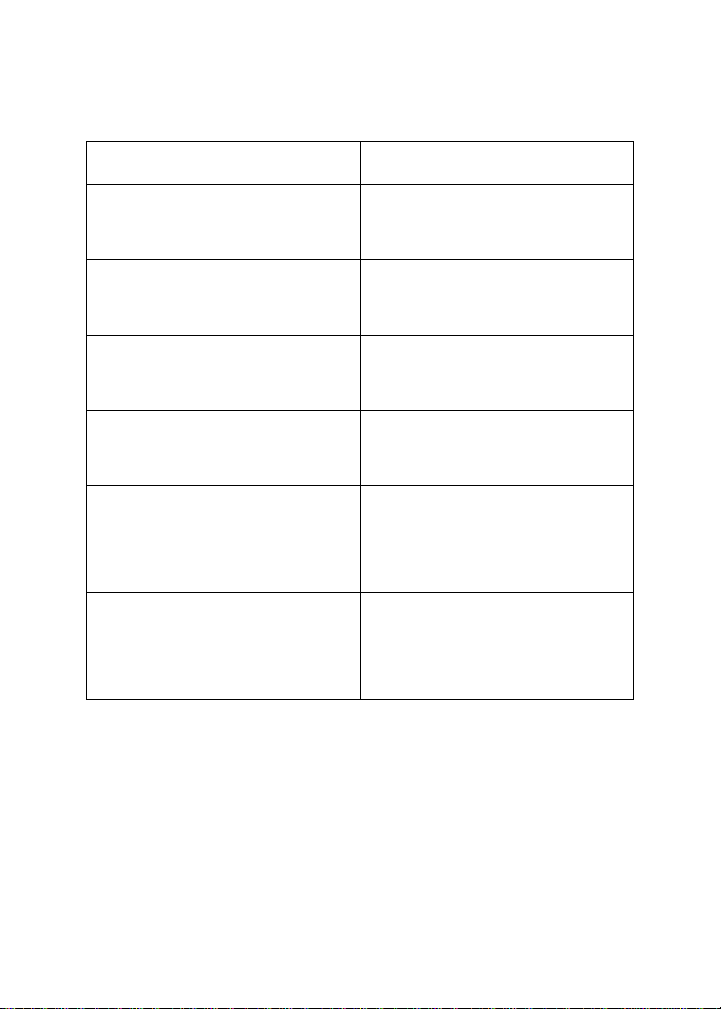
Rear Panel
11. BAL: Balanced XLR inputs.
12. SE: Unbalanced RCA inputs.
13. USB: USB digital audio DAC input.
14. COAX: Coaxial digital audio DAC input.
15. OPTICAL: Optical digital audio DAC input.
16. AUTO/OFF: This switch enables or disables the auto-off
feature.
17. POWER: DC barrel connector for connecting the
included AC power adapter.
10
BLINK CODES
CONDITION
STATUS LED
Normal Power Off
Blinks red (0.5 sec on, 0.5 sec
off) 5 times
Ground Failure
Blinks white (0.1 sec on, 0.1
sec off) 75 times
DC Offset Failure
Blinks red (0.1 sec on, 0.1 sec
off) 75 times
EU Shutdown Final Minute
Blinks white (1 sec on, 1 sec
off) 30 times
DC Module Wrong Voltage
Blinks red and white
alternately (1 sec on, 1 sec
off) 8 times
Firmware Unknown State
Blinks red and white
alternately (3 sec on, 3 sec
off) 5 time
Ce manuel convient aux modèles suivants
1
Table des matières
Autres manuels monolith Amplificateur


