
Monarch Memory Card Monarch 9401 Manuel de service

Monarch 9401®/9402®
Options
Memory Card
Operator’s Handbook
Monarch Marking Systems
TC9401MC Rev. A 9/94 ©1990-1994 Monarch Marking Systems, Inc. All rights reserved.
Each product and program carries a respective written
warranty, the only warranty on which the customer can rely.
Monarch reserves the right to make changes in the product
and the programs and their availability at any time and without
notice. Although Monarch has made every effort to provide
complete and accurate information in this manual, Monarch
shall not be liable for any omissions or inaccuracies. Any
update will be incorporated in a later edition of this manual.
WARNING
This equipment has been tested and found to comply with the limits for
a Class A digital device, pursuant to Part 15 of the FCC Rules. These
limits are designed to provide reasonable protection against harmful
interference when the equipment is operated in a commercial
environment. This equipment generates, uses, and can radiate radio
frequency energy and, if not installed and used in accordance with the
instruction manual, may cause harmful interference to radio
communications. Operation of this equipment in a residential area is
likely to cause harmful interference in which case the user will be
required to correct the interference at his own expense.
CANADIAN D.O.C. WARNING
This digital apparatus does not exceed the Class A limits for radio
noise emissions from digital apparatus set out in the Radio Interference
Regulations of the Canadian Department of Communications.
Le présent appareil numérique n’émet pas de bruits radioélectriques
dépassant les limites applicables aux appareils numériques de la
classe A prescrites dans le Réglement sur le brouillage radioélectrique
édicte par le ministère des Communications du Canada.
WARNING
The power cord is intended to serve as the disconnect device. The
socket-outlet shall be near the equipment and shall be easily accessible
WARNUG
Der Stromversorgungskabel dient als abschaltvorrichtung. Die
Steckdose soll in der Nahe der Einheit und liecht zunganglich liegen.
Trademarks
Monarch, 9401, and 9402 are registered trademarks of Monarch Marking Systems,
Inc.

Table of Contents
Using the Memory Card..........................................................1
Write-protect Switch......................................................1
Inserting a Memory Card................................................3
Copying a Memory Card...............................................4
Deleting from a Memory Card.......................................6
Deleting All the Formats on a Memory Card..... 6
Deleting One Format at a Time.........................7
Battery...........................................................................9
Removing the Insulating Tab.............................9
Changing the Battery .......................................11
i

9401/9402 Memory Card Operator’s Handbook
ii

Using the Memory Card
A memory card is a device used to store formats, check digit
algorithms, and MPCL packets. You can copy information
from a computer to a memory card. For information about
•check digit algorithms
•MPCL packets
•copying a format from a computer to a memory card
refer to your System Administrator’s Guide.
To use a format from a memory card, insert the card in the
printer. You can insert the card before you turn on the printer,
or when you want to use a format. You’ll see a message as
the printer loads the formats stored on the card.
Write-protect Switch
The write-protect switch prevents the printer from
•copying information from the memory card
•writing information to the memory card
•deleting information from the memory card.
The printer can still read information from a memory card
when the write-protect switch is on.
1
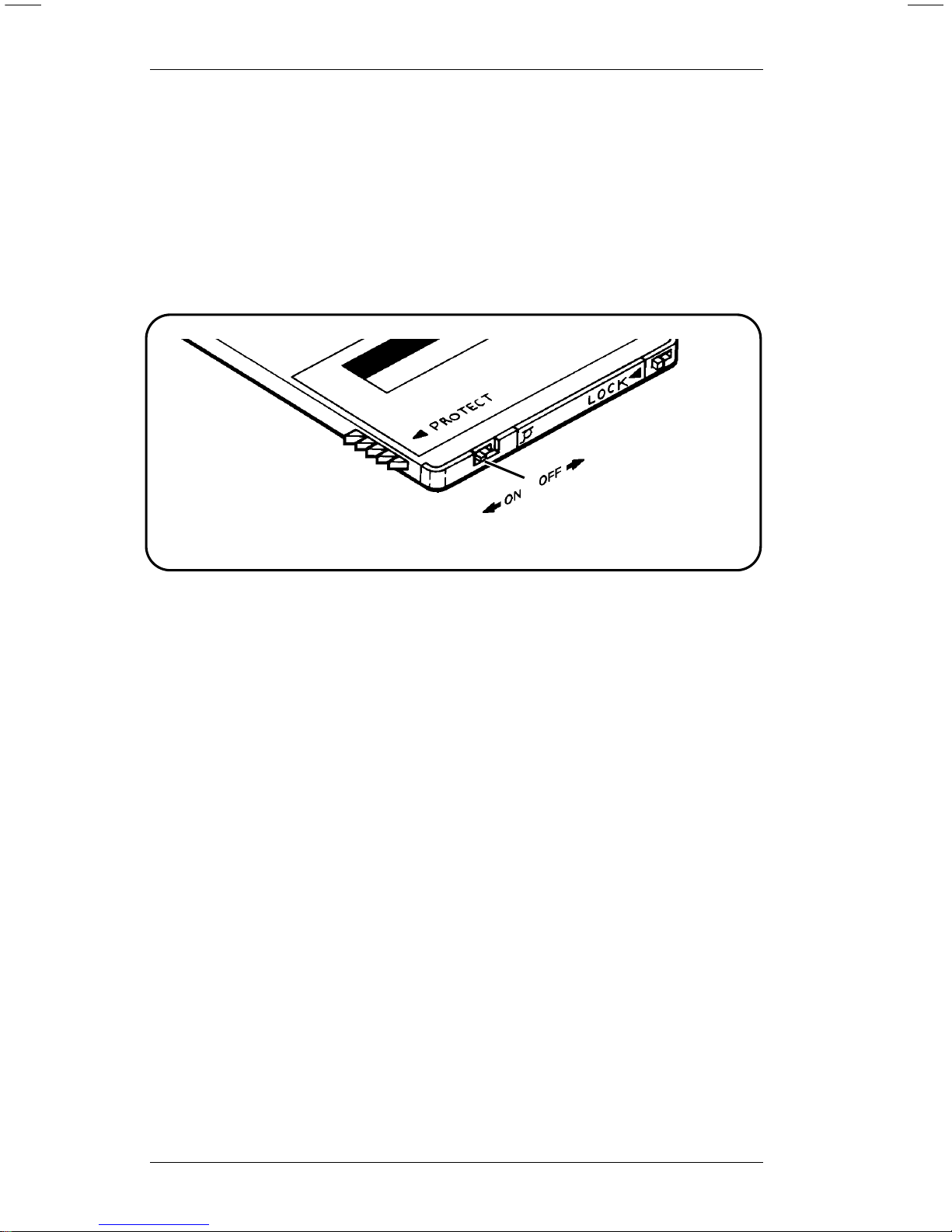
The switch is located on the edge of the card next to the
battery cover.
•The write-protect switch should be On for storing the
memory card or printing with it.
•The write-protect switch must be Off to copy or delete
information on the memory card.
Figure 1
9401/9402 Memory Card Operator’s Handbook
2
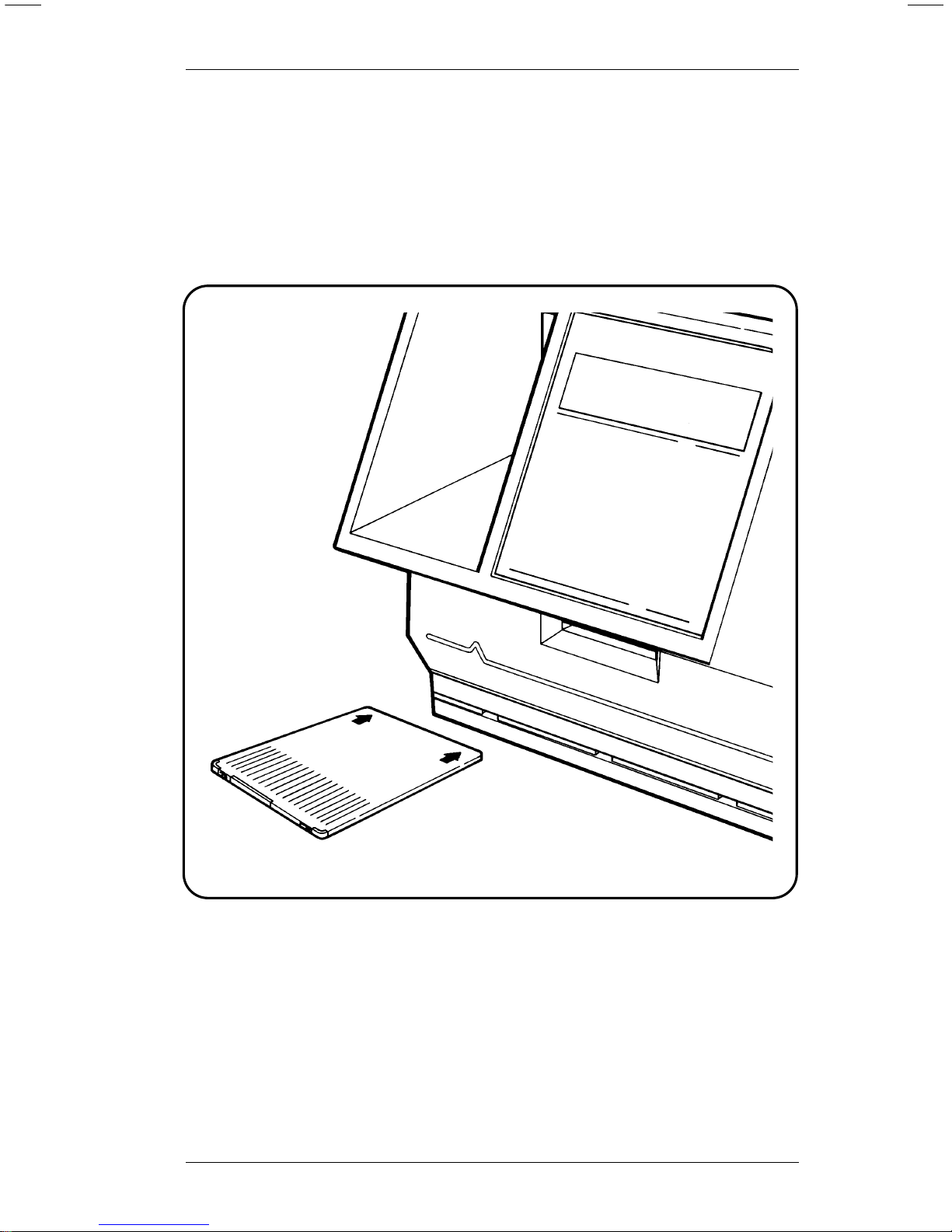
Inserting a Memory Card
1. Be sure the write-protect switch is in the correct position.
2. Position the card with the Monarch® logo facing up, and
the arrows pointing away from you.
3. Insert the card into the memory card slot in the front of the
printer, below the key pad.
4. Push the card forward until it won’t go any farther.
Figure 2
Using the Memory Card
3
Copying a Memory Card
You can copy formats from one memory card to another.
To copy a memory card, you need
•the source card (the memory card with the formats you
want to copy), and
•the target card (a memory card you want to copy the
formats to).
CAUTION
The Card Copy function erases any formats on the target
card.
To copy a memory card, perform the following procedure:
1. Turn the write-protect switch Off on both cards.
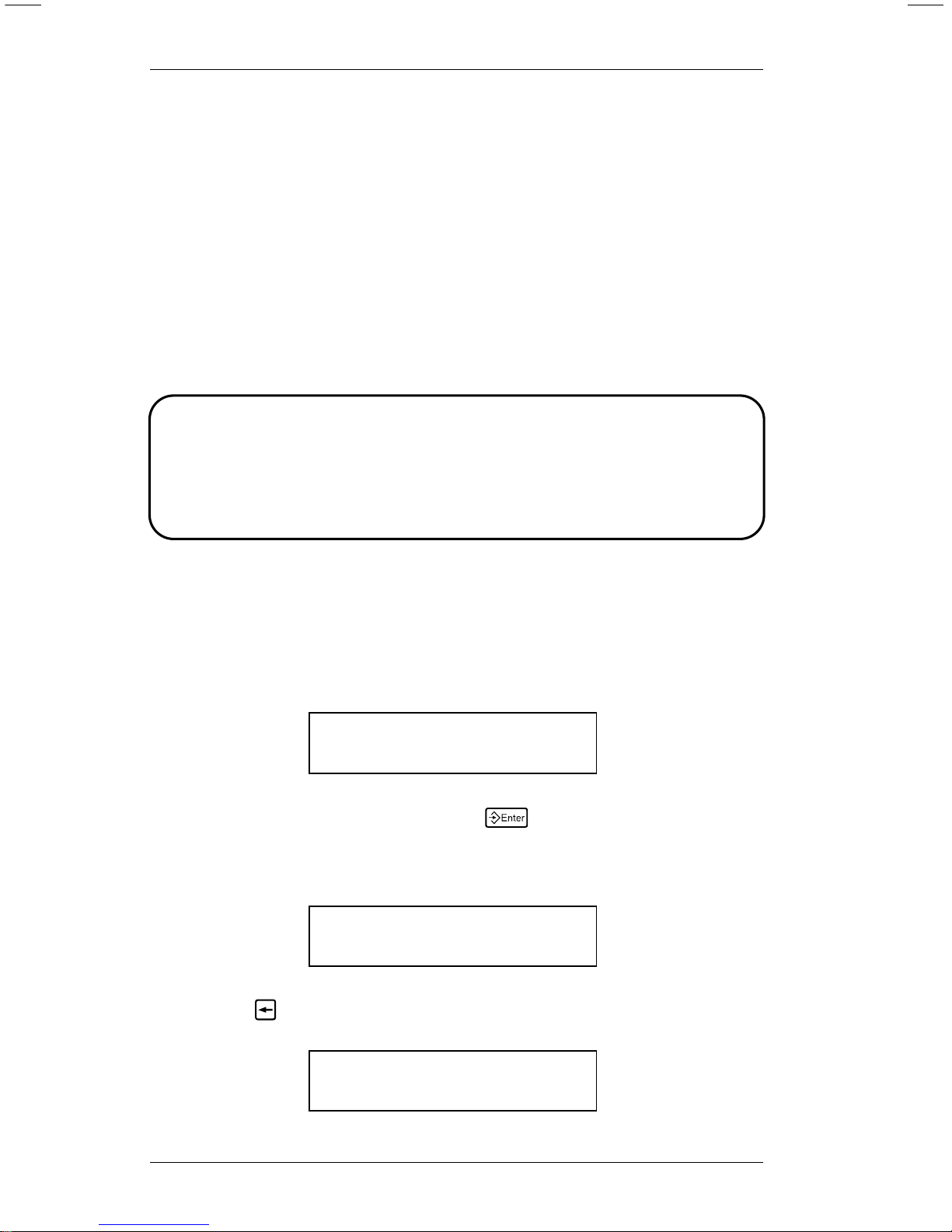
2. Select Memory Card from the Main menu. You’ll see
Enter password:
_ _ _ _ _ _ _ _
3. Type the password and press
6
(refer to your System
Administrator’s Guide for information about passwords).
You’ll see
MEMORY CARD
< Card Delete
4. Press
1
until you see
MEMORY CARD
Card Copy >
9401/9402 Memory Card Operator’s Handbook
4
5. Press
6
. You’ll see
Load Source Card
Press ENTER._
6. If you have not already done so, insert the source card in
the printer.
7. Press
6
. You’ll see
Reading Card
Please Wait ..._
When the printer finishes reading formats, it displays
Load Target Card
Press ENTER._
8. Remove the source card from the printer.
9. Insert the target card.
10. Press
6
. You’ll see
Writing Card
Please Wait ..._
A memory card can hold more data than the printer can
process at one time. If the memory card you are copying
holds a large volume of data, the printer prompts you to
repeat steps 6-10 again. When the Card Copy function is
complete, you’ll see
Copy Complete
Press ENTER._
Using the Memory Card
5
11. Remove the target card and press
6
. You’ll see
MEMORY CARD
Card Copy >
12. Turn the write-protect switch on both cards On to protect
the formats.
13. Press
8
to exit to the Main menu.
Deleting from a Memory Card
You can delete formats from a memory card one at a time or
all at once.
NOTE: Be sure you are using the correct memory card
before deleting any formats.
Deleting All the Formats on a Memory Card
1. Turn the write-protect switch Off and insert the memory
card in the printer.
2. Select Memory Card from the Main menu. You’ll see
Enter password:
_ _ _ _ _ _ _ _
3. Type the password and press
6
(refer to your System
Administrator’s Guide for information about passwords).
You’ll see
MEMORY CARD
< Card Delete
9401/9402 Memory Card Operator’s Handbook
6
Ce manuel convient aux modèles suivants
3
Table des matières
Autres manuels Monarch Accessoires pour imprimantes


