
MINOLTA-QMS PagePro 4110W Manuel utilisateur

P/N 1800654-001A
Copyright © 2001 by MINOLTA-QMS, Inc. All Rights Reserved.
.

1
Program License Agreement
Notice to the User
Please carefully read the License Agreement before using or copying the software package in this
documentation set. The right to use this software product is conditional on your agreement on the
following terms. Copying and using this software indicates that you have accepted these terms and
conditions. If you do not agree to the terms of the License, you may return this software package
along with the other components of this product to the place of purchase and you will be reimbursed
or credited according to the policy of the reseller or QMS representative from who you obtained this
product. You assume responsibility for the selection of this product to achieve your intended results.
Furthermore, you are responsible for installation, use and results obtained from the product.
License Agreement
In consideration of payment of the license fee, which is a part of the purchase price, QMS grants to
you a non-exclusive right to use the software subject to the following conditions : QMS grants to you
a non-exclusive right to use the software, without the right to distribute, rent, sub-license or lease the
software or documentation. You may not alter, modify or adapt the software or documentation,
including but not limited to translating, de-compiling, disassembling, creating derivative works or
reverse engineering. The software product may be duplicated or copied as specified in the manual
for your own personal use and all removable copies must bear the copyright notice contained on the
original software. However, the software may not be duplicated for the purposes of resell or distribu-
tion. Purchase of this license does not transfer any right, title or interest in the software to you except
as specifically set forth in this license. The software programs are protected under copyright laws.
This software product, or portions thereof, may have been developed by an independent third party
which holds copyrights and other proprietary rights to the software product. You may be held
responsible by this supplier for any infringement of such rights by you.
Term
This license is effective until terminated. You may terminate the license at any time. This license and
your right to use the software automatically terminate if you fail to comply with any provision of this
license agreement. In the event of any termination, you will either return all copies of the product to
QMS or with QMS' prior consent, provide QMS with a certificate of destruction of all copies.
Limited Warranty
QMS warrants for a period of NINETY (90) days from the date of payment that the media on which
the software recorded are free from defects in material or workmanship under normal conditions of
use or service. The software is licensed on an 'as is' basis and QMS does not warrant that the opera-
tion of the software will be uninterrupted or error free. You assume responsibility for the selection of
this product to achieve your intended results. Furthermore, you are responsible for installations, use
and results obtained from the product. In the event that a defect in the media should appear during
the warranty period, your remedy shall be to return the media to QMS for replacement.

2
Should QMS be unable to replace the media within a reasonable amount of time, your alternate rem-
edy shall be refund of the license fee upon return of the product and all copies. These are your sole
remedies for any breach of warranty. Except as specifically provided above, QMS MAKES NO
WARRANTY OR REPRESENTATION, EITHER EXPRESS OR IMPLIED, PERFORMANCE
MERCHANTABILITY OR FITNESS FOR A PARTICULAR PURPOSE. IN NO EVENT WILL
QMS BE LIABLE FOR DIRECT, INDIRECT, SPECIAL, INCIDENTAL OR CONSEQUENTIAL
DAMAGES ARISING OUT OF THE USE OF, OR INABILITY TO USE THE PROGRAM OR
DOCUMENTATION, EVEN IF ADVISED OF THE POSSIBILITY OF SUCH DAMAGES. IN NO
CASE SHALL QMS' LIABILITY EXCEED THE AMOUNT OF LICENSE FEE.
THE WARRANTY AND REMEDIES SET FORTH ABOVE ARE EXCLUSIVE AND IN LIEU
OF ALL OTHERS, ORAL OR WRITTEN, EXPRESS OR IMPLIED.
SOME STATES DO NOT ALLOW THE EXCLUSION OF LIMITATION OF IMPLIED WAR-
RANTIES OR LIMITATION OF LIABILITY FOR INCIDENTAL OR CONSEQUENTIAL DAM-
AGES, THEREFORE, THE ABOVE LIMITATION OR EXCLUSION MAY NOT APPLY TO
YOU.
Severability
In the event that any part or parts of this Agreement shall be held illegal or null and void by any court
or administrative body of competent jurisdiction, such determination shall not effect the remaining
parts of this Agreement, and they shall remain in full force and effect as if such part or parts deter-
mined illegal or void had not been included.
GOVERNMENT END USERS
If you are acquiring the Software on behalf of any unit or agency of the United States Government,
the following provisions apply. The Software is a "commercial item," as that term is defined at 48
C.F.R.2.101(OCT 1995), consisting of "commercial computer software" and "commercial computer
software documentation," as such terms are used in 48 C.F.R.12.212 (SEPT 1995). Consistent
with48 C.F.R.12.212 and 48 C.F.R.227.7202-1 through 227.7202-4 (JUNE 1995), all U.S. Govern-
ment End Users acquire the Software with only those rights set forth herein.
3
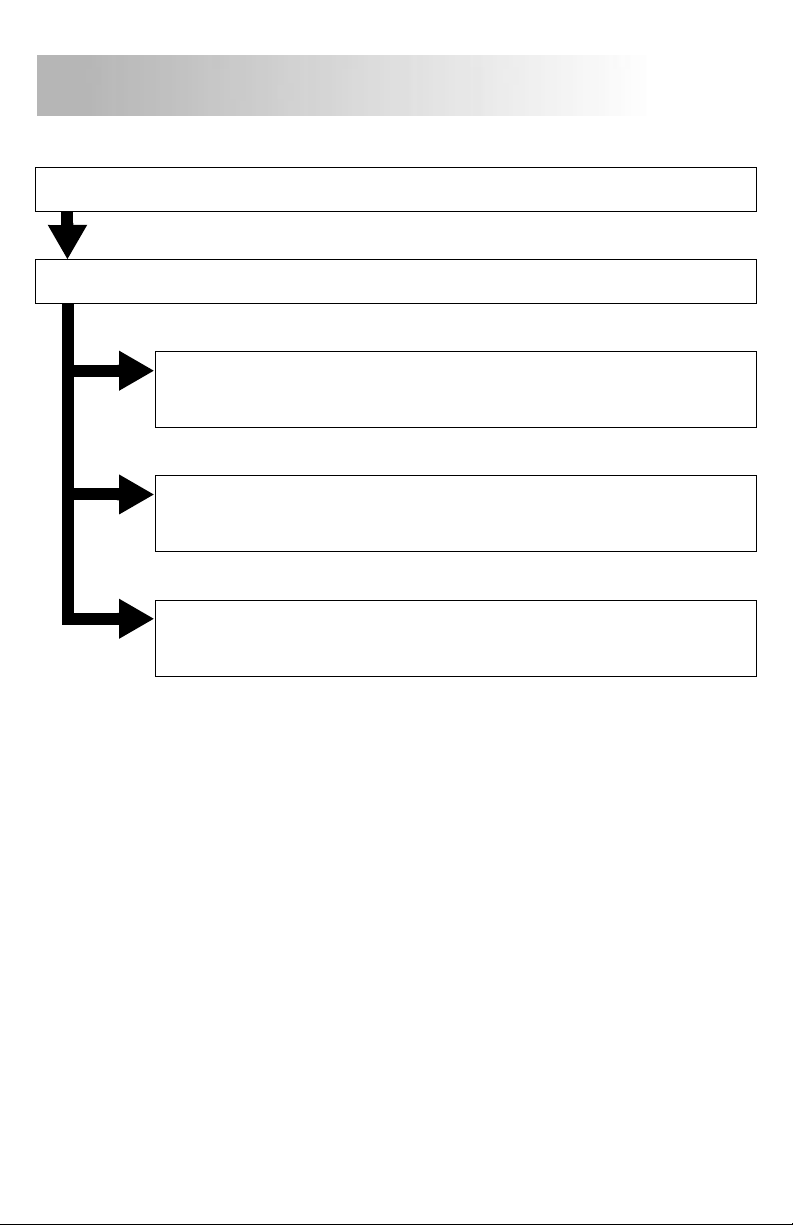
Step 1
Unpacking.............................................4
Step 2
Installing the Network Card.................6
Step 3-a
Peer-to-peer Printing Using
TCP/IP....................................9
Step 3-b
Peer-to-peer Printing Using
IPX/SPX................................15
Step 3-c
Printing Via a NetWare Print
Server...................................16
Contents
4
Be sure to carefully read this Quick Guide before using the
Minolta Network Interface Card, and keep the Quick Guide on
hand for future reference.
Note
1.
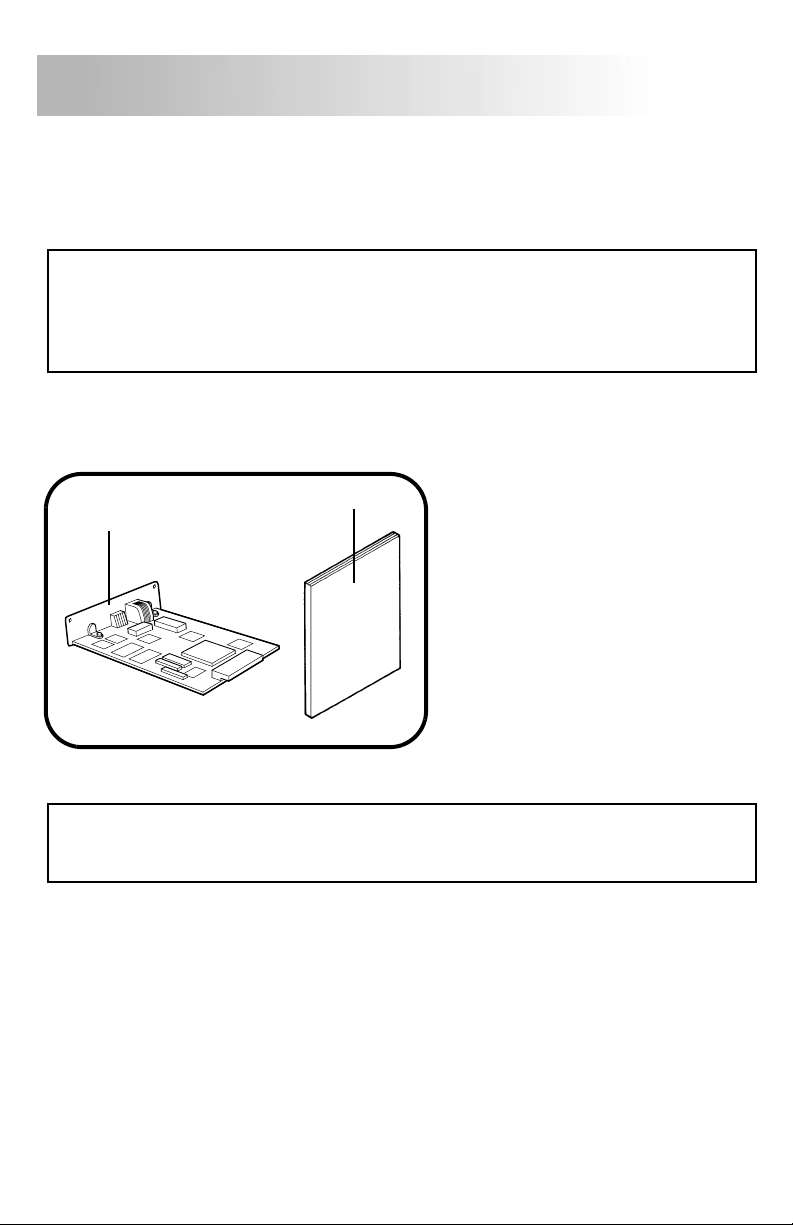
When unpacking the Network Card, check to make sure that all of the items
shown below are present.
Note
• The Network Card components can be damaged by static electricity. Be sure to touch
some metal object to discharge any static electricity present in your body before han-
dling the Network Card.
• Whenever placing the Network Card on a table top or the floor, place it on an anti-stat-
ic mat or a piece of aluminum foil.
1.Network Card
2.Quick Guide
(this manual)
• Utility software for this Network Card is contained in the CD-ROM that comes with the
printer. When you install any utility software, have the CD-ROM that comes with the
printer on hand.
12
Unpacking
Step 1
5
2.
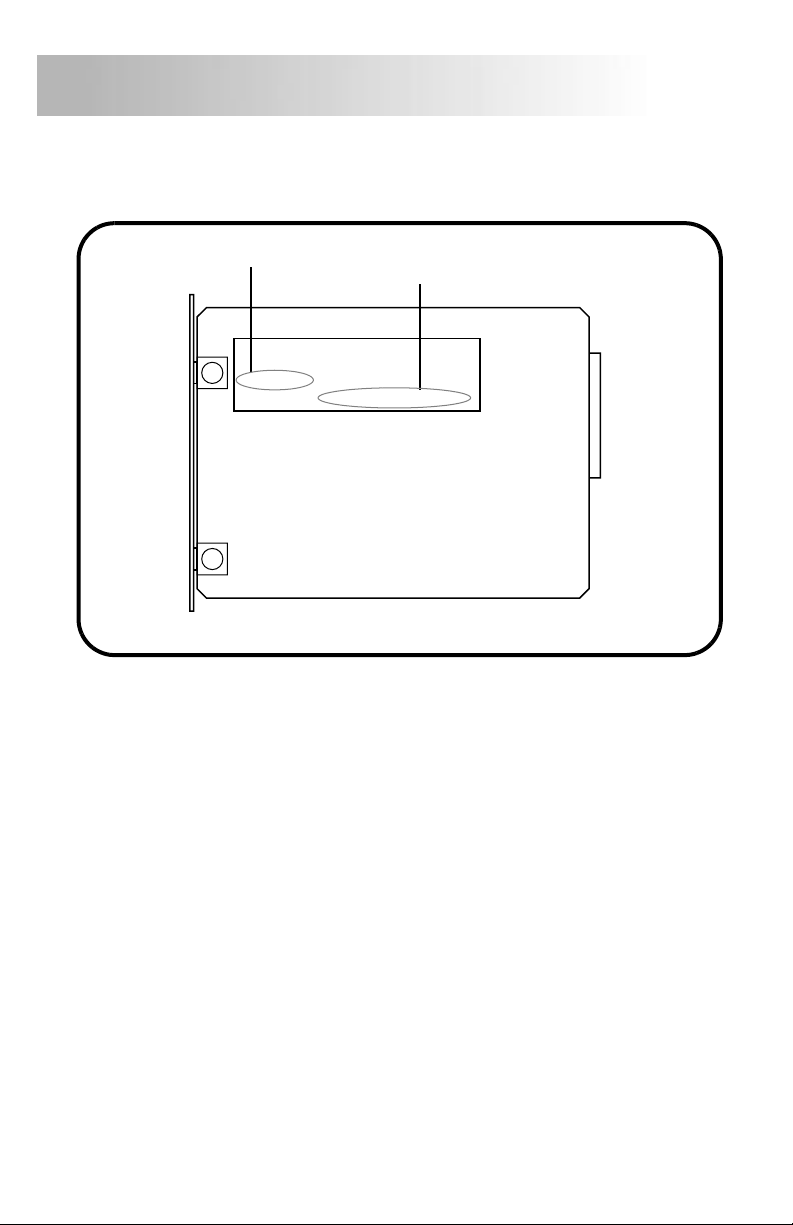
Remove the Network Card from its anti-static bag. Make a note of the Net-
work Card’s serial number (S/N) and MAC address (LAN ADDR).
S/N: XXXXXX
LAN ADDR: XXXXXXXXXXXX
MAC address
Serial number
Step 1
6
1.
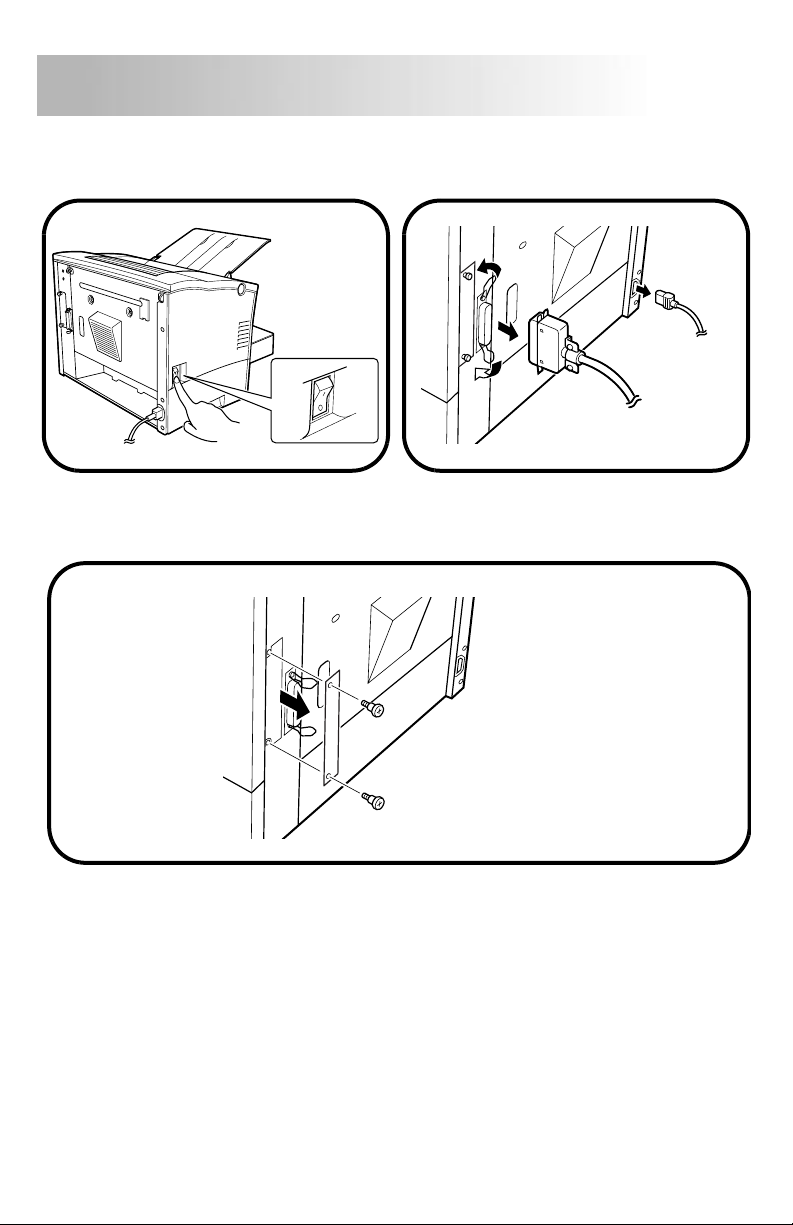
Turn off the printer (O), and unplug the power cord from the printer. If there
is a parallel cable connected to the printer, disconnect it.
2.
Remove the two screws that secure the cover on the back of the printer in
place, and then remove the back cover of the printer.
Step 2
Installing the Network Card
7
3.
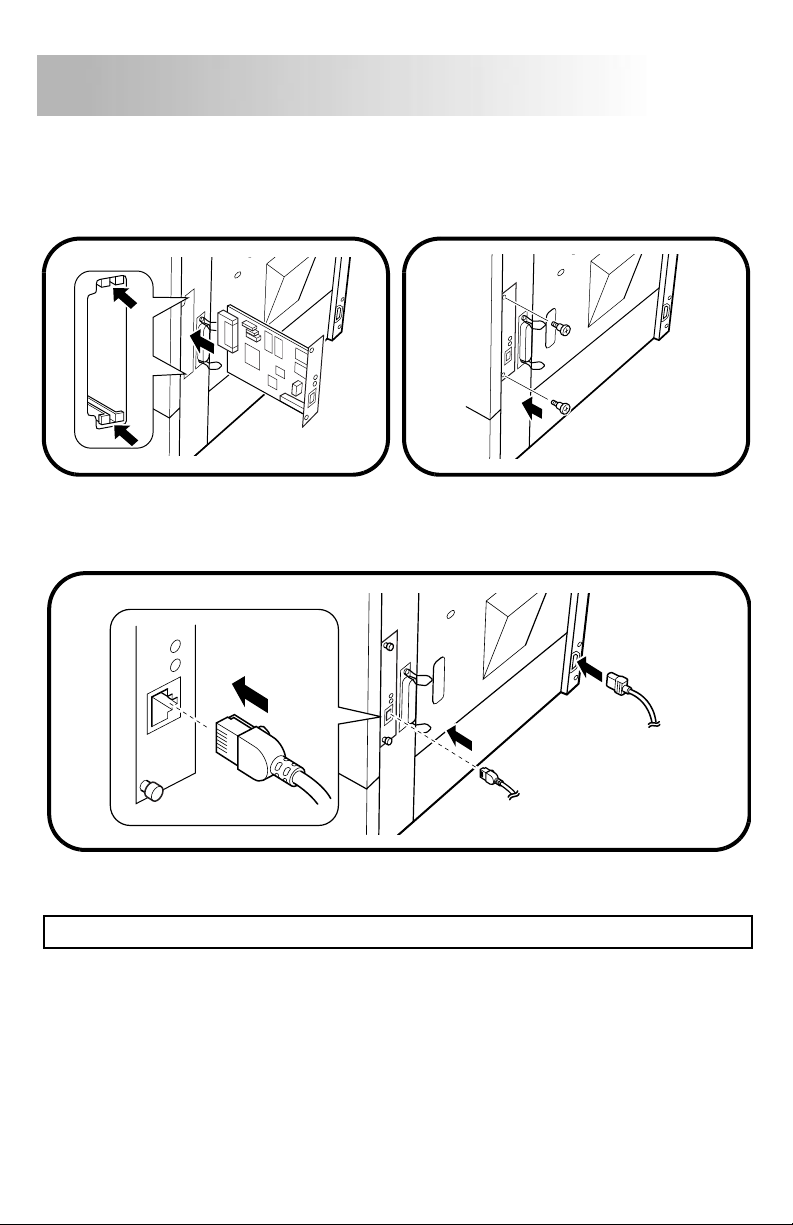
Aligning the Network Card with the guide rails inside the printer, slide it into
place. Next, use the two cover screws to secure the Network Card into
place.
4.
Plug the network cable into the connector on the Network Card. Reconnect
the power cord to the printer.
Note
• Use only Category 5 shielded 10/100BaseT cable.
Step 2
8
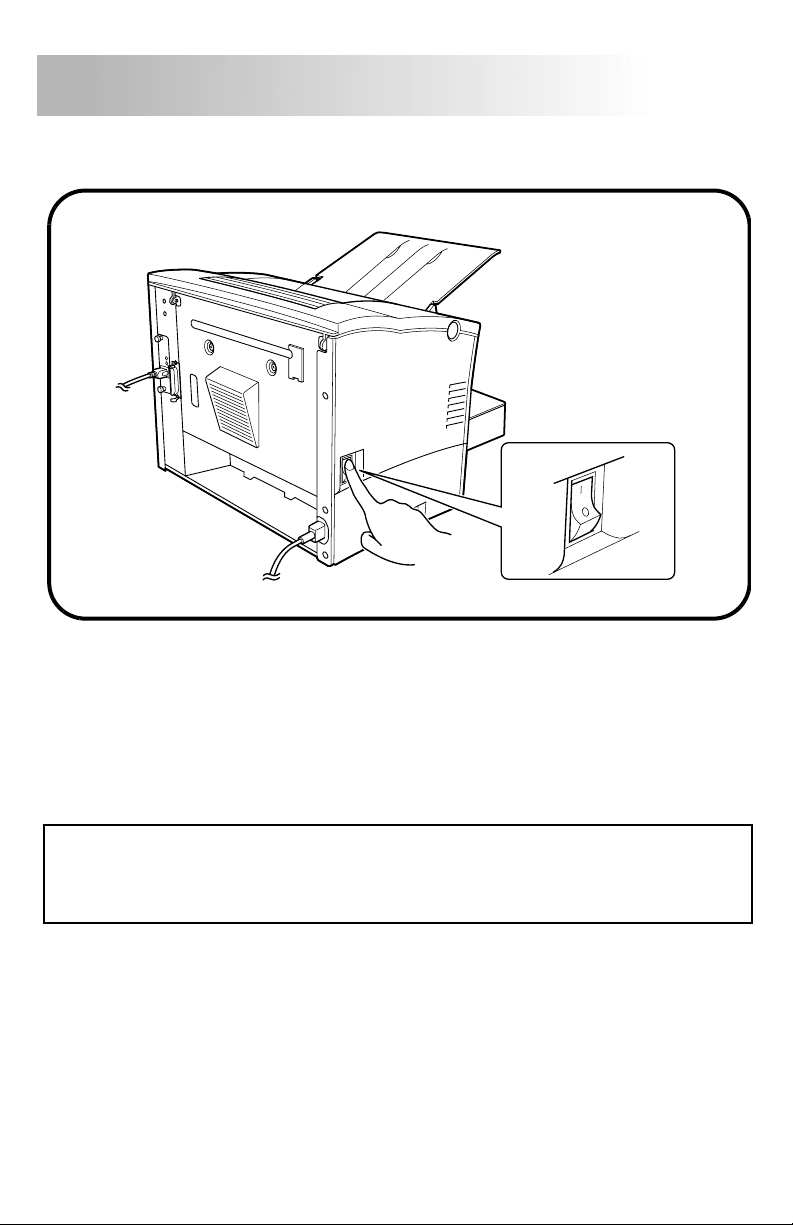
5.
Turn on the printer ( ).
The next step that you should perform depends on the type of connection to
your printer and your network environment type as noted below.
• Peer-to-peer printing using TCP/IP →Go to
Step 3-a
.
• Peer-to-peer printing using IPX/SPX →Go to
Step 3-b
.
• Printing via a NetWare print server →Go to
Step 3-c
.
I
Note
• Before continuing to the next step, you should first install the printer driver on the
computer that you will be using for printing. See the printer’s
User’s Manual
, which is
contained in the CD-ROM that comes with your printer, for details about installing the
printer driver.
Step 2
Autres manuels pour PagePro 4110W
2
Table des matières
Autres manuels MINOLTA-QMS Accessoires pour imprimantes


