
Micron IM4TS Manuel utilisateur

7-Inch Touch Screen Monitor
IM4TS /IM4TSW
MICRON HOME INTERCOM SYSTEMS
USER MANUAL

USER MANUAL
Micron 7 Inch Touch Screen Monitor
IM4TS – Touch Screen
IM4TSW – Touch Screen – WiFi
Informa�on & specifica�ons contained in this manual maybe changed for the benefit
of product development and improvements.

I
Table of Contents
1. Features and Functions...........................................................................................2
2. Packing Contents.....................................................................................................2
3. Indicators and Connection details ..........................................................................3
3.1 Front & Side ..................................................................................................3
3.2 Rear & Bottom ..............................................................................................4
4. Connection Diagram ...............................................................................................5
4.1 Wiring Diagram .............................................................................................5
5. Monitor Installation ................................................................................................6
6. Operation Description.............................................................................................7
6.1 Main Screen ..................................................................................................7
6.2 Visitor Call .....................................................................................................8
6.3 Monitor Function..........................................................................................9
6.4 Multimedia....................................................................................................9
6.4.1 Image & Video Storage .........................................................................9
6.4.2 Image & Video Review..........................................................................9
6.4.3 Voicemail Function..............................................................................10
6.5 Intercom Function.......................................................................................10
6.6 Motion Detection –SD Card Required........................................................11
6.7 Scheduled Do Not Disturb Function ...........................................................12
6.8 Screensaver Function..................................................................................12
6.9 Customization of MP3 melody –SD Card Required....................................13
7. Setting Page...........................................................................................................14
7.1 Specifications ..............................................................................................16
8. WiFi Connection (IM4TSW Only) ..........................................................................16
8.1 Adding a Device –WIFI ...............................................................................16
8.2 Control the Monitor Through the APP........................................................18
8.3 Call Forwarding Latency..............................................................................19
9. Hardwired Connection (IM4TSW Only) ................................................................19
9.1 Adding a Device –Hardwired......................................................................19
1
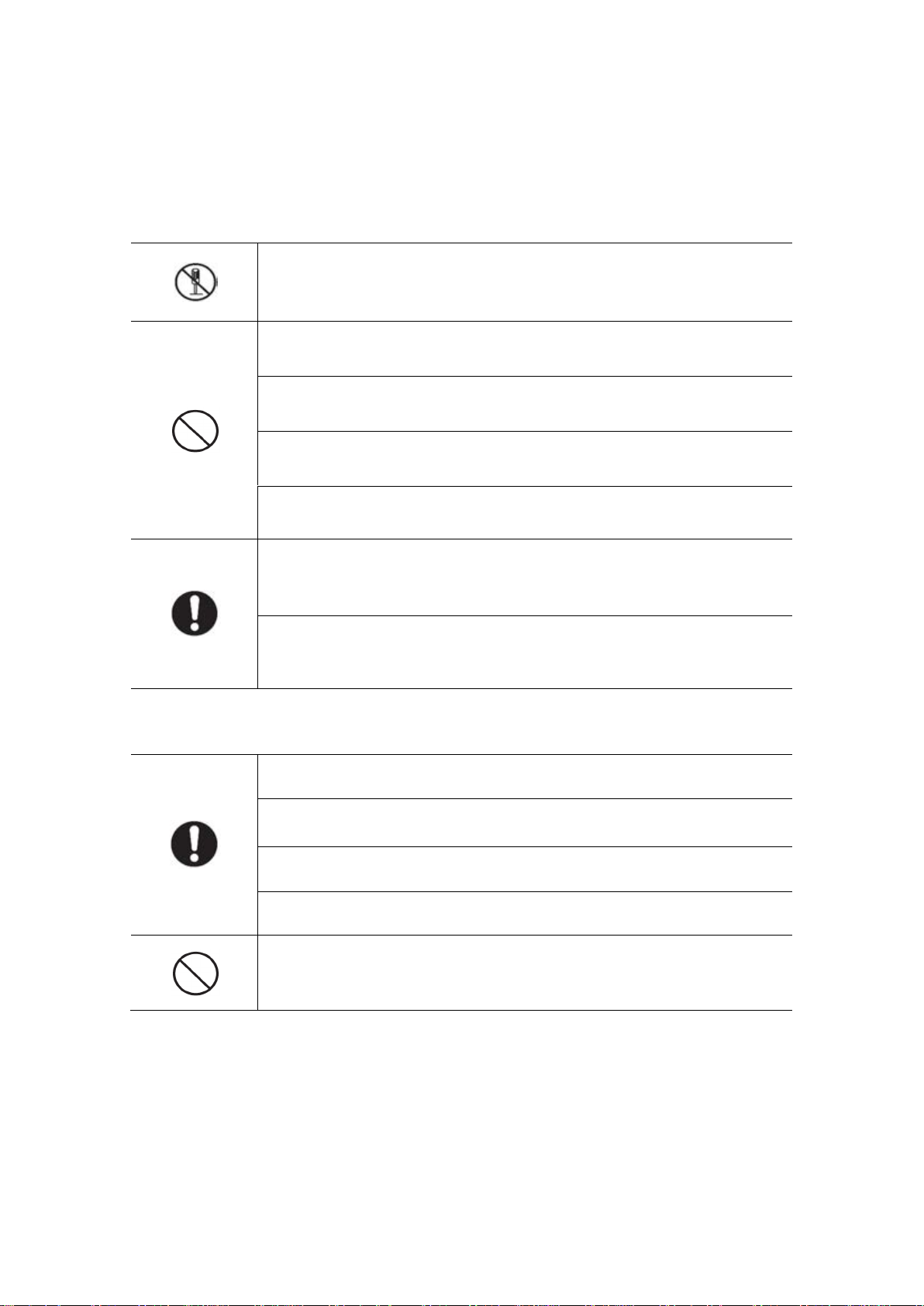
WARNING AND CAUTION
Please make sure to follow the instructions to prevent any product danger or product
failure.
Do not attempt disassemble or repair. This product requires a
qualified technician
Do not install the product in a hot or humid place
Do not place heavy objects on the product
Do not use solvents or detergents to clean the screen.
Do not attempt any connections whilst the power to the system is on
Make sure to clean the monitor with a dry cloth to prevent any
breakdown or electric shock
If the product produces excessive noise or smoke, immediately turn
off the power, and then contact your service technician
Make sure that dust does not build up on the product
Make sure to prevent foreign objects from entering the product
Do not install in direct rays of the sun or heating devices
Install the product on a flat and stable surface
Do not remove the micro SD card (if Fitted) when recording, this
generally will cause loss of data
2
1. Features and Functions
•7” capacitive touch screen monitor,1024*600 resolution
• 1080P/720P/CVBS display & record.
• Built-in WiFi module supports local and remote control (IM4TSW only)
• GUI menu support sliding operation
• Connect up to 2 door stations, 1 master monitor + 3 slave monitors
• Control of automatic gates or Locks (will require additional power supplies)
• Inner flash memory, support micro SD card
• Auto & manual video/picture recording
• Monitor to Monitor Intercommunication
• Support call forwarding function
• Support motion detection from door station
• Scheduled do not disturb function
• Screensaver function (date & time display in standby mode)
• Selective 16 ringtonemelodies, 1 x 1 customized MP3 melody Via SDCARD & PC
• Adjustable ringtone, volume & talking volume
• Adjustable brightness, color and contrast
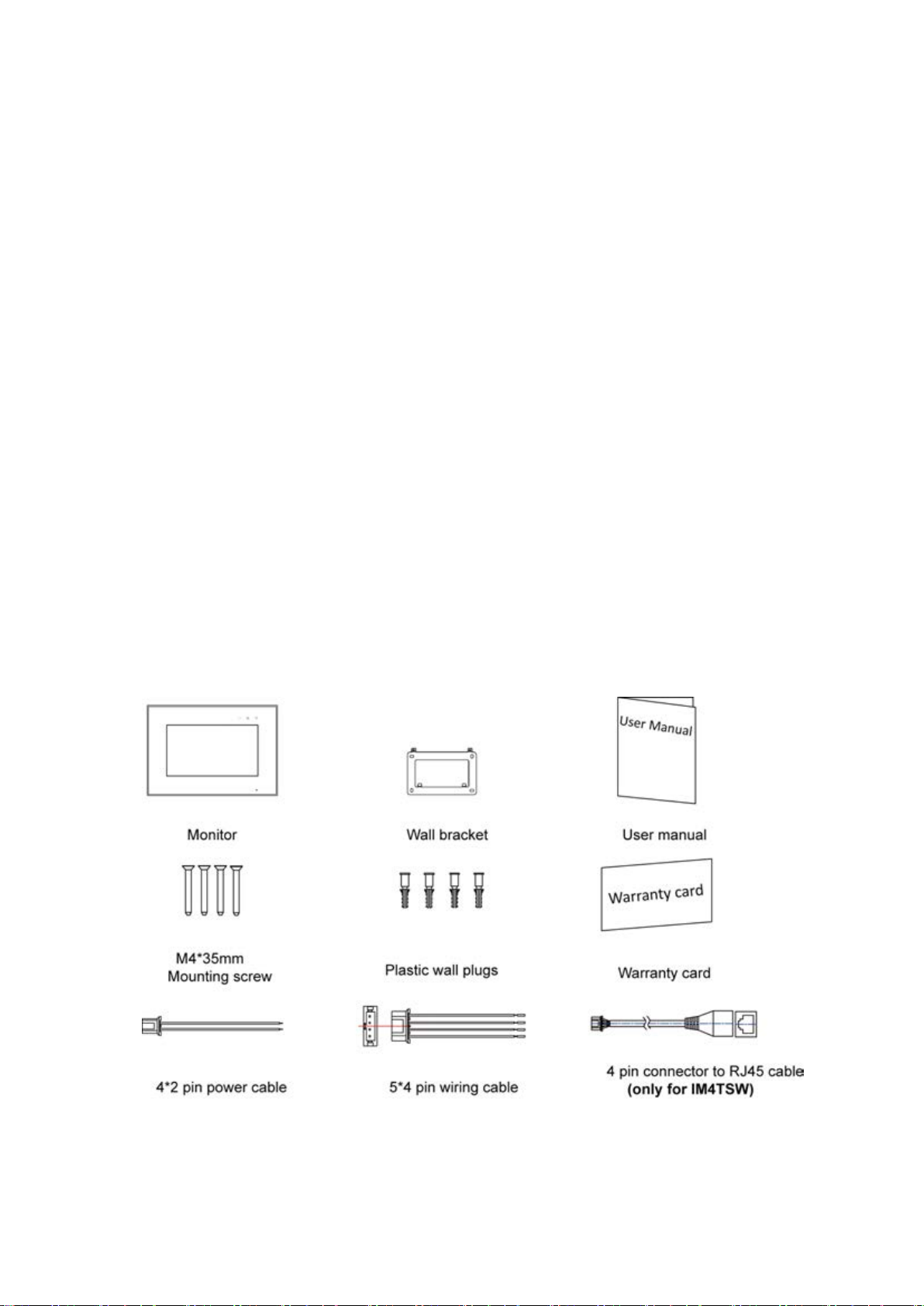
2. Packing Contents

3
3. Indicators and Connection details
3.1 Front & Side
NO.
Part Name
Description
1
Power Indicator
White led -- Monitor power is on
2
Do-not-disturb/Leaving
Mode Indicator
Purple led Solid -- Mute function is enable
Purple led flashing -- Leaving mode enable
3
Message Indicator
Green led -- New Picture taken
4
Micro SD Card Slot
Micro SD card slot
5
Screen
7” digital touch screen
6
Microphone
Microphone to talk to the door station
7
Power Switch
On/Off Switch for Monitor
4
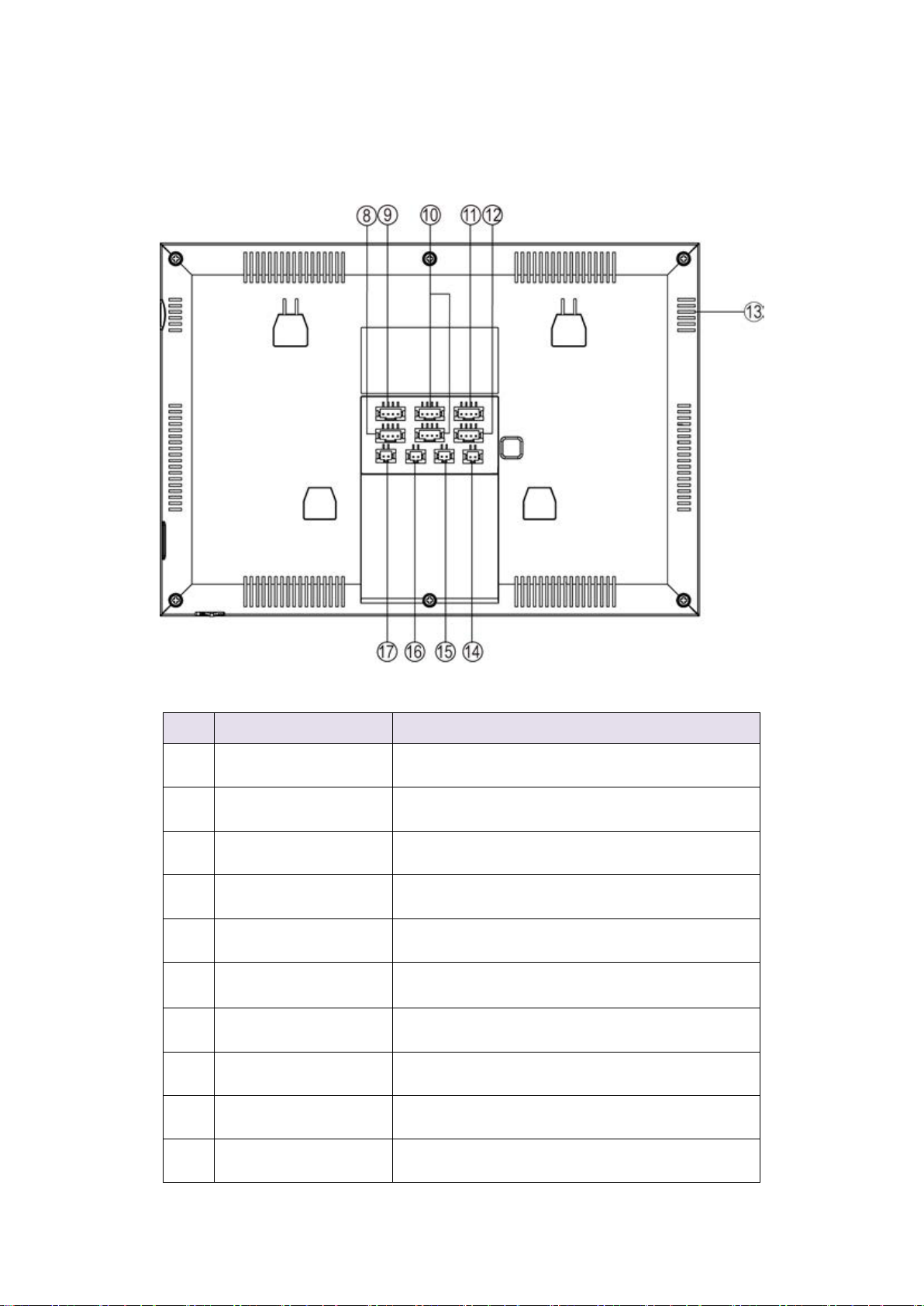
3.2 Rear & Bottom
NO.
Part Name
Description
8
LAN
Connection for home router (IM4TSW only)
9
CCTV Input
Connection for CCTV 1 & CCTV 2
10
Video Input
Connection for door station 1 & door station 2
11
Intercom Output
Connection In for additional Monitor
12
Intercom Input
Connection Out for additional Monitor
13
Speaker
Monitor Specker
14
Relay Output
Normally Open Relay output
15
DC Power Input
Power supply input
16
HOOK
NOT USED - Technical connection
17
CCTV Output
NOT USED –Video Output

5
4. Connection Diagram
4.1Wiring Diagram
Wiring Example of Intercom with one monitor and optional 2nd door station.

6
Wiring Example of Intercom with one monitor, 2 Slaves and optional 2 door stations.
MAXIMUM CABLE DISTANCE IS 100 METERS
Note:
1. Normally Open Contact can only switch 100mA and only operates from the gate
unlock button.
5. Monitor Installation
Standard monitor installation height is about 1,500mm where screen center is at eye
level. The wall bracket centre is 1,450mm above ground level.

7
6. Operation Description
6.1 Main Screen
Touch the screen anywhere in standby mode, the main page will appear displaying
the below icons.
※Icon Definition
Icon
Description
Monitor/watch through the door station
Picture Memory
Monitor to Monitor Intercommunication
Enter the main setting screen
Turn the monitor off
Ce manuel convient aux modèles suivants
1
Table des matières
Autres manuels Micron Moniteur


