Medialine M32LD Manuel utilisateur

USER’S Manual (Ver.1.0)
Model : Medialine L42LD / L32LD

Contents
Before using this product
Safety Instruction
List of Features
The names of each part
-Front Panel Buttons
-Rear Panel Jacks
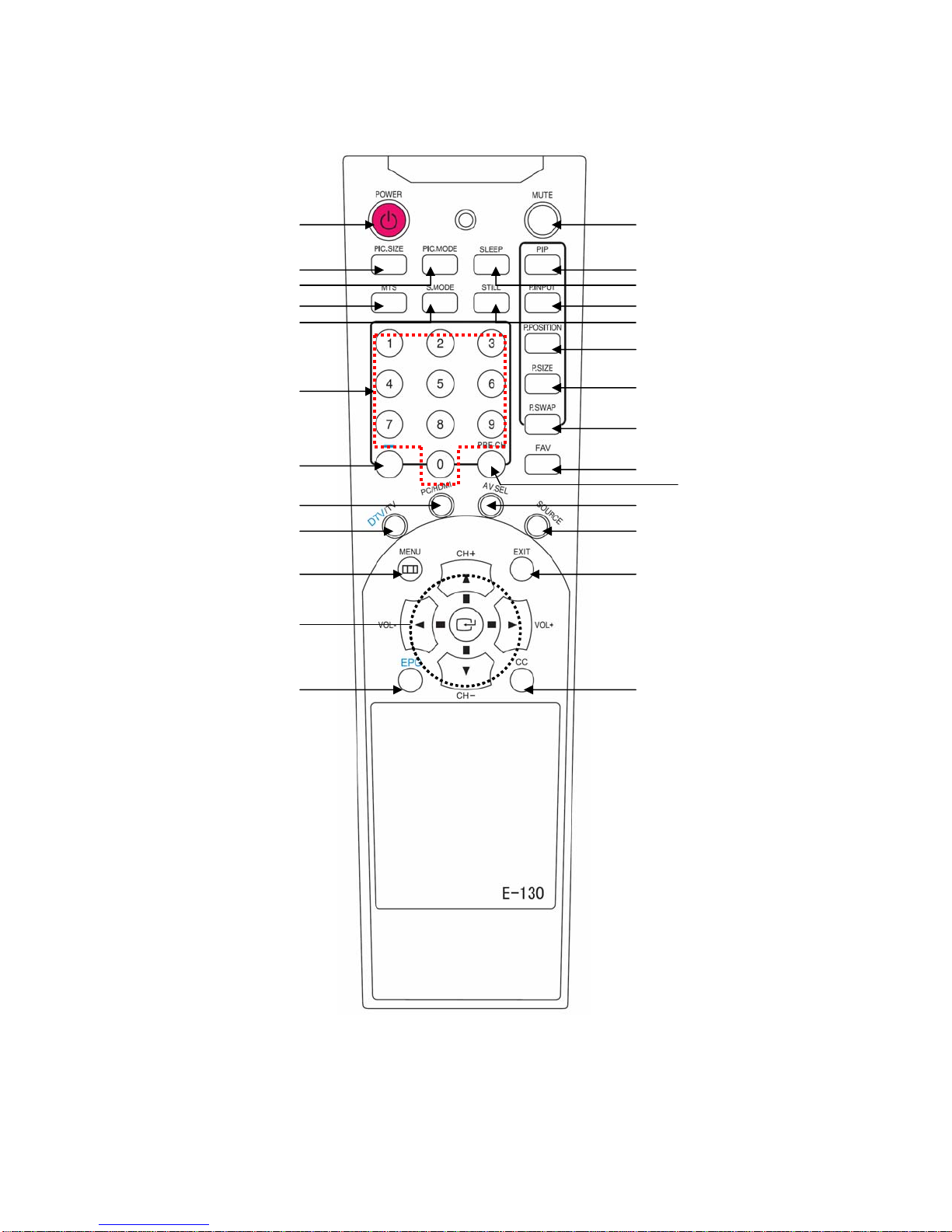
Remote Controller
-Installing Batteries
-The Name of Each Part
Installation
Connecting an Outdoor Terrestrial Antenna / Cable Television Network TV network
Connecting VCR
Connecting Cable Box / Satellite Receiver
Connecting DVD Player / Video Game Machine
Connecting a PC
TV Function
Getting Started
Channel Edit and Source Select
Scanning Channels (Automatic)
Channel Edit – Store or Delete the channels
Using Favorite (FAV.) Channel Function
Displaying EPG (Electronic Program Guide)
Viewing the Information
Changing the Input Mode
Viewing the Current Connected External Devices
Picture and Sound Configuration
Adjusting the Aspect Ratio
Changing the Preset Picture Mode
Customizing the Picture
Adjusting Color Tone
Changing the Preset Sound Mode
Adjusting the Equalizer
Automatic Volume Level Control
To set MTS (Multi Track Sound) Mode
Additional Function

Changing the OSD Menu language
Setting Blue Back Screen
Setting the Current Time (Time Zone)
Automatic Power on/off (On Timer / Off Timer)
Setting the Sleep Timer
Pixel Shift
DNR (Digital Noise Reduction)
PIP Adjusting the Size of Sub picture
Changing Input mode of Sub picture
Adjusting the position of Sub picture
Swapping the main with sub picture
Parental Rating Control (V-Chip)
Viewing Closed Caption
Adjusting PC Picture Settings
Using as a PC Monitor
Check the current Resolution and Frequency rate
Automatic Adjustment of the PC picture
Adjusting Picture Position
Adjusting the PC Picture Settings
Adjusting the Color Tone
Adjusting the Frequency / Fine Tune
Trouble Shooting

-------------------------------------------------------------------------Before using this product
Safety Instructions
PLEASE READ AND OBSERVE ALL THE WARNINGS
AND CAUTIONS IN THIS USER’ S MANUAL AND
RETAIN IT FOR FUTURE REFERENCE.
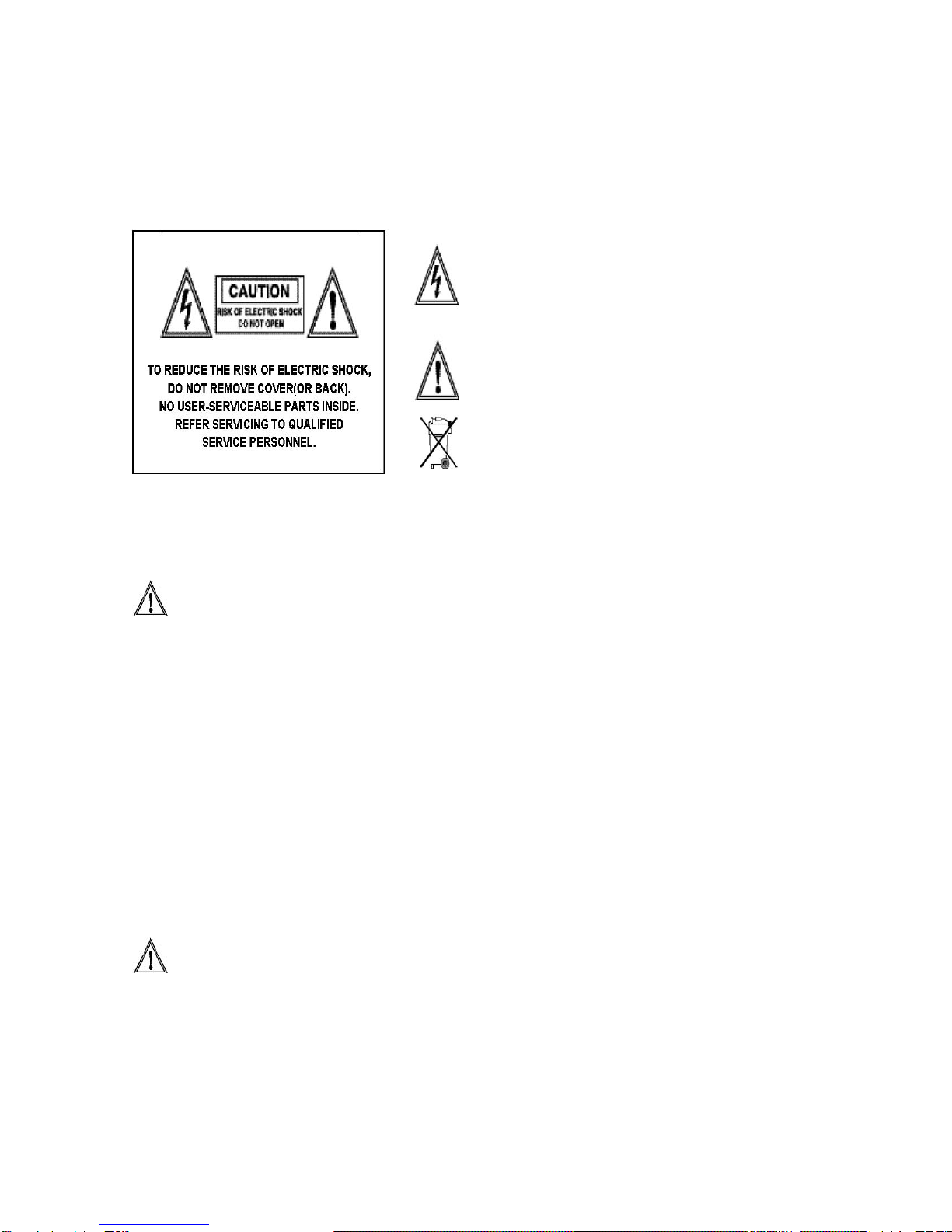
This symbol is intended to alert the user to the presence of
uninsulated “dangerous voltage” within the product’s
enclosure that may be of sufficient magnitude to constitute
a risk of electric shock to persons.
This symbol is intended to alert the user to the presence of
important operating and maintenance (servicing)
instructions in the literature accompanying the appliance
Do not throw your product in the garbage - save the environment
WARNING
•Unplug this product from the wall outlet immediately when it smokes or makes a strange smell.
•Do not block any ventilation openings. (This can result in a risk of fire or electric shock.)
•Do not overload wall outlets or extension cords (This can result in a risk of fire or electric shock.)
•Connect at the receptacle certainly not to be shaken (This can result in a risk of heat and a fire if it is connected to
the wall outlet imperfectly.)
•Do not use the uncovered cables. (This can result in a risk of fire or electric shock.)
•During a storm conditions (especially when there is lightning) unplug this product from the wall outlet and don’t touch
the antenna. (This can result in a risk of fire or electric shock.)
•Do not expose this product to direct sunlight and extreme. (This can result in a risk of fire.)
•Keep children away from this product not to hang on or go up on it.
•Leave batteries for remote control away from your young children. (They may swallow them.)
•Place this product in a well-ventilated place. (This can result in a risk of fire.)
•People over 2 persons must move this product. (It can be the reason of the wound because of the weight of goods.)
•Never put objects of any kind into this product and place heavy things on it.
•Place an antenna away from a high-voltage cable.
• Please use a soft and dry cloth (not containing volatile matter) when you clean this product. (This can result in a risk
of fire.)
CAUTION
•Please use a soft and dry cloth when you clean this product. (This can result in a risk of electric shock)
•Should not be adhered to a power supply plug and receptacle. (This can result in a risk of fire)
•Do not use new batteries with old ones together. (This can result in a risk of electric shock)
•Do not place this product in the place to reach children’s hands.
•Do not take out a power supply plug with the wet hand. (This can result in a risk of electric shock)
•Bend down the outdoor antenna cable to prevent the rain water flows and not to enter the room. (This can result in a
risk of fire or electric shock)

•Maintain a suitable distance between you and a TV or monitor to protect your eye sight. (Your eye sight can get
worse if you watch TV very nearly)
•Place remote control away from a humid or hot place because it is very minute device.
•If this product is not used for a long period of time, unplug the power cord. (This can result in a risk of fire or electric
shock)
•Do not drop this product. Unplug the power cord and ask to Service Centre when it is broken.
•Do not cover this product with curtains or a tablecloth. (This can result in a risk of fire)
•Place the batteries rightly to the both sides (+,-) when you replace them. (The batteries can be explosive and you’re
wound)
•Do not place this product on the floor. (Children can push it down)
•Do not damage the power cord. (This can result in a risk of fire or electric shock)
• The LCD panel is very high technology product with about million thin film transistors, giving you fine picture details.
Occasionally, a few non-active pixels may appear on the screen as a fixed point of blue, green or red. Please note
that this does affect the performance of your product.

List of Features
Digital Broadcasting Support
This TV is designed to receive and display High Definition TV (1920x1080i) or Analog TV signal.
Electronic Program Guide
Electronic Program Guide (EPG) is the very convenient feature that enables you to check the Programs
with reference to Date, Time, and Channels.
Favorite Channel / Virtual Channel
Favorite Channel: After scanning all the available channels on broadcast, you can sort or manage the
channels as your favorite ones. Once they are registered as favorite, you can easily change the
channels among them by pressing “ FAV” button on remote controller
Virtual Channel: Without this feature, normally, HD Supported Channel are stored and assigned at high
number of channel. For Example, some channel in Analog is Channel Number 6 while its HD Channel is
83. However, with this feature, HD Channel will be assigned virtually as 6-1 and easily recognized
while analog channel is 6.

The Name of Each Part
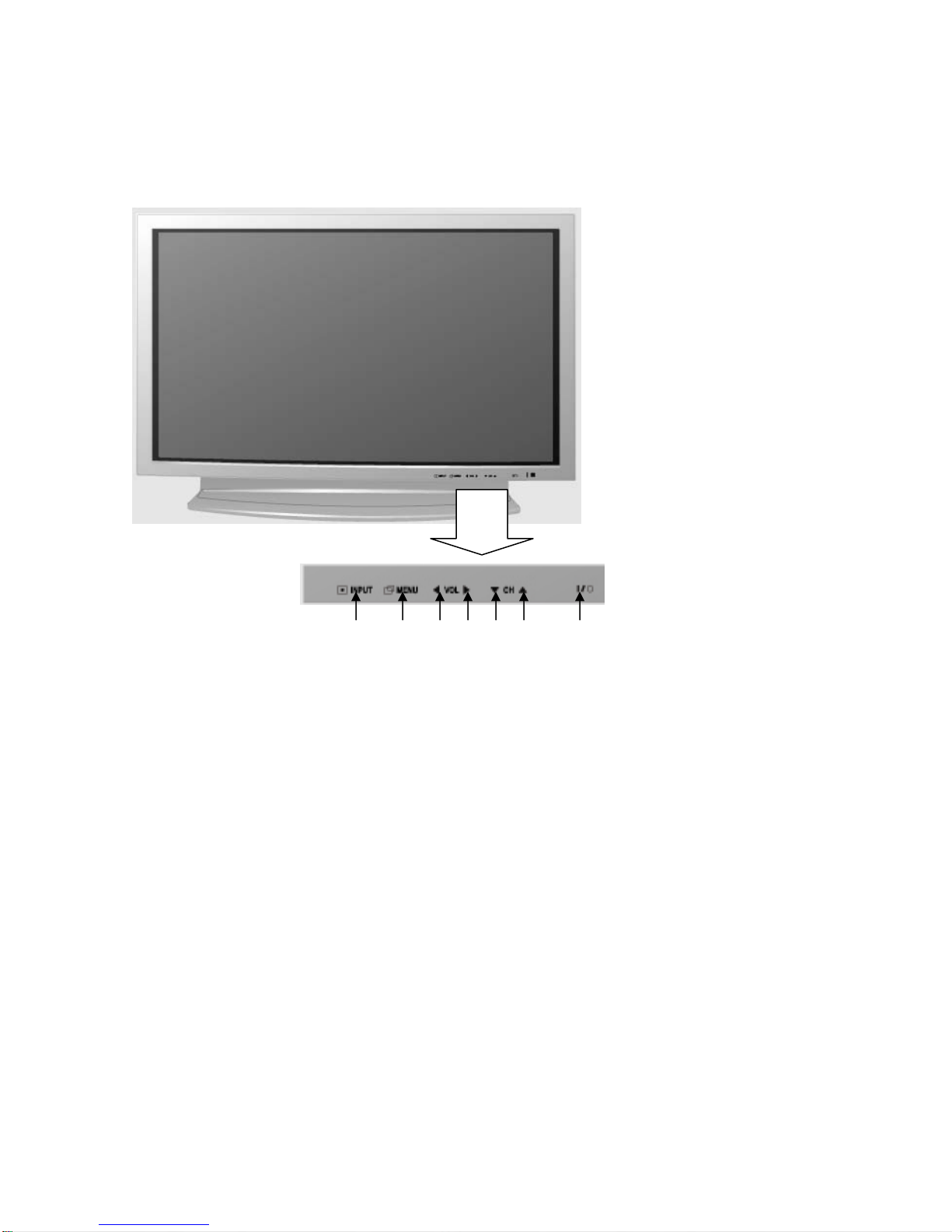
Front Panel Buttons
c d e f g h i
①Source Button
Change Input Source: Video, Component, PC or HDMI, DTV/TV.
②Menu Button
Display OnScreenMenu.
③Volume - Button / Set the value
Adjust sound level or set the value while On Screen Menu is active.
④Volume + Button / Set the Value
Adjusts sound level or set the value while On Screen Menu is active.
⑤Channel - Button / Navigating the menu.
Change channel or navigate while On Screen Menu is active.
⑥Channel + Button / Navigating the menu
Change channel or navigate while On Screen Menu is active.
⑦Power Button
Turn on or off the TV.

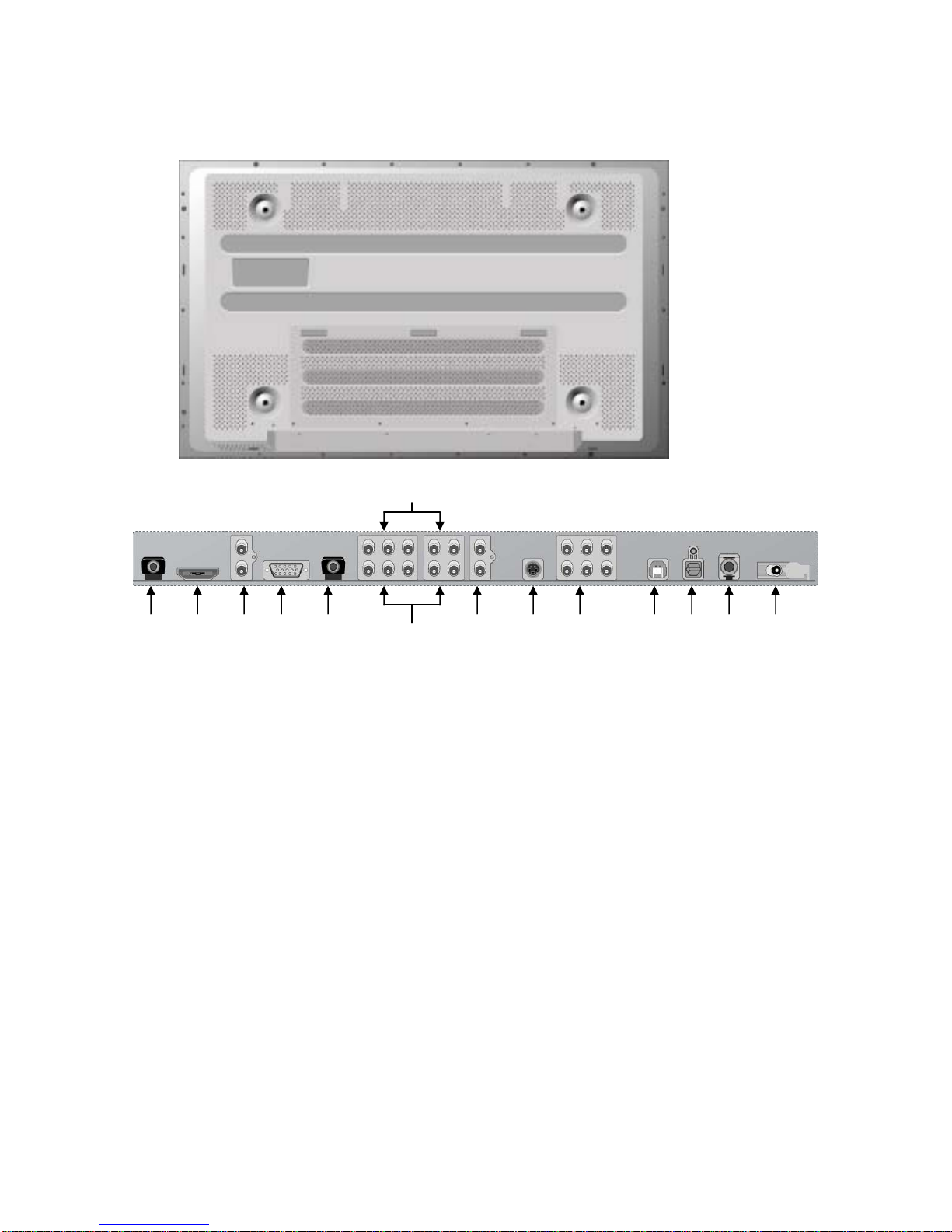
Rear Panel Jacks
7
1 2 3 4 5 6 8 9 10 11 12 13 14
1. Service port
2. HDMI
3. Audio Input
(for HDMI-to-DVI Cable)
4. D-Sub
5. PC Audio Input
6. Component 1
7. Component 2
8. Audio Line Out
9. S-Video
10. AV 1 & 2
11. USB v.2.0 (for Service)
12. SPDIF (Optical)
13. SPDIF (Coaxial)
14. Antenna In

Remote Controller
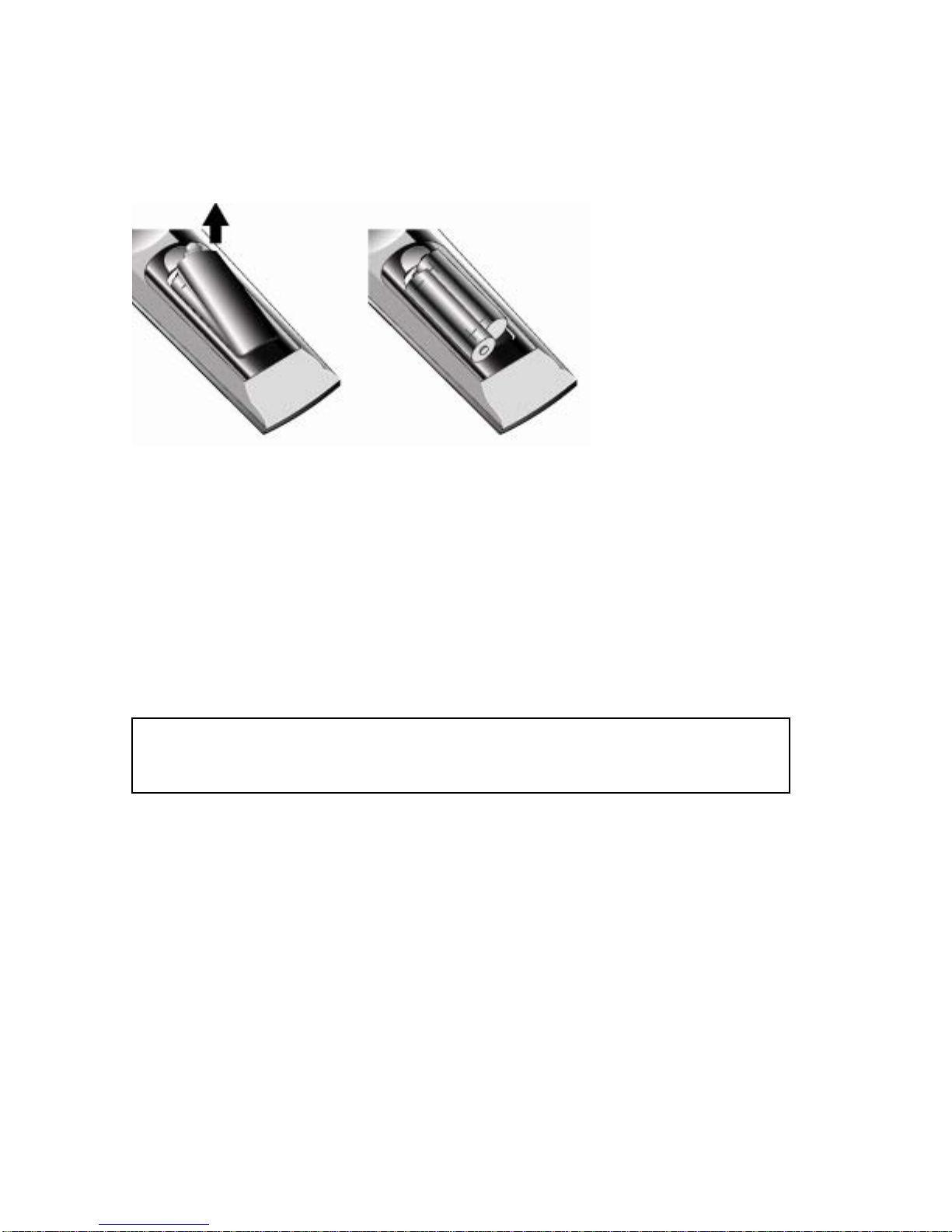
Installing Batteries
n Remove the rear cover of the remote controller by pressing the arrow Symbol
downwards and then pulling firmly to remove it.
o Insert two 1.5V of AAA type batteries by following polarities (+,-).
p Close the cover.
Tip
To confirm proper battery installation, press any button on the remote control and
check the red LED on the remote control twinkles.

The Name of Each Button
20
19
17
18
7
6
4
5
3
25 16
15
14
13
12
1 8
9
2
10
11
21
22
23
24 26
Ce manuel convient aux modèles suivants
1
Table des matières
Manuels TV populaires d'autres marques

Philips
Philips Colour Television Manuel utilisateur

Toshiba
Toshiba 27A10 Manuel utilisateur

Philips
Philips 42PF9630A/37 Manuel utilisateur

Hitachi
Hitachi 32FX48B Manuel utilisateur

DAEWOO ELECTRONICS
DAEWOO ELECTRONICS DTQ-14V1FC Manuel utilisateur

Changhong Electric
Changhong Electric uhd55b6000is Manuel utilisateur