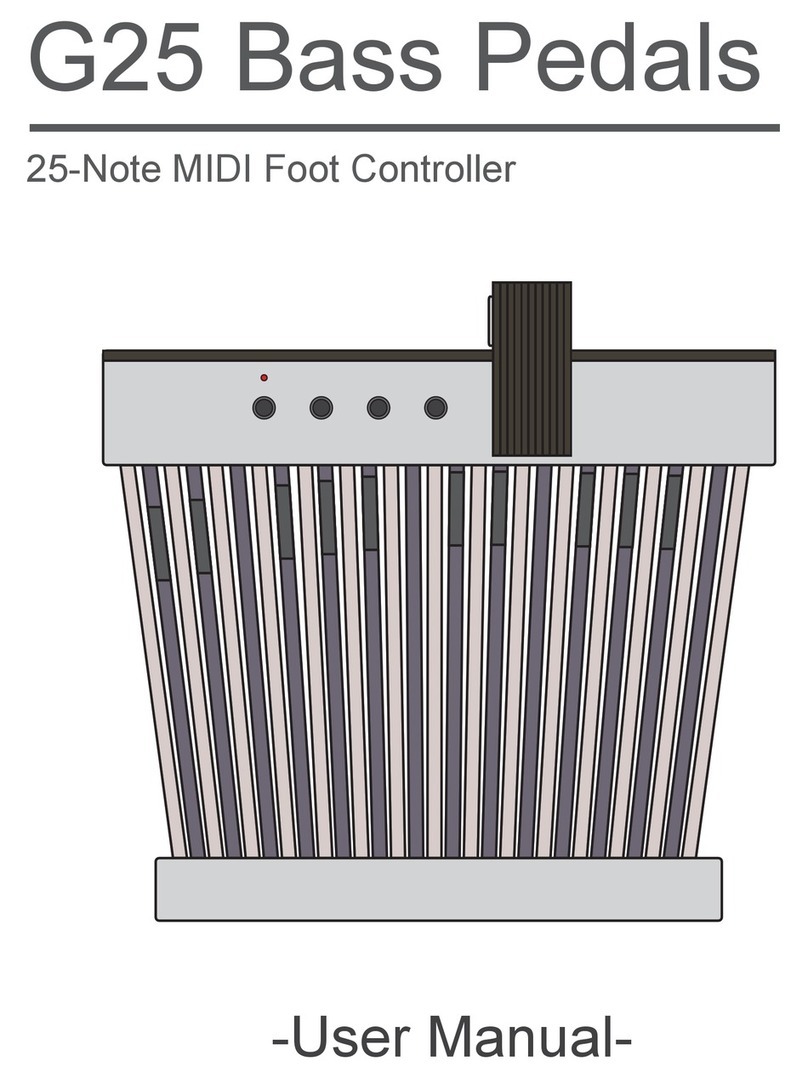
Medeli FD500 Manuel utilisateur
Owner's Manual
DIGITAL MODELING
DISTORTION EFFECTS
PEDAL
0
5
25
75
95
100
aw_FD500_Manual_G12_101021
20101021 17:04:32

INFORMATION FOR YOUR SAFETY!
PRECAUTIONS
PLEASE READ CAREFULLY BEFORE PROCEEDING.
Please keep this manual in a safe place for future reference.
2
Power Supply
Please connect the designated AC adaptor to an AC
outlet of the correct voltage.
Do not connect it to an AC outlet of voltage other than
that for which your instrument is intended.
Unplug the AC power adaptor when not using the
instrument, or during electrical storms.
Connections
Before connecting the instrument to other devices, turn
off the power to all units. This will help prevent
malfunction and / or damage to other devices.
Location
Do not expose the instrument to the following
conditions to avoid deformation, discoloration, or more
serious damage:
Direct sunlight
Extreme temperature or humidity
Excessive dusty or dirty location
Strong vibrations or shocks
Close to magnetic fields
Interference with other electrical devices
Radios and televisions placed nearby may experience
reception interference. Operate this unit at a suitable
distance from radios and televisions.
Cleaning
Clean only with a soft, dry cloth.
Do not use paint thinners, solvents, cleaning fluids, or
chemical-impregnated wiping cloths.
Handling
Do not apply excessive force to the switches or controls.
Do not let paper, metallic, or other objects into the
instrument. If this happens, unplug the AC adaptor from
the wall outlet. Then have the instrument inspected by
qualified service personnel.
Disconnect all cables before moving the instrument.
CAUTION
The normal function of the product may be disturbed
by Strong Electro Magnetic Interference. If so,
simply reset the product to resume normal operation
by following the owner’s manual. In case the function
could not resume, please use the product in other
location.
0
5
25
75
95
100
aw_FD500_Manual_G12_101021
20101021 17:04:32

Contents
3
Front Panel...........................................................................................................................................4
Battery Replacement Diagram..............................................................................................................6
Connection.........................................................................................................................................7
Effects List............................................................................................................................................8
Models Introduction..............................................................................................................................9
Storing Your Favorite Tones................................................................................................................14
Recalling the Saved Memories...........................................................................................................16
FOOT SWITCH Control Mode............................................................................................................17
Troubleshooting................................................................................................................................18
Specifications...................................................................................................................................19
Setting Samples..................................................................................................................................20
Panel Description
Setup
Effects Introduction
Store and Recall Patches
Advanced Use
Appendices
0
5
25
75
95
100
aw_FD500_Manual_G12_101021
20101021 17:04:33

Panel Description
Front Panel
4
11
13 12
0
5
25
75
95
100
aw_FD500_Manual_G12_101021
20101021 17:04:33

Panel Description
5
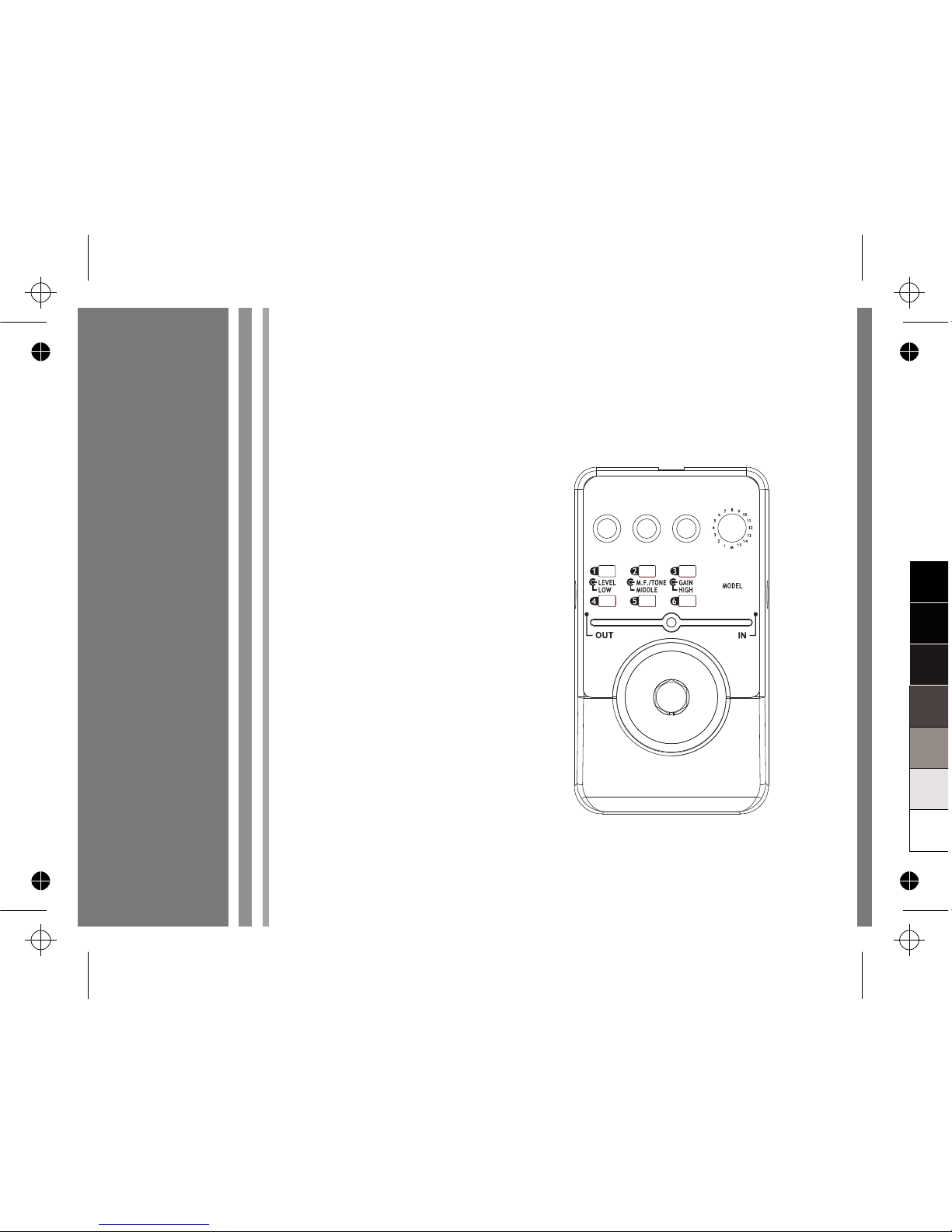
1.LEVEL Knob
Controls the output LEVEL of the effect.
2.LOW Knob
Manipulate the LOW tone.
3.M.F/TONE Knob
If the current distortion model has M.F.
(Middle Frequency) or Tone modulation, the
LED of M.F./TONE will be lighted up
accordingly.
4.MIDDLE Knob
Manipulate the MIDDLE tone.
5.GAIN Knob
Turn this knob clockwise to adjust the GAIN.
6.HIGH Knob
Manipulate the HIGH tone.
7.MODE Knob
Select one distortion model among the 15
models, or to select the patch memory
function.
8.PATCH MEMORY Buttons
Press any of the PATCH MEMORY buttons to
store your favorite tones to one of the six
patch memory buttons (When the “MODEL”
knob on the M position is selected).
9.ON/OFF LED
Indicates the on/off status of the unit.
10.FOOT SWITCH
Press the switch to turn effects on and off or
for patch memory selection.
11.POWER Jack
Plug OPTIONAL 9V power adaptor into this
jack.
12.INPUT Jack
Connect your guitar to this jack.
13.OUTPUT Jack
Connect this output jack to your guitar
amplifier.
0
5
25
75
95
100
aw_FD500_Manual_G12_101021
20101021 17:04:33
Setup
6
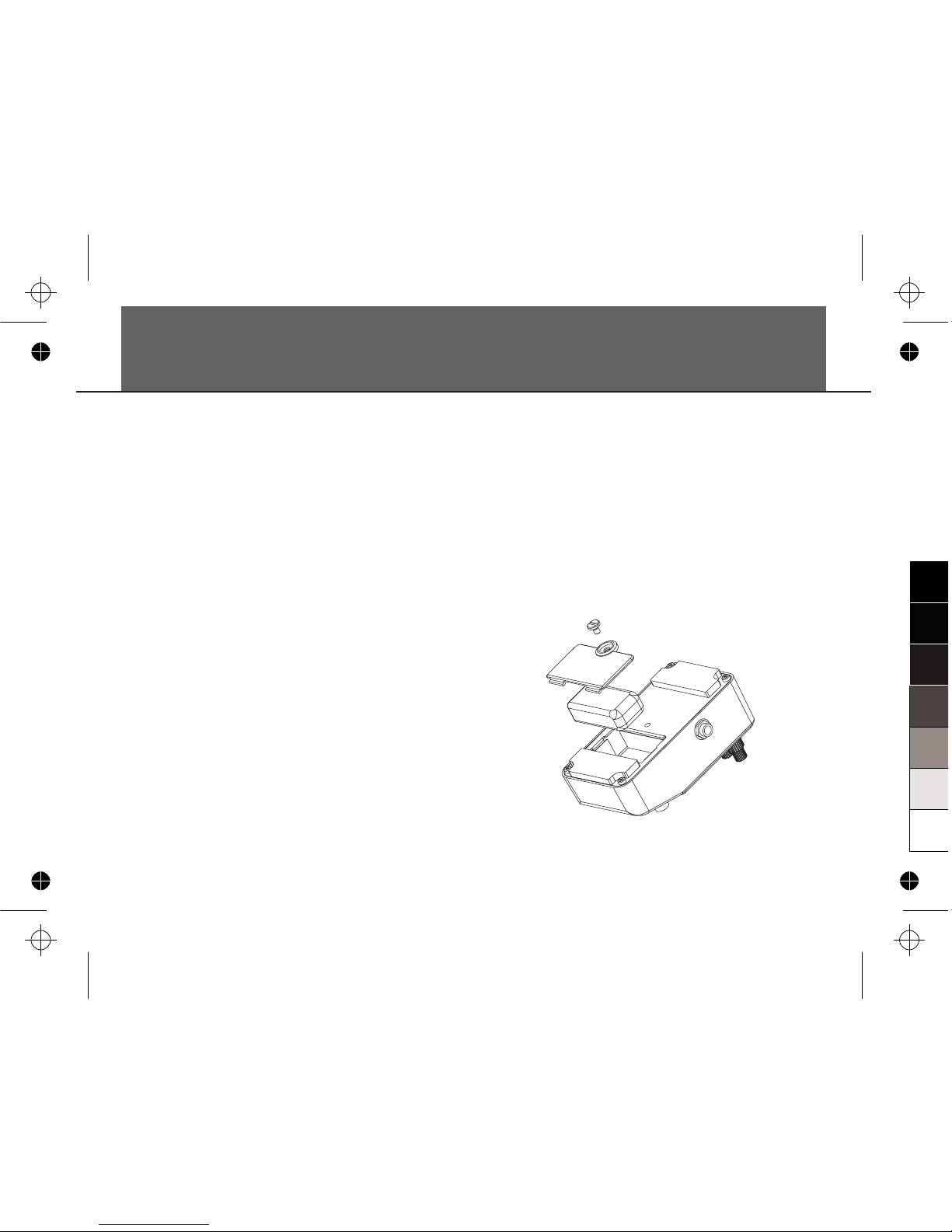
Battery Replacement Diagram
Warning:
1. A 9V battery (optional) must be installed
before you plug the mono audio cable into
the input jack.
2. While the power supply is low, the ON/OFF
LED will extinguish. Please replace the
battery accordingly.
3. Turn the guitar amplifier off before plugging
and unplugging cables, otherwise
tremendous noise might be produced and the
unit might be damaged as well.
0
5
25
75
95
100
aw_FD500_Manual_G12_101021
20101021 17:04:33

7
Connection
Connection
1. Connect the optional power supply to the
power jack or insert a 9V battery (optional)
into the battery compartment on the bottom.
2. Connect your guitar to input jack and an
amplifier to output jack of the Pedal.
3. The Pedal will automatically switch on after a
cable is plugged into its input jack when
using a battery.
Use only the appropriate adaptor with the
correct voltage and with a center NEGATIVE
polarity. Some adaptors are made with a
different polarity or voltage, which may
damage the unit if it has been falsely used in
connection.
AC Adaptor
OUT DC 9V
Guitar Amplifier
-
+
0
5
25
75
95
100
aw_FD500_Manual_G12_101021
20101021 17:04:34

Effects Introduction
8
This digital distortion pedal, contains 15 distortion models based on 15 popular distortion pedals. It
also includes the storage function, allows you to store and recall up to 6 patch memories.
Effects List
MODEL No.
1
2
3
4
5
6
7
8
9
10
11
12
13
14
15
CATEGORY
OverDrive
Distortion
Fuzz
Rat
Grunge
Metal
BRAND
®
Ibanez
®
BOSS®
BOSS ®
Fulltone
®
MXR ®
BOSS ®
Marshall®
Marshall
®
DUNLOP ®
Electro-Harmonix
Pro Co™
®
DOD ®
Ibanez
®
BOSS
®
DOD
DISTORTION MODEL
®
TUBE SCREAMER Overdrive Pro TS808 *
SD-1 SUPER Over Drive *
OD-1 Over Drive *
®
OCD Obsessive Compulsive Drive™ *
M-104 distortion+ *
DS-1 Distortion *
The Guv'nor *
SHRED MASTER *
FUZZFACE™ *
BIG MUFF π™ *
The Rat™ *®
FX69 GRUNGE *
®
SM7 SMASH BOX *
®
MT-2 Metal Zone *
FX86 DEATH METAL™ DISTORTION *
* These product names used in this document are trademarks of their respective companies. They are trademarks
of other manufacturers and were used merely to identify whose sounds were reviewed in the creation of this
product.
0
5
25
75
95
100
aw_FD500_Manual_G12_101021
20101021 17:04:34

® ®
01. Ibanez TUBE SCREAMER Overdrive Pro
TS808 *
®
®
®
02. BOSS SD-1 SUPER Over Drive *
®
03. BOSS OD-1 Over Drive *
®
® ®
04. Fulltone OCD Obsessive Compulsive
Drive™ *
®
This model is based on IBANEZ TS808 TUBE
SCREAMER . TS808 is famous for delivering a
warm, natural tube overdrive sound. Also it is a way
to boost your signal without adding a lot of distortion.
This model is based on BOSS® SD-1 SUPER
OverDrive. Many famous guitarists use SD-1 as an
overdrive pedal or a booster, it provides a harmonical
drive sound, and especially suits a humbucker pickup.
This model is based on BOSS OD-1 Over Drive, a
legendary pedal discontinued in 1985. It has a very
pure and vintage overdrive sound that a great many
guitar players thirst for.
This model is based on Fulltone OCD Obsessive
Compulsive Drive™. This pedal can keep all the touch
sensitivity and complex harmonics, bring out a full
natural drive sound.
9
Effects Introduction
KNOBS
GAIN
M.F./TONE
LEVEL
TS808’S KNOBS
OVERDRIVE
TONE
LEVEL
KNOBS
GAIN
M.F./TONE
LEVEL
SD-1’S KNOBS
DRIVE
TONE
LEVEL
KNOBS
GAIN
LEVEL
OD-1’S KNOBS
OVER DRIVE
LEVEL
KNOBS
GAIN
M.F./TONE
MIDDLE
LEVEL
OCD’S KNOBS
DRIVE
TONE
HP / LP *
VOLUME
0
5
25
75
95
100
aw_FD500_Manual_G12_101021
20101021 17:04:34

Effects Introduction
*
®
05. MXR M-104 distortion+ *
®
®
06. BOSS DS-1 Distortion *
®
®
®
07. Marshall The Guv'nor *
®
There are two modes for selection under this model.
Turn the MIDDLE knob less than a '12 O'clock
position', the LED indicator will not be lighted; the
current selection will be the “HP” mode. Turn the
MIDDLE knob to a position exceeds '12 O'clock', and
the LED lights, creates the “LP” mode.
This model is based on MXR M104
distortion+, the classic distortion tone which
sounds very vintage.
This model is based on BOSS DS-1, the
best-selling distortion pedal of BOSS .
This model is based on Marshall
GUV'NOR, the most famous pedal made by
Marshall, creates a most pure-blood British
sound absolutely worthy of its Marshall
heritage.
10
KNOBS
GAIN
LEVEL
M-104’S KNOBS
DISTORTION
OUTPUT
KNOBS
GAIN
M.F./TONE
LEVEL
DS-1’S KNOBS
DIST
TONE
LEVEL
KNOBS
GAIN
LOW
MIDDLE
HIGH
LEVEL
GUV’NOR’S KNOBS
GAIN
BASS
MIDDLE
TREBLE
LEVEL
0
5
25
75
95
100
aw_FD500_Manual_G12_101021
20101021 17:04:34
Table des matières
Autres manuels Medeli Pédale musicale

Manuels Pédale musicale populaires d'autres marques


Matthews Effects
Matthews Effects Whaler V2 Manuel utilisateur

Grid 1
Grid 1 Pedal Jeanie Manuel utilisateur

Amptweaker
Amptweaker tightboost Manuel utilisateur

Ibanez
Ibanez TS-808 Tube Screamer Overdrive Pro Manuel utilisateur

PuzzleSounds
PuzzleSounds DR. Q ENVELOPE FILTER Manuel utilisateur

BYOC
BYOC Analog Chorus Manuel