Maxnet WU 8702 - 1N Manuel utilisateur


WU 8702 - 1N Wireless High Gain USB Adapter
COPYRIGHT & TRADEMARKS
Specifications are subject to change without notice. Other brands and product names
are trademarks or registered trademarks of their respective holders.
No part of the specifications may be reproduced in any form or by any means or used
to make any derivative such as translation, transformation, or adaptation without
permission from MAXNET.
© 2009 – 2010 Maxnet
All rights reserved.
http://www.maxnet.pe

Wireless High Gain USB Adapter
FCC STATEMENT
This equipment has been tested and found to comply with the limits for a Class B digital device,
pursuant to part 15 of the FCC Rules. These limits are designed to provide reasonable
protection against harmful interference in a residential installation. This equipment generates,
uses and can radiate radio frequency energy and, if not installed and used in accordance with
the instructions, may cause harmful interference to radio communications. However, there is no
guarantee that interference will not occur in a particular installation. If this equipment does
cause harmful interference to radio or television reception, which can be determined by turning
the equipment off and on, the user is encouraged to try to correct the interference by one or
more of the following measures:
• Reorient or relocate the receiving antenn. a
• Increase the separation between the equipment and receiver.
• Connect the equipment into an outlet on a circuit different from that to which the
receiver is connected.
• Consult the dealer or an experienc ed radio/ TV technician for help.
This device complies with part 15 of the FCC Rules. Operation is subject to the following two
conditions:
1) This device may not cause harmful interference.
2) This device must accept any interference received, including interference that may
cause undesired operation.
Any changes or modifications not expressly approved by the party responsible for compliance
could void the user’s authority to operate the equipment.
FCC RF Radiation Exposure Statement:
This equipment complies with FCC radiation exposure limits set forth for an uncontrolled
environment. End users must follow the specific operating instructions for satisfying RF
exposure compliance. This transmitter must not be co-located or operating in conjunction with
any other antenna or transmitter. This equipment has been SAR-evaluated for use in hand.
SAR measurements are based on a 4mm spacing from the body and that compliance is
achieved at that distance.
WU 8702 - 1N

Wireless High Gain USB Adapter
CE Mark Warning
This is a class B product. In a domestic environment, this product may cause radio interference,
in which case the user may be required to take adequate measures.
National restrictions
This device is intended for home and office use in all EU countries and other countrie s
following the EU directive 1999/5/EC) without any limitation except for the countries mentioned
below:
Country Restriction Reason/remark
Bulgaria None General authorization required for outdoor use and
public service
France
Outdoor use limited to 10
mW e.i.r.p. within the band
2454-2483.5 MHz
Military Radiolocation use. Refarming of the 2.4 GH z
band has been ongoing in recent years to allow current
relaxed regulation. Full implementation planned 2012
Italy None If used outside of own premises, general authorization is
required
Luxembourg None General authorization required for network and service
supply(not for spectrum)
Norway Implemented This subsection does not apply for the geographical area
within a radius of 20 km from the centre of Ny-Ålesund
Russian Federation None Only for indoor applications
Note: Please don’t use the product outdoors in France.
WU 8702 - 1N

Wireless High Gain USB Adapter
CONTENTS
Package Contents .................................................................................................... 1
Chapter 1. Introduction ........................................................................................ 2
1.1 Overview the product...................................................................................................... 2
1.2 Features ....................................................................................................................... ...... 2
1.3 LED Status ..................................................................................................................... .... 3
Chapter 2. Installation Guide ............................................................................... 4
2.1 Hardware Installation.......................................................................................................... 4
2.2 Software Installation .......................................................................................................... . 4
2.2.1 For Windows XP.......................................................................................................... 4
2.2.2 For Windows Vista ...................................................................................................... 8
Chapter 3. Configuration Guide......................................................................... 12
3.1 For Windows XP............................................................................................................... 12
3.1.1 Current Status ........................................................................................................... 12
3.1.2 Profile Management .................................................................................................. 14
3.1.3 Diagnostics................................................................................................................ 22
3.2 For Windows Vista............................................................................................................ 23
Chapter 4. WPS configuration ........................................................................... 26
4.1 PBC (Push Button Configuration) method ........................................................................ 26
4.2 PIN method ..................................................................................................................... . 29
4.2.1 Enter a PIN into your AP device................................................................................ 29
4.2.2 Enter the PIN from your AP device............................................................................ 30
Appendix A: Specifications................................................................................... 32
Appendix B: Glossary............................................................................................ 33
WU 8702 - 1N

Wireless High Gain USB Adapter
1
Package Contents
The following contents should be found in your box:
One WU 8702 - 1N 150Mbps Wireless High Gain USB Adapter
Quick Installation Guide
One USB cable
One Resource CD for , including: WU 8702 - 1N
Maxnet Wireless N-Lite Client Utility and Drivers
User Guide
• Other Helpful Information
Note:
Make sure that the package contains the above items. If any of the listed items are damaged or
missing, please contact with your distributor.
Conventions:
The ‘Adapter’ mentioned in this user guide stands for 150Mbps Wireless High Gain WU 8702 - 1N
USB Adapter without any explanations.
•
•
WU 8702 - 1N

Wireless High Gain USB Adapter
2
Chapter 1. Introduction
Thank you for choosing WU 8702 - 1N 150Mbps Wireless High Gain USB Adapter.
1.1 Overview of the product
The adapter is designed to provide a high-speed and unrivaled wireless performance for your
notebook and PC. With a faster wireless connection, you can get a better Internet experience,
such as downloading, gaming, video streaming and so on.
The ’s auto-sensing cWU 8702 - 1N apability allows high packet transfer rate of up to 150Mbps f or
maximum throughput. It has good capability on anti-jamming; it can also interoperate with other
wireless (802.11b/g/n) products. The adapter supports WEP, WPA and WPA2 encryption to prevent
outside intrusion and protect your personal information from being exposed.
The Quick Setup Wizard guides you step by step through the installation process; the
Maxnet Wireless N-Lite Client Utility helps you create a wireless connection immediately.
With unmatched wireless performance, reception, and security protection, the is the WU 8702 - 1N
best choice for easily adding or upgrading wireless connectivity.
1.2 Features
IEEE 802.11g, IEEE 802.11b, IEEE 802.11n standards
Supports WPA/WPA2 data security, IEEE 802.1x authentication, TKIP/AES encryption,
WEP encryption
Make use of IEEE 802.11n wireless technology to provide a wireless data rate of up to
150Mbps
Supports automatically adjust to lower speeds due to distance or other operating limitations
Provides USB interface
Supports Ad-Hoc and Infrastructure modes
Good capability on anti-jamming
Supports roaming between access points when configured in Infrastructure mode
Easy to configure and provides monitoring information
Supports Windows 2000,XP 32/64,Vista 32/64,Seven 32/64
WU 8702 - 1N

Wireless High Gain USB Adapter
3
1.3 LED Status
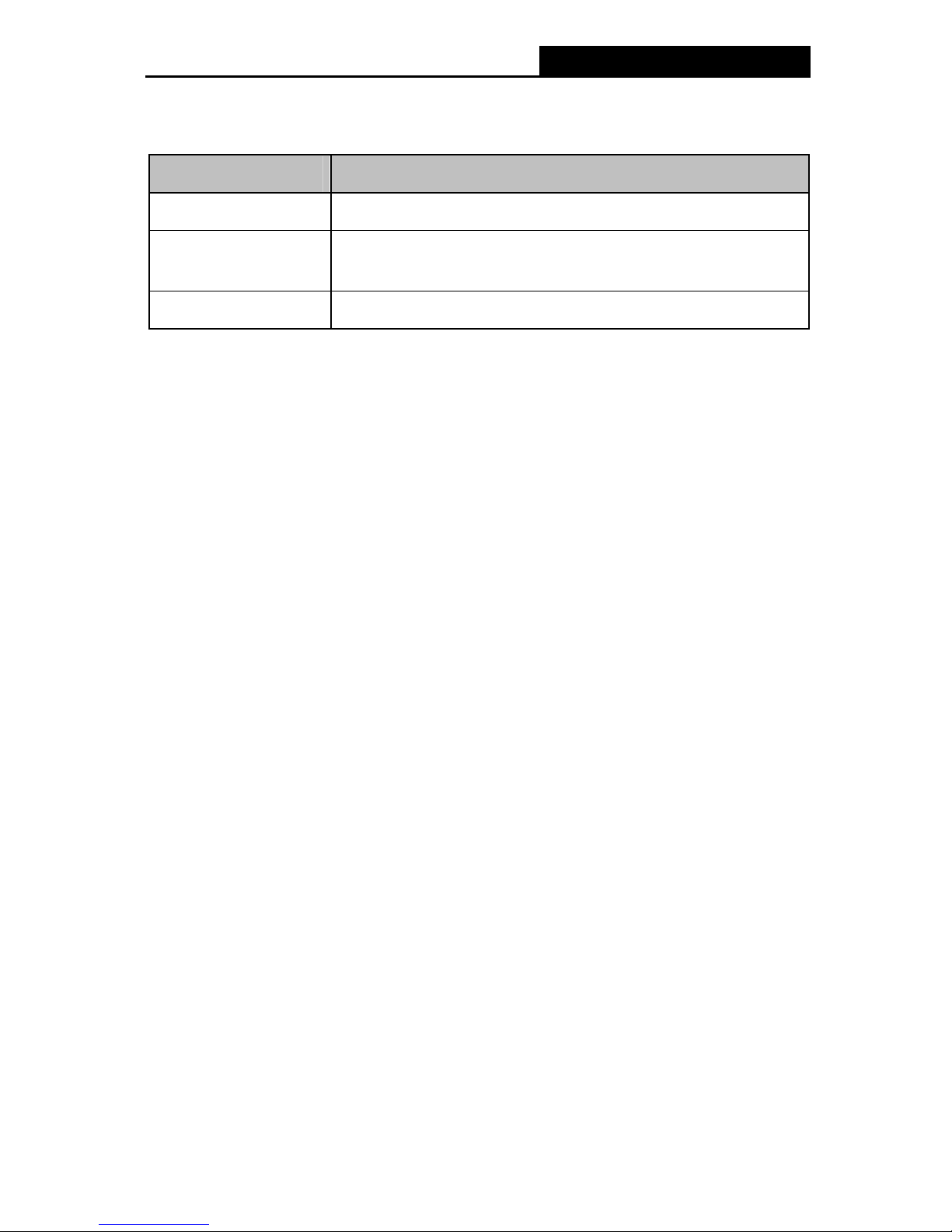
WU 8702 - 1N
Status Working Status
Off The driver has not been installed.
Flashing Slowly The driver has been installed but there is no data being transmitted
or received.
Flashing Quickly There is data being transmitted or received.

Wireless High Gain USB Adapter
4
Chapter 2. Installation Guide
2.1 Hardware Installation
There are two ways to install the Adapter:
1. Plug the Adapter directly to the USB port on your compute r.
2. Connect the Adapter and your computer through the USB cable attached in package.
Note:
The promoted Found New Hardware Wizard screen will pop up when the adapter is installed
correctly. Click Cancel.
2.2 Software Installation
2.2.1 For Windows XP
The Setup steps for Windows 2000 and XP are similar with each other. This user guide takes
Windows XP for example.
1. Insert the Resource CD into your CD-ROM drive. To continue, double-click My Computer ,
and then double-click the CD/DVD drive where the installation CD was placed. Open
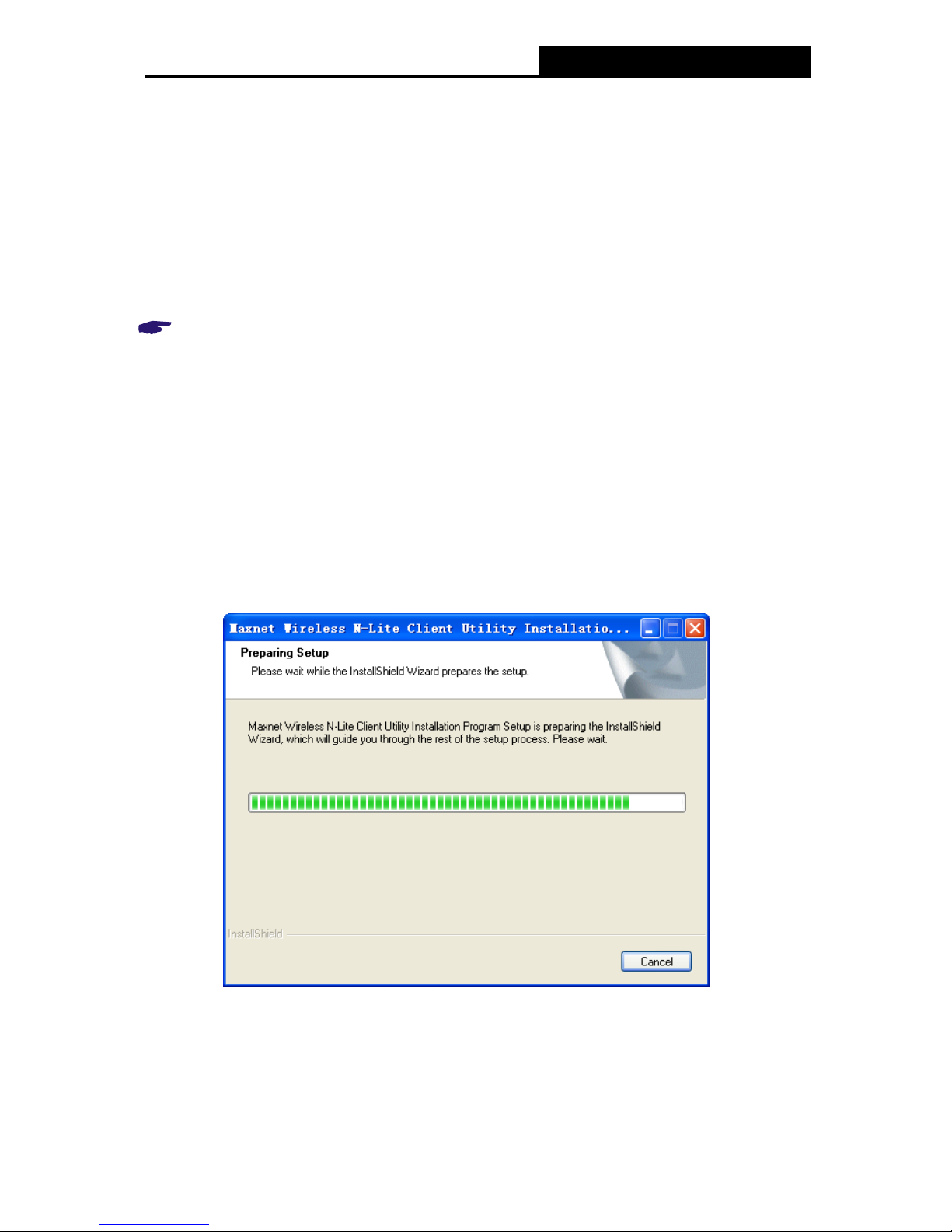
WU 8702 - 1N folder, and double-click Setup.exe. Then you will see Figure 2-1.
Figure 2-1
2. Soon, Figure 2-2 will display after a moment. Click Next to continue.
WU 8702 - 1N

Table des matières
Autres manuels Maxnet Adaptateur