
Masterplug TVRC1N Manuel utilisateur
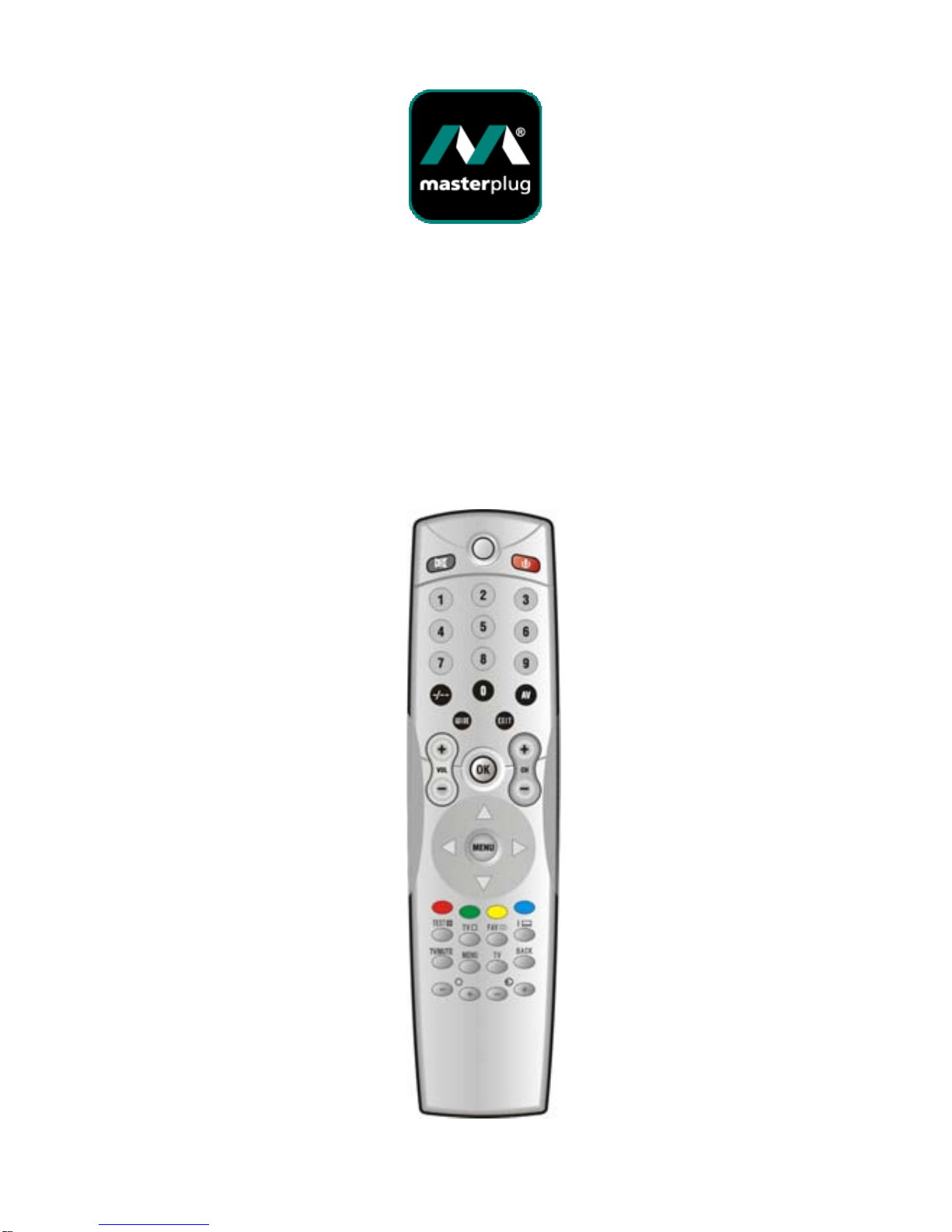
TVRC1N
1 IN 1 Remote Control
Operating Instructions and
Device Codes


Contents
Batteries………...………………...……………………….…. 3
Button functions …….……….……….……….………...…4
A. Direct code entry…………………...…………….…….7
B. Global Search Remote Control Programming…8
C. Current Code Display……...…………………………10
Codes
TV………………………...………………………………….…11
Batteries
This product requires 2 AAA/LR03
Alkaline buttons.
1. Slide the battery cover in the direction of
the arrow away from the body of the remote
control.
2. Insert the batteries into the remote control
as indicated in the battery compartment.
3. Refit the cover.
After replacement of the batteries it will be
necessary to re enter the codes for your devices
use the inside rear page to record your code
numbers for your devices.
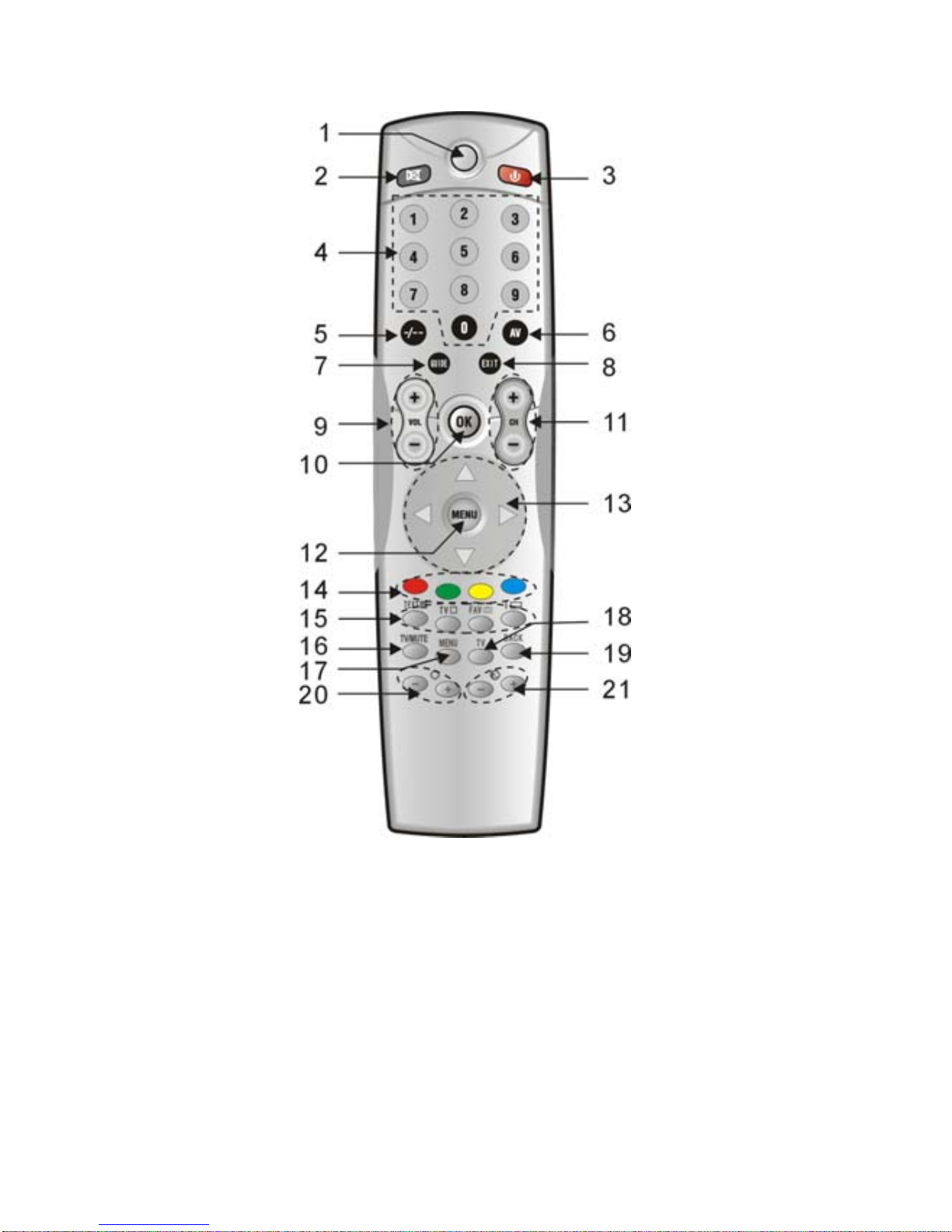
Button function
1. LED
LED blinks to show that the remote is working.
2. MUTE
Turn sound OFF or ON.

3. POWER
Switch devices ON or OFF.
4. Number keys
These operate as they did on your original remote
control.
5. -/--
Use to enter 1 or 2 digit numbers.
6. AV
Select TV orAV (VCR). (Note. 1)
7. Guide (Note 1)
Shows the guide screen.
8. EXIT (Note 1)
Exit the current mode.
9. VOL+/-
Control the volume of the device.
10. OK
Press this button to confirm the selection from the
operation of other buttons.
11. CH+/-
Select next or previous channel.
12. MENU (Note 1)
Access the menu of your chosen component.

13. UP/DOWN/LEFT/RIGHT (Note 1.)
Move the Cursor in the program guide and menu
screens
14. Fast text buttons (Note 1)
These operate the fast text on your TV as with your
original remote control.
15. Video/Telex (Note. 1)
These operate the VCR when it is selected.
16. TV Mute
Turn sound OFF or ON.
17. MENU (Note 1)
Access the menu of your chosen component.
18. TV
Press TV once to program your remote to operate
the TV.
19. Back
Go back to the previous channel or menu you have
chosen.
20/21.
Brighten -/+: Darken / brighten the picture
Color -/+: Decrease / Increase the color intensity.
Note 1.: For compatibility with many different types of
equipment some buttons may have no effect.

A. DIRECT CODE ENTRY
Warning: program one appliance at a time!
1. Turn on the appliance to be programmed.
2. Look for the brand of the appliance you want
to program in the code list and make a note
of the first code in the list (e.g. Philips TV
1050 – VCR 5120)
3. Press and hold the “TV” button for 5 seconds
until LED starts blinking. Then release the
button, LED keeps blinking continuously.
4. When the LED keeps blinking in step 3,
enter the previously identified code (e.g.
1050) from the code list. If LED flashes 3
times then turns off, it indicated that the code
is accepted. Then press POWER button to
see if it can turn off the appliance. If it can
turn off the appliance, it means the code is
correct; if not, please repeat from step 2 to
try another code.
N.B. THE LIGHT INDICATOR STOPS FLASHING.
The remote control exits programming mode and
the light indicator stops flashing:
zIf no keys are pressed for 15
seconds
zIf an invalid code is entered
zIf the wrong keys are accidentally
pressed.

B. GLOBAL SEARCH REMOTE
CONTROL PROGRAMMING
This operation can take up to 20 minutes and
should be carried out if you have not succeeded in
programming the remote control by means of the
other methods.
Warning: program one appliance at a time!
B.1. Power / Play Searching
1. Turn on the appliance to be programmed.
2. Press and hold the “TV” key for 5 seconds until
LED starts blinking. Then release the button,
LED keeps blinking continuously.
3. When LED keeps blinking in step 2, enter the
code 0000; the LED flashes more quickly to
indicate that the remote control is ready for the
search.
4. Press and slowly release the POWER button
repeatedly. Each time you press the POWER
button, a code will be transmitted. When the
appliance powers off, it indicates that the code is
found.
5. Press OK button immediately to confirm. LED
will fast flash 3 times and then turns off.

N.B. THE LIGHT INDICATOR STOPS FLASHING.
The remote control exits programming mode and the
light indicator stops flashing:
zIf no buttons are pressed for 15 seconds
zIf a button other than POWER button is
accidentally pressed
zIf the end of the code search list has been
reached. In this case, start again from point 2.
B.2. Mute Searching (TV only)
1. Turn on the TV
2. Press “TV” button and release.
3. Press and hold MUTE button over 5 seconds
and do not release. It will enter the mute
searching.
4. Keep pressing the MUTE button, LED keeps
flashing. When TV shows the mute signal, you
can release the MUTE button. LED will flash
every 3 seconds.
5.If the MUTE signal shows or disappears on your
TV again, press any button to save the code.
LED goes off.
6. You can power on the TV by hand and test the
CH+, CH-, VOL+, VOL-, etc. If the function button
is not working, you may repeat point 2-5.
Note: If LED flashes 15 times, and then goes off, it
has exited the setup mode, repeat points 2-5.

C. CURRENT CODE DISPLAY
1. Press and hold the Device button for 5
seconds.
2. When the button is released it will start to
flash; press and release the -/-- key within 8
seconds.
3. After a few seconds, the light indicator
produces 4 series of flashes, with a pause
between each series, corresponding to the
current code. Count the number of flashes;
each series of flashes corresponds to one
figure in the code. 10 flashes stand for 0.
4. Make a note of the code on the adhesive
label inside the battery cover for quick and
easy future reprogramming.
N.B. This operation cannot be interrupted and
the remote control cannot therefore be used
until the end of the 4 series of flashes.
Table des matières
Manuels Télécommande populaires d'autres marques

Panasonic
Panasonic EUR7622KB0 Manuel utilisateur

Bang & Olufsen
Bang & Olufsen Beo4 Manuel utilisateur

Sunwave Tech.
Sunwave Tech. RemoteComm SRC-7000 Manuel utilisateur

Multiplex
Multiplex PROFI TX 9 Manuel utilisateur

One Remote
One Remote RMB4 Manuel utilisateur

FUTABA
FUTABA 9ZAP - PART2 Manuel utilisateur


