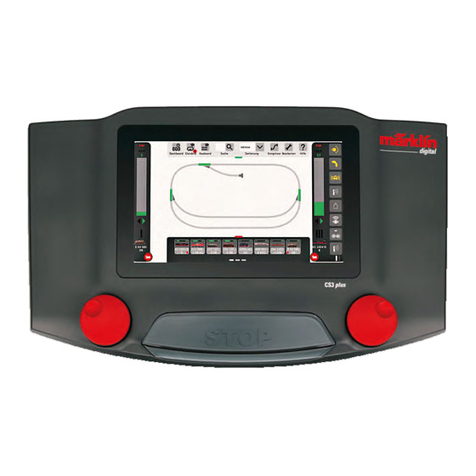
marklin Central Station Series Manuel utilisateur

Spielewelt Diesellokomotive
World of Operation Diesel Locomotive
Univers ludique – Locomotive diesel
Speelwereld - Diesellocomotief
Mundo de Juegos de la locomotora diésel
Mondo dei Giochi - Locomotiva Diesel
Simulatormiljö Diesellok
World of Operation Diesellokomotiver

2
Inhaltsverzeichnis • Table of Contents • Sommaire • Inhoudsopgave •
Índice • Elenco del contenuto • Innehållsförteckning • Indholdsfortegnelse
Deutsch Seite 3
English Page 7
Français Page 11
Nederlands Pag. 15
Español Página 19
Italiano Pagina 23
Svenska Sidan 27
Dansk Side 31

3
Spielmodus: Standard, ohne Lokführer
Spielmodus: Halbprofi; es werden der Verbrauch der Betriebsstoffe angezeigt und müssen über die Tanksäu-
len entsprechend ergänzt werden.
Spielmodus: Profi; es werden der Verbrauch der Betriebsstoffe angezeigt und können über die
Tanksäulen entsprechend ergänzt werden.
Wird das Symbol Führerstand aktiviert, schaltet das CS-Display in einen der Lokomotive
zugeordneten Führerstand um. Die Lokbedienung erfolgt über Bildschirmelemente und die beiden
CS2-Drehregler.
Ein wechseln zwischen dem Führerstand und Control ist jederzeit möglich. Der Verbrauch der
Betriebsstoffe bleibt weiterhin aktiv.
Spielmodus: Spezialist, wird das Symbol Führerstand aktiviert, schaltet das CS-Display in einen der Lo-
komotive zugeordneten Führerstand um. Die Lokbedienung erfolgt über Bildschirmelemente und die beiden
CS2-Drehregler.
Voraussetzung:
Für die nachfolgend beschriebenen Funktionen der Spielewelt ist eine Central Station 60213/60214/60215 ab Software Version
2.5 erforderlich, eventuell müssen Sie bei Ihrer Central Station vorher ein Update durchführen.
Nach dem Aufgleisen meldet sich die Lokomotive am Steuergerät an. Bei einer Central Station (ab Version 2.5) wird der Halb-
profimodus aktiviert, dieser lässt sich in der Lok-Konfiguration mit dem Menüpunkt Spielmodus ändern.
Für die beiden zuletzt genannten Lokführer-Profile können Sie mittels Kontakte und einem Rückmeldemodul eine Lokbehandlungs-
anlage (BW) festlegen. Pro Versorgungsstation sind 2 Kontakte anzulegen. Der erste Kontakt ist für die Anforderung des Betriebs-
stoffes, der 2. Kontakt ist die erreichte Lokbehandlungsanlage (Dieseltankstelle, Sandbunker, Bekohlungskran usw.).
Lokführer-Prole und ihre Symbole

4
Lok-
funktionen
SIFA-Taste
Vorratsanzeige Betriebsstoff Führerstandsfenster Vorratsanzeige Betriebsstoff
Fahrstufe Bremse Hauptschalter Zurück
DisplayFahrtrichtungswechsel

5
Fahrrelevante Bedienelemente
Hauptschalter = Mit diesem Schalter wird die Lokomotive aktiviert. 0= aus, 1= Öldruck aktiviert, 2= Motor, keine Auswirkung
auf die Soundfunktion (betätigen mit Stylus).
Fahrstufe = Schalten der Fahrstufen zum Fahren, beim Zurückschalten auf Fahrstufe 0 bleibt die fahrende Lok in
Verharrungsfahrt. Die Lok fährt weiter und die Geschwindigkeit wird entsprechend des Rollwiderstandes
reduziert. Diese Reduzierung entspricht nicht den Einstellungen der ABV.
Die Fahrstufe kann mit dem linken Drehregler der Central-Station oder dem Stylus betätigt werden.
SIFA-Taste = ist in regelmäßigen Abständen zu drücken. Wenn die SIFA nicht gedrückt wurde, erscheint im Infor-
mationsdisplay eine Aufforderung. Ist ein Lautsprecher an der Central Station angeschlossen, ertönt ein
Warnton. Wird die SIFA-Taste daraufhin nicht betätigt, erfolgt eine Zwangsbremsung. Die SIFA-Taste kann
durch Drücken des linken Fahrreglers oder mit dem Stylus bedient werden.
Bremse = Durch Betätigen der Bremse wird die Lok entsprechend der Stellung des Bremshebels abgebremst (ABV
nicht wirksam). Die Betätigung kann mit dem rechten Drehregler oder dem Stylus erfolgen.
Lokfunktionen = mit diesen Tasten werden mittels Stylus die Funktionen der Lokomotive geschaltet.
Vorratsanzeige Betriebsstoff = Diese Betriebsstoffe sind für den Fahrbetrieb erforderlich. Ist einer dieser Betriebsstoffe
verbraucht, schaltet die Lokomotive in Schleichfahrt. Erst nach Ergänzung des Betriebsstoffes kann die
Lokomotive wieder normal gesteuert werden.
Die Ergänzung der Betriebsstoffe ist je nach Spielmodus unterschiedlich.
Halbprofi: Durch Drücken des Symbols Tanksäule (nicht ortsgebunden)
Profi: ohne Führerstand, durch Drücken des Symbols Tanksäule (nicht ortsgebunden)
mit Führerstand durch Drücken der jeweiligen Betriebsanzeige (nicht ortsgebunden)
mit Führerstand und Nutzung einer Lokbehandlungsanlage (im Bahnbetriebswerk, ortsgebunden)
Spezialist: mit Führerstand durch Drücken der jeweiligen Betriebsanzeige (nicht ortsgebunden)
mit Führerstand und Nutzung einer Lokbehandlungsanlage (im Bahnbetriebswerk, ortsgebunden)
Display = Sie erhalten hier Informationen zum Fahren der Lokomotive (Sifa, Vorräte ergänzen usw.).
Fahrtrichtungswechsel = Vorgeben der Fahrtrichtung. Fahrtrichtung kann nur bei Fahrstufe 0 gewechselt werden).
Führerstandsfenster =zeigt eine fiktive Strecke sowie auf Anforderung eine fiktive Einrichtungen zur Bevorratung der Be-
triebsstoffe.

6
Vorrat muss ergänzt werden. Diese Anzeige erscheint nur in den Lokführer-Profilen Profi und Spezialist, wenn über
den Kontakt des Rückmeldemoduls die Anzeige ausgelöst wurde. Sie müssen mit diesem Button bestätigen, dass Sie
den Betriebsstoff auffüllen wollen. Es erscheint daraufhin dieser Button .
Lokbehandlungsanlage anfordern. Dieser Button erscheint im Profi- und Spezialisten-Modus, wenn Sie auf eine
Vorratsanzeige drücken. Es ermöglicht, die Betriebsstoffe aufzufüllen.
Betriebsstoff auffüllen und das Auffüllen beenden.
Lokbehandlung und Symbole
Symbol: Konfiguration
Symbol: Führerstand
Symbol: Betriebsstoff ergänzen
Symbole im Control

7
Mode of operation: Standard, without locomotive engineer.
Mode of operation: Semi-pro. The fuel consumption is indicated and must be replenished accordingly using
the diesel fuel pump.
Mode of operation: Pro. The fuel consumption is indicated and can be replenished accordingly
using the diesel fuel pump.
If the symbol for an engineer’s cab is activated, the CS screen switches to an engineer’s cab
assigned to the locomotive. The locomotive is operated using elements on the screen and the two
CS2 control knobs.
You can change between the engineer’s cab and the Control window at anytime. The fuel con-
sumption continues to remain active.
Mode of operation: Specialist. If the symbol for the engineer’s cab is activated, the CS screen switches to
an engineer‘s cab assigned to the locomotive. The locomotive is operated using elements on the screen and
the two CS2 control knobs.
Requirements:
A 60213/60214/60215 Central Station with software version 2.5 and higher is necessary for the World of Operation functions
described below. If necessary, you must carry out an update of your Central Station before trying to use the World of Operation
functions.
After the locomotive has been placed on the track it will register itself on the Central Station. On a Central Station with software
version 2.5 and higher the semi-pro mode will be activated. This mode can be changed in the locomotive configuration with
the menu item Mode of Operation.
Locomotive Engineer Proles and Their Symbols
For the last two locomotive engineer’s profiles mentioned above you can determine the location of a locomotive refueling
station (BW) using electrical contacts and a feedback module. 2 contacts per refueling station must be present on the layout.
The first contact is for requesting fuel and the 2nd contact is the locomotive refueling facility that has been reached (diesel
refueling station, sand bunker, coaling station, etc.).

8
Locomotive
Functions
“Dead Man’s Switch”
Fuel Supply Indicator Engineer’s Cab
Window Sand Supply
Speed Level Brakes Main
Relay Return
Display
Direction Reversal

9
Control Elements Relevant to Operations
Main Relay = The locomotive is activated with this relay. 0 = off, 1 = oil pressure activated, 2 = motor, no effect on the
sound function (activate with stylus).
Speed Level = Changing speed levels to run the locomotive, when the speed level is reduced to 0 the locomotive remains
at idle. The locomotive runs further and the speed is reduced according to the momentum.
This reduction does not correspond to the settings for acceleration/braking delay (ABV).
The speed level can be controlled with the left control knob on the Central Station or with the stylus.
Dead Man’s Switch = has to be pressed at regular intervals. If the button “dead man’s switch” is not pressed, a request to do
so will appear in the information display on the screen. If a speaker is connected to the Central Station, a
warning will sound.
If the button “dead man’s switch” is not activated right after this, there will be a compulsory braking of
the train. The button “dead man’s switch” can be operated by pressing on the left control knob or with the
stylus.
Brakes = The locomotive is braked according to the setting of the brake lever (ABV not effective here) when the
brakes are activated. This can be done with the right control knob or with the stylus.
Locomotive Functions = The functions for the locomotive are turned on and off with this button by means of the stylus.
Supply Indicator = The fuel and sand are required for the operation of the locomotive. If one of the fuel or sand are used up,
the locomotive switches to a crawl. The locomotive cannot be controlled normally until fuel or sand have
been replenished. Replenishing the fuel and sand differs according to the mode of operation.
Semi-pro: By pressing the symbol for a diesel fueling station (not limited by location)
Pro:
Without an engineer’s cab, by pressing the symbol for a diesel fueling station (not limited by location)
With an engineer’s cab, by pressing the operation indicator in question (not limited by location)
With an engineer’s cab and with use of a locomotive refueling facility (at a railroad maintenance
facility, limited by location)
Specialist: With an engineer’s cab, by pressing the operation indicator in question (not limited by location)
With an engineer’s cab and with use of a locomotive refueling facility (at a railroad maintenance
facility, limited by location)
Display = Here you get information about running the locomotive (dead man’s switch, replenishing supplies, etc.).

10
Supplies have to be replenished. This indication only appears in the locomotive engineer profiles “Pro” and “Speci-
alist” when the indication is activated by a contact on a feedback module. You must confirm with this button that you
want to replenish the fuel. This button then appears.
Requesting a locomotive servicing facility. This button appears in the “Pro” and “Specialist” modes when you press
on a supplies indicator. It allows you to replenish the fuel.
Replenishing fuel and ending the refueling procedure.
Locomotive Servicing and Symbols
Symbol: Configuration
Symbol: Engineer’s cab
Symbol: Add fuel
Symbols in the Control Window
Reversing Direction = Changing direction of travel. The direction of travel can be changed only at speed level 0.
Engineer’s Cab Window = Shows a fictitious route as well as on request fictitious facilities for replenishing fuel and sand.
Autres manuels pour Central Station Series
2
Ce manuel convient aux modèles suivants
3
Table des matières
Langues :
Autres manuels marklin Contrôleurs

marklin
marklin zu 29410 Manuel utilisateur

marklin
marklin Central Station 3 Manuel utilisateur

marklin
marklin 72752 Manuel utilisateur

marklin
marklin Central Station Series Manuel utilisateur

marklin
marklin 67014 Manuel utilisateur

marklin
marklin Central Station 3 Manuel utilisateur

marklin
marklin 72760 Manuel utilisateur

marklin
marklin Central Station Manuel utilisateur

marklin
marklin 66191 Manuel utilisateur

marklin
marklin Central Station 3 60216 Mode d’emploi