
Lynx LN24REF Manuel utilisateur

MAKE THE MOST OF YOUR
CARE & USE/INSTALLATION
LN15REF / LN24REF / LN24REFG
OUTDOOR REFRIGERATOR

2CAREANDUSE/INSTALLATION
NOTE
!CAUTION
CONTENTS AND SAFETY INSTRUCTIONS
Safety information ...............................................................2
Unpacking your appliance ..................................................3
Warranty registration .....................................................3
Installing your appliance ......................................................4
Cabinet clearances .........................................................4
Leveling the appliance ....................................................4
Electrical connection ......................................................5
Installing the anti-tip device .................................................6
Product Dimensions ...........................................................8
Using your Electronic control ............................................10
Shelving congurations .....................................................11
Care and cleaning .............................................................13
Long term storage / winterization ................................ 14
Stainless steel maintenance ............................................15
Energy saving tips ............................................................16
Obtaining service .............................................................16
Troubleshooting ................................................................17
!WARNING
State of California Proposition 65 Warning:
This product contains one or more chemicals known
to the State of California to cause cancer.
!WARNING
State of California Proposition 65 Warning:
This product contains one or more chemicals known
to the State of California to cause birth defects or
other reproductive harm..
Important Safety Instructions
Contents
!WARNING
WARNING - This unit contains R600a (Isobutane)
which is a ammable hydrocarbon. It is safe for regular
use. Do not use sharp objects to expedite defrosting.
Do not damage refrigerant circuit.
Warnings and safety instructions appearing in this guide
are not meant to cover all possible conditions and situa-
tions that may occur. Common sense, caution, and care
must be exercised when installing, maintaining, or operat-
ing this appliance.
Recognize Safety Symbols,
Words, and Labels.
!WARNING
WARNING-You can be killed or seriously injured if
you do not follow these instructions.
CAUTION-Hazards or unsafe practices which could re-
sult in personal injury or property / product damage.
NOTE-Important information to help assure a problem
free installation and operation.
Warranty ...........................................................................18

3
CAREANDUSE/INSTALLATION
NOTE
!CAUTION
UNPACKING YOUR APPLIANCE
Warranty Registration
Remove Interior Packaging
XXXXXXXXXXXXXX
XXXXXXXXXXXXXX
XXXXXXXXXXX
It is important you send in your warranty registration card
immediately after taking delivery of your appliance or you
can register online at:
www.lynxgrills.com/support/registration
The following information will be required when registering
your appliance.
Service/Model Number
Serial Number
Date of Purchase
Dealer’s name and address
The service/model number and serial number can be found
on the serial plate which is located inside the cabinet on
the left side near the top. (See Figure 1).
!WARNING
EXCESSIVE WEIGHT HAZARD
Use two or more people to move product.
Failure to do so can result in personal injury.
Your appliance has been packed for shipment with all parts
that could be damaged by movement securely fastened.
Remove internal packing materials and any tape holding in-
ternal components in place. The owners manual is shipped
inside the product in a plastic bag along with the warranty
registration card, and other accessory items.
Important
Keep your carton and packaging until your appliance has
been thoroughly inspected and found to be in good condi-
tion. If there is damage, the packaging will be needed as
proof of damage in transit. Afterwards please dispose of all
items responsibly.
Note to Customer
This merchandise was carefully packed and thoroughly
inspected before leaving our plant. Responsibility for its
safe delivery was assumed by the retailer upon acceptance
of the shipment. Claims for loss or damage sustained in
transit must be made to the retailer.
DO NOT RETURN DAMAGED MERCHANDISE TO THE
MANUFACTURER - FILE THE CLAIM WITH THE
RETAILER.
If the appliance was shipped, handled, or stored in other
than an upright position for any period of time, allow the ap-
pliance to sit upright for a period of at least 24 hours before
plugging in. This will assure oil returns to the compressor.
Plugging the appliance in immediately may cause damage
to internal parts.
Figure 1
!WARNING
WARNING - Help Prevent Tragedies
Child entrapment and suocation are not problems of
the past. Junked or abandoned refrigerators are still
dangerous - even if they sit out for "just a few hours".
If you are getting rid of your old refrigerator, please
follow the instructions below to help prevent acci-
dents.
Before you throw away your old refrigerator or
freezer:
•Take o the doors or remove the drawers.
• Leave the shelves in place so children may not
easily climb inside.
!WARNING
WARNING - Dispose of the plastic bags which can
be a suocation hazard.
Greenwood, MS 38930
R600A

4CAREANDUSE/INSTALLATION
!CAUTION
Leveling Legs
Front Grille
Do not obstruct the front grille. The openings within the
front grille allow air to ow through the condenser heat ex-
changer. Restrictions to this air ow will result in increased
energy usage and loss of cooling capacity. For this reason
it is important this area not be obstructed and the grille
openings kept clean. Lynx Grills does not recommend the
use of a custom made grille as air ow may be restricted.
(See Figure 2).
Front Leveling
Legs
Figure 2
Rear
Leveling
Legs
Front Grille,
keep this area
open.
INSTALLING YOUR APPLIANCE
Select Location
The proper location will ensure peak performance of your
appliance. We recommend a location where the unit will
be out of direct sunlight and away from heat sources. To
ensure your product performs to specifications, the recom-
mended installation location temperature range is from 55
to 100°F (13to 38°C).
Cabinet Clearance
Ventilation is required from the bottom front of the appli-
ance. Keep this area open and clear of any obstructions.
Adjacent cabinets and counter top can be installed around
the appliance as long as the front grille remains unobstruct-
ed.
Adjustable legs at the front and rear corners of the appli-
ance should be set so the unit is rmly positioned on the
oor and level from side to side and front to back. The over-
all height of your Lynx appliance may be adjusted between
the minimum, 333⁄4" (85.7 cm), by turning the leveling leg in
(CW P) and the maximum, 343⁄4" (88.3 cm) by turning the
leveling leg out (CCW Q).
To adjust the leveling legs, place the appliance on a solid
surface and protect the oor beneath the legs to avoid
scratching the oor. With the assistance of another person,
lean the appliance back to access the front leveling legs.
Raise or lower the legs to the required dimension by turning
the legs. Repeat this process for the rear by tilting the appli-
ance forward using caution. On a level surface check the
appliance for levelness and adjust accordingly.
The front grille screws may be loosened and the grille ad-
justed to the desired height. When adjustment is complete
tighten the two front grille screws. (See Figure 5).

5
CAREANDUSE/INSTALLATION
NOTE
Figure 6
Electrical Connection
Electrical Shock Hazard
• Do not use an extension cord with this appliance.
They can be hazardous and can degrade product
performance.
• This appliance should not, under any circumstanc-
es, be installed to an un-grounded electrical supply.
• Do not remove the grounding prong from the power
cord. (See Figure 3).
• Do not use an adapter. (See Figure 4).
• Do not splash or spray water from a hose on the
appliance. Doing so may cause an electrical shock,
which may result in severe injury or death.
!WARNING
A grounded 115 volt, 15 amp dedicated circuit is required.
This product is factory equipped with a power supply
cord that has a three-pronged, grounded plug. It must be
plugged into a mating grounding type receptacle in accor-
dance with the National Electrical Code and applicable lo-
cal codes and ordinances (see Figure 6). If the circuit does
not have a grounding type receptacle, it is the responsibility
and obligation of the customer to provide the proper power
supply. The third ground prong should not, under any cir-
cumstances, be cut or removed.
Ground Fault Circuit Interrupters (GFCI) are prone to nui-
sance tripping which will cause the appliance to shut down.
GFCI’s are generally not used on circuits with power equip-
ment that must run unattended for long periods of time, un-
less required to meet local building codes and ordinances.
Front grille screw
Front grille
Figure 5
INSTALLING YOUR APPLIANCE
Figure 3
Figure 4
Do not remove
ground prong

6CAREANDUSE/INSTALLATION
INSTALLING THE ANTI-TIP DEVICE
!CAUTION
NOTE
Bottom View of
Refrigerator
Anti-Tip
Bracket Leveling Leg
Front of cabinet
211⁄2"
(54.6 cm)
Figure 7
The anti-tip bracket is to be located on the oor in the left or
right rear corner of the refrigerator as shown in Figure 7.
for locating the position of the bracket:
1) Decide where you want to place the refrigerator. Slide it
into place, being careful not to damage the floor, leaving
1" (2.5 cm) of clearance from the rear wall to allow room for
the anti-tip bracket.
2) Raise the rear leveling legs approximately 1/4" (6 mm) to
allow engagement with the anti-tip bracket. Level the unit by
adjusting all the leveling legs as required. Turning the
leveling leg counterclockwise will raise the unit and clock-
wise will lower the unit.
3) Make sure the refrigerator is in the desired location, then
mark on the floor the rear and side corner of the cabinet
where the anti-tip bracket will be installed. If the installation
does not allow marking the rear corner of the cabinet, then
make temporary lines on the floor marking the front corner
of the cabinet, excluding the door. Slide the refrigerator out
of the way. From the temporary line extend the sidewall line
back 211⁄2" (54.6 cm) as shown in Figure 8.
4) Align the anti-tip bracket to the marks on the floor so the
side of the bracket lines up with the side of the cabinet
mark, and the "V" notches on the anti-tip bracket line up
with the end of the 211⁄2" (54.6 cm) line (Rear of cabinet
line).
5) Fasten the anti-tip bracket to the floor using the supplied
screw. (See Figure 8).
6) Slide the cabinet back into position, making sure the rear
cabinet leveling leg slides under the anti-tip bracket engag-
ing the slot.
!WARNING
•ALL APPLIANCES CAN TIP
RESULTING IN INJURY.
•INSTALL THE ANTI-TIP
BRACKET PACKED WITH
THE APPLIANCE.
•FOLLOW THE INSTRUC-
TIONS BELOW
Any nished ooring should be protected with appropriate
material to avoid damage when moving the unit.
If installing on a concrete oor, concrete fasteners are
required, (not included with the anti-tip kit).
!WARNING
If your refrigerator is not located under a counter
top (free standing), you must use an anti-tip device
installed as per these instructions. If the refrigerator is
removed from its location for any reason, make sure
that the device is properly engaged with the anti-tip
bracket when you push the refrigerator back into the
original location. If the device is not properly engaged,
there is a risk of the refrigerator tipping over, with the
potential for property damage or personal injury.
Anti-Tip Device
Floor Mount Installation
Step by Step Instructions

7
CAREANDUSE/INSTALLATION
INSTALLING THE ANTI-TIP DEVICE
211⁄2"
(54.6 cm)
"V" notches
in bracket
"V" notches
in bracket
Side of cabinet line
Figure 8
Front of cabinet line
Rear of cabinet line
Rear Leveling leg
Screw
Figure 8a
NOTE
When the oor mounted anti-tip bracket is used the mini-
mum adjusted height of the cabinet is increased by
3⁄8" (9 mm).

8CAREANDUSE/INSTALLATION
MODEL
ROUGH-IN OPENING DIMENSIONS CABINET DIMENSIONS
"A" "B" "C" "D" "E" "F" "G" "H" "J"
LN15REF 15"
(38.1 cm)
**34" to 35"
(86.4 to 88.9 cm) *147⁄8"
(37.8 cm)
333⁄4" to 343⁄4"
(85.7 to 88.3 cm)
2323⁄32"
(60.2 cm)
263⁄4"
(67.9 cm)
3713⁄32"
(95 cm)
173⁄4"
(45.1 cm)
LN24REF
LN24REFG
24"
(61 cm)
**34" to 35"
(86.4 to 88.9 cm) *237⁄8"
(60.7 cm)
333⁄4" to 343⁄4"
(85.7 to 88.3 cm)
2323⁄32"
(60.2 cm)
263⁄4"
(67.9 cm)
4613⁄32"
(117.9 cm)
263⁄4"
(67.9 cm)
"A"
"B"
"C"
"D"
"E"
If necessary to gain clearance inside the rough-in
opening a hole can be cut through the adjacent cabi-
net and the power cord routed through this hole to a
power outlet. Another way to increase the available
opening depth is to recess the power outlet into the
rear wall to gain the thickness of the power cord plug.
Not all recessed outlet boxes will work for this applica-
tion as they are too narrow, but a recessed outlet box
equivalent to Arlington #DVFR1W is recommended for
this application, (see Figure 10).
PRODUCT DIMENSIONS
Figure 9
Figure 9a
Figure 10

9
CAREANDUSE/INSTALLATION
"F"
211⁄2"
(54.6 cm)
* Depth dimension of rough-in opening may vary depend-
ing on each individual installation. To recess entire door "F"
dimension plus 1" (2.5 cm) for thickness of power cord plug
is required.
** Minimum rough-in opening required is to be larger than
the adjusted height of the cabinet.
# A grounded 15 amp dedicated circuit is required. Follow
all local building codes when installing electrical and appli-
ance.
MODEL
PRODUCT DATA
ELECTRICAL
REQUIREMENTS #
PRODUCT
WEIGHT
LN15REF 115V/60Hz/15A 105 lbs
(47.7 kg)
LN24REF
LN24REFG 115V/60Hz/15A 140 lbs
(63.6 kg)
"D"
"E"
"H"
"J"
"G"
PRODUCT DIMENSIONS
Figure 11
!WARNING Floor mount Anti-tip Bracket must be installed for freestand-
ing applications. Not required for built in applications.

10 CAREANDUSE/INSTALLATION
USING YOUR ELECTRONIC CONTROL
Control Function Guide
Figure 13
Electronic control
Function Command Notes
ON/OFF Press and hold for 5 seconds. Unit will immediately turn ON or OFF.
Leave Interior Light On Press and release to leave interior light on for
3 hours; press again to deactivate.
After 12 hours, factory default is restored; light will turn on when
door is open.
Adjust Temperature Press or and release.
When the display is ashing, press or to adjust the set
point temperature. Note: temperature displayed is the actual
temperature inside unit.
Toggle Between oF / oC Hold and for 5 seconds. The display will change units.
Enable Sabbath Mode Press and hold for 5 seconds and release.
The oF / oC symbol will ash briey after 5 seconds. Interior
light and display will go dark and remain so until user resets
mode - unit continues to operate.
Disable Sabbath Mode Press , hold for 5 seconds and release. Display and interior light return to normal operation.
Showroom Mode Hold and for 5 seconds.
Display will show for 2 seconds. Interior light and display
will function normally, but the compressor and fans will not be
energized. Repeat command to return to normal operation.
Display will show for 2 seconds.
NOTE
Temperature displayed reects actual temperature inside unit. If the
temperature displayed is dierent than selected, the unit is progressing
towards the selected temperature. Time to reach set point varies based
upon ambient temperature, temperature of product loaded, door
openings, etc. Lynx Grills recommends allowing the unit to reach set
points before loading.
Ce manuel convient aux modèles suivants
3
Table des matières
Autres manuels Lynx Réfrigérateur

Lynx
Lynx LM15REF Manuel utilisateur
Lynx
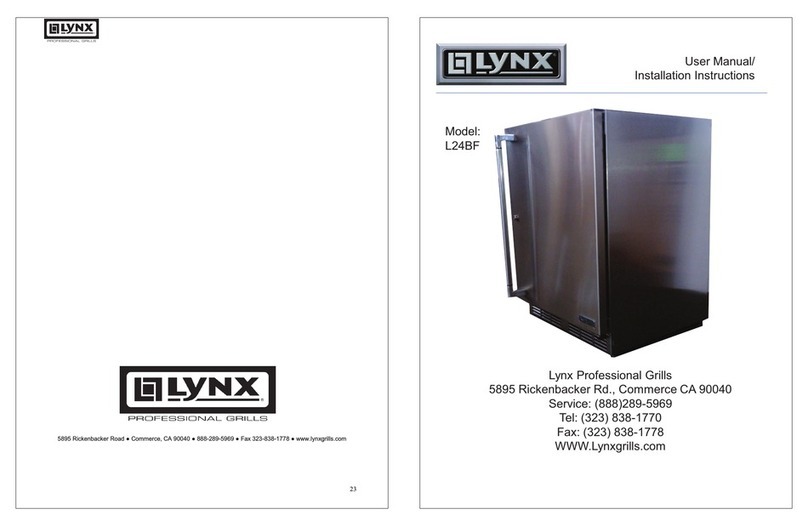
Lynx L24BF Manuel

Lynx
Lynx L24REF Manuel

Lynx
Lynx LN24REFG Manuel utilisateur

Lynx
Lynx L24DWR Manuel

Lynx
Lynx LM24REFC Manuel utilisateur

Lynx
Lynx LN24BF Manuel utilisateur

Lynx
Lynx L124REFC Manuel utilisateur

Lynx
Lynx LN24DWR Manuel utilisateur

Lynx
Lynx LM24DWR Manuel technique


