
Logik L2STB11 Manuel utilisateur
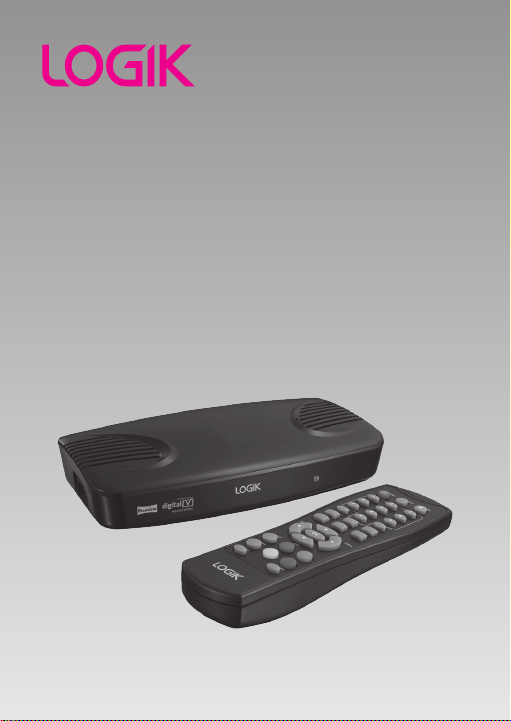
Digital Set-top Box
Instruction Manual
L2STB11
L2STB11_IB_110608_Annie.indd 1 11年6月8日 下午3:32

L2STB11_IB_110608_Annie.indd 2 11年6月8日 下午3:32

Content
Unpacking ......................................................................................................................5
Product Overview ..........................................................................................................6
Front View ............................................................................................................................................6
Left View ...............................................................................................................................................6
Rear View..............................................................................................................................................6
Remote Control ................................................................................................................................. 7
Installing Batteries in the Remote Control ...............................................................................9
Remote Control Operation Range ............................................................................................10
Connections .................................................................................................................11
Connecting to the TV ....................................................................................................................11
Connecting to External AV Equipment and VCR .................................................................12
Connecting a USB Storage Device ............................................................................................13
Initial Setting ...............................................................................................................14
Plug In and Switch On ...................................................................................................................14
First Time Installation ....................................................................................................................14
Basic Operation ...........................................................................................................15
Using the EPG (Electronic Programme Guide) .....................................................................15
Changing the Channel ..................................................................................................................16
Changing the Volume ...................................................................................................................16
Using Subtitles .................................................................................................................................16
Using Digital Teletext.....................................................................................................................16
The Info Banner ...............................................................................................................................17
Channel Organiser Menu ............................................................................................18
Delete ..................................................................................................................................................18
Reorder ...............................................................................................................................................18
Rename...............................................................................................................................................19
L2STB11_IB_110608_Annie.indd 3 11年6月8日 下午3:32

Favourites Menu ..........................................................................................................20
New ......................................................................................................................................................20
Edit .......................................................................................................................................................20
Reorder ...............................................................................................................................................21
Rename...............................................................................................................................................21
Delete ..................................................................................................................................................22
Setup Menu ..................................................................................................................23
Languages .........................................................................................................................................23
TV Setup .............................................................................................................................................24
Parental Control...............................................................................................................................25
Service Setup ....................................................................................................................................26
Software Update .............................................................................................................................29
System Information ........................................................................................................................30
Auto Standby Setting ....................................................................................................................30
Multimedia Menu ........................................................................................................32
My Photo ............................................................................................................................................32
My Music ............................................................................................................................................33
Hints and Tips...............................................................................................................35
Specication ................................................................................................................37
Safety Warnings ...........................................................................................................38
L2STB11_IB_110608_Annie.indd 4 11年6月8日 下午3:32

Remote Control and
Batteries
P.N.: 50481187102
The Unit Mains Adapter
P.N.: 5140110108
Instruction Manual
P.N.: L2STB11-IB-002
Quick Start Guide
P.N.: L2STB11-QSG-002
Unpacking
Remove all packaging from the unit. Retain the packaging. If you dispose of it please do
so according to local regulations.
The following items are included:
Thank you for purchasing your new Logik Digital Set-top Box.
We recommend that you spend some time reading this instruction manual in
order that you fully understand all the operational features it offers. You will
also find some hints and tips to help you resolve any issues.
Read all the safety instructions carefully before use and keep this instruction
manual for future reference.
If items are missing or damaged, please contact Partmaster (UK only).
Tel: 0844 800 3456 for assistance.
Digital Set-top Box
Instruction Manual
L2STB11
DTV/VCR
CH. LIST
5
L2STB11_IB_110608_Annie.indd 5 11年6月8日 下午3:32

Product Overview
1
4 5 6 7
2
8 9
3
RF IN
EXT2 EXT1 TV 5V
AUX
RF OUT
Front View
Rear View
Left View
1. Standby Indicator
Illuminates green when the unit is
turned on. Illuminates red when the
unit is in standby mode.
2. Remote Sensor
Receives signals from the remote
control.
4. RF IN
Connects to an aerial.
5. RF OUT
Connects to TV’s aerial input socket.
6. COAXIAL
Connects to the audio socket on the
digital/standard 5.1 audio system.
7. AUX SCART (EXT2)
Connects to a VCR or other AV
devices with SCART input socket.
8. TV SCART (EXT1)
Connects to a TV with SCART output
socket.
9. DC-IN 5V Connector
Connects to supplied mains power
adapter.
Do not attempt to service the
unit without the appropriate
technical support.
3. USB Socket
Allows the insertion of a USB storage
device to playback Photo and Music
files.
6
L2STB11_IB_110608_Annie.indd 6 11年6月8日 下午3:32

1. STANDBY Button
Press to turn the unit to on and standby.
2. DTV/VCR Button
Press to change between TV and VCR
Scart connections.
3. Button
Press to mute and restore the sound
output.
4. 0-9 Number Button
Press to enter values and select the
channel directly by entering its number.
5. FAV Button
Press to switch between your favourite
channels.
6. TV/RADIO Button
Press to switch between TV and music
programmes.
7. AUDIO Button
Press to switch between the audio
languages (only applicable when the TV
programme has this feature).
8. S Button
Press to set up the available subtitle.
9. Button
Press to display information about the
current programme.
10. MENU Button
Press to display the main menu of the
unit.
11. GUIDE Button
Press to display the EPG Electronic
Program Guide.
12. EXIT Button
Exit the main menu of the unit.
Remote Control
The device will automatically enter into the STANDBY mode if no operation in
3 hours. Press the STANDBY button again to turn the power on. The standby
reminder will pop up 2 minutes before entering into the STANDBY mode.
DTV/VCR
CH. LIST
1
5
7
10
8
11
2
4
3
6
9
12
7
L2STB11_IB_110608_Annie.indd 7 11年6月8日 下午3:32

13. CH+ / CH– Button
Press to select a channel.
Vol+ / Vol– Button
Press to adjust the volume.
Button
Allows you to navigate the menus
and adjust the system settings to your
preference.
OK Button
Press to confirm selection in OSD menu.
14. TEXT Button
Press to turn on/off teletext/MHEG-5
function.
15. Colour Buttons (Red/Green/Yellow/Blue)
The features of these four coloured
buttons are defined on different channels,
each button will correspond to various
coloured page numbers and functions
provided by Television broadcasters.
16. CH. LIST Button
Press to display the channel list.
17. PAGE– / PAGE+ Button
Press to go to the previous / next page in
teletext or some menus.
DTV/VCR
CH. LIST
16
17
14
15
13
8
L2STB11_IB_110608_Annie.indd 8 11年6月8日 下午3:32
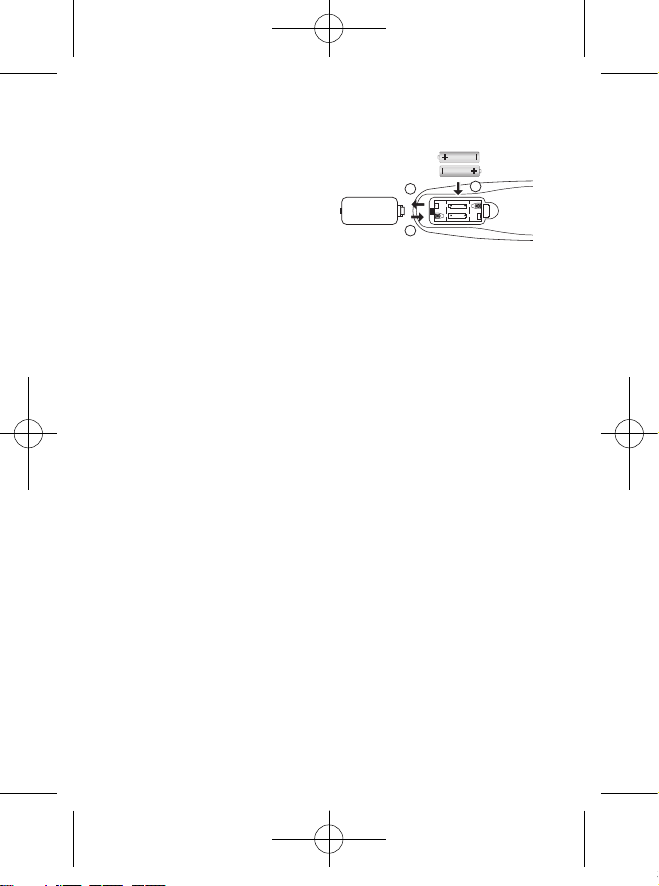
Installing Batteries in the Remote Control
1. Press and lift the battery cover of
remote control.
2. Insert 2 x AAA size batteries and make
sure to match the (+) and (–) ends of
the batteries with the (+) and (–) ends
indicated in the battery compartment.
3. Close the battery cover.
Handling the Batteries
• Improper or incorrect use of batteries may cause corrosion or battery leakage, which
could cause fire, personal injury or damage to property.
• Only use the battery type indicated in this manual.
• When the batteries are exhausted, the remote will not function. Replace both
batteries at the same time with new ones.
• Do not install new batteries with used ones and do not mix different types of
batteries.
• Do not dispose of used batteries as domestic waste. Dispose of them in accordance
with local regulations.
Handling the Remote Control
• Take care of your fingernails when you press and hold the battery release tab.
• Do not drop or cause impact to the remote control.
• Do not spill water or any liquid on the remote control.
• Do not place the remote control on a wet object.
• Do not place the remote control under direct sunlight or near sources of excessive
heat.
• Remove the battery from the remote control when not in use for a long period of
time, as it could cause corrosion or battery leakage and may result in physical injury
and/or property damage including fire.
1
3
2
9
L2STB11_IB_110608_Annie.indd 9 11年6月8日 下午3:32

Remote Control Operation Range
Point the remote control unit no more than 5 metres from the remote control sensor
and within 60° in front of the unit. The operating distance may vary depending on the
brightness of the room.
5m
30° 30°
10
L2STB11_IB_110608_Annie.indd 10 11年6月8日 下午3:32
Table des matières


