
Loctite EQ RB21 Manuel utilisateur

EQ RB21 SOFTWARE
USER GUIDE
Version RB1.00-2

- Page 2 -
Table of Contents
SECTION 1: INTRODUCTION....................................................................................5
1.1 Introduction .........................................................................................................................................6
1.2 Safety ...................................................................................................................................................6
1.3 Get Started...........................................................................................................................................7
SECTION 2: TOUR OF TEACH PENDANT................................................................9
2.1 Teach Pendant Overview.....................................................................................................................10
2.2 Operation.............................................................................................................................................10
2.3 Key Introduction..................................................................................................................................11
2.4 Navigation Menu .................................................................................................................................12
2.5 Jogging ................................................................................................................................................12
2.6 Data Entry ...........................................................................................................................................12
2.7 Running a Program .............................................................................................................................12
2.8 Teach Pendant Key Assignments.........................................................................................................13
SECTION 3: MENU INTRODUCTION.........................................................................16
3.1 F1 Menu...............................................................................................................................................17
3.2 F2 Menu...............................................................................................................................................20
3.2.1 Utility Menu.........................................................................................................................................21
3.3 F3 Menu...............................................................................................................................................22
3.4 F4 Menu...............................................................................................................................................23
SECTION 4: PROGRAMMING....................................................................................25
4.1 Programming Example........................................................................................................................26
4.2 Good Programming Practices.............................................................................................................29
4.3 Editing a Program...............................................................................................................................30
4.3.1 Changing a Point’s XYZ location........................................................................................................30
4.3.2 Insert / Delete an Instruction...............................................................................................................31
4.4 Changing the Program Number...........................................................................................................32
4.5 Changing from Teach Mode to Run Mode...........................................................................................32
SECTION 5: FUNCTION REFERENCE......................................................................33
5.1 F1 Menu (Enter or F1 Key).................................................................................................................34
5.1.1 Dispense Dot........................................................................................................................................34
5.1.2 Line Start .............................................................................................................................................34
5.1.3 Line Passing.........................................................................................................................................35
5.1.4 Circle...................................................................................................................................................35
5.1.5 Arc Point..............................................................................................................................................36
5.1.6 Line End...............................................................................................................................................36
5.1.7 End Program .......................................................................................................................................36
5.1.8 Dispense ON / OFF.............................................................................................................................37
5.1.9 GOTO Address.....................................................................................................................................38
5.1.10 Step & Repeat X...................................................................................................................................38
5.1.11 Step & Repeat Y...................................................................................................................................43
5.1.12 Brush Area...........................................................................................................................................44
5.1.12.1 Brush Area: Rectangle.........................................................................................................................45
5.1.12.2 Brush Area: Circle...............................................................................................................................46
5.1.12.3 Brush Area: Rectangle 1......................................................................................................................47
5.1.12.4 Brush Area: Rect. Band.......................................................................................................................48
5.1.12.5 Brush Area: Circle Band .....................................................................................................................49
5.1.12.6 Brush Area: Circle 1............................................................................................................................50
5.1.12.7 Call Subroutine....................................................................................................................................51
5.1.13 Call Program.......................................................................................................................................52
5.1.14 Set I/O..................................................................................................................................................52
5.1.15 Wait Point............................................................................................................................................53
5.1.16 Stop Point ............................................................................................................................................53
5.1.17 Home Point..........................................................................................................................................53
5.1.18 Loop Address.......................................................................................................................................53
5.1.19 Dummy Point.......................................................................................................................................54
5.1.20 Initialize...............................................................................................................................................54
5.1.21 Label....................................................................................................................................................54
5.1.22 Display Counter...................................................................................................................................54
5.1.23 Loop Counter.......................................................................................................................................54
5.1.24 Needle Adjustment...............................................................................................................................55
5.1.25 Needle Adjustment Counter .................................................................................................................55

- Page 3 -
5.1.26 Set GPIO..............................................................................................................................................55
5.1.27 Arc Dispense Setup..............................................................................................................................56
5.1.28 Tip Clean .............................................................................................................................................57
5.2 F2 Menu (F2 Key) ...............................................................................................................................57
5.2.1 Group Edit...........................................................................................................................................57
5.2.1.1 Copy.....................................................................................................................................................57
5.2.1.2 Delete...................................................................................................................................................58
5.2.1.3 Move ....................................................................................................................................................59
5.2.1.4 Line SP (Line Speed)............................................................................................................................60
5.2.1.5 Dispense Time......................................................................................................................................61
5.2.1.6 Offset....................................................................................................................................................62
5.2.1.7 Offset (R.E)..........................................................................................................................................63
5.2.2 Expand Step & Repeat.........................................................................................................................64
5.2.3 Program Name.....................................................................................................................................65
5.2.4 Z-axis Limit (mm) ................................................................................................................................65
5.2.5 Initial Output Port ...............................................................................................................................65
5.2.6 Utility Menu.........................................................................................................................................66
5.2.6.1 Program...............................................................................................................................................66
5.2.6.2 Memory................................................................................................................................................66
5.2.6.3 Teach Pendant.....................................................................................................................................67
5.2.6.4 Relocate Data ......................................................................................................................................67
5.2.6.5 Lock or Unlock Program.....................................................................................................................69
5.2.6.6 Password Setup....................................................................................................................................69
5.2.6.7 Key Beep..............................................................................................................................................69
5.2.6.8 Test Function.......................................................................................................................................69
5.3 F3 Menu (F3 Key) ...............................................................................................................................70
5.3.1 Numerical Move...................................................................................................................................70
5.3.2 Save Temp Point..................................................................................................................................70
5.3.3 Move To Temp Point............................................................................................................................70
5.3.4 Undo Program.....................................................................................................................................70
5.3.5 Redo Program......................................................................................................................................70
5.3.6 Debug Program...................................................................................................................................71
5.3.7 Move To Home Position ......................................................................................................................71
5.3.8 System Information..............................................................................................................................71
5.3.9 Execute Point.......................................................................................................................................71
5.3.10 Program Name List..............................................................................................................................71
5.4 F4 Menu (F4 Key) ...............................................................................................................................72
5.4.1 Line Speed............................................................................................................................................72
5.4.2 Line Dispense Setup.............................................................................................................................72
5.4.3 Point Dispense Setup...........................................................................................................................73
5.4.4 Dispense End Setup .............................................................................................................................73
5.4.5 Z Clearance .........................................................................................................................................75
5.4.6 X/Y Move Speed...................................................................................................................................76
5.4.7 Z Move Speed.......................................................................................................................................76
5.4.8 Home Position Setup............................................................................................................................77
5.4.9 Adjust Position Setup...........................................................................................................................78
5.4.10 Retract Setup........................................................................................................................................80
5.4.11 Quickstep .............................................................................................................................................82
5.4.12 Purge & Tip Clean Setup.....................................................................................................................83
5.4.13 ESTOP Output Status...........................................................................................................................84
5.4.14 Acceleration.........................................................................................................................................85
5.4.15 Pause Status.........................................................................................................................................85
5.4.16 Language.............................................................................................................................................85
5.4.17 Jog Speed.............................................................................................................................................85
5.4.18 Debug Speed........................................................................................................................................85
5.4.19 Adjust Origin .......................................................................................................................................86
5.4.20 Quickstep Path.....................................................................................................................................86
5.4.21 USB Up/Down Load ............................................................................................................................86
5.4.22 Circle Delay Time................................................................................................................................88
5.4.23 Initialize Setup.....................................................................................................................................88
5.4.24 Teach Needle Adjustment.....................................................................................................................89
5.4.25 Teach Needle Adjustment Setup...........................................................................................................90
5.4.26 Double Table Run Mode......................................................................................................................90
5.4.27 Low Level Sensor Setup.......................................................................................................................91

- Page 4 -
SECTION 6: SAMPLE PROGRAMS...........................................................................92
6.1 Dots, Lines and Arcs............................................................................................................................93
6.2 Brush Area...........................................................................................................................................95
6.3 Step & Repeat ......................................................................................................................................96
6.4 Input / Output Signal Processing.........................................................................................................98
6.5 Needle Calibration...............................................................................................................................100
6.6 Program with Dual Table....................................................................................................................101
SECTION 7: SOFTWARE UPGRADE ........................................................................102
7.1 Upgrade Software................................................................................................................................103
SECTION 8: ERROR MESSAGES .............................................................................104
8.1 Point Closed Error ..............................................................................................................................105
8.1.1 Need Line Start Point...........................................................................................................................105
8.1.2 Need Step & Repeat.............................................................................................................................105
8.1.3 Unlock Program ..................................................................................................................................105
8.1.4 Address Over Memory.........................................................................................................................106
8.1.5 Move Over Memory.............................................................................................................................106
8.1.6 System Error........................................................................................................................................106
8.1.7 Over Speed Error.................................................................................................................................106
SECTION 9: EQUIPMENT WARRANTY.....................................................................107
9.1 Equipment Warranty............................................................................................................................108

SECTION 1: Introduction

- Page 6 -
1.1 Introduction
Welcome to the Henkel RB21 System Software User Guide, this manual is an instructional
guide designed for system operators, programmers, and process engineers. It provides a
complete tour of the Robot control software with detailed explanations of all features.
In most cases, the software should arrive already installed and configured for your robot. If
you should need to reinstall the software or upgrade to latest version, Please refer to
Section 7 – Software Upgrade.
1.2 Safety
Please review the Section 2 Safety in RB21 Installation, Operations & Maintenance
manual before attempting to operate the robot system using procedures described in this
manual.

- Page 7 -
1.3 Get Started
A program consists of a series of instructions stored in the main memory unit. Each
instruction is stored in a numbered memory address. A memory address may record a
point location with an X, Y, and Z-axis value and point type or it may store an instruction,
which sets a parameter, such as a dispensing time or line speed.
When the program is executed, the robot will go through each memory address in
sequence and execute the instruction found there. If the memory address contains a point
location, the robot will move the X, Y, and Z axes to that location. Depending on the type
of point registered at that location, the robot may also perform other functions, such as
turn the dispenser on or off.
The most commonly used point types are Dispense Dot, Line Start, Line Passing, Arc
Point, and Line End.
To program the robot to dispense a ‘dot’ of material, the dispensing tip must be jogged to
the desired XYZ location, then that location is registered as a DISPENSE DOT point type
by pressing the appropriate keys on the Teach Pendant.
To program the robot to dispense a bead of material along a linear path, the XYZ location
of the start of the line is registered as a LINE START point type. The locations where the
tip changes direction are registered as LINE PASSING points. The end of the line is
registered as a LINE END point:
The LINE START has already included DISPENSE ON function and the LINE END has
already included DISPENSE OFF function.
Line Start Line End
Line
Passing Line
Passing
Dispense Dot
- Page 8 -
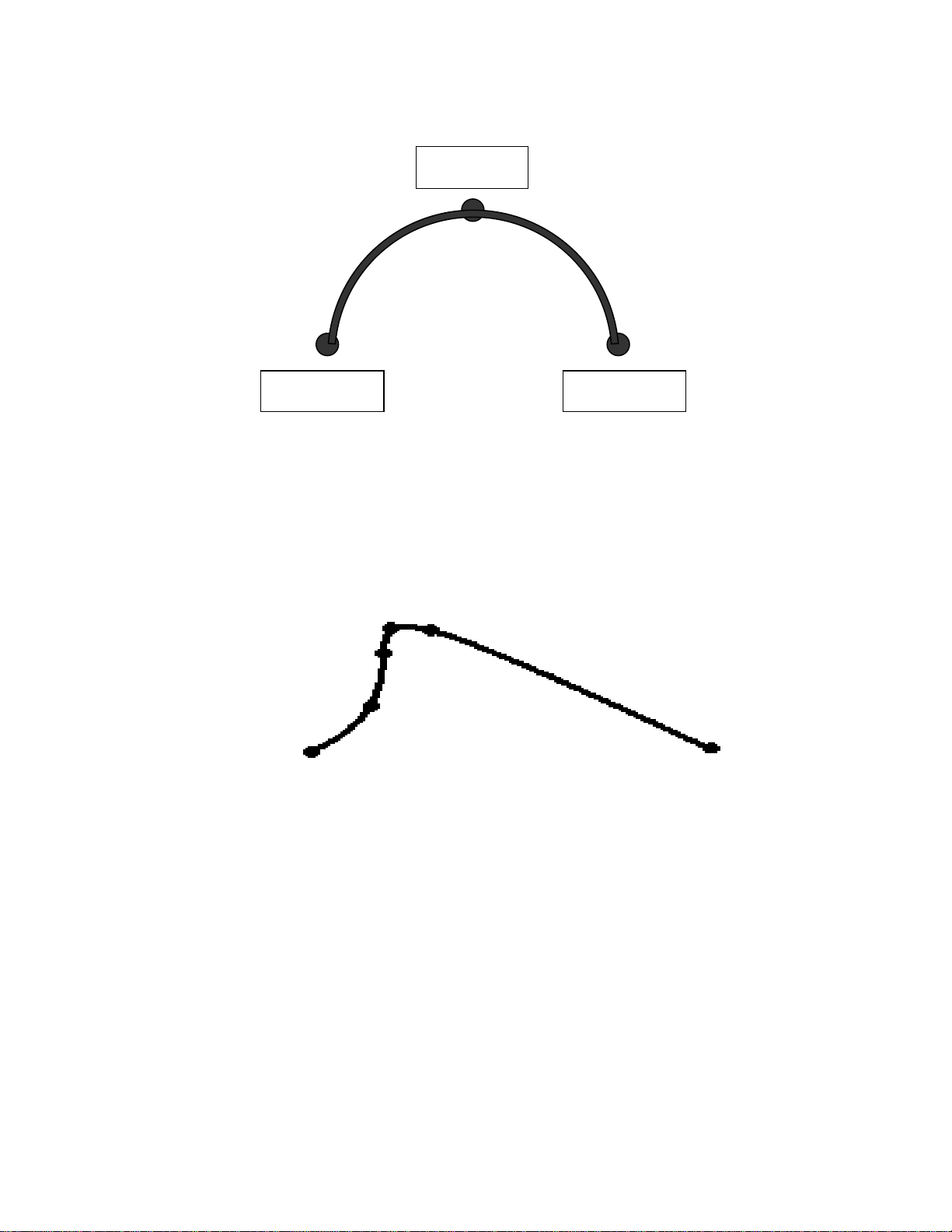
To dispense a bead of material in an arc, the XYZ location of the start of the line is
registered as a LINE START point type. The high point of the arc is registered as an ARC
POINT. The end of the arc is registered as a LINE END point:
Lines and arcs can also be combined to dispense a bead of material along a complex
path: You cannot have 2 consecutive arc points in a program
Once the required point locations for your program have been taught, the teach pendant is
no longer required. The unit can be switched to RUN mode and operated using the
buttons and switches on the main unit control panel.
Line End
Line Start Line End
Arc Point
Line Start
Arc Point
Arc Point
Line Passing
Line Passing

- Page 9 -
SECTION 2: Tour of Teach Pendant

- Page 10 -
2.1 Teach Pendant Overview
The teach pendant enables the user to jog robot to input program data.
2.2 Operation
There are several functions assigned to most keys on the Teach pendant. When a key is
pressed alone, the function shown in the dark grey colored area on the key is executed.
For example, Ins, Del, Jump, Clear and Esc are the default key functions, which are
executed when that key is pressed alone.
To access the function shown in the light grey area at the top of a key, press and release
the Shift key first (the LED on the Shift key will be flashing), then press the desired key.
For example, to select the Speed function, press and release Shift, then press the Speed
key.
When a number is required, the teach pendant will automatically switch to numeric entry
mode. The number represented by each key is shown in the lower right corner of the key.
Ce manuel convient aux modèles suivants
1
Table des matières
Autres manuels Loctite Robotique


Manuels Robotique populaires d'autres marques

STEMCenter USA
STEMCenter USA Pi-Bot v2.00 Manuel utilisateur

SunFounder
SunFounder PiDog Manuel utilisateur

Universal Robots
Universal Robots UR5 Manuel utilisateur

Universal Robots
Universal Robots E Series Manuel utilisateur

YASKAWA
YASKAWA MOTOMAN-MPL80 II Manuel utilisateur

EFORT
EFORT ECR5 Manuel d'instructions


